
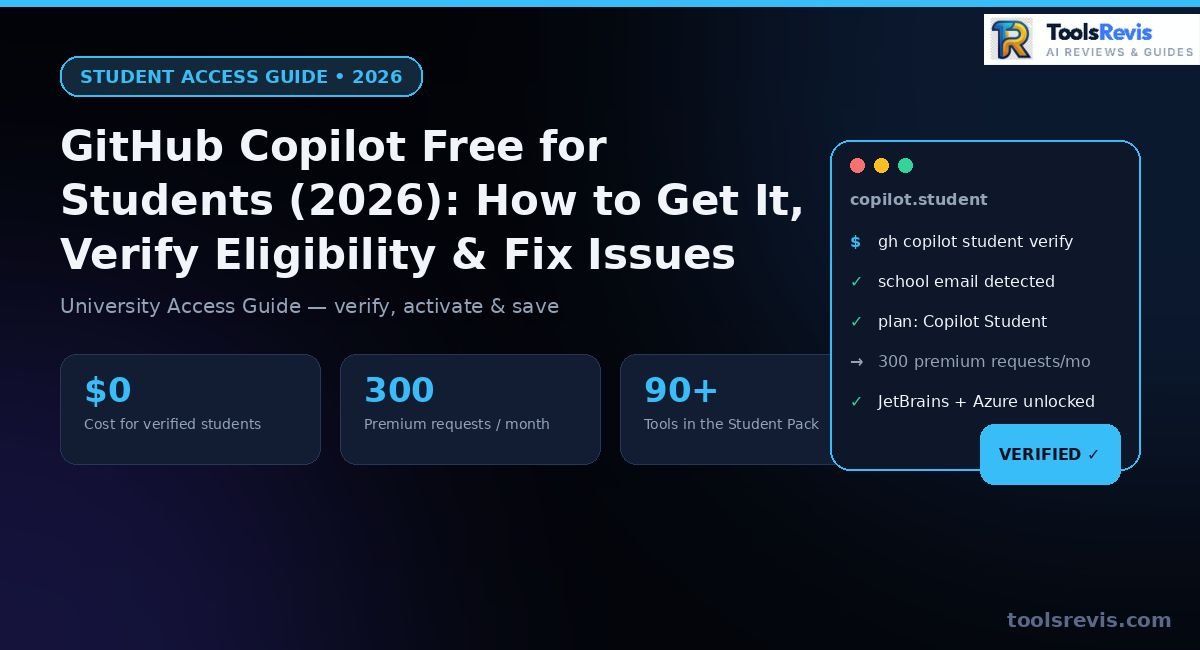
Copilot Pro costs everyone else $10/month. Here’s how to activate it for $0 with a verified student account — and what changed in 2026 that most guides haven’t caught up on.
Yes, GitHub Copilot is 100% free for verified students through the GitHub Student Developer Pack. Follow these steps to activate your access:
- 1 Sign in: Log into GitHub using a personal account (avoid using a school-managed organization login).
- 2 Apply: Visit education.github.com/pack and submit your school email or enrollment proof.
-
3
Wait for Verification: Approval is instant with a valid
.eduemail, or takes 1–3 days for manual document review. - 4 Activate Access: Go to your GitHub Education benefits page, click “Get access to GitHub Copilot”, and log in via VS Code or JetBrains.
Introduction
GitHub restructured student access to Copilot this year, and the details matter if you’re applying now. Since March 12, 2026, verified students are no longer just handed a free Copilot Pro seat — access runs through a dedicated GitHub Copilot Student plan, bundled with your GitHub Education benefits. It sits above the free tier but below full Pro, with its own premium request allowances.
Then in April 2026, GitHub paused new sign-ups for Copilot Student (and Pro) entirely, citing compute demand from agentic coding workflows. If you were verified before the pause, your access stayed active. If you’re applying fresh, you currently land on Copilot Free while the upgrade waits to reopen — though the rest of the Student Developer Pack (JetBrains, Azure credits, DigitalOcean, GitKraken) is untouched.
This guide walks through exactly what you get today, how eligibility re-verification works, and what to do while the Student plan is paused — so you’re not left guessing which version of Copilot you’re actually entitled to.
GitHub Copilot Free for Students: Student Developer Pack Overview
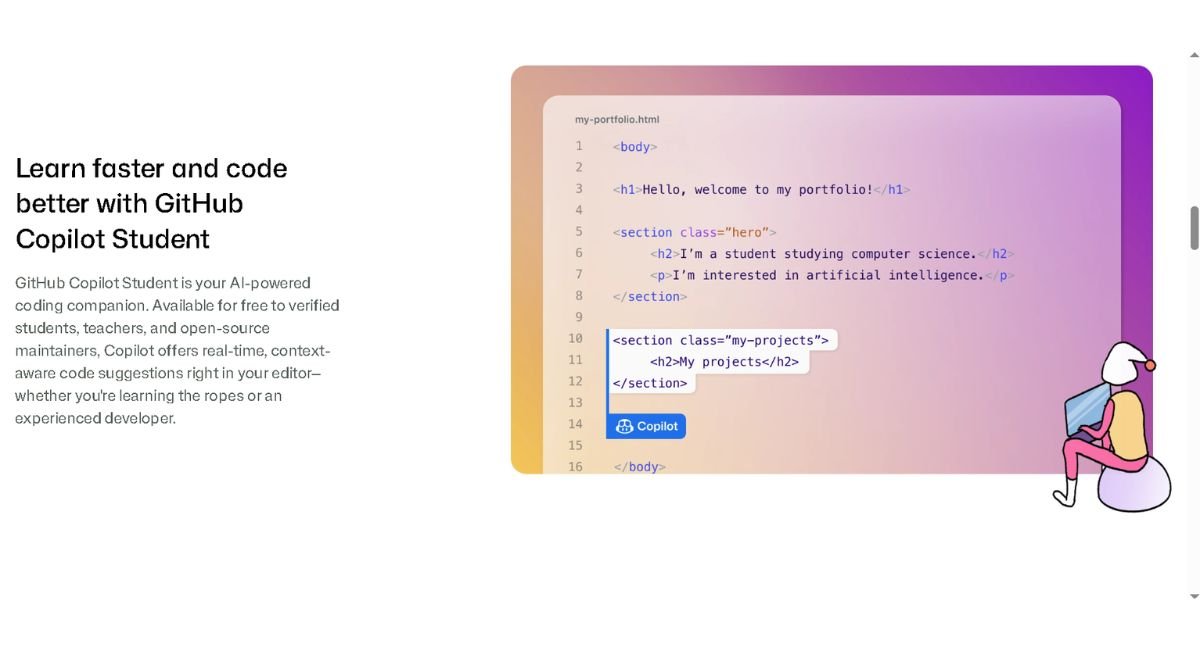
GitHub Copilot Student is a free GitHub Education benefit that gives verified students AI coding assistance and access to the Student Developer Pack.
Who Is Eligible (Age, Enrollment, .edu Email Requirements)
Enrolled students can access GitHub Copilot Student by verifying their current academic credentials via GitHub Education. Eligibility is narrower than most students assume. You need to be at least 13 years old and currently enrolled at a school that grants degrees or diplomas.
There’s no nationality restriction — the program is available globally. What matters is proof, not location
Two paths work:
- School email: An address ending in .edu or your institution’s own domain. Using an authenticated school email address usually leads to immediate approval.
- Document upload: A student ID, transcript, or enrollment letter with a current date, used when you don’t have an institutional email.
What’s Included Beyond GitHub Copilot
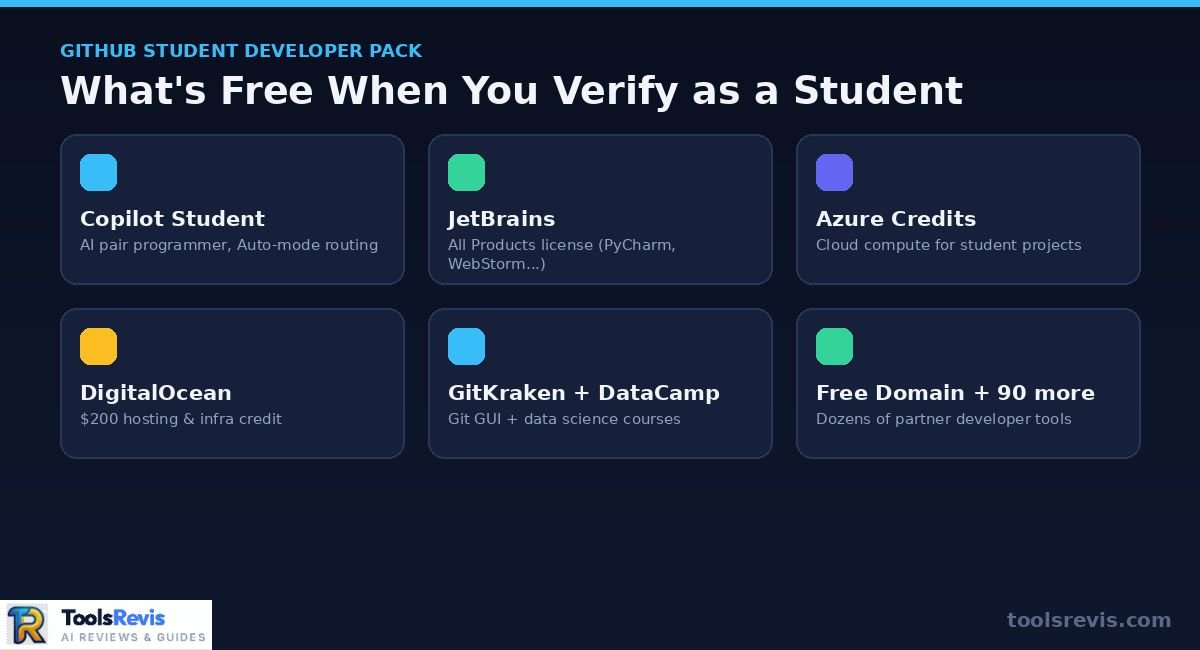
The GitHub Student Developer Pack includes GitHub Copilot, cloud credits, IDE licenses, developer tools, and learning resources at no cost. Copilot is the headline benefit, but the Student Developer Pack bundles far more. Along with your GitHub account itself — which already includes unlimited public and private repositories and GitHub Actions minutes for anyone, student or not — verified students unlock:
- A free JetBrains All Products license (WebStorm, PyCharm, IntelliJ IDEA Ultimate)
- $200 in DigitalOcean credit
- Azure for Students cloud credit
- Months of GitKraken and DataCamp access
- A free custom domain
- Dozens of smaller partner developer tools
None of these perks are affected by the Copilot Student pause — everything else in the pack is unaffected by the Copilot-specific changes.
How Long Does Student Access Last
GitHub Copilot Student access remains active only while GitHub can verify that you are still enrolled as a student. Access isn’t a one-time unlock — it’s tied to ongoing verification. GitHub reevaluates student eligibility on a monthly basis, so this functions as an education entitlement rather than a permanent license.
Practically, that means:
- Your Copilot Student plan stays active as long as your academic status holds
- GitHub periodically re-checks and emails you when it’s time to re-verify
- Letting that verification lapse — through graduation, a school email deactivation, or a missed re-check — will drop you back to Copilot Free
Set a calendar reminder near your expected graduation date. Losing access mid-semester because a re-verification email sat unread is the most common way students get caught off guard.
GitHub Copilot Student vs. Copilot Pro vs. Free Tier (2026 Feature Comparison)
GitHub Copilot Student offers more features than Copilot Free but fewer premium capabilities than the paid Copilot Pro plan.
| Feature | Copilot Free | Copilot Student | Copilot Pro |
| Price | $0 | $0 (verified students) | $10/month |
| Code completions | Limited | Enhanced over Free | Unlimited |
| Model access | Restricted selection | Premium request unit entitlements, no full self-selection of top-tier models | Full self-select including top models |
| Chat requests | Limited monthly cap | Higher cap than Free | Higher cap than Student |
| Eligibility check | None | Monthly re-verification | Ongoing subscription |
| Availability (mid-2026) | Open to everyone | Paused for new sign-ups since April 2026; existing users retained | Open, paid |
Users who completed their verification prior to April 2026 should still have active access to the complete Copilot Student subscription. If you’re verifying today, expect Copilot Free until GitHub reopens Student plan sign-ups — the rest of the pack activates regardless.
How to Verify Your Student Status for GitHub Copilot
You can verify your GitHub Copilot Student eligibility by applying through GitHub Education with a school email or proof of enrollment.
Step-by-Step Verification Process
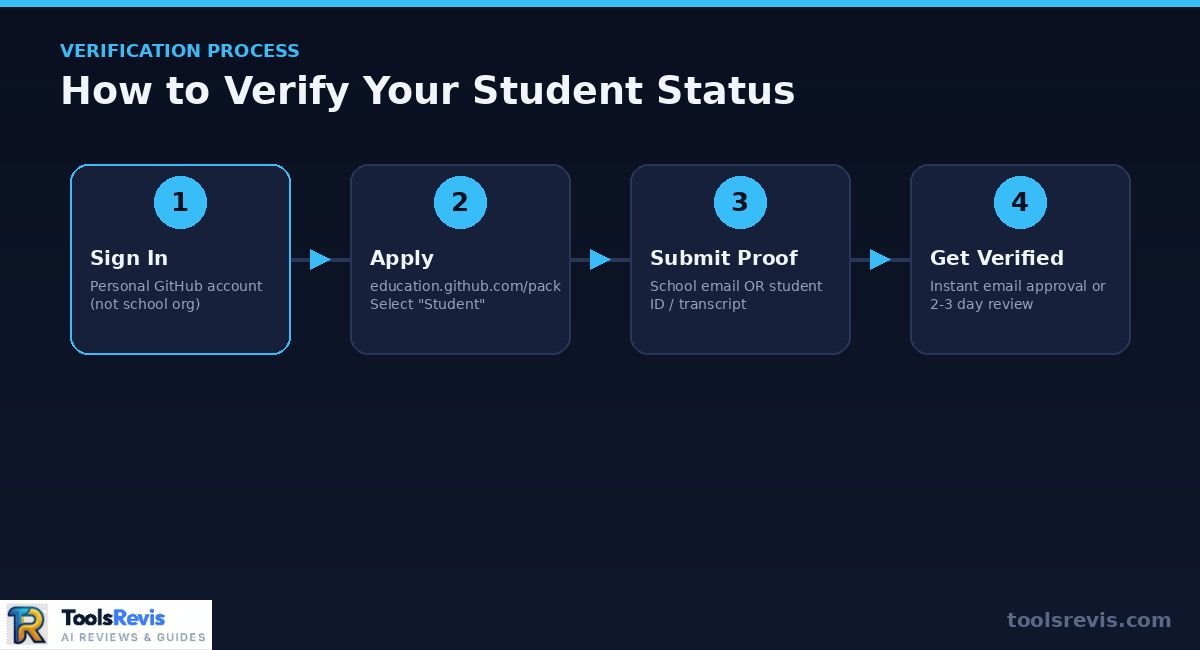
Follow these steps to complete GitHub Education verification and activate your GitHub Copilot Student benefits.
- Sign in with a personal GitHub account. Not a school-managed org account — verification is tied to your individual profile.
- Navigate to education.github.com/pack and select the option to sign up for the Student Developer Pack.
- Select “Student” as your role under Education Benefits.
- Submit proof: enter your school email if you have one, or upload a photo of your student ID, transcript, or enrollment letter.
- Wait for the automated review. You’ll get an instant decision or a queued manual review.
- Once approved, go to your Education Benefits page and activate Copilot from there.
What to Do If Your School Email Isn’t Accepted
If your school email is not recognized, you can usually verify your eligibility by submitting official proof of enrollment instead. Some institutional domains aren’t auto-recognized, especially newer universities or non-.edu country domains (.ac.uk, .edu.pk, .ac.in, etc.).
If your email gets flagged:
- Add it under GitHub Settings → Emails and verify it there first, then reapply — this resolves the majority of school-email rejection cases.
- If it’s still rejected, switch to the document upload path instead of retrying the same email repeatedly.
How Long Verification Takes
GitHub student verification is often instant with a recognized school email but may take several days when documents require manual review.
Timing depends entirely on which proof path you use:
- School email: Often instant approval
- Document upload: A document review can take a few days, though most approvals land within about 72 hours
If you’re past a week with no decision, don’t keep resubmitting identical documents — escalate to support instead (see below).
Fixing Instant Verification Rejections (Home IP, VPN, Name Mismatch Workarounds)
Most GitHub Education verification rejections are caused by document quality, account information mismatches, or verification-related issues.
GitHub Education’s review is largely automated, and a few specific issues account for most instant rejections:
- Blurry photos. A document that isn’t clearly readable, with all details visible, is a common auto-reject trigger. Retake it in good lighting, flat, with no glare.
- Name mismatches. Your document’s full name must match your GitHub account name exactly. Update one or the other before reapplying.
- VPNs and unusual IPs. Applying while connected to your school’s network, or from your university’s location, has helped some rejected applicants get approved. Turn off any VPN before submitting. GitHub
- Camera issues. If a front camera fails to capture your document clearly, switching devices or trying a different browser has fixed this for students stuck in repeated rejection loops. GitHub
- Missing enrollment language. For certificate-based proof, the wording matters — a certificate needs to explicitly state you’re “currently enrolled,” since documents that only list details without that exact phrasing are often rejected by the automated system.
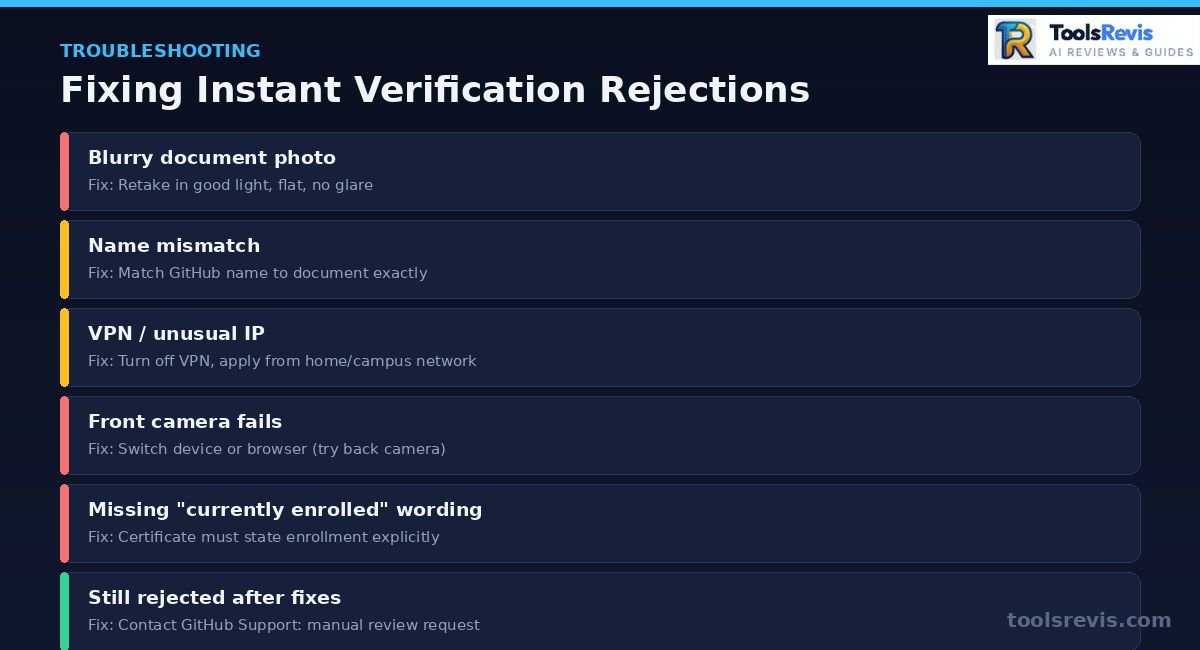
If you’ve fixed the obvious issues and still get denied, contact GitHub Support directly and file it as a manual review request, explaining the mismatch — this typically gets resolved within 2-3 days.
How to Apply Without an .EDU Email Address (International Students Guide)
Students without a .edu email can still receive GitHub Copilot Student benefits by submitting valid enrollment documents. Most international students don’t have a .edu address — and that’s fine. The document path is the standard route, not a fallback.
Accepted proof includes:
- A current-dated student ID card showing your full name and institution
- An enrollment or bonafide certificate stating you’re actively enrolled
- A recent transcript or fee receipt tied to the current academic term
Before submitting:
- Confirm the document explicitly states current enrollment, not just past attendance
- Make sure your institution’s name and your full name are both legible
- Match the name on the document to your GitHub profile exactly
Verification is available globally, so region isn’t a blocker — document quality and exact wording are what decide approval.
How to Activate & Set Up Copilot in Your IDE
GitHub Copilot can be activated in supported IDEs by installing the extension and signing in with your verified GitHub account.
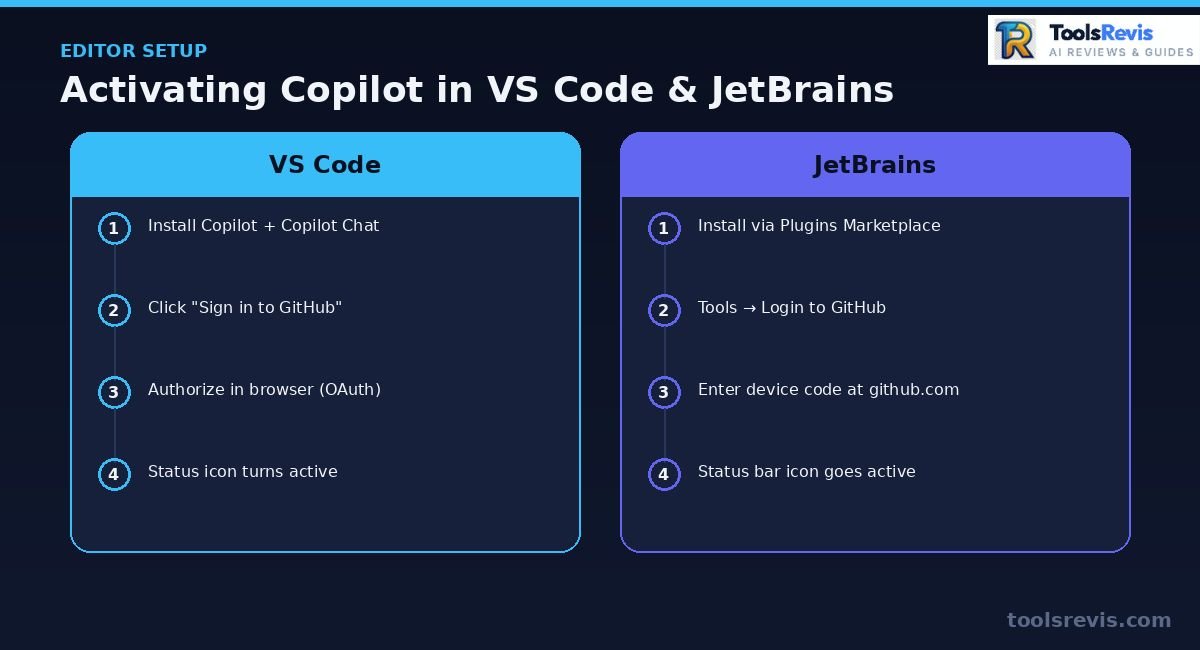
Setting Up GitHub Copilot in VS Code & JetBrains
Follow these steps to install the GitHub Copilot extension and connect your verified GitHub account in VS Code or JetBrains IDEs.
VS Code:
- Open the Extensions panel (Ctrl+Shift+X / Cmd+Shift+X)
- Search for “GitHub Copilot” and install both GitHub Copilot and GitHub Copilot Chat
- Click Sign in to GitHub in the prompt that appears — this opens your browser for OAuth authentication
- Authorize the VS Code application under your GitHub account’s connected apps
- Return to VS Code — the Copilot status icon in the bottom bar should show it’s active
JetBrains (IntelliJ, PyCharm, WebStorm, etc.):
- Go to Settings → Plugins → Marketplace
(For a dedicated setup, check our complete guide on setting up GitHub Copilot in IntelliJ).”
- Search “GitHub Copilot” and install it, then restart the IDE
- Open Tools → GitHub Copilot → Login to GitHub
- A device code appears — enter it at github.com/login/device in your browser
- Once authorized, the Copilot icon in the status bar switches from grey to active
In both cases, activation pulls your plan entitlement directly from your GitHub account — there’s no separate license key to enter. If you’re verified, the IDE should reflect Copilot Student automatically within a few minutes of sign-in.
“Verified but Stuck on Copilot Free Limit”? How to Fix Activation Issues
If GitHub Copilot still shows the Free plan after verification, refreshing your account session usually resolves the activation issue. This is one of the most common post-verification complaints: GitHub Education shows you as approved, but your IDE still behaves like Copilot Free — short completions, no premium request allowance, missing chat features.
The cause is almost always a stale cached credential. Your IDE authenticated before your Student plan activated, and it’s still holding an old entitlement token.
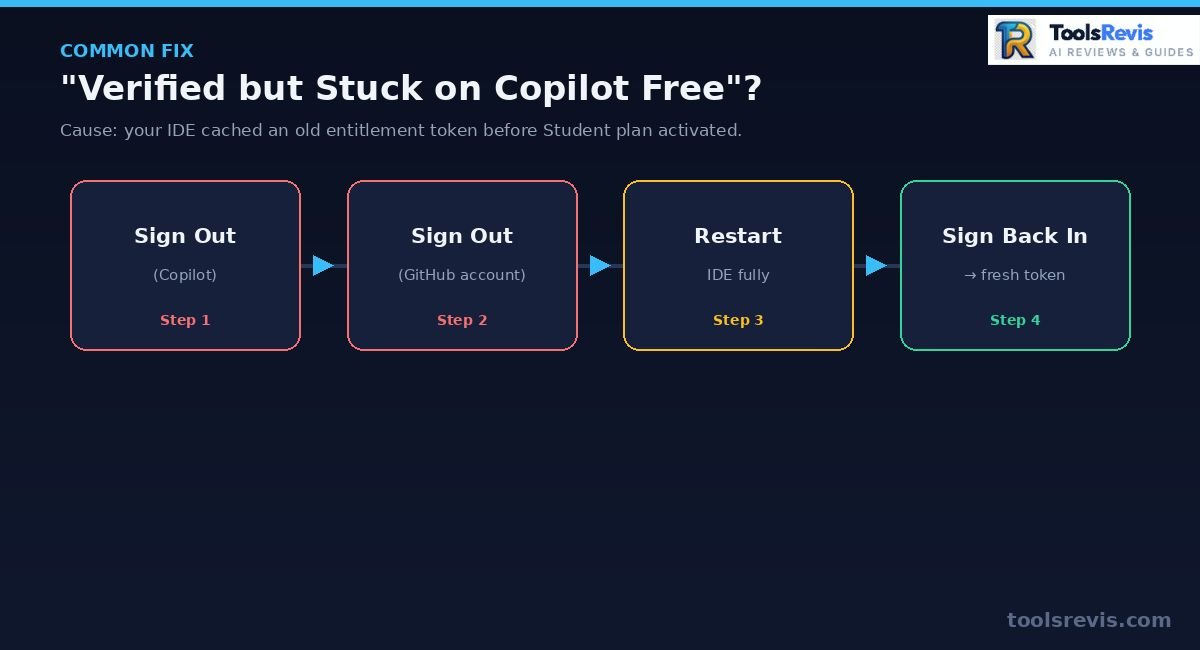
Fix it in VS Code:
- Open the Command Palette (Ctrl+Shift+P / Cmd+Shift+P)
- Run “GitHub Copilot: Sign Out”
- Also run “Sign out of GitHub” from the account menu (bottom-left) to clear the base GitHub session, not just Copilot’s
- Restart VS Code completely (not just reload window)
- Sign back in and reauthorize — this forces a fresh entitlement check against your GitHub account
Fix it in JetBrains:
- Tools → GitHub Copilot → Logout
- Go to Settings → Accounts and remove the cached GitHub account entirely
- Restart the IDE
- Log back in via the device code flow
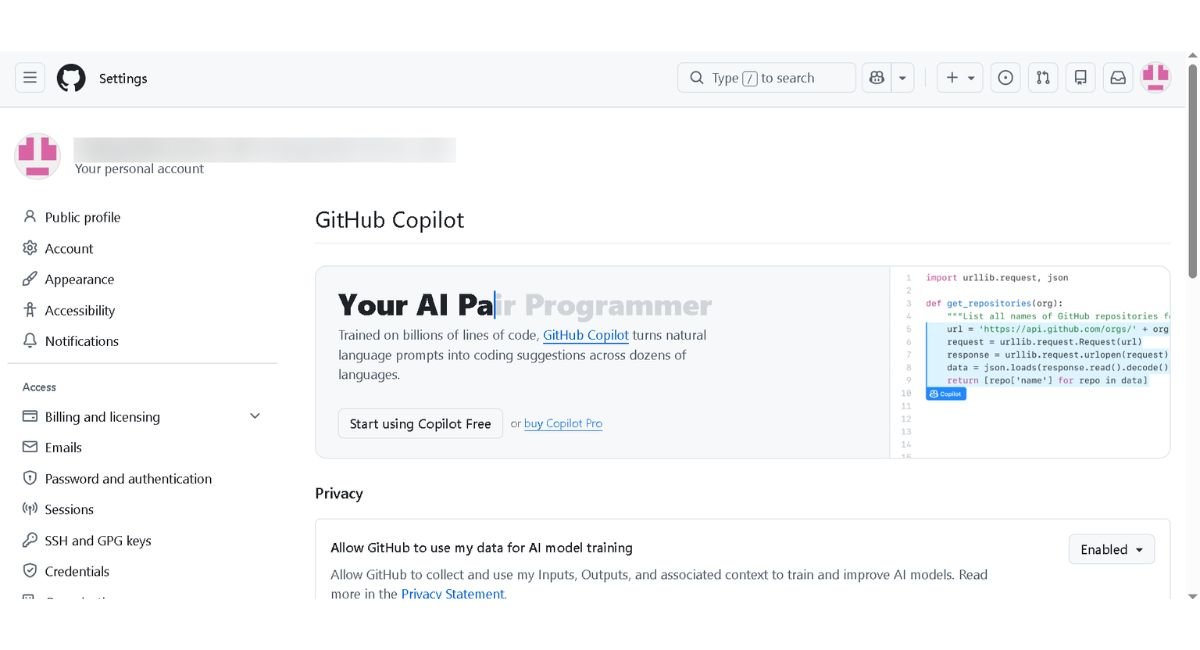
If that still doesn’t resolve it, check github.com/settings/copilot directly in your browser — it shows your live plan status independent of any IDE cache. If it confirms Copilot Student there but your editor disagrees, the IDE credential is still the problem, not your verification.
Why Was GitHub Copilot Student Paused?
GitHub temporarily paused new GitHub Copilot Student sign-ups in 2026 because demand for AI-powered coding features increased faster than available computing capacity. Instead of removing student benefits completely, GitHub chose to prioritize existing users while limiting new upgrades until additional infrastructure became available.
The pause does not affect the rest of the GitHub Student Developer Pack. Verified students can still receive benefits such as JetBrains licenses, Azure for Students credits, DigitalOcean credits, GitKraken access, and other partner offers. Only the Copilot Student upgrade has been temporarily restricted for new applicants.
If you’re applying during the pause, your GitHub Education verification can still be approved. However, you’ll generally remain on GitHub Copilot Free until GitHub resumes Student plan activations. Existing Student users who activated before the pause typically keep their access unless their student verification expires.
2026 Changes to GitHub Copilot Student Plan
GitHub introduced several Copilot Student changes in 2026, including Auto Mode, updated usage limits, and new verification rules.
Loss of Manual Model Selection & Auto Mode
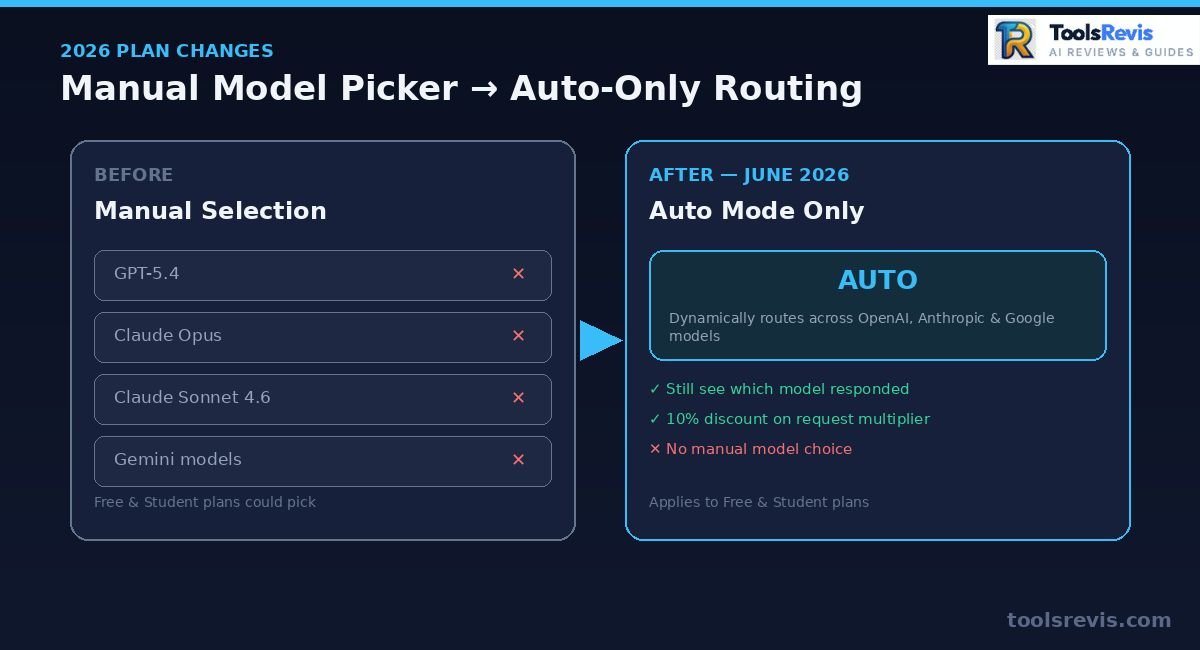
GitHub Copilot Student now uses Auto Mode, which automatically selects the most suitable AI model for each request. This is the change students feel most directly. As of June 24, 2026, GitHub made Auto model selection the default and sole method for both Copilot Free and Copilot Student plans — you can no longer pick a specific model from the dropdown.
The groundwork for this was laid earlier: back on March 12, 2026, GitHub had already removed the ability to manually select premium models like Claude Opus, Claude Sonnet, and GPT-5.4 under the Student plan as part of the broader plan reorganization. The June update extended that restriction to all models, not just the premium ones
In practice:
- You no longer choose “Claude Sonnet 4.6” or “GPT-5.4” from a picker — Auto dynamically selects what it considers the best model for each request
- You can still see which model handled a response — in Copilot Chat this shows on hover, and Copilot CLI displays it alongside the output
- Students who want manual model control now need a paid plan, a provider’s own API, or a separate tool like Claude Code or Codex
Being fair to GitHub here: Auto isn’t a downgrade to a single weak model. It continues routing across models from OpenAI, Anthropic, and Google, and using Auto even comes with a 10% discount on the request multiplier compared to picking a model manually on paid plans. The real loss isn’t quality — it’s control. If your workflow depends on a specific model’s behavior for a specific task (say, Claude for refactoring, GPT for boilerplate), that deliberate choice is gone on the free tiers.
Premium Request Limits Explained
Premium Requests are the monthly usage allowance for advanced GitHub Copilot AI features such as chat, Agent Mode, and complex coding tasks. Premium requests are Copilot’s usage currency for anything beyond basic code completion — chat with advanced reasoning, agent mode, code review, large context windows.
Historically, both Copilot Student and Copilot Pro included 300 premium requests per month, with additional requests available at $0.04 each on paid plans. Allowances reset on the 1st of each month at 00:00 UTC, and unused requests don’t roll over.
But billing mechanics shifted again in mid-2026. Some students report GitHub moving Student plan usage to a credit-based system — and the transition hasn’t been smooth. One student described their entire monthly allotment of 200 credits being consumed by roughly 10–20 Agent Mode requests on day one of the new billing cycle, a sharp drop from the request-based system that supported dozens of daily requests without issue.
What this means practically:
- Don’t assume “free” equals “unlimited” — track usage from github.com/settings/billing regularly
- Agent Mode and multi-step chat sessions consume allowance faster than single completions
- If you’re on a heavy agentic workflow for a capstone project, budget your premium requests around deadlines, not evenly across the month
Annual Re-Verification Traps & How to Avoid Renewal Delays
GitHub periodically re-checks your student status to keep Copilot Student active. Missing a verification email, losing access to your school email, or graduating without updating your information can cause your account to revert to Copilot Free. Keep your school email active and monitor GitHub notifications to avoid interruptions.
Workarounds — Copilot CLI & Alternative Tools (OpenCode, Kiro, Cursor)
If GitHub Copilot Student doesn’t meet your needs, several alternative AI coding tools offer similar development features. If Copilot Student’s Auto-only routing or credit limits don’t fit your workflow, it’s not the only free option on the table:
- Copilot CLI — GitHub’s terminal-based agent now also runs on Auto mode, but it’s worth using for tasks like commit generation and repo-wide refactors where a chat UI is overkill. Model transparency is built in: the CLI displays which model handled each request directly in its output.
- Cursor — offers its own free tier with usage-based limits and, unlike Copilot Free/Student, still allows manual model selection on paid tiers. Worth evaluating if deliberate model choice matters more to you than price.
- OpenCode — an open-source, model-agnostic CLI agent that lets you bring your own API key (including free-tier keys from providers), giving you back the manual control Copilot Student removed.
- Kiro — a newer agentic IDE built around spec-driven development, useful if your coursework leans toward structured, multi-file agent workflows rather than inline completions.
None of these fully replace the breadth of the GitHub Student Developer Pack — but if Auto-mode routing or credit exhaustion is actively blocking your work, running one of these alongside your GitHub Education benefits (rather than instead of them) is the practical move most students land on.
Is GitHub Copilot Free for Students at Top Universities?
GitHub Copilot Student works the same at all eligible universities because verification is based on your enrollment, not your institution.
There’s no special per-university partnership that unlocks extra Copilot benefits — access works identically everywhere. If your school issues verifiable enrollment credentials, you qualify through the standard GitHub Student Developer Pack process covered earlier: institutional email or document upload, then activation via GitHub Education.
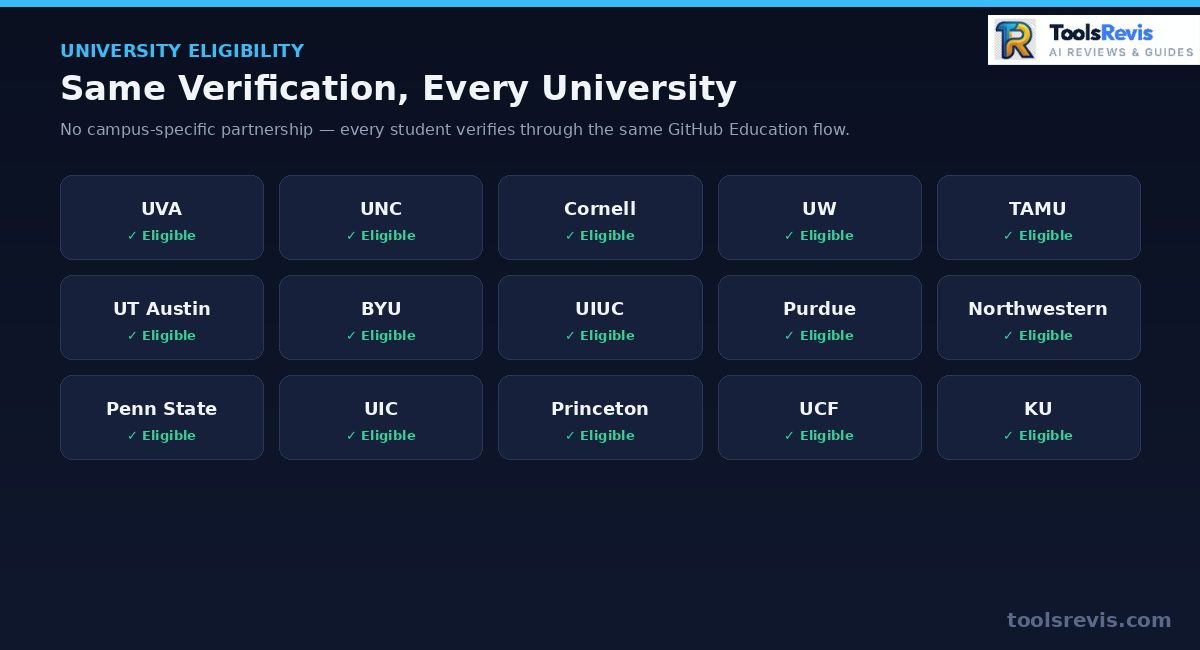
| University | Verification |
| Cornell | Standard GitHub Education verification |
| UT Austin | Standard GitHub Education verification |
| Purdue | Usually instant with university email |
| Penn State | Verify school email first if rejected |
| Princeton | Standard verification |
| UCF | Standard verification |
| UIUC | Standard verification |
| Northwestern | Standard verification |
What Happens When You Graduate
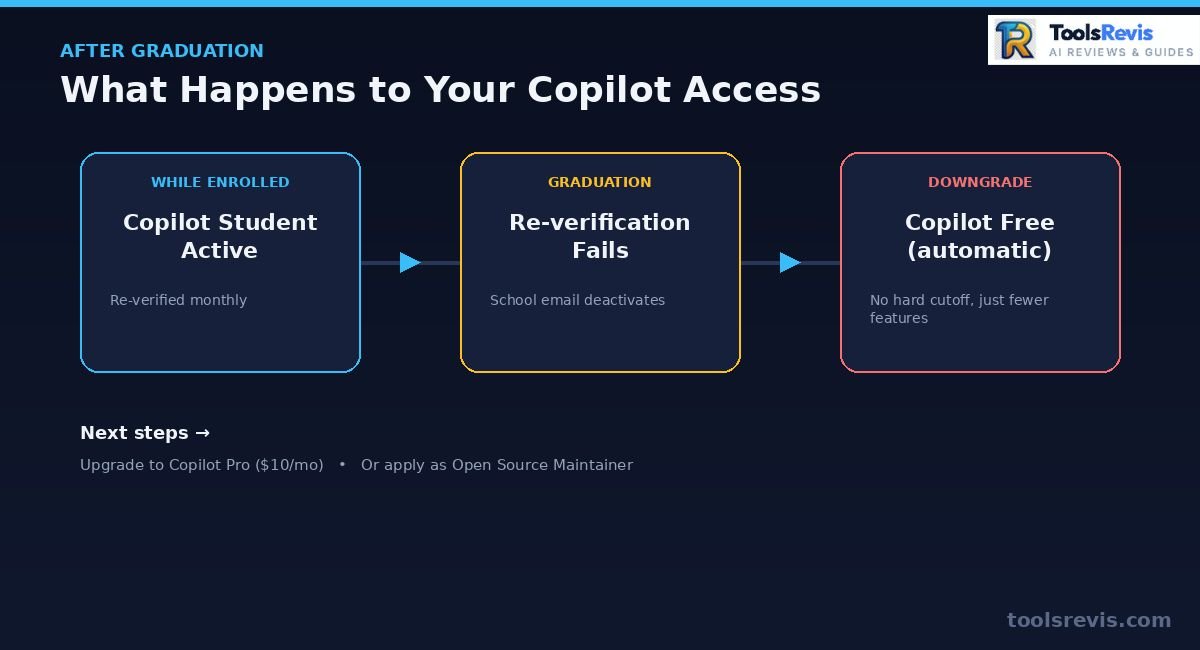
GitHub Copilot Student access ends once GitHub can no longer verify your student enrollment.
Losing Student Access — What to Expect
After graduation, GitHub periodically checks your academic status and eventually downgrades your account to Copilot Free if you no longer qualify. Your Copilot Student plan doesn’t vanish the instant you walk across the stage — but it doesn’t last indefinitely either. Since GitHub reevaluates student eligibility on a monthly basis, your access typically lapses at the next re-verification check after your enrollment status changes in GitHub’s records or your school email deactivates
Expect:
- A re-verification prompt near your expected graduation term
- Access downgrading to Copilot Free (not a hard cutoff to nothing) once your student status can no longer be confirmed
- No refund or grace-period guarantee — plan for the transition rather than reacting to it
Switching to a Paid Plan or Open Source Maintainer Access
After graduation, you can continue using GitHub Copilot by upgrading to a paid plan or qualifying for eligible open source maintainer benefits. Once your student verification lapses, you have two realistic free-adjacent paths:
- Copilot Pro — $10/month, full manual model selection, 300 premium requests. The straightforward option if Copilot is core to your workflow post-graduation.
- Open source maintainer benefits — GitHub offers free Copilot access to maintainers of popular, actively-used open source projects. If you maintain or significantly contribute to a qualifying repo, this can extend free access without being enrolled as a student. Eligibility is reviewed by GitHub directly and isn’t automatic — apply through your GitHub Education/Copilot settings and reference your maintainer status.
Otherwise, Copilot Free remains available indefinitely at no cost, just with the same completion and request limits every non-student, non-maintainer user gets.
Pros & Cons of the GitHub Copilot Student Plan (2026)
The GitHub Copilot Student plan provides free AI coding assistance for verified students but includes feature limits compared to Copilot Pro. Evaluating whether to claim and use the GitHub Copilot Student plan involves weighing its zero-cost developer benefits against the recent 2026 feature restrictions and model limitations.
Pros
- 100% Free Access ($120/year Savings): Verified students get free access to GitHub Copilot without needing a credit card or paying the standard $10/month Pro fee.
- Full Developer Pack Access: Unlocks additional free developer perks including JetBrains IDE licenses, DigitalOcean credits, Azure for Students, and domain registrations.
- Multi-IDE & CLI Integration: Works seamlessly across VS Code, JetBrains IDEs (IntelliJ, PyCharm, WebStorm), Neovim, and terminal-based Copilot CLI workflows.
- Auto-Routing Across Multi-Model Architectures: Auto mode dynamically switches between capable models from OpenAI, Anthropic, and Google based on prompt context.
- High Completion & Chat Allowance: Offers significantly higher code completion caps and monthly chat limits compared to standard Copilot Free accounts.
Cons
- Loss of Manual Model Selection: Students can no longer manually select specific models like Claude 3.5 Sonnet or GPT-5.4; all requests are forced through Auto mode.
- Mid-2026 Sign-up Pauses: Due to high compute demand, GitHub periodically pauses new Student plan upgrades, forcing newly verified applicants onto Copilot Free temporarily.
- Monthly Eligibility Verification: Requires continuous verification checks, meaning a deactivated school email or missed prompt can lapse access mid-semester.
- Credit-Based Agent Limits: Advanced multi-step Agent Mode and deep workspace chats consume monthly credit allotments rapidly compared to simple inline completions.
- No Manual Model Overrides for Complex Debugging: Tasks requiring deterministic behavior from specific reasoning models cannot be locked manually on free student tiers.
Read Next: Exclusive GitHub Copilot Guides
- GitHub Copilot Pricing 2026: Plans, Cost, & Is It Worth It?
Compare individual, business, and enterprise pricing tiers to decide if upgrading beyond the free tier fits your workflow. - How to Set Up and Use GitHub Copilot in IntelliJ IDEA
A step-by-step setup guide for integrating GitHub Copilot with JetBrains IDEs, configuring shortcuts, and boosting development speed. - GitHub Copilot Agent Mode: Complete Setup & Usage Guide
Learn how to activate workspace scanning and multi-file automated code edits using GitHub Copilot’s advanced Agent Mode. - GitHub Copilot Code Review: Automated Pull Request Audits
Discover how to leverage AI to review pull requests, detect security vulnerabilities, and enforce code quality before merging. - GitHub Copilot Review 2026: Features, Performance, & Benchmarks
An in-depth evaluation of GitHub Copilot’s core features, context awareness, code completion accuracy, and real-world developer productivity.
FAQs
These are the most common questions about GitHub Copilot Student eligibility, verification, and free access.
1. Is GitHub Copilot free for students?
Yes. Verified students on GitHub Education get free access under the GitHub Copilot Student plan, which includes more than Copilot Free but less than a full paid Pro subscription. Access requires ongoing academic verification, not a one-time signup.
2. How to verify student status for GitHub Copilot?
Apply at education.github.com/pack using your school email or a current student ID/enrollment document. Approval is often instant with a recognized .edu-style email, or takes a few days for manual document review.
3. Does my university get free Copilot access?
There’s no university-specific partnership — every student verifies individually through the same GitHub Education process regardless of school, including top universities like Cornell, UT Austin, or Princeton. If you’re currently enrolled and can prove it, you qualify.
4. What happens to my Copilot access after graduation?
Your Student plan typically downgrades to Copilot Free once GitHub’s monthly re-verification can no longer confirm your enrollment. It doesn’t cut off instantly, but there’s no guaranteed grace period, so plan to switch to Copilot Pro or check open source maintainer eligibility beforehand.
5. Can teachers also get free GitHub Copilot?
Yes. Verified teachers get free Copilot access through GitHub Education as well, managed separately from the Student plan and tailored to classroom and curriculum use rather than individual project work.
6. Do I need to submit a credit card to get student access?
No. GitHub Education verification requires only proof of enrollment — a school email or a document like a student ID or transcript. No credit card or payment information is requested at any point in the application.
7. Is Copilot Student still worth it after the 2026 model changes?
Yes, for most coursework. You lose manual model selection and now route through Auto mode only, but Auto still draws from strong models across OpenAI, Anthropic, and Google — the real cost is control, not raw capability, and it remains the best free option for students who don’t need to pin a specific model.

I’m Umair Ahmad, founder of ToolsRevis. I personally test every AI tool we cover — signing up, running real workflows, checking pricing tiers, and comparing outputs — before writing a single word. My goal: cut through AI marketing hype with honest, hands-on verdicts.
Let’s achieve more together!