
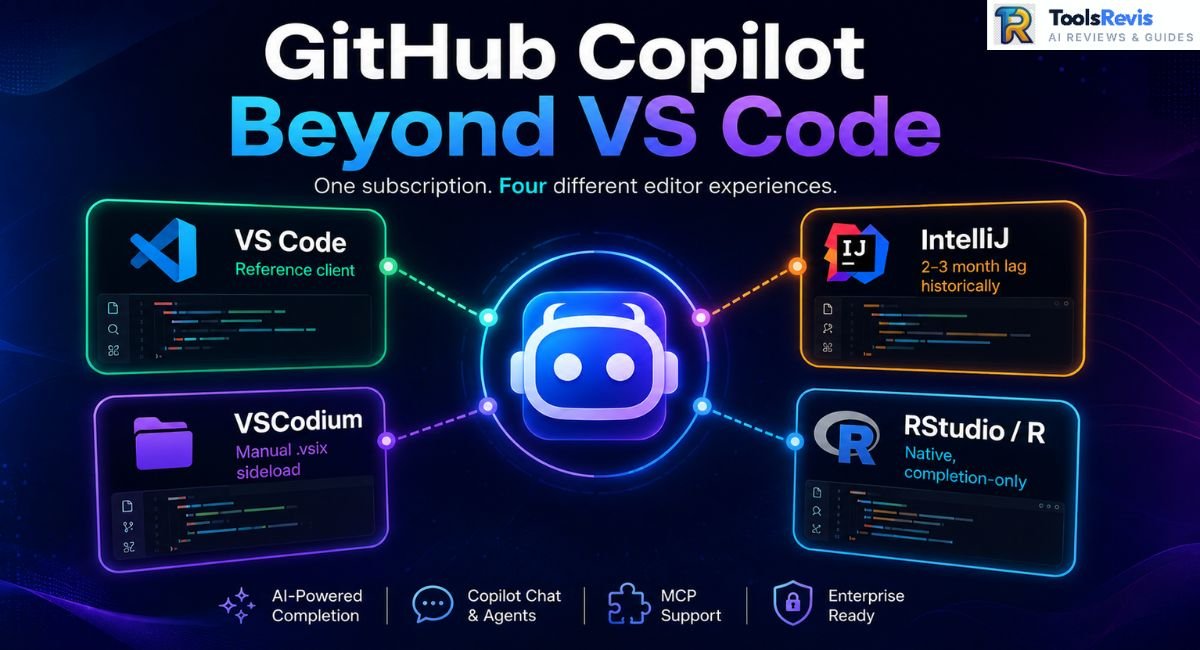
VS Code gets the demo videos. Everyone else gets the changelog nobody reads — and a plugin that’s often two months behind. If you live in IntelliJ, ship from VSCodium, or write R for a living, here’s the real state of Copilot outside its home turf.
GitHub Copilot supports IntelliJ, VSCodium, and R development workflows. JetBrains historically trailed VS Code, but the gap has narrowed significantly in 2026, with Agent mode, custom agents, sub-agents, Agent Skills, MCP, and Copilot CLI now available.
GitHub Copilot’s cross-editor reach runs on a Language Server Protocol (LSP) backend, which is why it shows up in editors Microsoft doesn’t own. But “shows up” and “works the same” are different claims — and IntelliJ users have spent the better part of two years proving it. This part covers the IntelliJ experience end to end: install, the feature gap vs. VS Code, what actually broke for real users, and how bad in 2026 still stands.
GitHub Copilot in IntelliJ
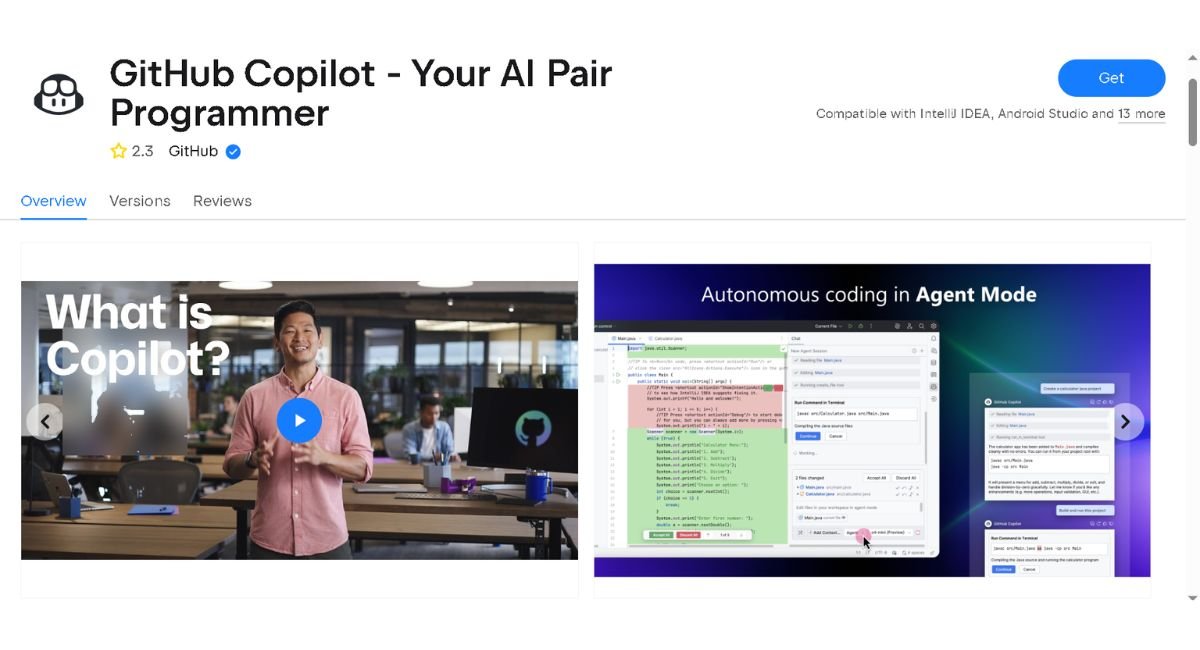
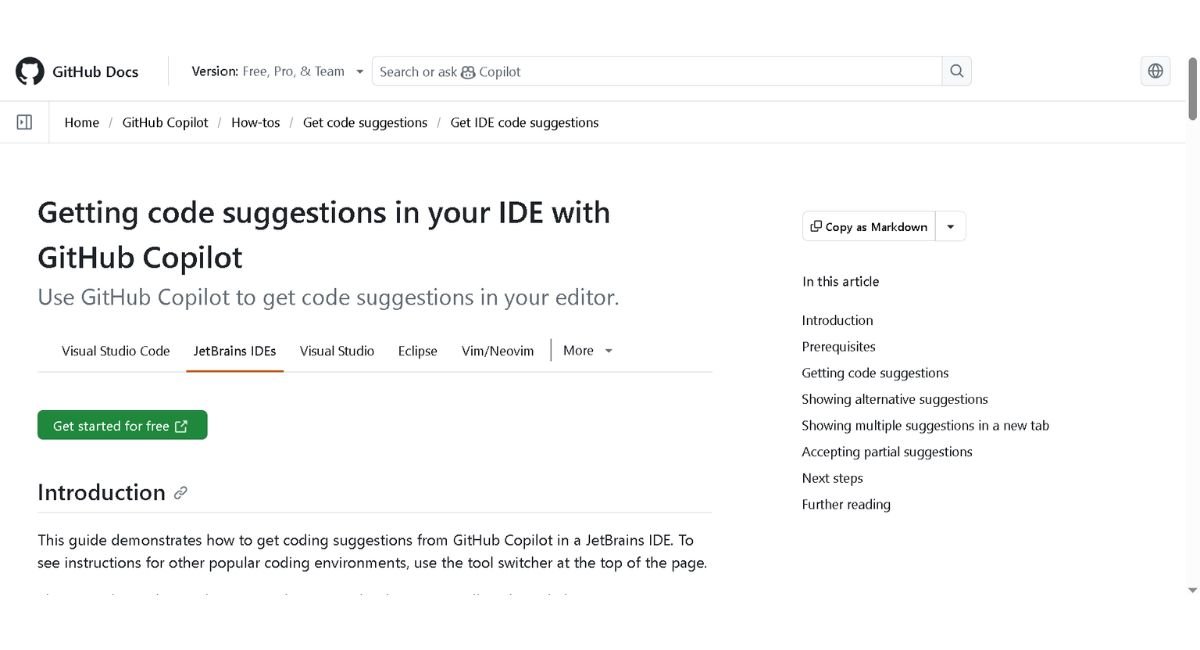
GitHub Copilot in IntelliJ is the official JetBrains integration that brings AI code completion, chat, and agent features directly into IntelliJ IDEA.
Complete Installation & JetBrains Plugin Marketplace Setup
Step-by-step:
- Settings/Preferences → Plugins → Marketplace
- Search “GitHub Copilot” — include the word “GitHub,” or you’ll land on a lookalike third-party plugin.
- Click Install → accept the Third-Party Plugins notice → restart the IDE.
- Tools → GitHub Copilot → Login to GitHub Copilot — this triggers the device-code OAuth flow (browser tab opens, code auto-fills).
- Authorize the JetBrains plugin from your GitHub account settings.
Recommended minimum: IntelliJ IDEA 2024.1+. Older versions run into missing agent-panel UI elements.
Keymap and model switching:
Copilot Chat exposes a model dropdown directly in the chat panel — no config file required for basic switching:
Settings → Tools → GitHub Copilot → Model
Options typically include: Claude Sonnet, GPT-4o, Gemini Pro (availability depends on your Copilot plan/org policy)
Custom instructions live in a project-level markdown file, similar to VS Code’s .github/copilot-instructions.md:
# .copilot/agents/project.md
## Context
Java Spring Boot service. Follow Google Java Style Guide.
Testing: JUnit 5 + Mockito.
Never touch src/main/generated — auto-generated, do not edit.
Rebinding keymaps is standard JetBrains behavior — Settings → Keymap → search “Copilot” — not a Copilot-specific config surface.
Feature Gaps & Historical Performance Lag vs. VS Code
JetBrains historically received some Copilot agent capabilities after VS Code, but the gap has narrowed substantially in 2026. Custom agents, sub-agents, and the Plan agent became generally available in JetBrains in March 2026, while Agent Skills became generally available later in 2026. Copilot CLI agent was also introduced to JetBrains, with GitHub beginning a phased transition toward making it the default agent experience.
Where JetBrains historically trailed VS Code:
| Capability | VS Code | JetBrains (2026) |
|---|---|---|
| Agent mode | Mature support | Generally available |
| Custom agents | Supported | Generally available |
| Sub-agents | Supported | Generally available |
| Plan agent | Supported | Generally available |
| Agent skills | Supported | Generally available |
| MCP | Supported | Supported |
| Copilot CLI agent | Supported | Available, rolling out as default |
GitHub’s own team has acknowledged the gap publicly on community channels — the standard explanation being that the JetBrains extension is a separate codebase built against IntelliJ’s plugin APIs, not a port of the VS Code extension, so every agentic feature needs a second implementation pass.
Architecture difference that matters: the GitHub Copilot plugin and JetBrains’ own AI Assistant/Junie are not the same product, and they’re not competing on the same subscription. Copilot runs its agent loop through GitHub’s infrastructure and your Copilot seat; JetBrains AI Assistant runs on a separate JetBrains AI subscription with its own model routing. Installing both is common — they don’t conflict, they just don’t share context or billing.
Real-World Reddit & Community Complaints (Troubleshooting)
The stuff that doesn’t show up in release notes:
“Failed to attach project file for context”
This issue usually stems from a timing conflict during project indexing, where the plugin attempts to attach a file while IntelliJ’s internal indexer is still running. The most reliable fix reported by users is navigating to File, selecting Invalidate Caches, and choosing Invalidate and Restart.
Manual terminal approvals
Unlike VS Code, where agent mode can auto-run whitelisted terminal commands, IntelliJ’s agent has historically required a manual click-to-approve on every terminal action — no persistent “always allow this command” setting in older plugin versions. This is one of the most-cited productivity complaints in agent workflows.
Plugin update breakage
Not every point release has been stable. The common recovery pattern reported in community threads:
Settings → Plugins → GitHub Copilot → gear icon →
Select the “Install Plugin from Disk…” option and choose a previously downloaded .zip file from the official JetBrains plugin repository archive.
If you hit this, check the JetBrains Marketplace version history before downgrading — pin to whatever the last confirmed-stable release was at the time, rather than a specific number, since “stable” shifts release to release.
Token over-consumption
A frequent complaint: IntelliJ’s Copilot appears to read far more of a file (or project) into context than the equivalent VS Code action for a comparable edit. The most-cited explanation is that IntelliJ’s context-attachment model, prior to Agent mode’s automatic scoping, pulled whole files rather than relevant spans — burning premium request quota faster on IntelliJ than VS Code for similar tasks.
Dual-account conflicts
This issue was reported by users who hold both a personal JetBrains account and a corporate Copilot Business or Enterprise seat accessed via SSO. Symptom: Copilot authenticates fine, but licensing/seat checks fail intermittently. Workaround that’s worked for most: fully sign out of both GitHub and JetBrains accounts in the plugin, clear the plugin’s cached credentials, and re-auth in a single browser session to avoid token collision between the two identity providers.
Free Interactive Tool: Planning to deploy GitHub Copilot across your dev environment? Open GitHub Copilot Cost Calculator — Input your team size to estimate monthly seat costs and ROI in seconds.
The 2026 Shift: Improved Sentiment & Context Tag Evolution
Sentiment turned in 2026. With Agent mode, custom agents, sub-agents, and the plan agent hitting general availability for JetBrains, the “IntelliJ is Copilot’s second-class citizen” narrative has weakened — several community threads now describe the IntelliJ experience as on par with, or in specific workflows (like Git-integrated refactors) better than, VS Code.
Part of this is Copilot’s move toward the Agent Client Protocol (ACP) model, which standardizes how the agent loop talks to any editor frontend — reducing the need for JetBrains-specific reimplementation of every new capability.
Context tagging evolution:
- Before: Ask/Edit modes required manually attaching context with @project, @workspace-style tags.
- Now: Agent mode pulls relevant project context automatically — file discovery, dependency resolution, and relevant symbol lookup happen without manual tagging.
- Still manual: Ask and Edit modes retain explicit file attachment; automatic context pulling is an Agent-mode-only behavior.
Configuring MCP (Model Context Protocol) Servers in IntelliJ
Adding an MCP server and then watching Copilot’s chat completely ignore it is the single most common setup complaint in JetBrains threads. The fix is a permissions step almost everyone misses on the first pass.
Step 1 — Register the server:
Copilot icon (status bar) → Edit Settings → Model Context Protocol → Configure
json
{
“servers”: {
“github”: {
“url”: “https://api.githubcopilot.com/mcp/”,
“requestInit”: {
“headers”: {
“Authorization”: “Bearer YOUR_GITHUB_PAT”
}
}
}
}
}
Note the auth mechanism: JetBrains currently authenticates the remote GitHub MCP server via Personal Access Token. OAuth for this path exists in VS Code but isn’t available the same way in JetBrains yet — plan your token rotation accordingly.
Step 2 — the step people skip:
Registering the server in mcp.json only makes it visible. It doesn’t make it usable. Each server needs model access granted explicitly:
Settings → GitHub Copilot → MCP Servers → [your server] → toggle “Model Access” ON
Skip this, and the server shows as connected in the tools panel, but the agent never actually calls into it — no errors, no logs, it just silently never reaches for those tools. This is the root cause behind most “why isn’t my MCP server working” threads.
Step 3 — local/stdio servers:
For a locally-running MCP server (packaged as a fat JAR, for example), the config shape changes slightly since there’s no URL — you’re spawning a process over stdio:
json
{
“servers”: {
“local-tools”: {
“command”: “java”,
“args”: [“-jar”, “/path/to/your-mcp-server.jar”]
}
}
}
Same rule applies: register it, then flip Model Access on, or the agent will never route requests to it.
Third-Party & Community Tools Extending Copilot in JetBrains
Third-party community tools extend GitHub Copilot in JetBrains by adding deeper IDE-native features, including advanced refactoring, code navigation, inspections, and Git integration. Here’s the structural problem with GitHub’s own MCP tooling in JetBrains: it’s designed to be IDE-agnostic, so it mostly talks to your project the way a terminal agent would — read files, run shell commands, grep for patterns. It doesn’t know IntelliJ has already indexed your entire codebase, understands your type hierarchy, and can perform a semantic rename in one call instead of a risky find-and-replace across forty files.
That gap is exactly what community-built IDE-native MCP servers exist to close.
Deep Dive: “IDE Agent for Copilot” (Open Source, Apache 2.0)
This project — listed on JetBrains Marketplace and open-sourced under Apache 2.0 — takes a different approach than shell-command-based agent tooling. Instead of giving the agent a terminal and letting it grep, sed, and cat its way through your project, it wires the agent directly into IntelliJ’s internal APIs:
- PSI (Program Structure Interface) for navigation — go-to-declaration, find-usages, symbol search — instead of text search
- Refactoring APIs for renames and moves, so a rename updates every reference project-wide, including string literals in annotations and XML config, not just plain-text matches
- Inspection engine integration, including SonarLint findings, surfaced immediately after every edit
- VCS/Git integration, so commits, diffs, and branch operations go through IntelliJ’s Git tooling rather than shelling out to git
- Test runner integration, so test execution results come back structured, not as raw terminal output to re-parse
The practical effect: edits made through this bridge come with undo history, auto-formatting, and VCS tracking built in automatically, because they’re going through the same code paths your own keystrokes do — not through raw file writes.
Note on naming: this plugin was originally listed as “IDE Agent for Copilot” on JetBrains Marketplace and has since been renamed to AgentBridge (same plugin ID, same maintainer). If you’re searching the Marketplace directly, search “AgentBridge” — the old name may not surface it depending on when JetBrains’ search index last updated.
Exposing ~90 IDE-Native Tools vs. JetBrains’ Built-In MCP Server (~25 Tools)
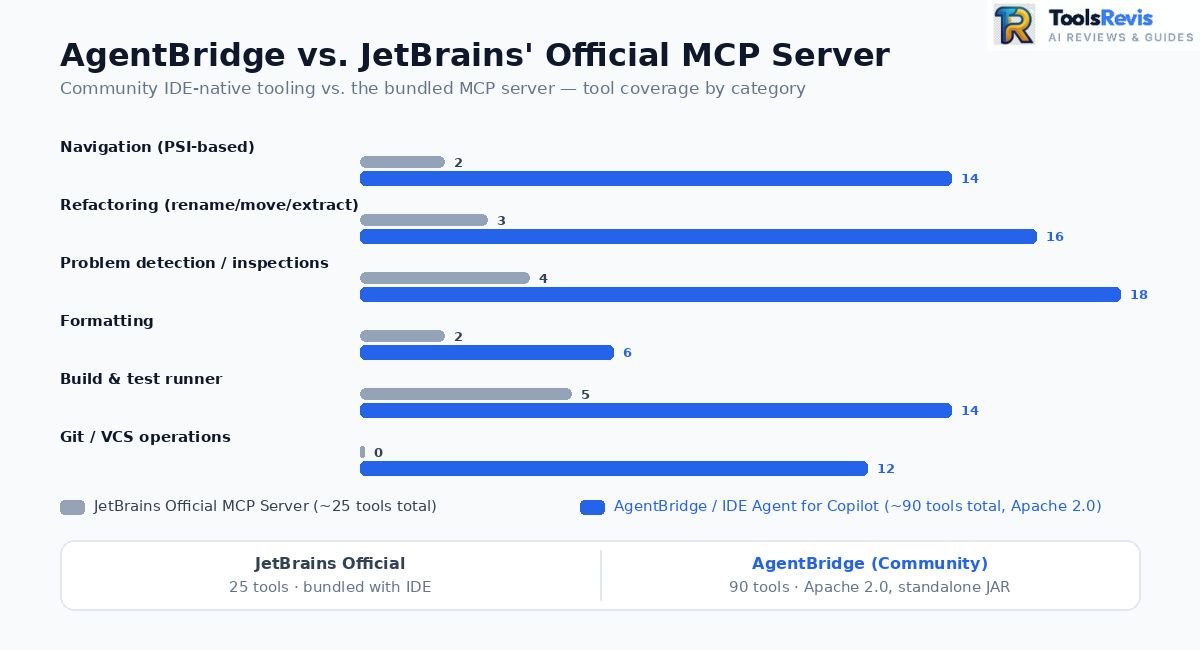
JetBrains ships its own native MCP server bundled with recent IntelliJ Platform releases (2025.2+), exposing a smaller, more conservative toolset — commonly cited around 25+ tools covering the basics: file problems, project problems, reformatting, run configurations, and refactoring primitives.
The community plugin covers substantially more ground — reported at 90+ native tools (JetBrains Marketplace currently lists it around 92) — by exposing far more of IntelliJ’s internal capability surface: deeper PSI-level navigation, broader refactoring coverage, live inspection streaming, and direct VCS operations beyond what the official server exposes.
| Capability | JetBrains Official MCP Server (~25 tools) | AgentBridge / IDE Agent for Copilot (~90 tools) |
| Rename | rename_refactoring — basic project-wide rename | Same PSI-backed rename, plus broader refactoring types (move, extract, inline) |
| Problem detection | get_file_problems, get_project_problems — project problems limited to critical errors by default | Full inspection streaming, including SonarLint findings, surfaced automatically after every edit |
| Formatting | reformat_file, reformat_current_file | Same, integrated into the standard edit-then-verify tool loop |
| Build/test | execute_run_configuration, basic build triggers | Structured test-runner results, live in the IDE’s own test runner UI |
| Git | Not covered | Native Git tool window integration — diffs, commits, branch ops |
| Navigation | Minimal | Full PSI-based go-to-declaration, find-usages, symbol search |
| Transport | Built into the IDE, auto-configures Junie, Copilot CLI, Claude Code, Codex, VS Code | Standalone MCP JAR — works with any MCP-capable client |
| License | Bundled with IDE (JetBrains-owned) | Apache 2.0, fully open source |
One caveat worth flagging on the official server: get_project_problems only surfaces critical/severe errors by default, not warnings — you generally have to fall back to per-file get_file_problems calls with errorsOnly: false set explicitly to get a full picture. It’s a real limitation if you’re relying on the built-in server for comprehensive linting feedback in an agent loop.
Standalone MCP JAR: Flexibility Beyond Copilot
Because it’s packaged as a standalone MCP server rather than baked into GitHub Copilot specifically, this plugin isn’t locked to one agent. The same JAR connects to:
- GitHub Copilot (Agent mode, via mcp.json)
- Copilot CLI
- JetBrains Junie
- opencode
- Claude Code
Switching agents doesn’t mean losing IDE-level capability — you’re not re-implementing navigation, refactoring, or test integration per agent. The IDE stays the single source of truth; whichever agent you’re driving that session just plugs into the same tool surface.
Power-user takeaway: if your agentic workflows in IntelliJ feel shallow — the agent re-discovering your project structure every session, missing warnings a human would catch instantly in the gutter, or doing risky text-based renames — this is the layer that’s likely missing. The official MCP server gets you baseline agent functionality. This kind of community tooling is what makes the agent behave like it’s actually running inside the IDE, not next to it.
GitHub Copilot in IntelliJ vs VSCodium
GitHub Copilot works on VSCodium through manual installation because Microsoft does not officially distribute the extension on the Open VSX marketplace. VSCodium is a community-built, telemetry-free fork of VS Code — same editor core, no Microsoft branding, no built-in telemetry. The tradeoff: it doesn’t get access to Microsoft’s official VS Code Marketplace, and GitHub Copilot isn’t published on Open VSX Registry, the open marketplace VSCodium uses by default. That’s not an oversight — it’s a deliberate restriction on Microsoft’s side tying Copilot to “supported” clients.
Why Open VSX doesn’t have it:
Microsoft controls Copilot’s distribution list. Open VSX is community-run and Microsoft has chosen not to publish there, which is why searching for “GitHub Copilot” inside VSCodium’s Extensions tab comes up empty.
Manual setup via .vsix sideload:
- Grab the .vsix directly from the Marketplace page (via a browser, not the in-editor search) — both GitHub Copilot and GitHub Copilot Chat (these merged into a single extension in a late-2025 update, so check current packaging before downloading both separately).
- In VSCodium: Extensions → ⋯ (ellipsis menu) → Install from VSIX… → select the downloaded file.
- Restart the editor.
- Sign in via the GitHub device-code flow when prompted.
The step that actually makes it run:
Copilot’s extension checks the host editor’s identity against an allowed list baked into product.json. On a stock VSCodium install, this check can fail silently — you’ll get a sign-in error even after successful install. The community workaround is editing VSCodium’s product.json to satisfy the extension’s proposed-API and identity checks. This file changes shape between VSCodium releases, so treat any specific JSON snippet as a starting point to adapt, not a copy-paste guarantee — check the current VSCodium Copilot discussion thread for what’s working against the VS Code build version you’re on.
Enterprise licensing & telemetry implications:
- Running Copilot on a non-Microsoft binary via manual sideload sits outside GitHub’s officially supported client list — this matters for Enterprise/Business seats where your org’s Copilot policy may assume a supported IDE.
- VSCodium strips Microsoft’s telemetry collection, but Copilot itself still phones home to GitHub’s own Copilot API regardless of host editor — switching to VSCodium removes editor telemetry, not Copilot’s own usage data.
- If your org enforces Copilot through SSO-gated Business/Enterprise policy, confirm with IT before deploying this setup broadly — the sideload path isn’t something GitHub support will troubleshoot for you if it breaks after an update.
Using Copilot in R & RStudio
GitHub Copilot supports R and RStudio through native code completion, while advanced AI features such as Copilot Chat and Agent Mode require the VS Code R extension. This is the one place the “third-party workaround” framing doesn’t quite apply — RStudio has had native GitHub Copilot support since RStudio Desktop 2023.09.0. It’s a first-party Posit integration, not a hack.
Native RStudio setup:
Tools → Global Options → Copilot → check “Enable GitHub Copilot”
(optional) check “Index project files with GitHub Copilot”
Sign in via the device-code flow (Sign In button → copy verification code → authorize at github.com/login/device).
What native RStudio support actually gives you:
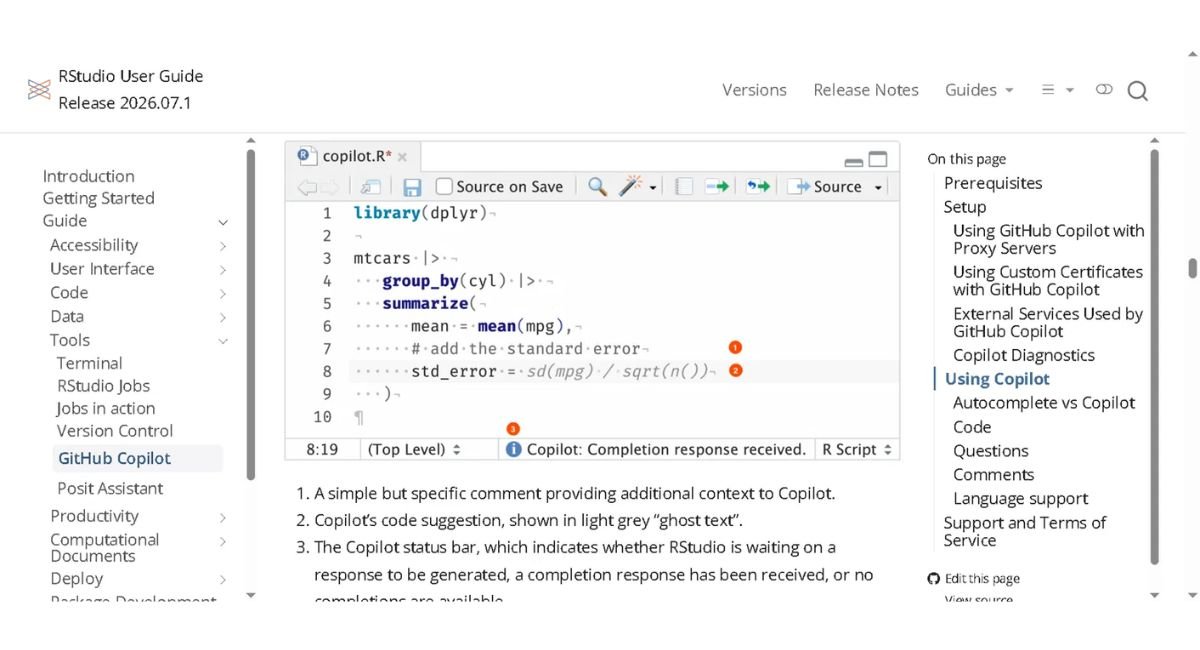
- Inline ghost-text completions for R code, exactly like VS Code’s core experience
- Project-aware suggestions if project indexing is enabled
- What it does not give you: Copilot Chat, Agent mode, or MCP support. RStudio’s integration is completion-only.
Standalone R IDE / VS Code workaround:
If you want Copilot Chat, Agent mode, or MCP tooling while working in R, RStudio alone won’t get you there — you need the VS Code R Extension workflow instead:
Install: REditorSupport.r (VS Code Marketplace)
Requires: R itself installed + languageserver package
r
install.packages(“languageserver”)
This gives you full VS Code Copilot capability (Chat, Agent mode, MCP) layered on top of R language support — at the cost of RStudio’s built-in tooling for plots, environment inspection, and R Markdown preview, which VS Code’s R extension doesn’t fully replicate.
Practical recommendation: if your workflow is heavy on data exploration and R Markdown, stay in RStudio and use its native completion support — it’s solid for what it does. If you specifically need Copilot Chat or agentic multi-file refactors on R code, VS Code + R extension is the only path there today.
The Copilot Language Server (LSP) Explained
The Language Server Protocol (LSP) is the technology that enables GitHub Copilot to deliver AI-powered coding assistance consistently across multiple code editors and IDEs. LSP provides a standardized communication layer that helps language-aware tools integrate across different editors and IDEs. However, Copilot’s actual feature set and user experience can still vary by editor because each integration has its own implementation and capabilities.
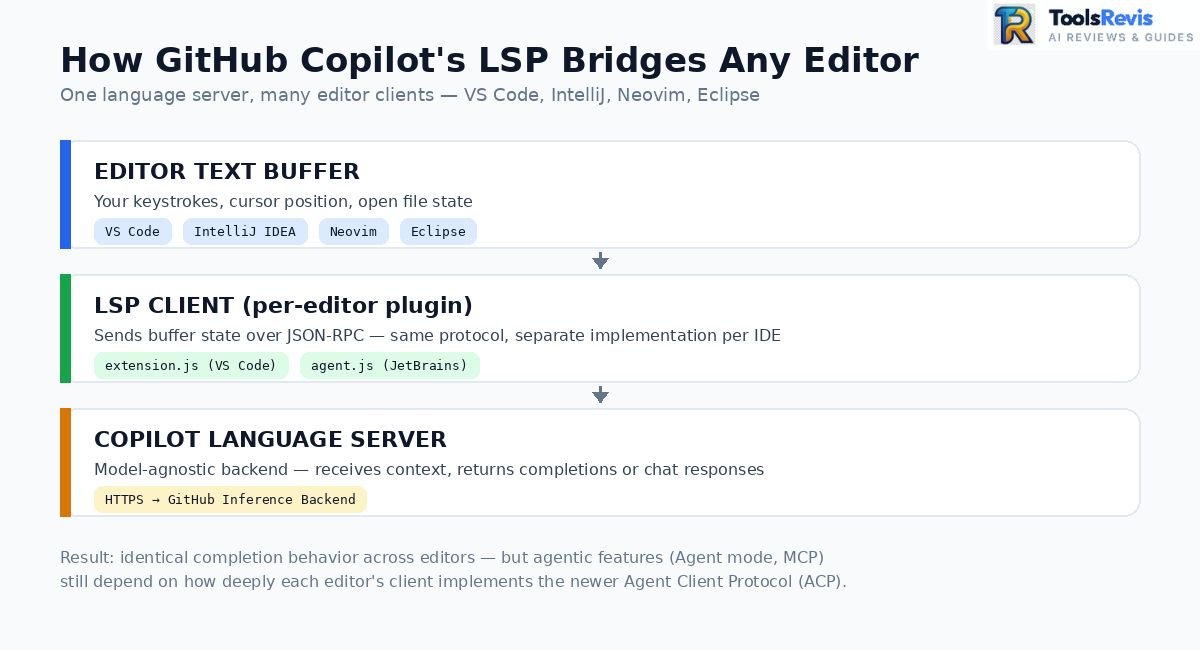
The editor-side plugin’s job shrinks to: send buffer state and cursor position over LSP, render whatever comes back as ghost text or a chat message. All the actual reasoning happens server-side, model-agnostic to the editor.
Why this matters for the IntelliJ vs. VS Code gap: JetBrains’ plugin doesn’t run the exact same extension.js VS Code does — it runs a variant (agent.js) that speaks the same underlying JSON-RPC contract but is a separate implementation, maintained on its own release cycle. That’s the structural reason feature parity has historically lagged: it’s not one codebase running everywhere, it’s the same protocol implemented twice.
Where this is heading: the newer Agent Client Protocol (ACP), co-developed by JetBrains and Zed, extends this same idea from language completion to full agentic sessions — standardizing how any agent (Copilot, Claude, Gemini) connects to any IDE’s chat panel, the same way LSP standardized single completions.
Read Next: Complete GitHub Copilot Series
Continue your GitHub Copilot learning with these related guides covering Agent Mode, pricing, code reviews, and real-world productivity to build a complete understanding of the platform.
- GitHub Copilot Agent Mode: Complete Setup & Architecture Guide Master agentic capabilities, sub-agents, and background terminal execution across modern IDEs.
- GitHub Copilot Pricing Breakdown: Individual vs Business vs Enterprise Compare usage limits, SSO policies, and features to choose the right plan for your team.
Summary: GitHub Copilot Outside VS Code
GitHub Copilot works across IntelliJ, VSCodium, and RStudio, but each editor offers different levels of AI features, setup complexity, and native integration.
| Pros (Faayde) | Cons (Khamiyan & Gaps) |
| Cross-IDE Unified AI: Same subscription works across IntelliJ, VSCodium, and RStudio via LSP. | Historical Feature Lag: JetBrains historically received some agent features later, but the gap has narrowed substantially in 2026. |
| Agentic capabilities in 2026: Agent mode, custom agents, sub-agents, Plan agent, Agent Skills, and Copilot CLI have significantly narrowed the historical JetBrains feature gap. | Higher Token Consumption: IntelliJ tends to read larger context spans, burning request quotas faster. |
| Extensible via MCP: Supports open-source tools like AgentBridge (~90 IDE-native tools). | Manual Workarounds Needed: VSCodium requires sideloading and product.json hacking. |
| Native RStudio Support: Smooth ghost-text autocompletion for R data science workflows. | Completion-Only in RStudio: No Copilot Chat, Agent mode, or MCP support inside RStudio directly. |
Frequently Asked Questions
These frequently asked questions answer the most common queries about using GitHub Copilot across IntelliJ, VSCodium, RStudio, and other supported development environments.
1. How do I use GitHub Copilot in R?
Enable it natively in RStudio via Tools → Global Options → Copilot (RStudio 2023.09.0+) for inline completions. For Copilot Chat or Agent mode on R code, use VS Code with the R Extension instead — RStudio’s native integration doesn’t include chat.
2. Does GitHub Copilot work in VSCodium?
Yes, but not officially — Copilot isn’t published on Open VSX, so you manually sideload the .vsix from the Microsoft Marketplace and adjust product.json to pass the extension’s identity checks. It works, but it’s a self-maintained setup, not a supported one.
3. How do I enable Copilot in IntelliJ IDEA?
Install via Settings → Plugins → Marketplace → search “GitHub Copilot”, restart, then sign in through Tools → GitHub Copilot → Login. Requires an active Copilot subscription tied to your GitHub account.
4. Why does GitHub Copilot in IntelliJ feel slower or behind VS Code?
JetBrains historically received some Copilot capabilities after VS Code, but the gap has narrowed significantly in 2026. Custom agents, sub-agents, and the Plan agent are generally available, Agent Skills are generally available, and Copilot CLI agent is now available in JetBrains with a phased transition toward becoming the default agent experience.
5. GitHub Copilot plugin vs. JetBrains AI Assistant/Chat — what’s the difference?
The Copilot plugin is a separate extension you install and update yourself; Copilot as an agent inside JetBrains AI Assistant is bundled via ACP with no separate install or updates. Copilot CLI is becoming the plugin’s default agent harness, and it bundles ripgrep for faster codebase search — though for deep code-aware navigation, plain rg-based search still can’t match LSP-backed symbol lookups tool-call for tool-call.
Verdict & Final Recommendations
GitHub Copilot is an excellent choice beyond VS Code, especially for IntelliJ users, while VSCodium and RStudio remain practical options with a few important limitations.
If you live in VS Code already — nothing here changes your workflow. You’re on the reference implementation.
If you’re an IntelliJ-first developer: 2026 is genuinely the right time to lean back in. JetBrains now has generally available Agent mode capabilities including custom agents, sub-agents, Plan agent, and Agent Skills, while Copilot CLI agent is also available and moving toward becoming the default agent experience. The historical feature gap with VS Code has therefore narrowed substantially. Pair the official plugin with a community MCP bridge like AgentBridge if you want deeper IDE-native tool access (PSI navigation, live inspections, Git integration) beyond the ~25 tools JetBrains ships natively.
If you’re on VSCodium for privacy or licensing reasons: Copilot works, but treat it as a self-maintained integration — expect to redo the product.json fix after major VSCodium updates, and clear it with IT if you’re on an Enterprise seat.
If you’re an R developer: don’t abandon RStudio for Copilot’s sake. Native completion support is solid for day-to-day R work. Reach for VS Code + the R extension only when you specifically need Copilot Chat or Agent mode on R code.
Bottom line: Copilot’s LSP foundation means it works almost everywhere — but “works” and “feels native” are still two different bars, and JetBrains is the only non-VS Code environment in 2026 where that gap has meaningfully closed.

I’m Umair Ahmad, founder of ToolsRevis. I personally test every AI tool we cover — signing up, running real workflows, checking pricing tiers, and comparing outputs — before writing a single word. My goal: cut through AI marketing hype with honest, hands-on verdicts.
Let’s achieve more together!
Hi Umar,
I’m from the product team and found many of the descriptions above regarding GitHub Copilot for JetBrains are incorrect. For instance, custom agents, skills are all supported in GitHub Copilot for IntelliJ, whereas your table says they are not supported. Also recently they introduced a Copilot CLI agent, which adopts many latest features from GitHub Copilot CLI, so the feature gap becomes significantly small, e.g. https://devblogs.microsoft.com/java/github-copilot-for-jetbrains-is-moving-to-copilot-cli-as-the-default-agent-harness/ and https://devblogs.microsoft.com/java/access-github-copilot-in-jetbrains-github-copilot-is-now-a-native-agent-in-jetbrains-ai-assistant/
Hi Nick, thanks for catching this and for sharing the official references. You’re right that some of the JetBrains feature information in our article was outdated. We’ve reviewed your feedback and updated the relevant sections to reflect the latest 2026 capabilities. Really appreciate you taking the time to point this out!