
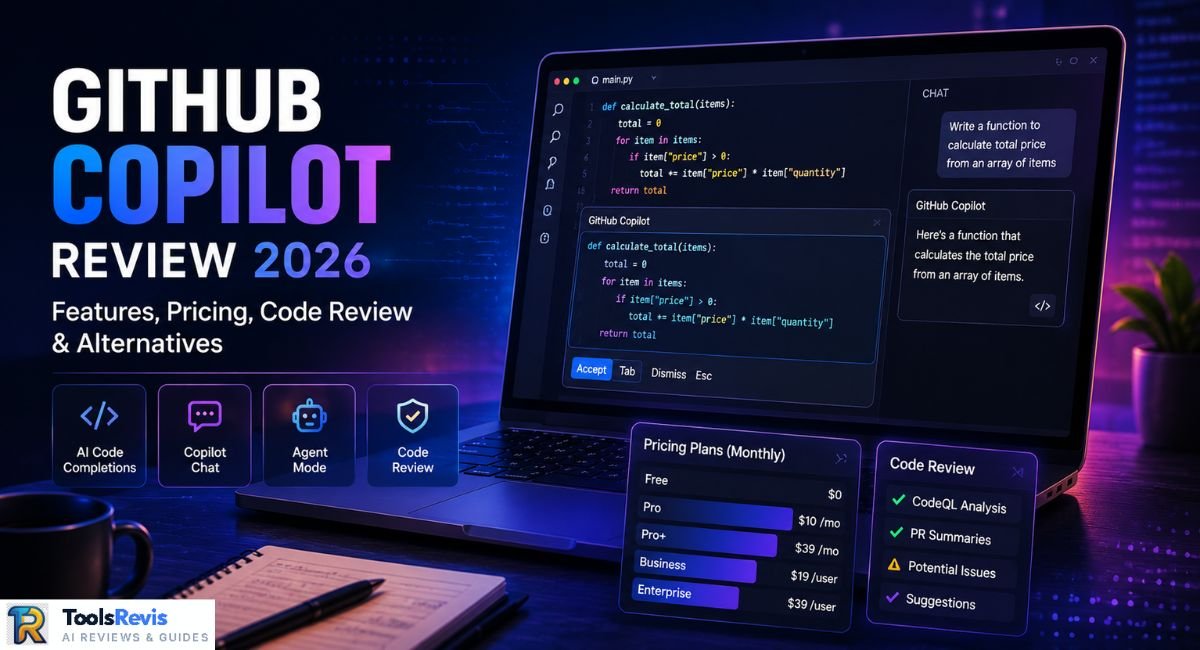
Most developers have stopped expecting an AI coding assistant to feel magical. What they want now is one that doesn’t quietly rewrite a working function, burn through a premium request quota mid-refactor, or lose the plot halfway through a 40-file agent session. GitHub Copilot in 2026 is judged less on “can it write code” and more on “does it survive contact with a real, messy codebase.”
Quick Answer: GitHub Copilot in 2026 is a multi-model AI platform — not a single AI. It runs GPT-5.5, Claude Sonnet 5, Gemini 3.1 Pro, and the new open-weight Kimi K2.7 Code through one picker. It’s the strongest pick for teams already inside GitHub, but credit-based pricing and inconsistent agent mode reliability mean it’s not a blind buy for everyone.
Why You Can Trust Our GitHub Copilot Review
This review combines official GitHub documentation, Microsoft announcements, pricing updates, and real developer feedback from Reddit and GitHub Discussions. Instead of repeating marketing claims, we evaluated GitHub Copilot based on AI model quality, pricing, enterprise features, agent reliability, and real-world developer workflows.
This review is updated regularly as GitHub releases new features, pricing changes, and AI model updates. Our goal is to help developers make informed decisions using official documentation alongside real-world user experiences.
What is GitHub Copilot in 2026?
GitHub Copilot has moved well past its original identity as a GPT-only autocomplete plugin. It’s now a model-agnostic coding platform built around three surfaces — inline completions, Copilot Chat, and agent mode (plus a cloud agent that works asynchronously on GitHub.com) — all metered through a single AI credit system GitHub rolled out in June 2026. The practical effect: your model choice now directly affects your monthly bill, not just your code quality.
Which AI Models Power GitHub Copilot?
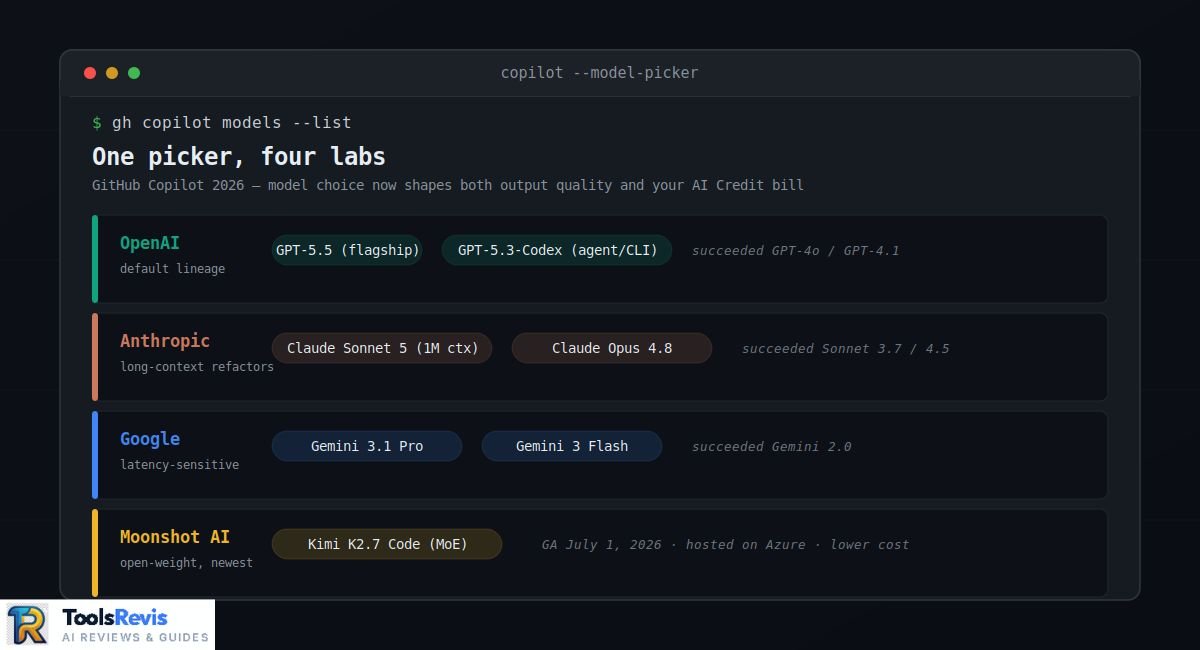
The “one AI” framing never really applied here, and in 2026 it applies even less. Copilot’s model picker currently spans four labs:
- OpenAI — the default lineage has moved from GPT-4o and GPT-4.1 through to GPT-5.5 as the flagship, with GPT-5.3-Codex as the coding-specialized option for agent and CLI work.
- Anthropic — Claude Sonnet 3.7 and Claude Sonnet 4.5, long the go-to for long-context refactors, have been succeeded by Claude Sonnet 5 (1M-token context) and Claude Opus 4.8 for heavier reasoning tasks.
- Google — Gemini 2.0 was the entry point a year ago; it’s since given way to Gemini 3.1 Pro and the lighter Gemini 3 Flash for high-volume, latency-sensitive completions.
- Moonshot AI — the newest and most disruptive addition: Kimi K2.7 Code, a trillion-parameter open-weight Mixture-of-Experts model, went GA in the Copilot picker on July 1, 2026. It’s the first open-weight model GitHub has ever offered as a selectable option, hosted on Microsoft Azure rather than Moonshot’s own infrastructure, and priced well below the closed frontier models — a real option if your credit cap keeps getting hit before the sprint does.
The upshot: which model is “running” depends entirely on your surface, your plan, and what you’ve pinned in the picker — there’s no single answer anymore, and any review (or blog post) that treats Copilot as one static model is already out of date.
Want a deeper look at the AI models powering GitHub Copilot? Read our Claude Sonnet 5 Review to explore Anthropic’s latest coding model, or compare GPT-5.6 Sol vs Claude Sonnet 5 to understand how today’s leading AI models differ in coding, reasoning, and real-world performance. If you’re curious about open-weight coding models, check out our Cursor AI vs Kimi K3 comparison to see how Kimi performs in modern developer workflows.
What is the Key Advantage of Using GitHub Copilot?
The advantage isn’t novelty — it’s that Copilot handles a specific set of everyday friction points well enough that developers stop noticing them:
- TypeScript interface generation — paste a raw JSON response or a Zod schema and Copilot will scaffold accurate interface or type definitions, including nested and optional fields, faster than writing them by hand.
- Complex regex — instead of hand-rolling a lookahead-heavy pattern for something like validating nested email formats or parsing log lines, you describe the intent in plain English and get a working, testable expression back.
- Auto-generated documentation — Copilot Chat can walk an entire module and produce JSDoc or docstring blocks that actually reflect argument types and edge cases, not just placeholder text.
- Agentic dependency cleanup — in agent mode, Copilot can scan a package.json or requirements.txt, flag unused or vulnerable dependencies, and open a PR with the fix — though this is exactly where experienced users watch closely, since agent mode confidently removing a package that’s actually used indirectly (a classic hallucinated edit) is a known failure mode worth double-checking before merge.
Is GitHub Copilot Worth It in 2026? (Honest Verdict)
The answer isn’t a flat yes or no — it depends heavily on which team you’re asking and what “worth it” means to them. A solo dev cranking out boilerplate has a very different experience than a platform team debugging a hallucinated import at 11pm before a release.
Is GitHub Copilot Good?
Yes, with real asterisks. On the strength side: inline completions are fast, the model picker means you’re rarely stuck with an underperforming model, and for repetitive, pattern-heavy code — CRUD endpoints, test scaffolding, config files — it genuinely removes friction most developers used to just tolerate.
The complaints are just as real, though, and they cluster around a few recurring failure modes:
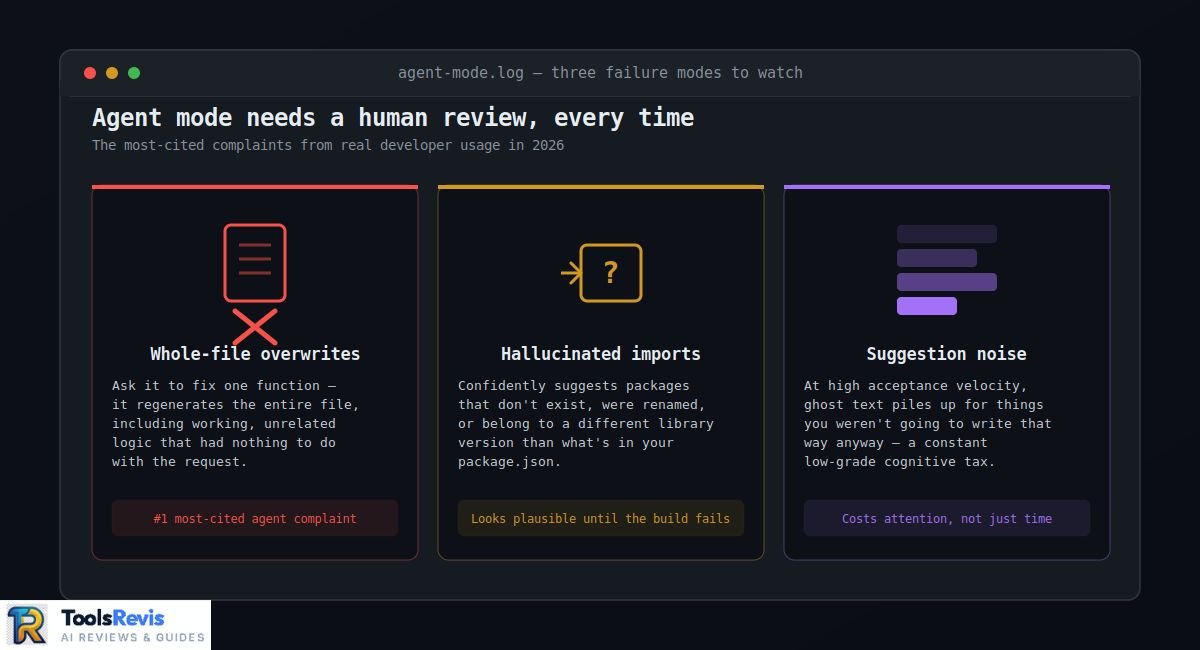
- Whole-file overwrites in agent mode. Ask Copilot’s agent to fix one function, and there are documented cases of it rewriting the entire file — including working, unrelated logic — because it regenerated context instead of patching it. This is the single most-cited agent mode complaint in developer forums.
- Hallucinated imports. Copilot will confidently suggest import statements for packages that don’t exist, were renamed, or belong to a different version of a library than the one in your package.json. It reads as plausible right up until the build fails.
- Suggestion noise. At high acceptance velocity, Copilot can bury a developer in ghost text for things they weren’t going to write that way anyway, adding a constant low-grade cognitive tax rather than saving time.
None of this makes Copilot bad — it makes it a tool that needs a human doing final review, every time, no exceptions.
GitHub Copilot Productivity Metrics & Team ROI
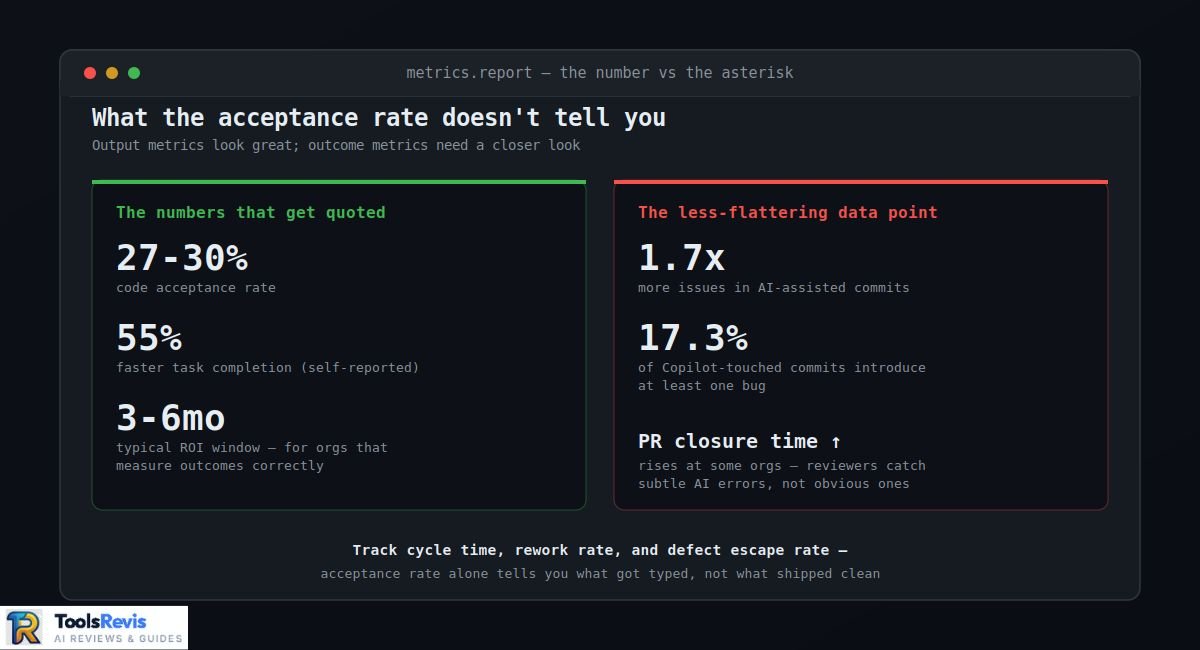
This is where managers need to slow down before pulling numbers into a board deck. GitHub’s own research (and third-party studies built on it) puts code acceptance rates around 27–30%, with developers reporting they complete tasks up to 55% faster. Those numbers get quoted constantly — but acceptance rate measures output, not impact.
The more useful, less flattering data point: several 2026 analyses tracking real repositories found that heavier Copilot usage correlates with higher issue density in merged code, with some studies citing bug rates in the 15–20% range for AI-assisted commits. Meanwhile, some orgs report PR closure time actually increasing despite fast initial suggestion acceptance, because review cycles get longer when reviewers have to catch subtle AI-introduced errors instead of obvious human ones.
The honest takeaway for engineering leads: track cycle time, rework rate, and defect escape rate — not acceptance rate — if you want to know whether Copilot is actually paying for itself. Most organizations that do this correctly report ROI within 3–6 months, but only the ones measuring outcomes, not adoption.
GitHub Copilot for “Vibe Coding”
“Vibe coding” — describing what you want in plain conversation and letting the agent write and wire up the code — is Copilot’s most-hyped 2026 use case, and it’s a genuinely different workflow from traditional autocomplete. For prototyping, internal tools, hackathon builds, or throwaway scripts, it’s remarkably effective: you can go from a rough idea to a working demo in the time it used to take to scaffold a project.
The risk shows up the moment “prototype” quietly becomes “production.” Vibe-coded projects tend to accumulate untested edge cases, inconsistent error handling, and architectural decisions nobody actually made on purpose — because nobody was reading closely enough to make them. If you’re going to vibe-code something real, budget separate time to go back and actually understand what got built, not just that it ran.
Is GitHub Copilot Good for Beginners Learning to Code?
Genuinely nuanced, and worth taking seriously rather than answering with a slogan. As an accelerator, Copilot is excellent for beginners who already understand fundamentals — it can explain unfamiliar syntax, show idiomatic patterns for a new language, and unblock the frustrating “I know what I want but not how to write it” moments that used to stall learning momentum.
As a crutch, it’s genuinely risky. A beginner who accepts suggestions without understanding why they work skips the exact struggle that builds real debugging intuition — the ability to read a stack trace, reason about a loop, or know why a null check matters. The pattern worth watching for: if you can’t explain the code Copilot just wrote for you, that’s the signal to slow down and learn the fundamental first, not accept-and-move-on.
GitHub Copilot Pricing & Plans (2026)
GitHub Copilot offers flexible pricing plans for individuals, teams, and enterprises. In 2026, GitHub introduced a major change by replacing the old Premium Requests system with GitHub AI Credits, making advanced AI features usage-based instead of request-based.
The available plans include Free, Pro, Pro+, Max, Business, and Enterprise. The Free plan is ideal for trying Copilot, while Pro provides the best balance of features and value for most developers. Business and Enterprise plans add organisation-wide administration, security controls, compliance features, and pooled AI Credits for larger teams.
Although code completions remain unlimited on paid plans, premium features such as Copilot Chat, Agent Mode, cloud agents, and AI-powered code reviews consume AI Credits based on the selected AI model and token usage. Developers who frequently use advanced reasoning models or long Agent Mode sessions should monitor their AI Credit usage to avoid unexpected costs.
For most developers, GitHub Copilot remains competitively priced, but understanding AI Credits is now just as important as choosing the right subscription plan.
Want the complete pricing breakdown? Our dedicated GitHub Copilot Pricing Guide covers every plan, AI Credits, hidden costs, student discounts, Business and Enterprise pricing, cancellation steps, and real-world billing examples to help you choose the right plan.
How to Cancel GitHub Copilot Subscription
GitHub Copilot can be cancelled from your GitHub billing settings. Business and Enterprise subscriptions are managed by organisation administrators.
Need the complete step-by-step guide? Our dedicated GitHub Copilot Pricing Guide explains exactly how to cancel GitHub Copilot, what happens after cancellation, refund policies, Business and Enterprise differences, and how AI Credit billing works after your subscription ends.
GitHub Copilot Code Review Agents
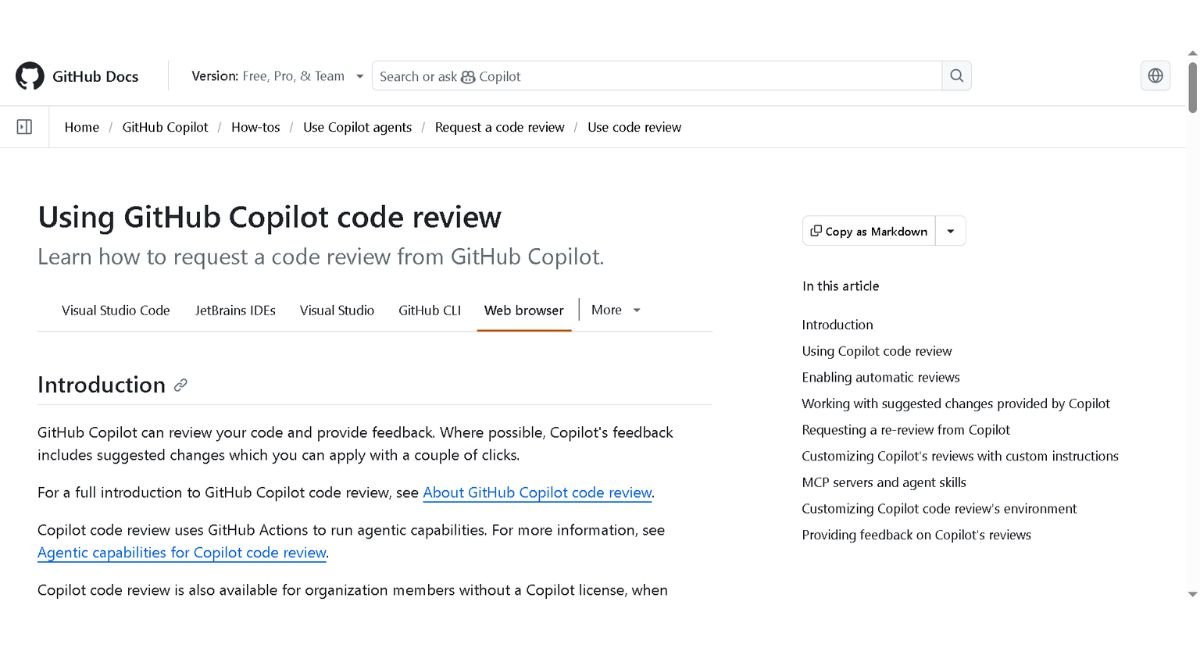
Copilot’s code review feature has moved well past its early “glorified linter” reputation. It now runs automated first-pass reviews directly inside the pull request, combining CodeQL static analysis with semantic understanding of the diff, and it can generate PR descriptions and summaries automatically so reviewers aren’t starting from a blank comment box. It also reads linked issues for context, giving it a genuine edge over review tools bolted on from outside GitHub.
The catch: it auto-publishes suggestions with no human approval gate, and it’s GitHub-only — no GitLab, Bitbucket, or Azure DevOps support.
GitHub Copilot vs CodeRabbit
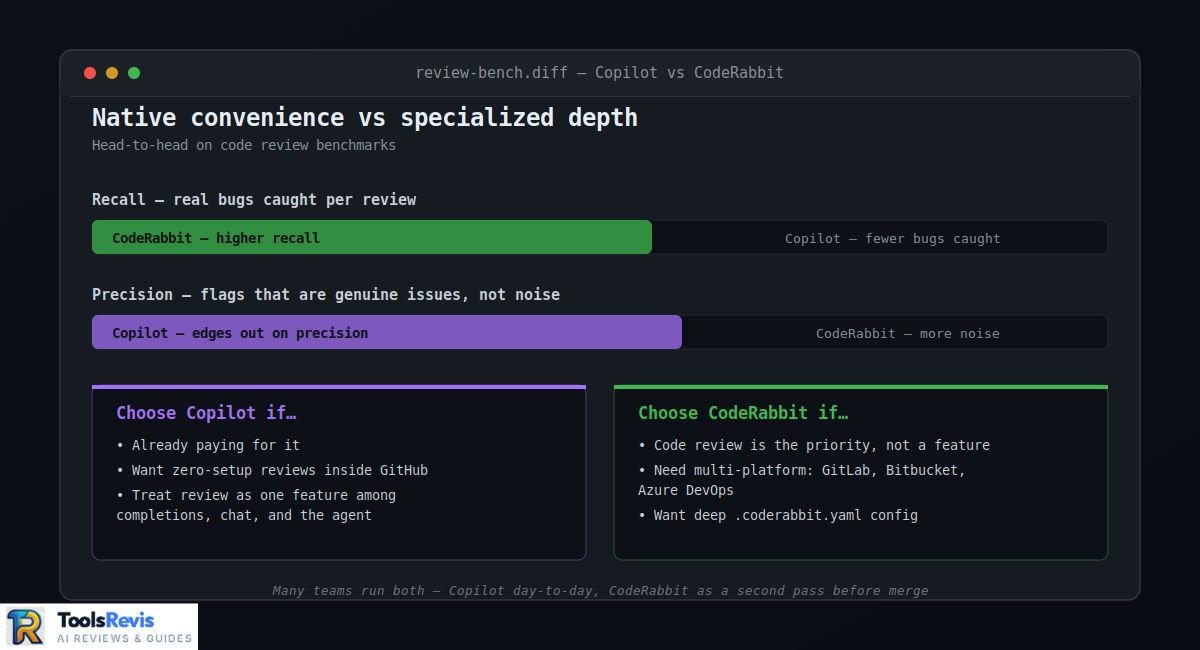
This comes down to native convenience versus specialized depth. On head-to-head benchmarks, CodeRabbit currently posts a meaningfully higher recall — it catches more real bugs per review — while Copilot edges out on precision, meaning its flags are somewhat more likely to be genuine issues rather than noise. Practically:
- Choose Copilot if you’re already paying for it, want zero-setup reviews inside GitHub, and treat review as one feature alongside completions, chat, and the agent.
- Choose CodeRabbit if code review is the priority, you need multi-platform support (GitHub, GitLab, Bitbucket, Azure DevOps), or you want deeper customization through a .coderabbit.yaml config.
- Many teams run both — Copilot for the everyday workflow, CodeRabbit layered on top for a second, more thorough pass before merge.
GitHub Copilot Agent Mode & Agent HQ
Agent mode lets Copilot autonomously plan and execute multi-step coding tasks — reading the codebase, writing across several files, running tests, and opening a pull request — rather than just responding turn-by-turn in chat. GitHub’s broader push here is Agent HQ, a “mission control” layer that lets you assign tasks to multiple agents (Copilot, plus third-party agents from Anthropic, OpenAI, Google, Cognition, and xAI) across repos, monitor their progress in real time, and steer or pause them mid-run — all from one interface that’s consistent across GitHub.com, VS Code, mobile, and the CLI.
GitHub Copilot App vs. VS Code Agents Window
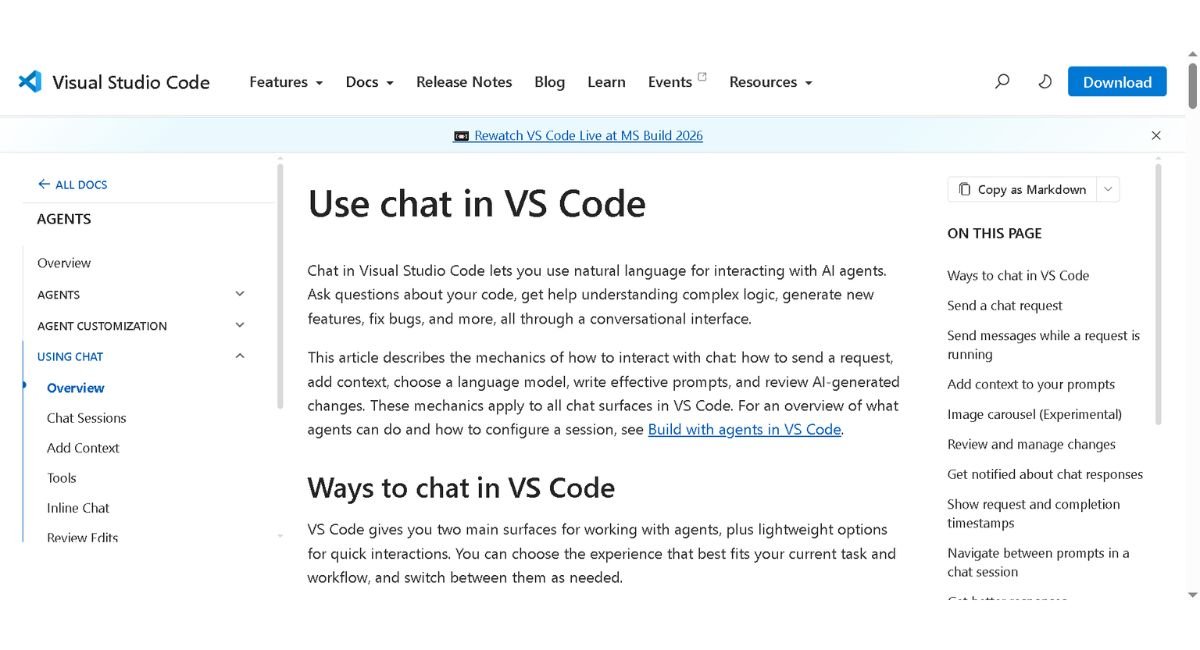
These solve different problems, and conflating them is a common source of confusion:
- The VS Code agent window is in-editor: a single developer working with one agent session at a time, tightly scoped to the file or feature currently open. It’s the right tool for focused, supervised agentic edits while you’re actively coding.
- The standalone GitHub Copilot app (announced at Microsoft Build 2026) is a full SDLC-level control center — a desktop application that runs multiple agent sessions in parallel, each in its own isolated git worktree, so several agents can work the same repository simultaneously without stepping on each other’s changes. It’s built for orchestrating work across a project, not just editing inside one file.
In short: use the VS Code window when you’re the one driving; use the Copilot app when you’re managing several autonomous agents at once and reviewing their output after the fact.
Why Enterprise Companies Still Choose GitHub Copilot
Despite louder, faster-moving competitors, Copilot remains the default at most large organizations — and the reasons are structural, not just habit.
Microsoft/GitHub Ecosystem Integration & Bundled Discounts
For any company already standardized on GitHub for source control, Azure DevOps pipelines, or Microsoft 365, Copilot is the path of least procurement resistance. It’s frequently bundled into existing Microsoft Enterprise Agreements, meaning it can be added as a line item rather than a new vendor relationship requiring separate legal and security review. That matters enormously in large orgs, where a “new AI tool” request can sit in procurement for months — Copilot often skips that queue entirely because GitHub is already an approved vendor.
Data Privacy, Zero Data Retention (ZDR) & Compliance
This is where Copilot genuinely differentiates itself from scrappier competitors. On Business and Enterprise plans, GitHub provides zero data retention by default for IDE-based completions and chat — prompts and suggestions are processed and returned without being written to storage. It’s a meaningfully stronger guarantee than most rivals offer out of the box, and it comes with a published, downloadable Data Protection Agreement that legal teams can review without a custom negotiation.
The nuance worth flagging: that zero-retention guarantee applies specifically to IDE completions and chat — other surfaces like github.com chat, mobile, and CLI retain prompts for 28 days on Business/Enterprise to support thread history, and usage telemetry is kept for two years across all plans. It’s also worth noting that newer models with different retention terms (a live issue as labs like Anthropic and OpenAI adjust their own policies) are typically disabled by default for Business and Enterprise until an admin explicitly opts in — a safeguard that matters if your compliance team is tracking model-level data handling, not just platform-level.Learn more in GitHub’s Enterprise Trust Center.
Cost Breakdown: Copilot Seats vs Direct API / Claude Code
The math here depends entirely on usage pattern, and it’s easy to get wrong:
- Copilot seats ($19–$39/user/month) give predictable, budgetable per-seat cost, centralized admin controls, and bundled code review — but agent-heavy users can burn through the included AI Credits and hit overage billing.
- Direct API access (calling Claude, GPT, or Gemini models yourself, e.g. through Claude Code or a BYOK tool like Cline) means you pay only for tokens consumed — cheaper for light-to-moderate use, but with no centralized seat management, no bundled compliance paperwork, and someone on the team responsible for key management and cost monitoring.
- For most enterprises, the calculus favors Copilot seats once you factor in the admin overhead of managing dozens of individual API keys and vendor agreements versus one consolidated GitHub bill — the API route mainly wins for smaller teams or specific heavy-agent workflows where usage is predictable and high enough to make per-token pricing clearly cheaper.
GitHub Copilot vs. Top 2026 Alternatives
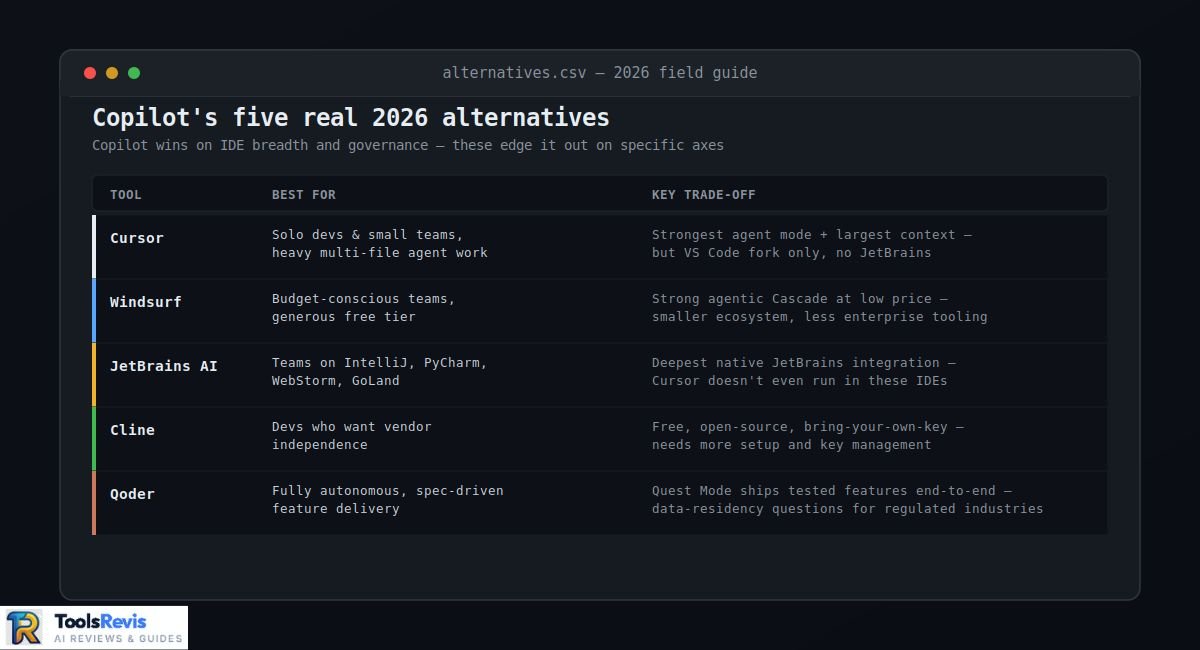
| Tool | Best For | Key Trade-off |
| Cursor | Solo devs & small teams doing heavy multi-file agentic work | Strongest agent mode and largest context window in third-party testing, but it’s a VS Code fork — no JetBrains support, and it’s a separate tool outside your GitHub-native workflow |
| Windsurf | Budget-conscious teams wanting a generous free tier | Strong agentic Cascade feature at a low price point, but smaller ecosystem and less enterprise compliance tooling than Copilot |
| JetBrains AI (+ Junie) | Teams standardized on IntelliJ, PyCharm, WebStorm, GoLand, or Rider for .NET/C# developers | Deepest native integration for JetBrains users specifically — Cursor doesn’t even work in these IDEs, making this and Copilot the realistic options |
| Cline | Developers who want vendor independence | Free, open-source, bring-your-own-key across virtually any model provider — cost-transparent but requires more setup and API key management than a polished product |
| Qoder | Teams wanting fully autonomous, spec-driven feature delivery | Alibaba’s Quest Mode can ship tested, multi-file features end-to-end with minimal supervision — but data-residency and vendor-origin questions are a real consideration for regulated industries |
The honest pattern across 2026 coverage: Copilot wins on IDE breadth and enterprise governance, while Cursor and Windsurf generally edge it out on raw agentic task completion in head-to-head testing. Many experienced teams don’t pick just one — they run Copilot for everyday completions and compliance-friendly workflows, and reach for a more specialized agent tool for complex, autonomous feature work.
Planning to switch from GitHub Copilot? Check out our Cursor AI Review for a detailed look at Cursor’s agent mode, pricing, IDE support, and overall developer experience.
Who Should Skip GitHub Copilot?
GitHub Copilot isn’t the best choice for everyone.
You may want another tool if:
• You mainly use autonomous AI agents for large multi-file projects.
• You prefer fully open-source AI coding tools.
• You want complete control over API costs using your own model keys.
• You don’t use GitHub as your primary development platform.
Pros and Cons
| Pros | Cons |
| Excellent GitHub integration | AI Credits can become expensive |
| Supports multiple AI models | Agent Mode still makes mistakes |
| Enterprise security | Pricing is harder to understand |
| Works across many IDEs | Some premium models cost more |
Overall, GitHub Copilot’s advantages outweigh its drawbacks for most developers. However, teams that depend heavily on autonomous AI agents or strict cost control should compare it with alternatives like Cursor or Cline before subscribing.
Final Verdict: Should You Buy GitHub Copilot in 2026?
Buy it if you:
- Already run your codebase on GitHub and want the lowest-friction AI tool your IT department will actually approve
- Need genuine enterprise compliance guarantees (ZDR, a published DPA, SSO) without a custom vendor negotiation
- Work across multiple IDEs — JetBrains, Visual Studio, Eclipse, Xcode — where competitors like Cursor simply aren’t available
- Want one platform that reasonably covers completions, chat, code review, and agent mode without stitching together separate tools
Skip it (or supplement it) if you:
- Do heavy, autonomous multi-file agent work as your primary workflow — Cursor and Windsurf currently test ahead of Copilot here
- Are cost-sensitive and comfortable managing your own API keys — Cline or direct model API access can be meaningfully cheaper for light-to-moderate use
- Need dedicated, best-in-class PR review depth — pair Copilot with CodeRabbit rather than relying on Copilot’s review alone
- Are wary of usage-based billing surprises — budget carefully for the AI Credit system before committing a whole team to Pro+ or Max
Still deciding which AI coding assistant fits your workflow? Explore our Best AI Tools for Developers guide to compare GitHub Copilot, Cursor, Claude Code, Windsurf, and other top AI developer tools in one place.
Read Next
- Cursor AI Review 2026 – See how Cursor compares with GitHub Copilot for agentic coding, large codebases, and developer workflows.
- Claude Sonnet 5 Review – Explore the strengths, limitations, pricing, and coding performance of Claude Sonnet 5.
- Best AI Tools for Developers (2026) – Compare GitHub Copilot with other leading AI coding assistants and developer tools before making your decision.
Frequently Asked Questions
1. Is GitHub Copilot worth it in 2026?
GitHub Copilot is worth it for developers and teams that want AI-powered code completions, chat, code reviews, and agent workflows within the GitHub ecosystem. It offers the best value for developers already using GitHub and Microsoft tools.
2. Which AI models power GitHub Copilot?
GitHub Copilot supports multiple AI models, including GPT-5.5, GPT-5.3 Codex, Claude Sonnet 5, Claude Opus 4.8, Gemini 3.1 Pro, Gemini 3 Flash, and Kimi K2.7 Code. Users can switch between models depending on their plan.
3. Is GitHub Copilot good for beginners?
Yes. GitHub Copilot helps beginners learn syntax, generate examples, and understand programming concepts. However, new developers should review every suggestion instead of accepting AI-generated code without understanding it.
4. What are the biggest advantages of GitHub Copilot?
GitHub Copilot improves developer productivity through intelligent code completion, AI chat, documentation generation, code review assistance, multi-model support, and deep integration with GitHub repositories and popular IDEs.
5. Is GitHub Copilot better than Cursor AI?
It depends on your workflow. GitHub Copilot is stronger for enterprise governance and GitHub integration, while Cursor AI generally provides more advanced autonomous coding and agent workflows.
6. Does GitHub Copilot work with IDEs other than VS Code?
Yes. GitHub Copilot supports Visual Studio Code, JetBrains IDEs, Visual Studio, Neovim, Eclipse, Xcode, and several other development environments.
7. Is GitHub Copilot the same as Microsoft Copilot?
No. GitHub Copilot is designed specifically for software development, whereas Microsoft Copilot focuses on productivity across Microsoft 365 applications like Word, Excel, Outlook, and Teams.
8. What are the best GitHub Copilot alternatives?
Popular alternatives include Cursor AI, Windsurf, Cline, JetBrains AI, Claude Code, and CodeRabbit, depending on whether you need autonomous coding, code review, or enterprise features.

I’m Umair Ahmad, founder of ToolsRevis. I personally test every AI tool we cover — signing up, running real workflows, checking pricing tiers, and comparing outputs — before writing a single word. My goal: cut through AI marketing hype with honest, hands-on verdicts.
Let’s achieve more together!