
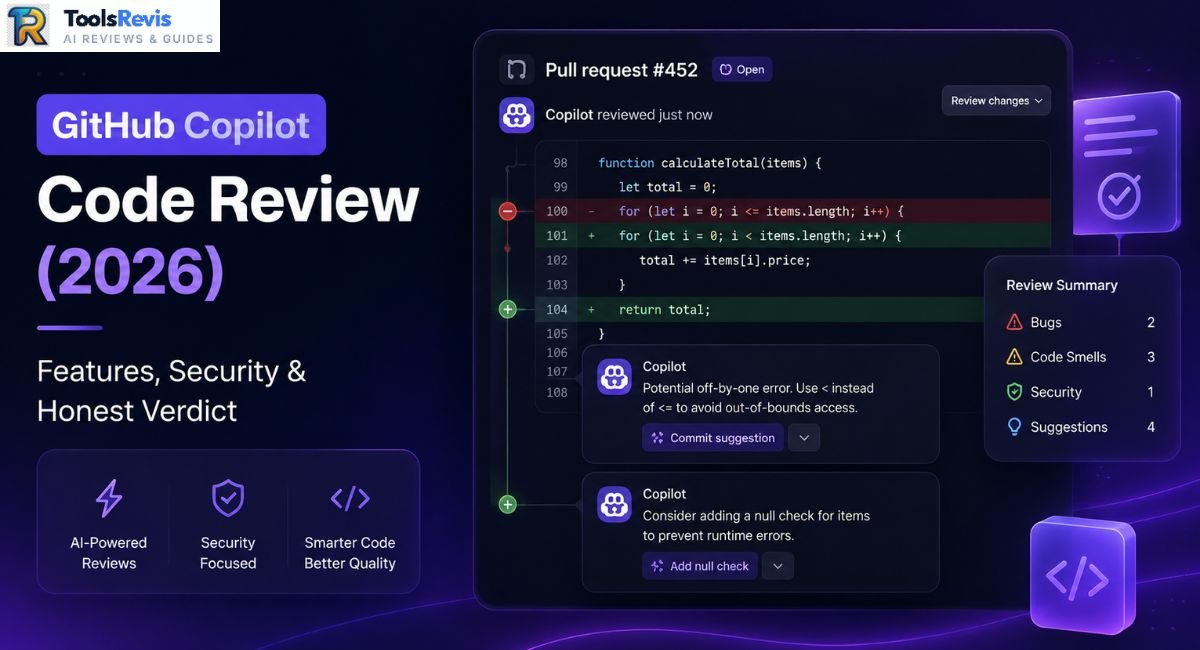
Merging code an AI reviewed feels safe until the bug it missed hits production. In 2026, that gap between “reviewed” and “actually understood” is the whole story.
Quick Answer: GitHub Copilot Code Review is GitHub’s native AI reviewer that scans pull request diffs and leaves inline comments with suggested fixes, directly in the GitHub UI. It excels at catching style violations, obvious bugs, and missing null checks fast. Its core weaknesses are shallow cross-file context and Actions minutes consumption on larger repos. Verdict: a solid first-pass filter, not a replacement for human review.
Introduction
Pull request reviews have always been the bottleneck nobody wants to own. Senior engineers get pulled into reviewing junior code they don’t have time for, and junior engineers wait hours for feedback that could’ve been automated. GitHub built Copilot Code Review to close that gap — an AI agent that reads your diff the moment you open a PR and starts leaving comments before a human even clicks in.
But “AI reviewed my code” and “my code was reviewed” are not the same sentence, and that distinction matters more in 2026 than it did during the tool’s early rollout. This piece breaks down exactly how the feature works under the hood, where it earns its keep, where it quietly costs you money and patience, and whether it deserves a permanent slot in your review pipeline.
If you are building an AI-assisted engineering workflow, check out our full GitHub Copilot Review and explore our head-to-head comparison on Cursor AI vs Kimi K3 to see which tool suits your stack best.
How GitHub Copilot Code Review Works
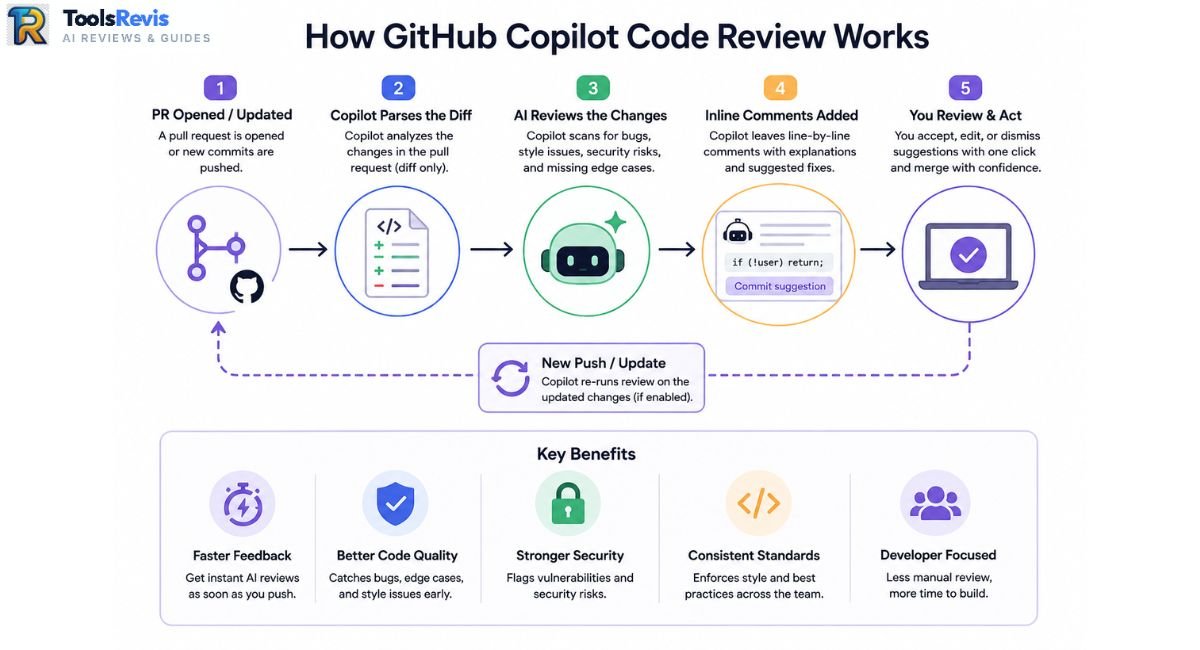
GitHub Copilot Code Review is an automated PR agent that parses pull request diffs, flags inline syntax or style issues, and offers one-click commit suggestions directly within the GitHub interface.
The PR Review Workflow Step-by-Step
- A PR is opened, or an existing PR is pushed to.
- Copilot’s review agent parses the diff — not the entire codebase, the diff.
- It generates inline review comments on specific lines, flagging bugs, style issues, security smells, and missing edge cases.
- Whenever possible, it includes a one-click code suggestion, allowing you to apply a ready-to-use fix directly from your browser.
- The developer accepts, edits, or dismisses each comment individually.
Reviewers-Section Agent vs. @copilot Mention
GitHub Copilot’s PR review actually works in two distinct ways, and conflating them is the single most common misunderstanding developers have about this feature
- You can add the Reviewers-section agent to the ‘Reviewers’ tab of a PR, just as you would invite a human teammate. It runs automatically, reviews the diff once (or on each push if configured), and behaves like a silent colleague leaving comments. No back-and-forth.
- The @copilot mention is conversational. Type @copilot in a PR comment thread and you get a chat-style agent that can explain its own suggestions, revise a fix based on your pushback, or dig into a specific function you point it at. This is interactive; the Reviewers-section agent is not.
Treating the two interchangeably is why some teams think Copilot “ignored” their follow-up question — it didn’t ignore it, it was never listening in the first place unless you tagged it.
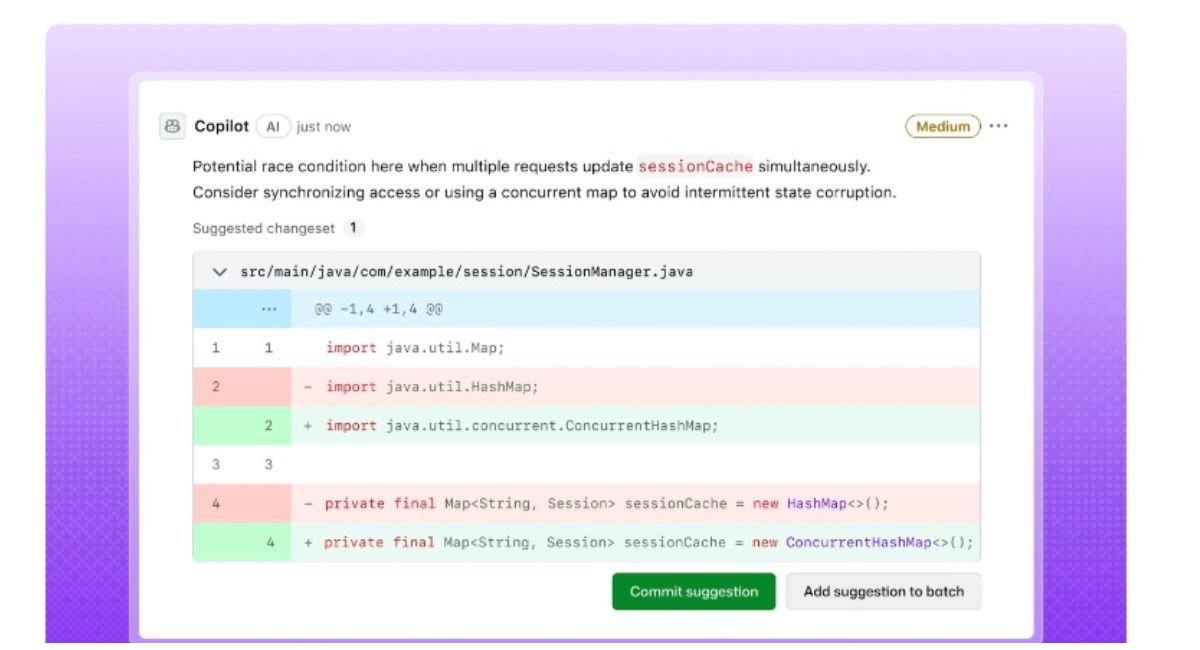
Beyond basic syntax checks, the model scans for potential concurrency issues and logic flaws—you can learn more about GitHub Copilot’s code review capabilities to maximize its accuracy.
Comparing the Web UI with Traditional IDEs (VS Code & JetBrains)
Inline suggestions differ by surface. In the GitHub web UI, suggestions appear as standard PR review comments with a “Commit suggestion” button — accept it and GitHub commits the change to the branch directly, no local pull required. In VS Code, the experience shifts: Copilot surfaces the same class of suggestions inline in the diff view, but fixes apply directly to your working copy, meaning you review and stage them like any local edit rather than triggering a remote commit. Web UI is faster for small fixes; VS Code is where you want to be for anything touching more than a couple of lines, since you get full IDE context alongside the suggestion.
The “Infinite Loop” Review Fatigue Issue
The ‘infinite loop’ issue is very real, standing out as the single most common grievance among developers. Here’s the mechanic: you accept a Copilot suggestion to fix, say, an unhandled exception. That fix changes the line count or structure of the function slightly. Copilot re-scans on the next push — and now flags a new minor issue in the same function, often a style nit or a suggestion adjacent to the fix you just made. Accept that one, and a third micro-suggestion appears.
Developers on GitHub Community discussions and Reddit have described this as review fatigue by a thousand cuts: no single suggestion is wrong, but the cumulative churn can add more review cycles than a human reviewer would have caused in one pass. On larger diffs, this loop is where teams start asking whether the tool is saving time or just redistributing it.
Security Filters: Strengths, Blind Spots, and Coverage
GitHub Copilot’s security filter detects surface-level vulnerabilities like hardcoded credentials, SQL injection patterns, and OWASP Top 10 risks within the diff, but fails to identify multi-file architectural or logic flaws.
What the Security Filter Reliably Catches
- Hardcoded Secrets: API keys, access tokens, and credentials left in plaintext.
- SQL Injection Patterns: Unparameterized query strings and raw SQL execution.
- Public Code Matches: License and provenance warnings for matched public code snippets.
- OWASP Top 10 Risks: Unescaped user input, insecure deserialization calls, and weak crypto usage.
The Multi-File Architectural Blindspot
Copilot is strong on formatting, linting, and single-file syntax issues, and weak on anything requiring cross-file reasoning.Because review agents scan individual diffs rather than the broader dependency graph, multi-file vulnerabilities—such as an auth check in one module being bypassed two directories away—frequently slip through undetected.
Why Teams Pair Copilot with SonarQube & Snyk
This is exactly why teams running Copilot Code Review in production still pair it with dedicated static analysis tools like SonarQube or Snyk. Those tools build a full code graph, track data flow across files, and maintain security rule sets purpose-built for CVE-class vulnerabilities. The practical pattern: Copilot handles the fast, cheap, first-pass noise; SonarQube or Snyk runs as the actual security gate before merge.
Auto Code Review Setup & The June 2026 Billing Change
Automating Copilot Code Review requires toggling automatic reviews under repository settings, which consumes both GitHub AI Credits and standard GitHub Actions minutes on private repositories as of June 2026.
How to Enable Automatic PR Reviews
- Go to your repository’s Settings → Code review (or organization-level settings for a fleet-wide rollout).
- Under Copilot, toggle Automatic review on. You can scope this to all PRs or only PRs targeting protected branches.
- Confirm permissions — the Copilot reviewer needs read access to the repo and, for private repos, an active Copilot Business, Enterprise, or Pro+ seat tied to the account enabling it.
- Supported repo types include public and private repositories on GitHub.com; GitHub Enterprise Server support varies by version, so check your instance’s release notes before assuming parity.
How to Disable Automatic Review in VS Code Insiders
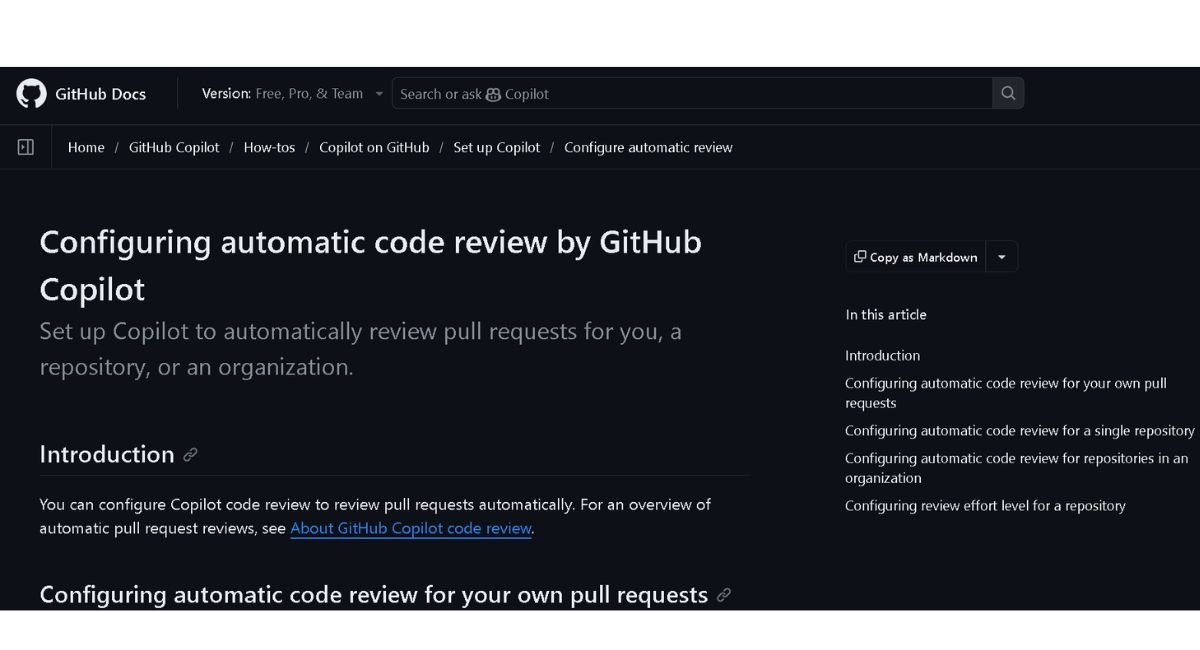
Newer VS Code Insiders builds have started enabling Copilot’s automatic PR review by default for some users. If you didn’t opt in and want it gone, go to Settings → Extensions → GitHub Copilot → Code Review, and disable Automatic review on pull request. This setting is separate from the repo-level GitHub.com toggle, so disabling one doesn’t disable the other — check both if you’re still seeing reviews appear.
The June 1, 2026 Billing Change (Actions Minutes Overhead)
The June 1, 2026 billing change is the part catching teams off guard. GitHub confirmed that starting June 1, 2026, GitHub Actions minutes are consumed from your existing plan entitlement for each Copilot code review run on private repositories, with usage beyond included minutes billed at standard GitHub Actions rates. This runs on top of the AI Credits already charged for the model calls themselves — a shift from a fixed-unit model to a dual, compute-aware billing structure that GitHub attributes to code review’s move to an agentic, tool-calling architecture. Public repositories are unaffected — Actions minutes remain free there.
In practice, this means every automated review on a private repo now draws from two separate meters at once, and teams running frequent PR cycles are the ones who’ll feel it first. For the full AI Credits and billing breakdown, see our GitHub Copilot Pricing Guide.
Code Review in Azure DevOps & JetBrains
GitHub Copilot Code Review operates natively in Azure Repos via a technical preview and offers local pre-commit self-reviews inside JetBrains IDEs, though with limited interactive features compared to VS Code.
Azure Repos Technical Preview & Practical Workarounds
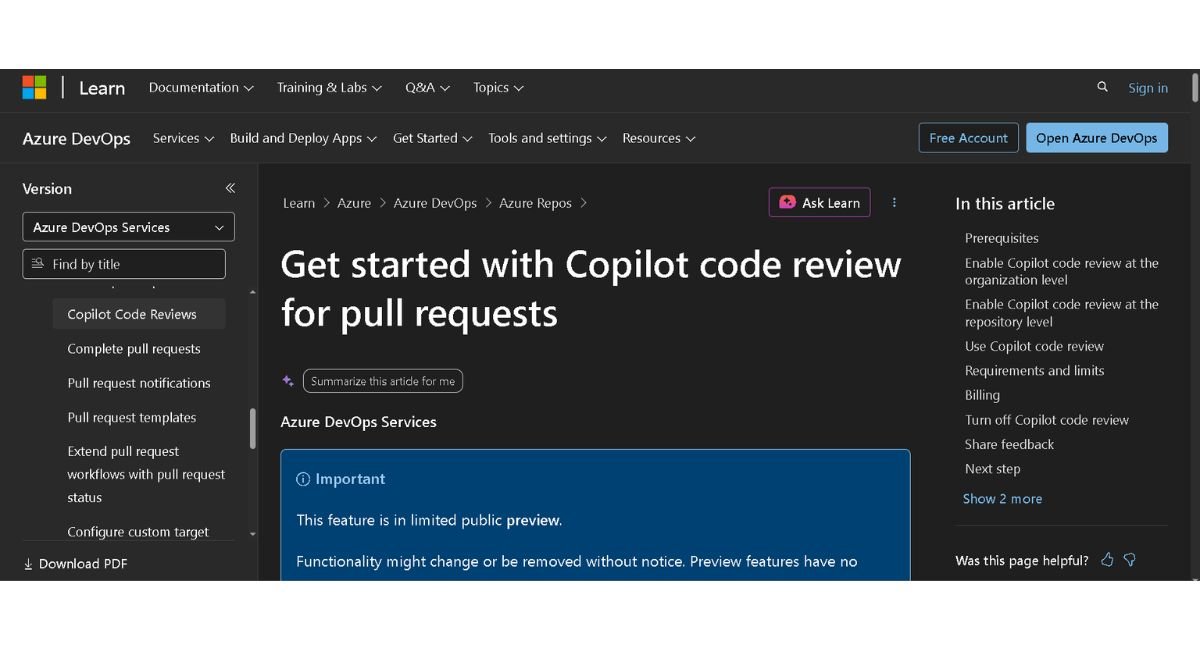
GitHub shipped Copilot code review for Azure Repos as a technical preview on June 2, 2026 — you can now request an on-demand review directly from an Azure Repos PR, with results billed as GitHub AI credits rather than drawn from an existing Copilot plan. That’s a meaningful shift, but it’s still preview-stage: it requires enabling at both the org and repo level, has no GA timeline yet, and doesn’t apply to Azure DevOps Server (on-prem) at all. For teams outside the preview or running self-hosted Azure DevOps, the workarounds developers built over the past year are still the practical path.
Before configuring organization-level policies, make sure to check the requirements outlined in the official Azure DevOps documentation.
The three workarounds that see real production use:
- Azure AI Foundry + CLI agents in pipelines. Teams wire OpenCode or Codex CLI (or the GitHub Copilot CLI itself) into an Azure Pipelines task, running the agent against the PR diff and posting results back as a pipeline-triggered comment. This mirrors what GitHub’s own Reviewers-section agent does, just orchestrated manually.
- Azure DevOps MCP server with a copilot-instructions.md. Pointing an MCP-connected Copilot instance at Azure Repos via the Azure DevOps MCP server, paired with a repo-level copilot-instructions.md file, gives the agent enough project context to produce reviews close in quality to native GitHub behavior — at the cost of setup and maintenance overhead.
- Custom webhooks. The blunt-force option: a Node or Python service listening on Azure DevOps PR webhooks, forwarding the diff to a model API, and posting the response back via the Azure DevOps REST API. Most control, most maintenance burden.
If you are building an AI-assisted engineering workflow, explore our curated guide on the Best AI Tools for Developers.
The JetBrains / IntelliJ IDE Experience
Copilot code review reached JetBrains IDEs — IntelliJ IDEA, PyCharm, WebStorm, Rider, and others — as a self-review feature you trigger before opening a PR. Based on general developer sentiment rather than a single documented benchmark, the JetBrains experience is often described as rougher than VS Code’s: slower response times, a less visible progress indicator while a review runs, and no one-click “commit suggestion” button — fixes typically have to be applied manually. Some WebStorm users have also mentioned editor slowdowns and occasional inconsistent suggestions in language-specific edge cases, though these reports are anecdotal rather than benchmarked.
If your team is JetBrains-first, treat Copilot Code Review there as a supplementary check, not a primary workflow tool.
Copilot Code Review vs. CodeRabbit: Which Catches More Real Bugs?
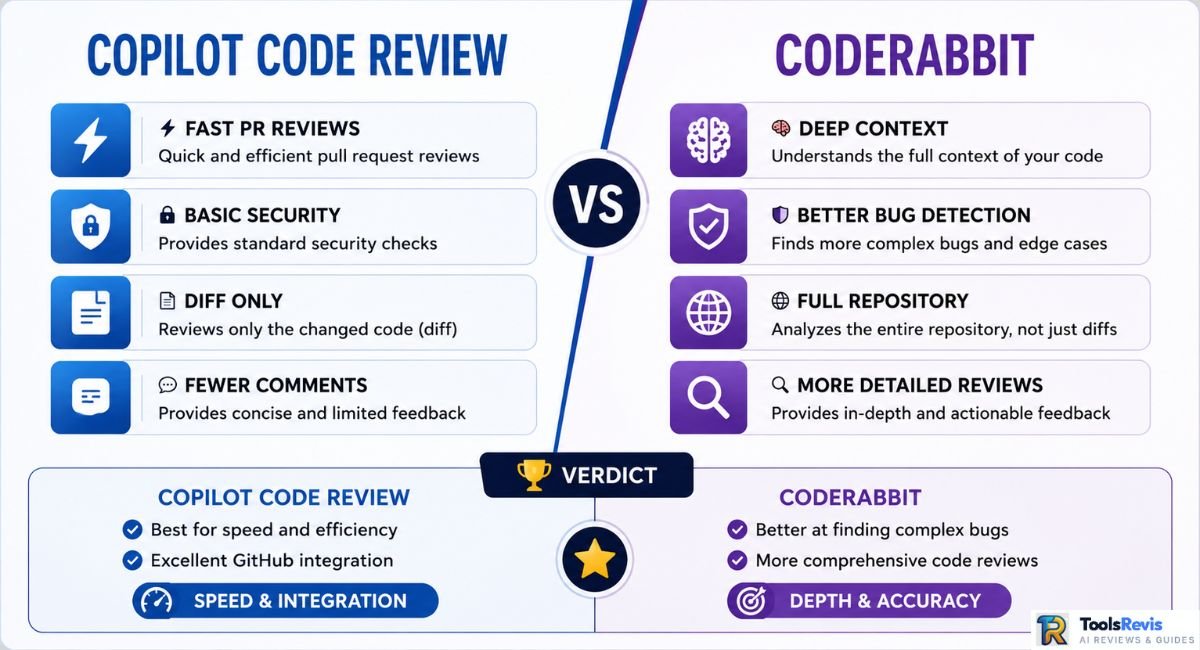
GitHub Copilot Code Review focuses on fast, diff-scoped syntax checks, whereas CodeRabbit analyzes broader repository context to catch complex cross-file logic bugs.
Context Trimming vs. Deep Repository Awareness
Developer sentiment on Copilot’s built-in review is mixed on exactly this point. A recurring theme in engineering forums: the same diff pasted directly into Claude or ChatGPT with fuller surrounding context produces sharper, more actionable feedback than what Copilot’s native reviewer returns.
The reason usually cited is aggressive context trimming — Copilot’s review agent is scoped tightly to the diff to control cost and latency, which means it’s working with less surrounding code than a developer manually pasting a broader context window into a chat interface would provide. The result, per repeated feedback, is suggestions that are technically correct but low-utility — style nits and minor refactors rather than the logic error that actually mattered.
CodeRabbit’s positioning is close to the opposite trade-off. It’s consistently praised for thoroughness — it builds broader repo context before reviewing and tends to catch issues Copilot’s diff-scoped model misses. The criticism that follows it just as consistently: it can be “chatty,” generating a high volume of comments per PR, and some of that volume lands as false positives — flagged issues that aren’t actually problems, requiring a developer to triage the noise rather than trust every comment outright.
Other tools worth knowing in this space: Cursor’s PR review (native to Cursor’s IDE workflow), Bito.ai (enterprise-focused, configurable rule sets), Wispbit (lighter-weight, rule-based review automation), and PR-Agent (open source, self-hostable if you want full control over the review pipeline without vendor lock-in).
| Metric | GitHub Copilot | CodeRabbit |
| Bug Detection (Community-Reported) | Moderate — strong on syntax/style, weaker on cross-file logic | Higher — broader context catches more real bugs |
| Suggestion Noise (Community-Reported) | Lower volume, but lower-utility suggestions | Higher — more comments, more noise to triage |
| Platform Support | GitHub native, Azure Repos (preview), JetBrains, VS Code, Xcode, Visual Studio | GitHub, GitLab, Bitbucket, Azure DevOps |
| Setup Effort | Minimal — toggle in repo settings | Minimal — install app, configure via YAML |
Next Reads
- Complete Copilot Breakdown:
GitHub Copilot Review: Features, Speed & Real-World Tests
A complete hands-on evaluation of full-line code completion and chat capabilities beyond PR reviews. - Pricing & Cost Analysis:
GitHub Copilot Pricing Guide: Plans, AI Credits & Hidden Costs
Calculate your engineering team budget accounting for the June 2026 Actions minutes updates and AI credits. - Alternative AI Coding Assistant:
Cursor AI Review: Next-Gen AI Code Editor
See whether a dedicated AI IDE delivers better results than GitHub Copilot’s native PR reviewer. - Top Developer Tools List:
Best AI Tools for Developers
A curated list of top-rated AI utilities to automate every stage of your development workflow.
Conclusion: Final Verdict on GitHub Copilot Code Review
GitHub Copilot Code Review delivers genuine value as a fast, automated first-pass filter. It excels at keeping minor syntax errors, formatting inconsistencies, and unhandled edge cases out of human review queues. For busy engineering leads, having an automated agent handle routine diff checks saves valuable time and keeps pull requests moving forward.
However, it is not a complete replacement for human code reviews or dedicated security analysis tools. Because its scope remains tightly bound to individual diffs rather than full multi-file dependency trees, it can miss cross-file architectural vulnerabilities and deeper business logic flaws. Furthermore, with the June 2026 billing updates consuming GitHub Actions minutes alongside AI Credits on private repositories, engineering teams must weigh its operational noise and cost against its efficiency gains.
Our Final Verdict: Treat GitHub Copilot Code Review as an automated frontline assistant, not your final merge gate. Pair it with strict static analysis tools like SonarQube or Snyk for deep security checks, and always ensure a human engineer conducts the final architectural sign-off before code hits production.
Frequently Asked Questions
Here are the direct answers to the most common questions regarding GitHub Copilot Code Review capabilities, pricing, security, and platform integrations.
1. What does the GitHub Copilot security filter help prevent?
It’s designed to catch hardcoded secrets, public code matches, SQL injection patterns, and common OWASP-class vulnerabilities before they land in a merged PR. It works at the diff level, so it’s effective on surface-level issues but doesn’t replace dedicated static analysis for deeper, cross-file security flaws.
2. How does GitHub Copilot perform PR reviews?
It scans the diff between a pull request and its target branch, then posts inline comments directly on affected lines, often with a one-click suggested fix. This runs automatically on PR open or push when added under the Reviewers section.
3. What is the main difference between Copilot’s coding agent and its code review agent?
The coding agent (triggered via @copilot mentions) is conversational — it can explain, revise, and iterate on suggestions through back-and-forth. The Reviewers-section agent is silent and automated, leaving comments once per push with no interactive follow-up.
4. Does GitHub Copilot code review work on Azure DevOps?
Yes, as of a technical preview launched June 2, 2026, covering Azure Repos with on-demand PR reviews. It’s not yet GA, doesn’t cover Azure DevOps Server (on-prem), and many teams still rely on pipeline-based or MCP server workarounds in the meantime.
5. Will Copilot code review use up my GitHub Actions minutes?
Yes — as of June 1, 2026, each Copilot code review on a private repository consumes Actions minutes from your plan’s entitlement, on top of standard AI Credits. Public repos remain unaffected. See our GitHub Copilot Pricing Guide for the full cost breakdown.

I’m Umair Ahmad, founder of ToolsRevis. I personally test every AI tool we cover — signing up, running real workflows, checking pricing tiers, and comparing outputs — before writing a single word. My goal: cut through AI marketing hype with honest, hands-on verdicts.
Let’s achieve more together!