
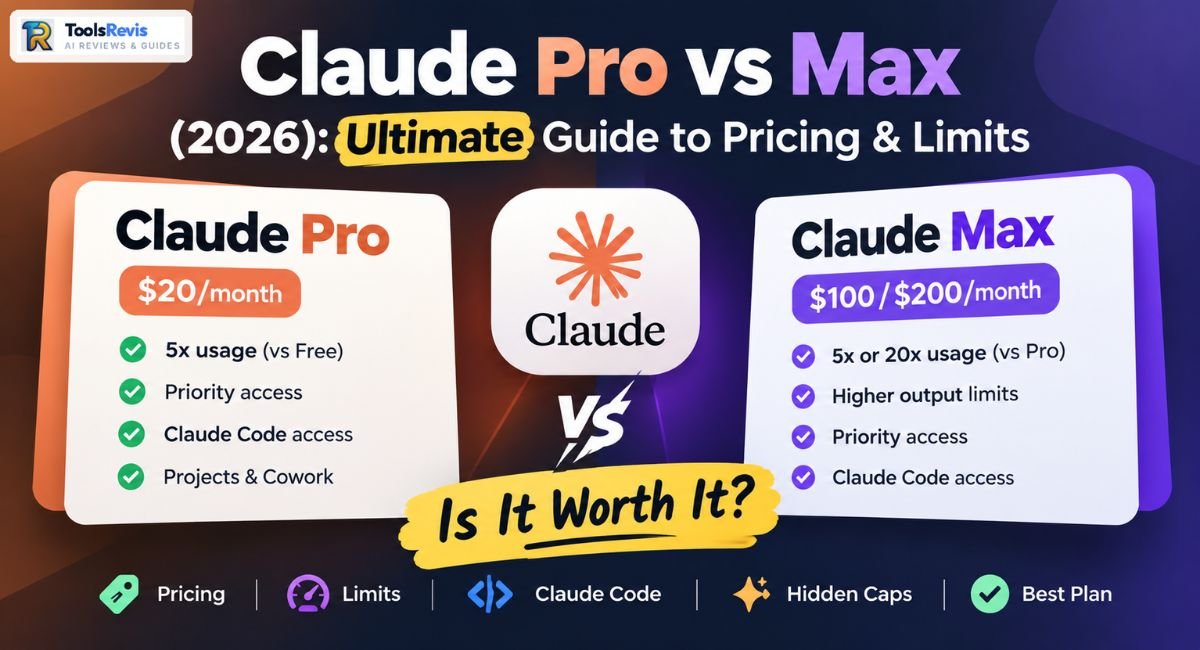
Stuck between paying $20 or $100+ a month for Claude? The wrong pick either wastes money or leaves you hitting “usage limit reached” mid-task, every single day.
Introduction
If you’ve ever hit a usage warning halfway through a coding session or a long research chat, you already know why this decision matters. Anthropic currently offers four individual Claude plans— Free, Pro, Max 5x, and Max 20x — and the gap between them isn’t just price. It’s how much work you can actually get done before Claude tells you to wait. In this Claude Pro vs Max comparison, we’ll break down pricing, usage limits, Claude Code access, and which plan makes the most sense in 2026.
The short version: Claude Pro is a $20/month plan built for people who use Claude a few times a day — writing, research, light coding, general assistance. Claude Max is a $100 or $200/month plan built for people who treat Claude as a daily work tool, especially through Claude Code, and who run into Pro’s limits often enough that it slows them down.
If you’re also weighing Claude against other $20/month AI subscriptions, see our ChatGPT Plus vs Claude Pro comparison
Here’s the difference at a glance:
The Claude Pro vs Max differences become clearer when you compare their pricing, usage capacity, and intended users side by side.
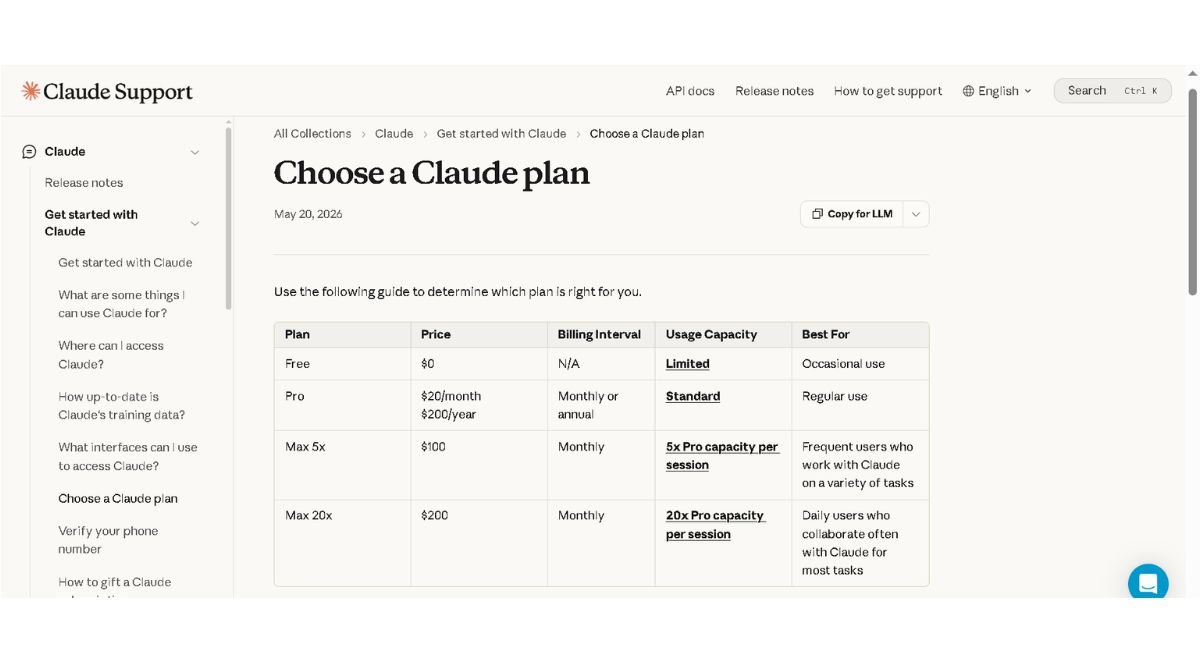
| Free | Pro | Max 5x | Max 20x | |
| Price/month | $0 | $20 | $100 | $200 |
| Usage vs Pro | Baseline | 1x | 5x | 20x |
| Claude Code access | No | Yes | Yes | Yes |
| Priority access | No | Yes | Yes | Yes |
| Best for | Trying Claude | Casual daily use | Regular heavy use | Continuous/agentic work |
The rest of this guide breaks down limits, Claude Code specifics, pricing details, and how to decide — using only verified, current plan information.
Claude Pro vs Max — Key Features, Limits & Usage Compared
Claude Pro vs Max: What’s Actually Different?
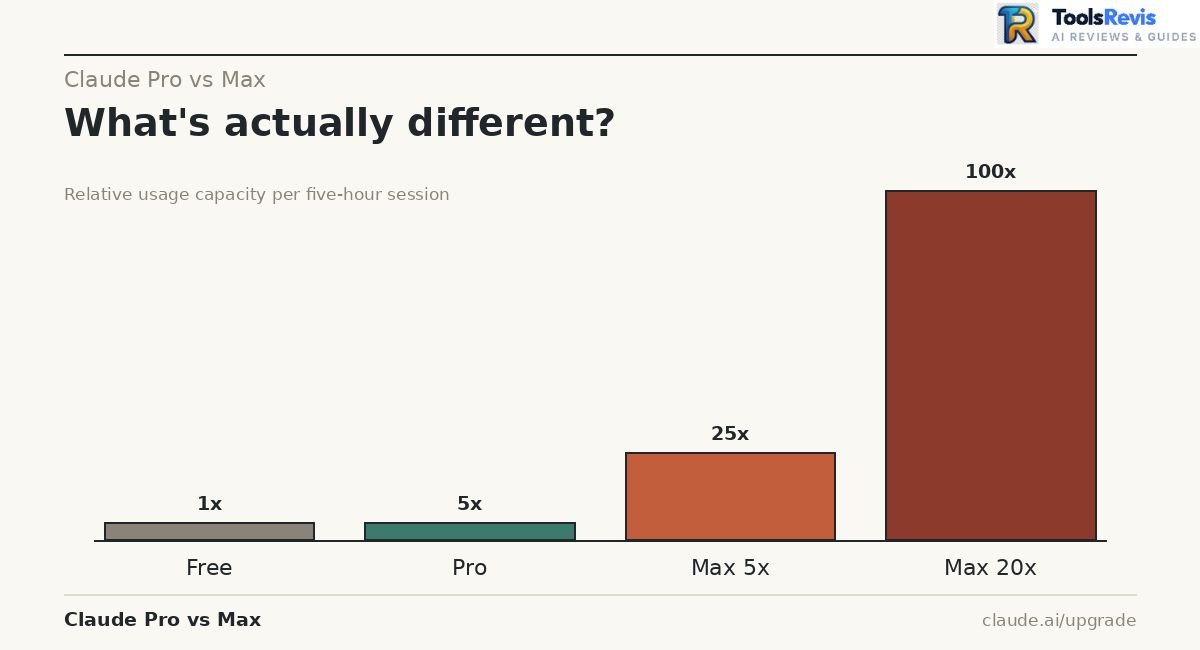
The main difference between Claude Pro and Max is usage capacity, but Max also provides higher output limits and additional priority access to advanced features. Both plans give you access to the same Claude models and the same core features like Projects and Cowork. Context window availability varies by Claude model and product surface rather than simply by plan tier, with some current paid-plan models supporting much larger context windows. What changes is how much you can send before you’re rate-limited.
- Claude Pro: At least 5x the usage of the Free plan per five-hour session, priority access during high-traffic periods, and Claude Code access.
- Claude Max: Either 5x or 20x more usage than Pro per session, plus the same priority access and Claude Code access, aimed at people who work with Claude “frequently” (Max 5x) or “daily, across most tasks” (Max 20x).
Quick tip: If you’re not sure which tier fits, start with Pro. Anthropic doesn’t offer Max trials, but you can upgrade mid-cycle at any time if you find yourself hitting limits.
Claude Pro vs Max Limits Explained
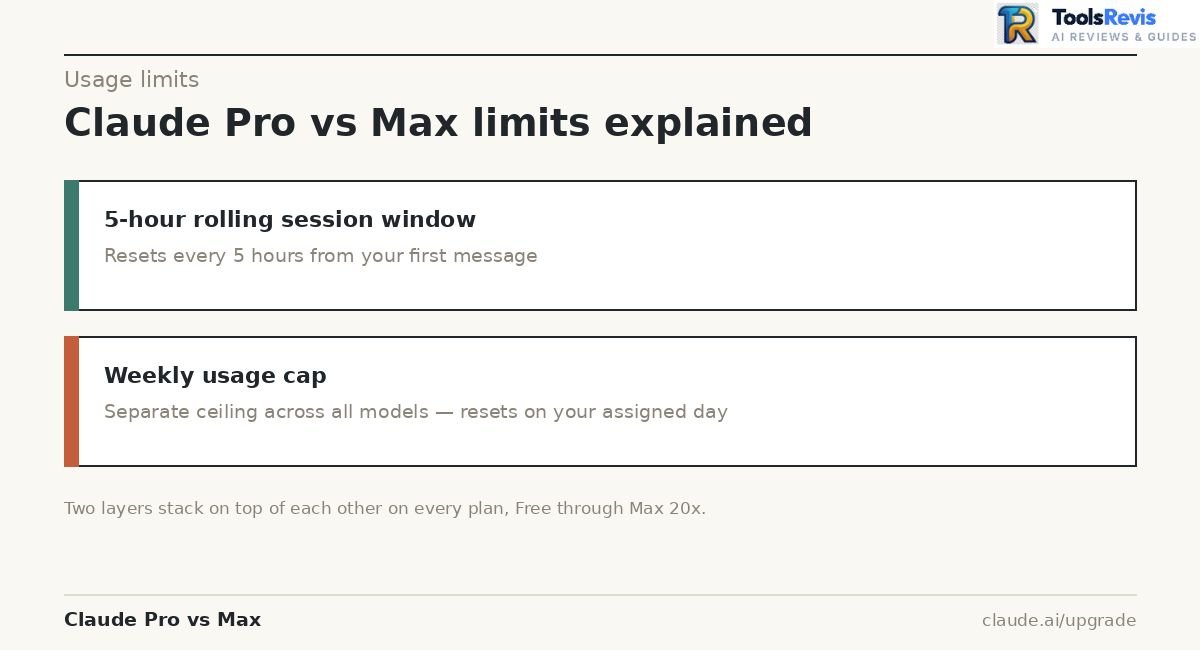
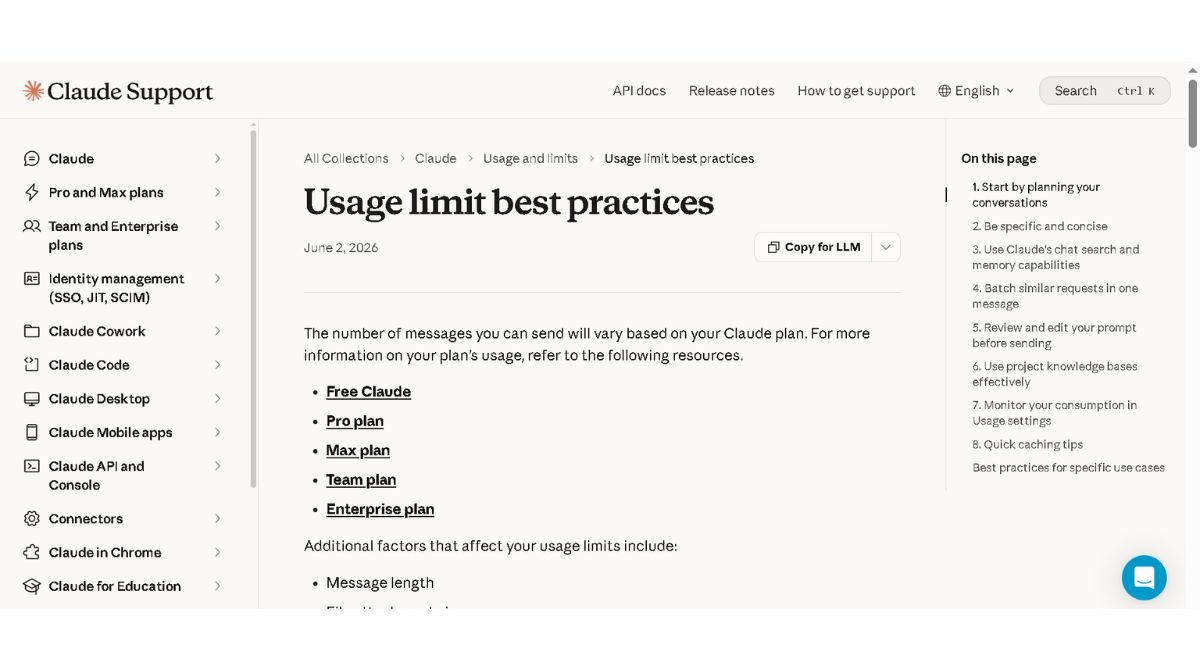
Both plans use a dual-layer limiting system, and understanding this is the single most important thing before you upgrade:
- 5-hour rolling session window — Your usage limit resets every five hours from your first message, not on a fixed daily schedule.
- Weekly cap — On top of the session window, there’s a separate weekly usage limit that applies across all models. This resets at a fixed day and time assigned to your account (visible under Settings > Usage).
Important note: The “5x” and “20x” multipliers describe the session window, not necessarily the weekly cap. Multiple Max subscribers have reported that the real-world weekly difference between Max 5x and Max 20x feels smaller than the sticker multiplier suggests — closer to a 1.5–2x gap in practice, rather than a straight 4x. This isn’t officially published as a fixed ratio by Anthropic, but it’s a pattern worth knowing before you jump straight to the $200 tier expecting exactly 4x more room than Max 5x.
Anthropic also states it may apply additional limits — weekly/monthly caps, or model- and feature-specific restrictions — “at its discretion” to manage fair access across all users.
What Does Claude Pro Get You?
When comparing Claude Pro vs Max, Pro is usually enough for regular users who don’t need heavy daily usage. Pro gets you significantly more room than Free, plus access to tools Free doesn’t include.
- At least 5x the usage per session compared to the Free plan
- Priority access to Claude during high-traffic periods
- Early access to new features
- Claude Code access — terminal and IDE-based coding, using the same subscription
- Cowork access — for multi-step, hand-off style tasks
If you’re also wondering whether Claude Code’s source is open or proprietary before committing to a plan, see our full breakdown: Is Claude Code Open Source?
Practical recommendation: Pro is the right starting point for almost everyone. It’s the plan Anthropic itself points to first, and moving to Max only makes sense once Pro’s limits become a repeated obstacle — not a once-a-month inconvenience.
Claude Pro Limits — How Much Can You Actually Use?
Claude Pro Usage Limits
Claude Pro doesn’t have a fixed “X messages per day” number — usage is measured dynamically, based on message length, attached file size, conversation length, and which model or feature you’re using.
What’s confirmed:
- Session limit: Resets every 5 hours, starting from your first message in that window.
- Weekly limit: A separate cap that applies across all models, resetting at a fixed day/time tied to your account.
- Variable consumption: A short question and a 10,000-word document analysis do not cost the same “usage,” even though both count as one message.
Important note: Anthropic does not publish a fixed message count (like “45 messages per window”) as an official figure. You’ll see that kind of number quoted on third-party blogs, but it’s an estimate based on typical usage patterns — your actual mileage depends heavily on prompt length, attachments, and which model (Opus vs Sonnet vs Haiku) you’re using. Opus-family models consume your limit faster than Sonnet or Haiku for the same task.
How Much Claude Pro Can You Use?
The honest answer: it depends on how you use it, not on a hard number.
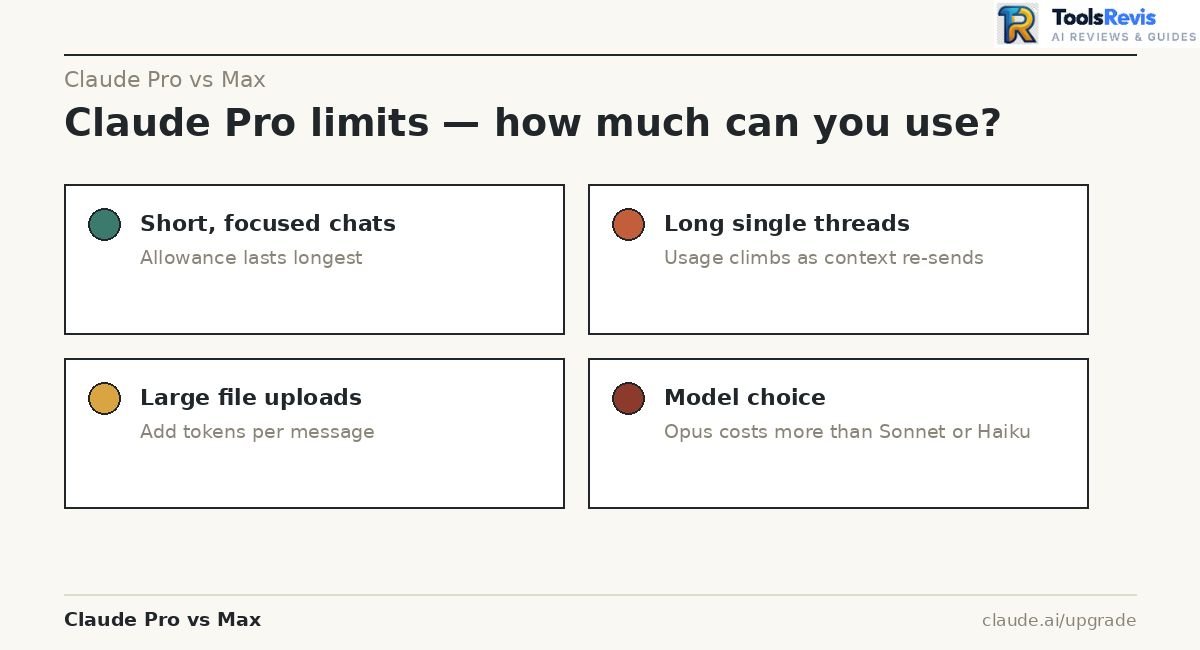
Here’s what actually drives how far your Pro allowance stretches:
- Short, focused chats (quick questions, short edits) → allowance lasts longest
- Long conversations in a single thread → each new message re-sends prior context, so usage climbs as the conversation grows
- Large file uploads or long documents → consume usage faster because they add to the token count per message
- Model choice → Opus costs more usage per message than Sonnet or Haiku for comparable tasks
For a closer look at what Sonnet 5 offers versus Opus, see our Claude Sonnet 5 review
- Claude Code sessions → draw from the same Pro usage pool as your regular chats
Real-world scenario: Someone using Pro for a handful of short daily questions rarely notices a limit. Someone running a long back-and-forth debugging session in Claude Code, in the same account, on the same day, can hit the session cap much faster — because both activities share one pool.
What Happens When You Hit Claude Pro Limits?
You’ll see a warning as you approach your limit, and once you hit it, you can’t send new messages until the next reset — unless you take one of a few available actions.
A big reason people hit limits sooner than expected is context window burn rate: every message in a long conversation re-processes the entire conversation history up to that point, not just your latest message. This is sometimes called prompt accumulation — a 50-message conversation costs progressively more per turn than a fresh 1-message chat, because Claude has to re-read the growing thread each time.
Your options once you hit the limit:
| Option | What it does |
| Wait for reset | Session limit resets every 5 hours; weekly limit resets on your assigned day/time |
| Enable usage credits | Pay for extra usage beyond your included Pro allowance, without changing plans |
| Switch to API/Console | Use pay-per-token billing through the Claude Console for that specific task |
| Upgrade to Max | Move to Max 5x or 20x for a higher baseline allowance |
Pro tip: Starting a fresh conversation for a new task (instead of continuing one long thread) reduces context re-processing and helps your usage go further — especially for coding or document-heavy work.
Claude Max 5x vs 20x — Usage Multipliers Explained
Claude Max 5x vs 20x: What’s the Difference?
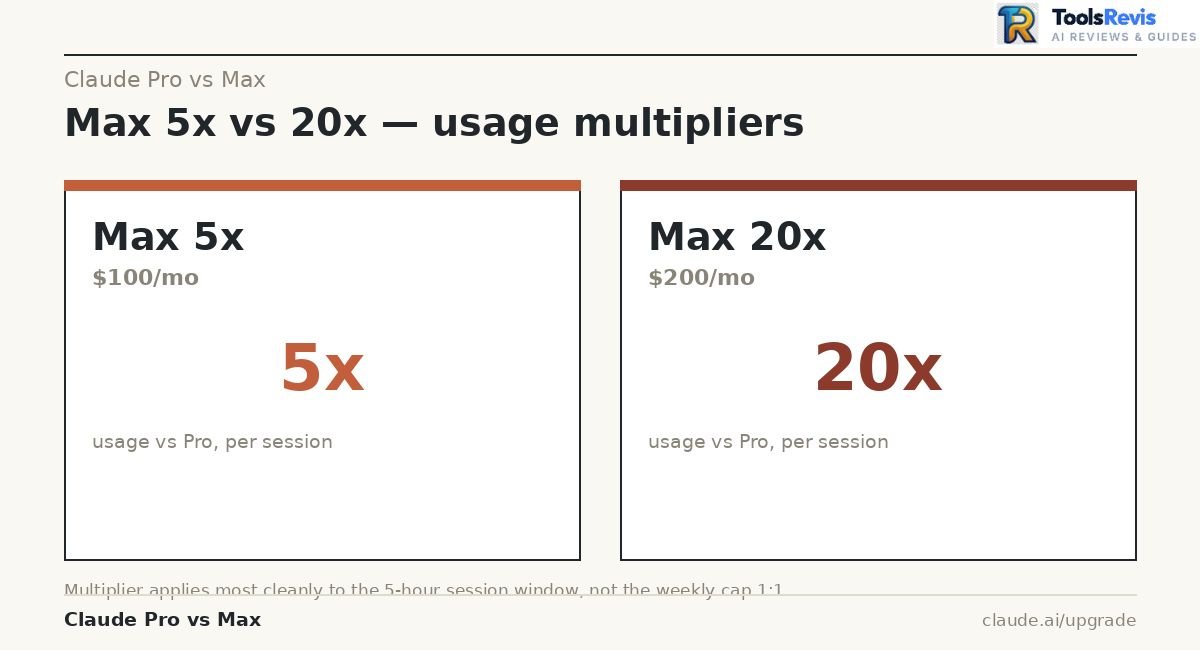
Price and usage capacity — not features. Max 5x ($100/month) and Max 20x ($200/month) run the identical models, same Claude Code access, and same priority treatment — context availability varies by model and product surface. The only difference is how much usage you get per five-hour session — 5x Pro’s allowance versus 20x Pro’s allowance. The main Claude Pro vs Max difference here is how much usage capacity you get during each session.
| Max 5x | Max 20x | |
| Price | $100/month | $200/month |
| Session usage vs Pro | 5x | 20x |
| Models & context | Same core models; context varies by model/surface | Same core models; context varies by model/surface |
| Claude Code included | Yes | Yes |
| Best for | Frequent users across varied tasks | Daily users who collaborate with Claude on most tasks |
Pro tip: Don’t assume 20x automatically means “4x more than 5x” in every situation. The multiplier applies most cleanly to the five-hour session window — your weekly ceiling doesn’t necessarily scale by the same ratio, since Anthropic layers a separate weekly cap on top.
Claude Max 20x Plan Explained
Max 20x is Anthropic’s highest-usage individual plan, designed for people who run Claude Code or agentic workflows almost all day. Max 20x ($200/month) is built for people who use Claude as continuous infrastructure — running Claude Code sessions for hours, working across multiple large repositories, or keeping several agentic tasks going in parallel.
Common mistake: Buying Max 20x based on “20x the value” math alone. The plan is worth it when your actual daily usage consistently exceeds what Max 5x offers — not just because the number is bigger.
Claude Max 100 vs 200: Which Plan Is Better?
Max 5x ($100) is better for most people; Max 20x ($200) is better only for a smaller group of continuous, heavy users.
Choose Max 5x ($100/month) if:
- You hit Pro’s limits a few times a week, not every session
- You use Claude Code for regular but not all-day development
- You want more headroom without doubling your Max spend
Choose Max 20x ($200/month) if:
- You run Claude Code almost continuously, including long autonomous sessions
- You work across multiple large repositories or parallel agent tasks
- Max 5x still leaves you hitting weekly caps regularly
Decision tip: If you’re not sure, start with Max 5x. Upgrading to 20x later is a prorated mid-cycle switch — you don’t lose money by starting smaller and moving up once you have real usage data.
Max Output Tokens in Claude
Output token limits control how long a single Claude response can be — a separate limit from your Pro/Max usage allowance. Every Claude model has its own maximum output length per response — this is separate from your Pro/Max usage allowance and controls how long a single reply can be, not how many replies you get.
A few points worth knowing:
- Model-specific caps: Higher-reasoning models generally support longer maximum outputs than lighter, faster models, but exact limits vary by model version and Anthropic updates these periodically — check current figures in the Claude API documentation rather than relying on older articles.
- Fable models: Claude Fable 5 and Fable 5.1 are available on paid plans, but their metering differs by tier. On Max, they are included as part of the plan and can use up to 50% of the weekly usage limit. On Pro, Fable usage is handled through usage credits rather than the included plan allowance.
- Subscription vs API distinction: On Pro/Max, output length limits are a per-response ceiling; your five-hour and weekly usage caps are the real constraint on how many long responses you can generate.
Note: If your workflow depends on very long single outputs (large code files, long documents), check the current per-model output limit in Anthropic’s documentation before committing to a plan, since this detail changes as new models ship.
Claude Code Pro vs Max — Coding Limits & Usage
Claude Code Limits on Pro
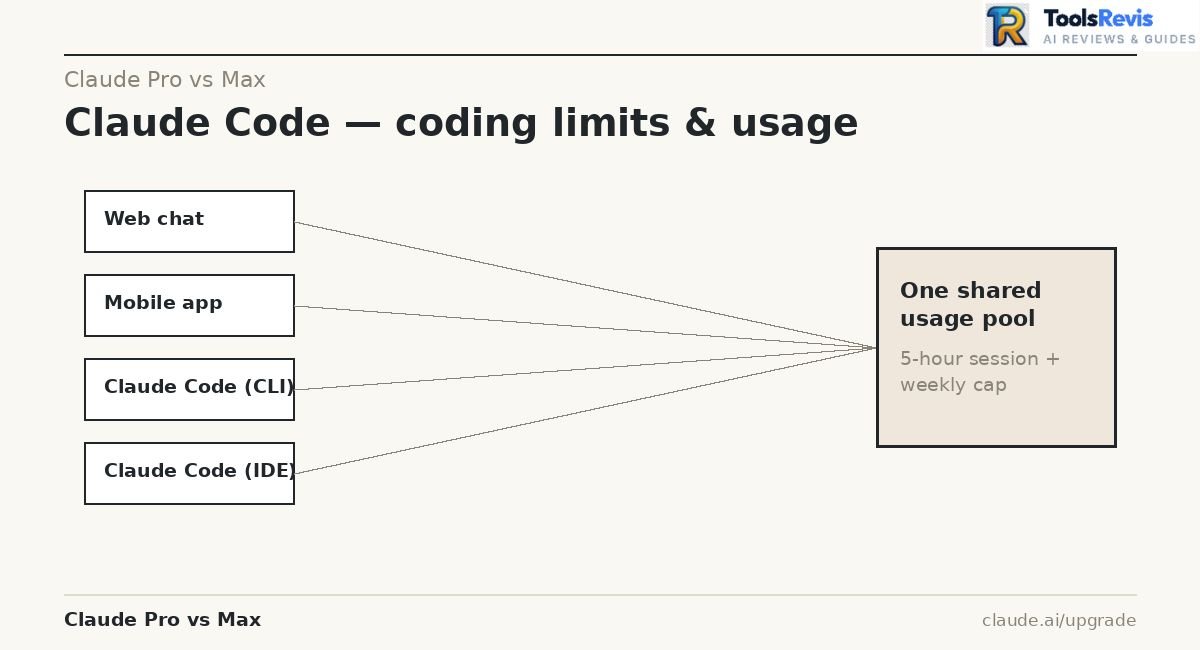
Claude Code on Pro isn’t a separate quota — it draws from the exact same usage pool as your regular Claude chat, web, and mobile activity.
This is the detail most people miss when budgeting their usage:
- Shared quota pool: Whether you’re chatting with Claude on the web, using the mobile app, or running Claude Code in your terminal or IDE (VS Code, Cursor, JetBrains), it all counts against the same five-hour session limit and weekly cap.
- No coding-specific allowance: There’s no separate “Claude Code budget” on Pro — a heavy afternoon of chat-based research can eat into the same pool you’d otherwise use for an evening coding session.
- IDE parity: Claude Code inside an IDE consumes usage identically to the terminal CLI — there’s no discount for using one interface over another.
Common mistake: Assuming web chat and Claude Code are billed separately on Pro. They aren’t. If you use Claude heavily for both writing and coding in the same day, you’ll hit limits faster than someone who only does one or the other.
Claude Code Limits on Max
The same shared-pool principle applies on Max — the 5x or 20x multiplier expands your total usage pool, and Claude Code draws from that same expanded pool alongside chat, web, and mobile use.
What changes on Max:
- More total room for coding sessions before hitting the session or weekly cap
- Same warning system: You’ll still see remaining-capacity warnings as you approach your limit, regardless of tier
- Same fallback options at the limit: enable usage credits, switch to Console API credits for that session, or wait for the reset
Important note: If you have an ANTHROPIC_API_KEY environment variable set on your machine, Claude Code will use that key for billing instead of your Pro or Max subscription — meaning you’d be charged standard API rates rather than drawing from your subscription’s included usage. This is a common, easy-to-miss cause of unexpected API bills for Max subscribers who assumed everything was covered by their plan.
Claude Agent SDK Usage in 2026
Claude Agent SDK and `claude -p` usage are handled separately from normal Claude plan usage limits for eligible paid plans.
Since June 15, 2026, Anthropic says Agent SDK usage no longer counts toward the normal Claude subscription usage limits. Instead, eligible plans receive a separate monthly Agent SDK credit:
| **Plan** | **Monthly Agent SDK credit** |
|—|—:|
| Pro | $20 |
| Max 5x | $100 |
| Max 20x | $200 |
| Team Standard | $20 |
| Team Premium | $100 |
This matters if you’re comparing Claude plans specifically for agentic development. Normal Claude chat and Claude Code subscription usage should not be confused with the separate Agent SDK credit system.
Which Claude Plan Is Better for Developers?
Pro works for light, occasional coding; Max is better once coding becomes a daily, sustained part of your workflow. Here’s how the decision breaks down across real usage patterns:
Coding frequency
- A few coding sessions a week, mixed with other Claude use → Pro is usually enough
- Coding most days, often for extended periods → Max 5x fits better
- Coding is your primary daily workflow → Max 20x
Context usage
- Large codebases mean more tokens per request just from context alone. The bigger your project, the faster you’ll burn through Pro’s allowance — this is one of the most common reasons developers upgrade.
Agentic coding
- Multi-step, tool-calling agentic sessions (where Claude reads, edits, and re-reads files across many turns) consume usage faster than single-shot Q&A, because each turn re-processes accumulated context.
Long-running coding sessions
- Sessions that stretch for hours — debugging, refactoring, multi-file changes — are exactly the workload Max was built for. Pro’s session window can feel tight if you’re mid-refactor when it resets.
Parallel terminal sessions
- Running multiple Claude Code sessions at once (e.g., across different terminal tabs or repositories) multiplies your usage draw simultaneously. This is one of the clearest signals that Max 20x, not 5x, is the right fit — Anthropic itself notes Max 20x suits people running several large-scale tasks in parallel.
- Note: Sharing a single Max account across multiple people to run parallel sessions isn’t something Anthropic’s terms are built to encourage — usage limits are designed around one individual’s workflow.
Claude Code workload differences
- Writing small scripts or one-off functions → light usage, Pro handles it
- Multi-file refactors, test generation across a codebase, or autonomous multi-hour agent runs → heavy usage, Max territory
If you want to customize Claude Code’s behavior for frontend-specific work, see our Claude Frontend Design Skill setup guide.
Practical recommendation: Track your actual usage for a week using the /status command in Claude Code before upgrading. If you’re hitting Pro’s session or weekly limit more than once or twice a week, Max 5x pays for itself in reduced friction. If Max 5x itself starts feeling tight, that’s your signal for 20x.
Claude Free vs Pro vs Max — Which Plan Should You Choose?
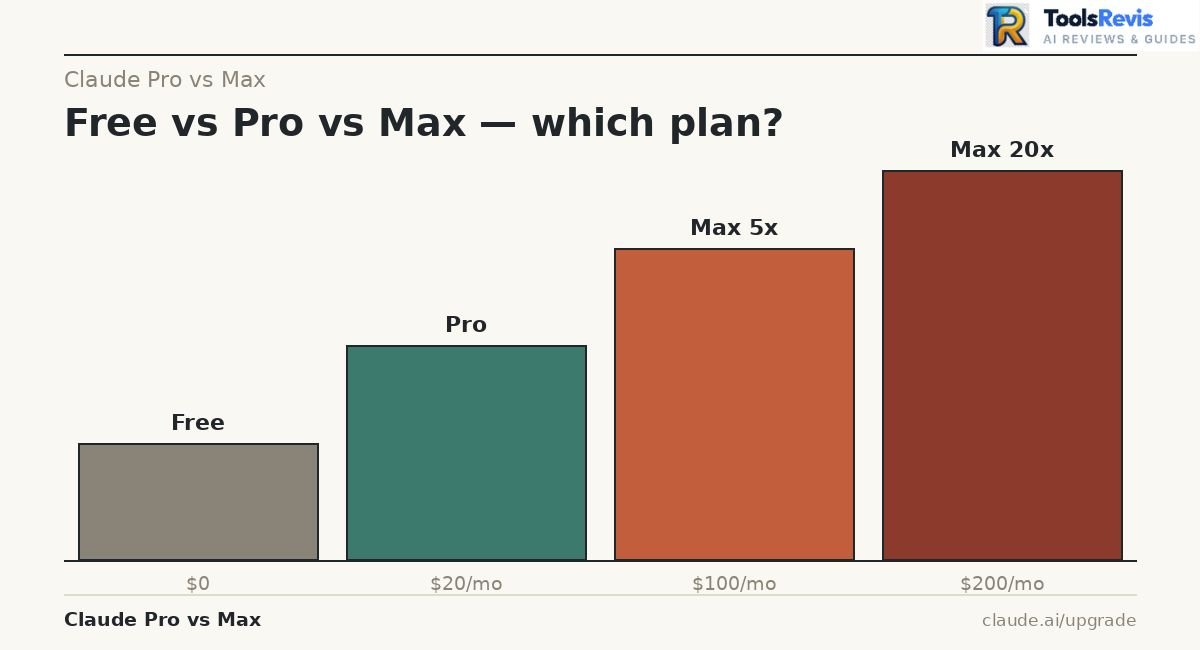
Claude Free vs Pro
Free is a permanent, no-cost tier for trying Claude; Pro is the first paid step up, giving meaningfully more usage and access to Claude Code.
| Free | Pro | |
| Price | $0 | $20/month |
| Usage per session | Baseline | At least 5x more than Free |
| Claude Code access | No | Yes |
| Cowork access | No | Yes |
| Priority access | No | Yes during high-traffic periods |
| Early feature access | No | Yes |
Difference between Claude free and pro, in practice: Free is genuinely usable for light, occasional tasks — quick questions, short writing help, casual research — with core features like Projects, Artifacts, web search, and file uploads. But it doesn’t include Claude Code, and its most capable models may be limited or unavailable. Pro removes those ceilings for a modest monthly cost.
Quick tip: If you’re only testing whether Claude fits your workflow, stay on Free for a week first. If you find yourself waiting for limits to reset even for casual use, that’s your signal to move to Pro — not straight to Max.
Claude Pro vs Max
This is the core comparison covered throughout this guide, so here’s the condensed version:
- Both plans provide access to Claude’s core models and features, while Max adds higher usage capacity and higher output limits.
- Pro ($20/month): at least 5x Free’s usage, suited to daily-but-casual use
- Max 5x ($100/month): 5x Pro’s usage, suited to frequent, varied daily use
- Max 20x ($200/month): 20x Pro’s usage, suited to continuous, heavy, or parallel workloads
The deciding factor isn’t how advanced your work is — it’s how often and how long you use Claude in a given session and week.
Free, Pro or Max — Which One Is Best for You?
Use this as a quick self-check:
Choose Free if you:
- Want to try Claude before paying anything
- Use it occasionally for simple questions or short writing tasks
- Don’t need Claude Code
Choose Pro if you:
- Use Claude daily but in short, focused sessions
- Want Claude Code for occasional coding tasks
- Rarely need to attach very large files or run long agentic sessions
Choose Max 5x if you:
- Regularly hit Pro’s session or weekly limits
- Use Claude Code for sustained development work most days
- Work with large files, long documents, or extended conversations often
Choose Max 20x if you:
- Run Claude Code nearly continuously or across parallel sessions
- Treat Claude as core daily infrastructure, not an occasional tool
- Have already found Max 5x too tight
Real-world scenario: A student writing essays and summarizing readings a few times a week fits comfortably on Free or Pro. A solo developer shipping features with Claude Code every workday will likely outgrow Pro within the first month and settle on Max 5x. A developer running multiple autonomous coding agents in parallel across repositories is the profile Max 20x was actually built for.
Claude Max Pricing — 20x Price, Discounts & Free Options
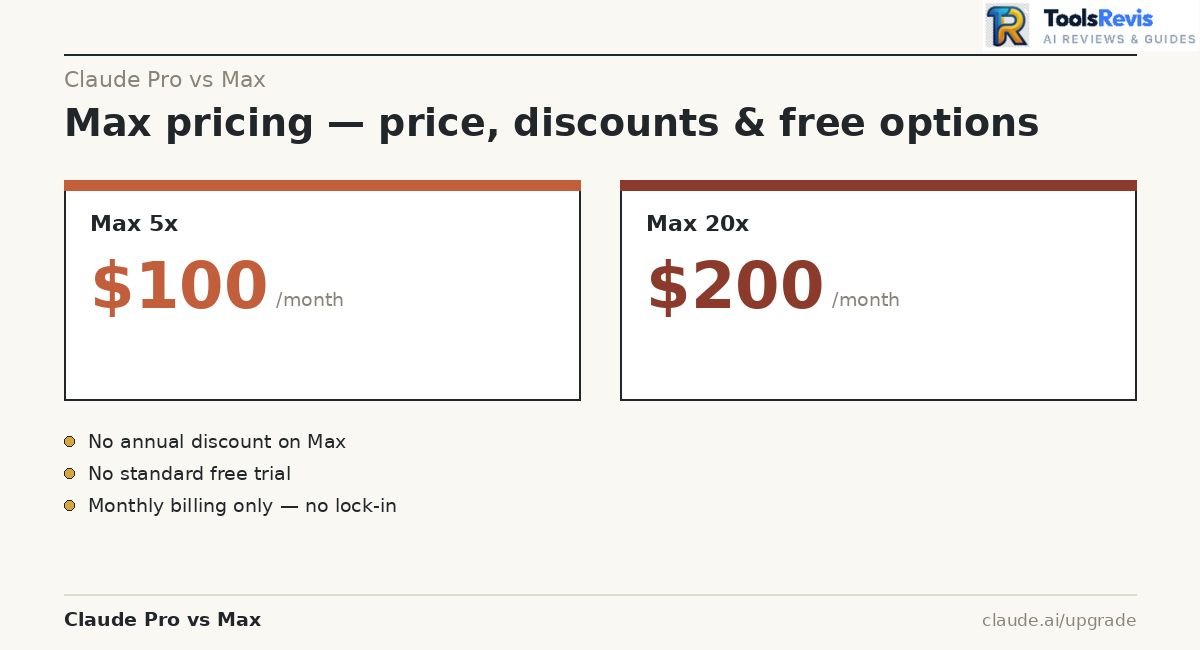
How Much Does Claude Max Cost?
Claude Max costs $100 per month for the 5x tier or $200 per month for the 20x tier, billed through the web. These prices apply to web subscriptions specifically — mobile app store pricing (iOS/Android) may differ depending on platform fees, and pricing can vary by region.
A few billing details worth knowing:
- Monthly billing only: Unlike Pro, Max currently has no annual subscription option — both tiers are month-to-month.
- Upgrading tiers: If you move from Max 5x to Max 20x mid-cycle, you’re charged the prorated difference for the remainder of your billing period.
- Switching from annual Pro: If you move from an annual Pro plan to Max, any remaining balance on your Pro plan may be credited toward future Max billing — provided your billing address hasn’t changed.
- Google Play subscribers: Upgrading through Google Play charges the full new plan price immediately, with the unused value of your old plan converted into extra days rather than a cash credit.
Note: Prices are set at Anthropic’s discretion and can change — always confirm current pricing at claude.ai/upgrade before subscribing.
Is There a Claude Max Discount?
No — Anthropic does not offer standard discounted pricing on Max 5x or Max 20x.
This is worth highlighting because it’s a common point of confusion with Pro:
- Pro has an annual option at a discounted rate compared to paying monthly (commonly reported as roughly 15% off, though Anthropic’s own help pages describe it only as “a discounted rate” without publishing an exact percentage — confirm the figure at checkout).
- Max has no equivalent annual discount. Both Max 5x and Max 20x are monthly-only, at full price, with no long-term commitment option.
- No standing coupons or one-off discounts: Anthropic’s support team cannot issue discount codes on request, for either Pro or Max.
Pro tip: If cost is the main concern, an annual Pro subscription combined with occasional Console API credits for overflow work is often cheaper than jumping straight to Max — especially if your heavy-usage days are occasional rather than constant.
Is Claude Max Free?
No. Max is a paid-only tier — there is no free version of Max itself.
What is free is the separate Free plan, which is permanent and available to anyone in a supported location with just an email sign-up. The Free plan includes core features like Projects, Artifacts, web search, and file uploads, but does not include Claude Code access or Max-level usage.
Anthropic does occasionally run limited-time promotions on paid plans, announced through official channels (social media, newsletter) rather than available on request. There’s no standing way to get Max itself for $0.
Can You Try Claude Max for Free?
There’s no standard free trial for Max (or Pro) that Anthropic offers to all new sign-ups.
What’s actually available:
- The Free plan: Permanent, no credit card required — the closest thing to a “trial,” though it doesn’t reflect Max’s usage capacity or Claude Code access.
- Gift subscriptions: Anthropic supports gifting a Claude subscription to someone else, which can be a way to let another person try a paid plan without them paying directly — though this isn’t a self-serve trial mechanism.
- Occasional promotional offers: Anthropic periodically runs time-limited campaigns (contests, launch promotions) that have included free months of paid plans, but these are announced publicly rather than requestable.
Sub-topics covered:
- Free trial of Claude Pro: Not offered as a standard, always-available option.
- Claude premium free trial: Same answer — no guaranteed trial path exists for either Pro or Max at this time.
- Monthly subscription flexibility: Since Max has no annual lock-in, you can cancel after one month if it doesn’t fit, limiting the financial risk of testing it without a formal trial.
Practical recommendation: If you want to evaluate Max-level usage before committing to $100–$200/month, start on Pro for a billing cycle, track your usage patterns with Settings > Usage, and use that real data to decide whether Max’s cost is actually justified for how you work.
Claude Team vs Max — Which Plan Is Better for Work?
Claude Team vs Max Features
Max is an individual plan with no team management tools; Team is built specifically for organizations, with admin controls Max doesn’t offer at any price.
| Max (5x/20x) | Team Standard | Team Premium | |
| Price | $100 / $200 per month | $20/mo (annual) or $25/mo (monthly) per member* | $100/mo (annual) or $125/mo (monthly) per member |
| Minimum seats | 1 (individual) | 2 | 2 |
| Usage vs Pro | 5x / 20x | 1.25x Pro | 6.25x Pro |
| Claude Code access | Yes | Yes | Yes |
| Admin console & billing management | No | Yes | Yes |
| SSO / Domain capture | No | Yes | Yes |
| Role-based permissions | No | Yes | Yes |
| Spend controls | No | Yes | Yes |
*Team pricing is per-member, per-month, and requires a minimum of two members to sign up.
Important note: Team plan usage limits are per-member, not pooled across the whole team. If one team member hits their seat’s limit, it doesn’t reduce or affect anyone else’s allowance — each person’s usage resets independently.
Claude Team vs Max for Businesses
For anything beyond a single user, Team is the more appropriate plan — Max simply isn’t designed for multi-person account sharing.
Why this matters for businesses specifically:
- Centralized billing: Team consolidates invoicing and payment across all members in one place; Max is billed to one individual’s card.
- Security and compliance: Team plans support SSO, Just-in-Time provisioning, and role-based permissioning — none of which exist on Max, since Max has no organizational layer at all.
- Onboarding/offboarding: Adding or removing team members through Settings > Members is instant and prorated. Doing the equivalent on Max would mean creating and paying for entirely separate individual subscriptions per person.
- Mixed seat types: Team lets you assign Standard seats to lighter users and Premium seats to heavier users who need more usage capacity — giving you cost control that a flat per-person Max subscription can’t offer.
Common mistake: Buying multiple individual Max subscriptions to “cover a team.” This skips all the admin, security, and billing consolidation Team is actually built for, at a comparable or higher combined cost.
Should a Team Choose Max or Team?
If you’re a solo user, Max is your only option — Team requires a minimum of two seats and isn’t available to individuals. If you’re outfitting more than one person, Team should be the default choice.
Choose Max if:
- You’re an individual, not part of an organizational purchase
- You don’t need admin controls, SSO, or centralized billing
Choose Team (Standard seats) if:
- You have 2+ people who need Claude for general work, with centralized admin and billing
- You want centralized admin and billing management
Choose Team (Premium seats) if:
- You have 2+ developers who need Claude Code access alongside admin controls
- You want to mix Premium seats for power users with Standard seats for lighter users on one bill
Practical recommendation: Premium seats for power users with Standard seats for lighter users ($100–125/member/month) costs about the same as Max 5x ($100/month) per person, but adds security, billing, and admin features Max doesn’t have at any price. if those organizational features aren’t needed and you’re under two people, individual Max subscriptions can still work — you’ll just manage them separately rather than under one team account.
Claude Max vs API — Subscription or Pay-As-You-Go?
Claude Max vs API: What’s the Difference?
Max is a flat monthly subscription with a usage cap; the API is pay-per-token with no monthly fee and no included allowance at all.
| Claude Max | Claude API | |
| Billing model | Flat monthly fee | Pay-per-token (input + output, billed separately) |
| Cost predictability | Fixed, known in advance | Variable, scales with actual usage |
| Usage cap | Yes (5-hour session + weekly) | No cap — you pay for whatever you use |
| Access point | Claude.ai web/app + Claude Code | Claude Console / direct API integration |
| Best for | Interactive daily use, chat + coding | Automated pipelines, batch jobs, unpredictable/bursty workloads |
As a rough reference point, Anthropic’s per-token API rates (verified from official pricing documentation) put Claude Opus at $5 input / $25 output per million tokens and Claude Haiku 4.5 at $1 input / $5 output per million tokens. Sonnet’s exact rate has shifted more than once in 2026, so rather than quote a number that may already be outdated, check the current rate directly at docs.claude.com before estimating costs.
Important note: Max and Pro subscriptions do not include Claude API/Console access. If you want both the consumer app experience and programmatic API access, you’ll need to set up Console billing separately from your subscription.
Claude Code API vs Subscription
Claude Code can run on either your Pro/Max subscription or a pay-per-token API key — and which one it uses depends on a setting most people don’t realize is active.
- The ANTHROPIC_API_KEY environment bypass: If you have an ANTHROPIC_API_KEY environment variable set on your system, Claude Code will use it for authentication automatically — even if you have an active Pro or Max subscription. This routes your usage through pay-per-token API billing instead of your subscription’s included allowance, often without an obvious warning.
- Flat subscription path: Logging into Claude Code with only your Claude account credentials (no API key present) keeps all usage inside your Pro/Max plan’s included allowance.
- Checking which mode you’re in: Run /status inside Claude Code to confirm whether you’re drawing from your subscription or from API credits.
Common mistake: Developers who set up an API key months ago for a different project, then subscribe to Max expecting it to cover Claude Code — only to find charges still hitting their Console API balance because the environment variable was never removed.
Practical recommendation: If you want to guarantee Claude Code only uses your subscription, run claude logout, then claude login using only your Claude account (not Console credentials), and avoid setting ANTHROPIC_API_KEY in your shell environment.
When Should You Use Claude API Instead of Max?
Use the API when your usage is unpredictable, automated, or infrequent enough that a flat monthly fee doesn’t make sense.
The API tends to make more financial sense when:
- Usage is bursty or occasional — a few sessions a month rather than daily work
- You’re running automated pipelines or batch jobs, not interactive chat sessions (Anthropic’s Batch API offers a discount over standard per-token rates for non-real-time processing)
- You need programmatic integration into your own product or internal tooling, where a consumer subscription doesn’t apply anyway
- You want to test Claude for a project without committing to a recurring subscription
Max tends to make more sense when:
- You use Claude interactively, daily, especially through chat and Claude Code together
- Your usage is consistent enough that a flat fee is easier to predict than a variable per-token bill
- You value a fixed, capped cost over exact pay-for-what-you-use billing
Decision tip: If you’re unsure which is cheaper for your situation, track a week of real usage on Pro or the free tier, estimate the equivalent token volume, and compare that against Max’s flat price — rather than guessing based on general claims about which “always” wins.
Is Claude Max Worth It? Who Should Upgrade?
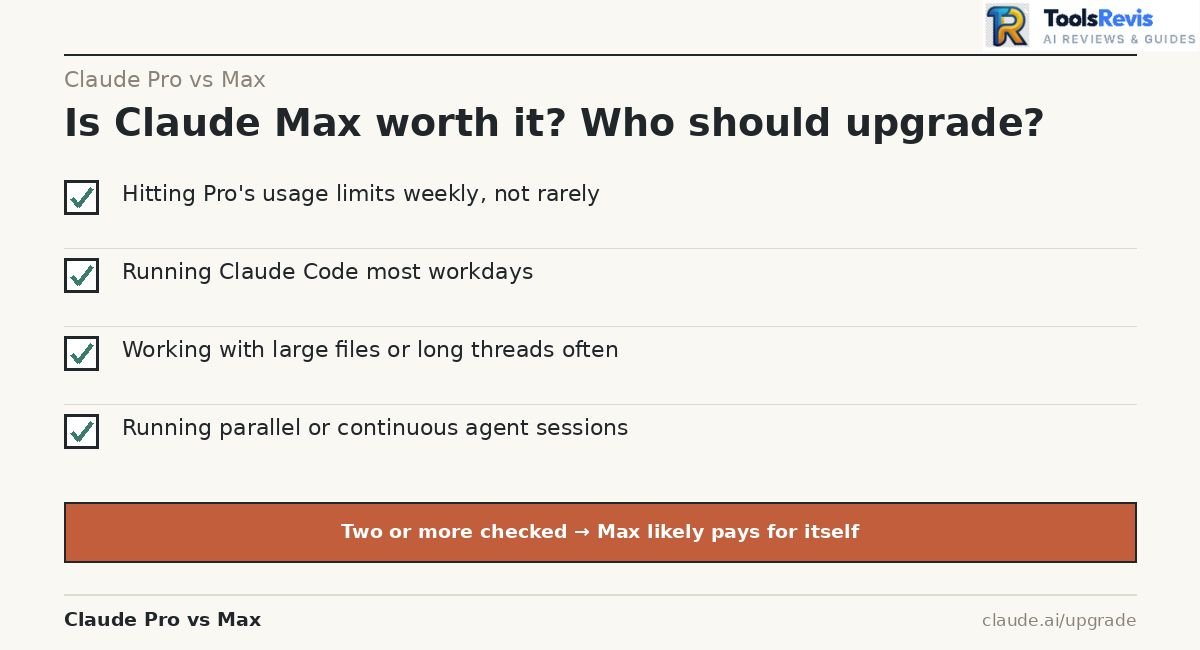
Claude Max Is Worth It If You…
Max earns its cost when your usage pattern consistently outgrows Pro — not just occasionally, but as a regular pattern.
- Use Claude heavily every day — multiple long sessions across writing, research, and coding, not just quick occasional questions
- Frequently hit Pro limits — if you’re seeing usage warnings more than once or twice a week, that’s a clear signal, not a one-off inconvenience
- Use Claude Code extensively — daily development work, multi-file projects, or agentic coding sessions that run for extended periods
- Work with long contexts — large codebases, lengthy documents, or extended conversation threads that consume usage faster due to context re-processing
- Need higher usage capacity — your work genuinely requires more room than Pro’s five-hour and weekly allowances provide, consistently, not occasionally
Real-world scenario: A freelance developer juggling three client codebases, running Claude Code sessions most of the workday, and hitting Pro’s weekly cap by Wednesday is a textbook case for Max 5x — and possibly 20x if parallel sessions are involved.
Claude Pro Is Better If You…
Pro remains the better value if your usage is consistent but moderate — you use Claude often, just not intensively enough to justify 5–10x the cost.
- Use Claude casually — a handful of sessions per day for writing, research, or quick coding help
- Don’t regularly hit limits — occasional warnings are normal; the question is whether it happens most weeks or just rarely
- Want lower monthly cost — $20/month versus $100+ is a meaningful difference if your usage doesn’t require the extra headroom
- Mainly use Claude for writing/research — tasks that are typically less token-intensive than long agentic coding sessions
Pro tip: It’s easy to assume more usage is always better. But paying $80–$180 extra per month for capacity you never actually use is the more common mistake — track your real usage before upgrading, not your worst-case imagined usage.
Claude Pro vs Max for Developers
The deciding factor for developers isn’t “do you code with Claude,” but “how much of your workday does Claude Code actually occupy.”
- Occasional coding help, mixed with other Claude use → Pro is usually sufficient
- Daily development work, moderate session lengths → Max 5x
- Continuous agentic sessions, large codebases, or parallel terminal instances → Max 20x
Since Claude Code shares the same usage pool as chat and web activity, developers who also use Claude heavily for non-coding tasks (documentation, planning, research) will hit limits faster than someone using Claude Code in isolation — factor total usage, not just coding time, into the decision.
Claude Pro vs Max for Heavy Claude Users
For heavy, varied daily use — not just coding — the same logic applies: it comes down to how often your usage exceeds Pro’s ceiling, not how “advanced” your use case sounds.
- Heavy but single-session-per-day users often fit comfortably on Pro, since the five-hour window resets daily usage naturally
- Heavy users running multiple long sessions per day — writing, research, and coding stacked together — are the clearest candidates for Max 5x
- Users combining heavy chat use with heavy Claude Code use on the same account are the fastest to exhaust even Max 5x, since both draw from one shared pool
Practical recommendation: The single best way to answer “is Max worth it for me” is to monitor your Pro usage under Settings > Usage for two to three weeks. If you’re consistently using 80%+ of your weekly allowance, Max 5x will likely pay for itself in reduced friction. If you’re rarely above 50%, stay on Pro.
What Real Users Say — Is Max Actually More Than 5x?
Anthropic’s official multiplier is 5x (or 20x) over Pro, but real-world reports from long-time subscribers suggest actual usage headroom often feels higher than the sticker number — though this varies significantly by workload.
Where the “more than 5x” reports come from:
Multiple Max 5x subscribers running daily Claude Code sessions — including parallel terminals and heavy Opus usage — have reported rarely exceeding 30–40% of their five-hour session limit, and staying well under 50% of their weekly cap even during intensive work weeks. Some describe the practical difference from Pro as feeling closer to 10x than 5x.
Where it doesn’t hold up:
This isn’t universal. Users running near-continuous agentic workflows, multiple simultaneous sub-agents, or Opus-heavy tasks for 8+ hours a day report hitting Max limits regularly — sometimes needing to ration usage toward the end of the week. A few have also reported sudden, unexplained drops in how far the same plan stretches month to month, without any change in their own usage habits.
What explains the gap between reports:
| Factor | Effect on usage |
| Model choice | Opus consumes allowance far faster than Sonnet or Haiku for equivalent tasks |
| Prompt caching | Follow-up messages within the cache window cost fewer tokens than fresh context |
| Session structure | Fewer, larger prompts use less cumulative context than many small back-and-forth messages |
| Backend usage tracking | Anthropic’s internal usage metric doesn’t map 1:1 to raw token counts, so identical-looking workloads can consume different shares of your cap |
Important note: None of this is officially confirmed by Anthropic as a guaranteed ratio — the published multiplier remains 5x and 20x. Treat anecdotal reports of “10x” or “15x” as a possible upside, not a number to plan your budget around, especially since some users report the opposite experience under heavy, sustained Opus use.
Practical takeaway: If you’re deciding purely on cost, don’t assume you’ll get more than the advertised multiplier. Use it as a pleasant possibility, not a planning assumption — and rely on your own tracked usage (Settings > Usage) after a few weeks on Max, rather than other people’s anecdotes, to judge whether the plan is paying off.
Claude Pro vs Max — Final Verdict
After comparing pricing, limits, and features, the Claude Pro vs Max choice ultimately comes down to how heavily you use Claude. If there’s one thing to take away from this whole comparison, it’s this: Pro and Max share the same core Claude experience, but Max is more than just a larger usage bucket: it also provides higher output limits and additional priority access. The main question is whether your usage pattern justifies paying significantly more for a larger allowance and Max-specific benefits.
Decision Table
| Your situation | Recommended plan |
| Trying Claude for the first time | Free |
| Daily but light/casual use (writing, research, occasional coding) | Pro ($20/mo) |
| Hit Pro limits a few times a week, regular Claude Code use | Max 5x ($100/mo) |
| Claude Code runs most of your workday, or in parallel sessions | Max 20x ($200/mo) |
| 2+ people, need shared admin/billing controls | Team Standard |
| 2+ developers, need Claude Code + admin controls | Team Premium |
| Unpredictable/automated usage, building your own product | Claude API (pay-per-token) |
Closing Verdict
Start with Pro. It’s the plan Anthropic itself points most people toward first, and $20/month buys real usage headroom over Free plus full Claude Code access. Don’t jump to Max preemptively based on what you think you might need — jump to it based on what your actual usage data shows.
Move to Max 5x the moment you notice usage warnings becoming a weekly pattern rather than a rare event, especially if Claude Code is part of your daily workflow.
Reserve Max 20x for genuinely continuous, heavy, or parallel workloads — it’s priced for people who treat Claude as infrastructure, not for “just in case” headroom.
Skip both for Team if you’re purchasing for an organization of two or more — the admin, billing, and security features you’d otherwise be missing on individual Max accounts are worth more than the per-seat price difference once you’re managing multiple people.
The upgrade path is reversible and low-risk either way: Max has no annual lock-in, tier changes are prorated, and tracking your real usage for two to three weeks will tell you far more than any generic recommendation — including this one.
Frequently Asked Questions
1. What Is the Difference Between Claude Pro and Max?
Pro and Max share the same core Claude experience, but Max provides substantially more usage plus higher output limits and additional priority access. Pro ($20/month) gives at least 5x the usage of the Free plan per five-hour session. Max extends that further, offering either 5x or 20x Pro’s usage for $100 or $200 per month respectively. Both include Claude Code and Cowork access; Max simply raises the ceiling for people who use Claude more frequently or intensively.
2. Is Claude Pro the Same as Claude Max?
No — they’re separate tiers, not the same plan under a different name. Pro is the entry-level paid subscription at $20/month. Max is a higher-usage tier that sits above Pro, available in two variants (5x and 20x), starting at $100/month. You can’t have “Claude Pro Max” as a single combined plan; you choose one tier or the other.
3. Is Claude Max Better Than Claude Pro?
“Better” depends entirely on your usage pattern — Max isn’t a smarter or more capable version of Claude, it’s a bigger usage bucket. For someone who rarely hits Pro’s limits, Max offers no real benefit beyond unused headroom. For someone who consistently runs into Pro’s session or weekly caps, Max is the better fit precisely because it removes that friction, not because it produces better answers.
4. Is Claude Max Worth It?
It’s worth it if you regularly hit Pro’s usage limits — multiple times a week, not as a rare occurrence — especially if you rely heavily on Claude Code for daily development work. It’s generally not worth it if your usage is light-to-moderate and you rarely see limit warnings on Pro, since you’d be paying for capacity you’re not using. Track your actual usage under Settings > Usage before deciding rather than upgrading preemptively.
5. How Much Does Claude Max Cost?
Claude Max costs $100 per month for the 5x tier or $200 per month for the 20x tier, billed monthly through the web (mobile app store pricing may vary by platform). Unlike Pro, Max currently has no annual billing option — both tiers are month-to-month only, and pricing is set at Anthropic’s discretion and subject to change.
6. Does Claude Max Have Unlimited Usage?
No. Max significantly increases your usage ceiling compared to Pro, but it is not unlimited. Both Max tiers operate under the same dual-layer limiting system as Pro: a five-hour rolling session window plus a separate weekly cap that applies across all models. Anthropic may also apply additional limits at its discretion to manage fair access across all users, so even on Max 20x, sustained enough usage can still hit a ceiling.
7. Can You Get Claude Max for Free?
Not as a standing option — Anthropic doesn’t offer a standard free trial or discounted pricing for Max 5x or Max 20x. What is genuinely free is the separate Free plan, available permanently to anyone in a supported location with just an email sign-up, though it doesn’t include Claude Code or Max-level usage. Anthropic occasionally runs limited-time promotions announced through official channels, but there’s no reliable, on-request way to access Max itself at no cost.

I’m Umair Ahmad, founder of ToolsRevis. I personally test every AI tool we cover — signing up, running real workflows, checking pricing tiers, and comparing outputs — before writing a single word. My goal: cut through AI marketing hype with honest, hands-on verdicts.
Let’s achieve more together!