

AI doesn’t just remove backgrounds anymore — it relights faces, culls 10,000 wedding shots in minutes, and upscales a blurry JPEG into print-ready art. Most “best AI photo editor” lists are copy-pasted spec sheets; this one’s built on actual test files, actual crashes, and actual “wait, that’s it?” moments.
Quick Answer:
- Best overall: Adobe Photoshop
- Best for photographers: Aftershoot
- Best free tool: Clipdrop
- Best for upscaling: Topaz Photo AI
- Best budget pick: VanceAI
Quick Comparison: Top Best AI Photo Editing Tools at a Glance
The right AI photo editor depends on what you’re trying to fix — a messy background, a soft image, a whole batch of product photos, or a quick social post.
| Tool Name | Primary Use | Price Model | Free Option | Hardware Requirement |
| Aftershoot | AI culling & editing for photographers | Subscription (per-image tiers) | Free trial | Desktop app (Win/Mac) |
| Evoto AI | Portrait & wedding retouching | Subscription + credit packs | Free trial credits | Desktop app (Win/Mac) |
| Topaz Photo AI | Upscaling, denoising, sharpening | One-time license + upgrade fee | Free trial (watermarked) | Desktop, GPU recommended |
| Luminar Neo | Full photo editing with AI layers | Subscription or one-time license | Free trial | Desktop app (Win/Mac) |
| Adobe Photoshop | Professional all-in-one editing | Subscription (Creative Cloud) | Free trial | Desktop, decent GPU/RAM needed |
| Clipdrop | Quick background removal & cleanup | Freemium (credits) | Yes, generous free tier | Web-based, no install |
| Canva | Social media & quick graphic edits | Freemium subscription | Yes, robust free tier | Web-based, no install |
| VanceAI | Budget batch editing & upscaling | Credit-based / subscription | Free trial credits | Web-based, no install |
| ChatGPT | Conversational image editing/generation | Subscription (Plus/Pro) | Limited free tier | Web/app, no install |
Top AI-Powered Tools for Bulk Image Culling and Processing
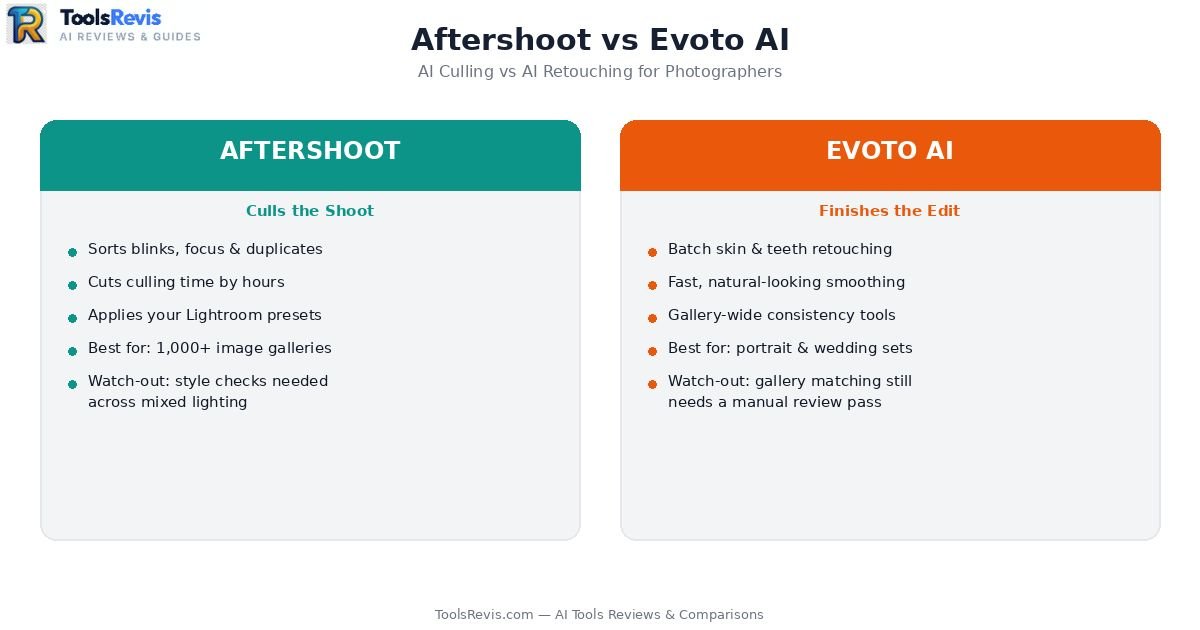
AI culling tools automatically select the best photos by detecting blur, duplicates, closed eyes, and focus issues, helping photographers process large galleries much faster. If you shoot weddings, events, or anything that produces 3,000+ frames in a single session, your bottleneck isn’t talent — it’s time. This is where Aftershoot and Evoto have quietly become the two names photographers actually argue about on Reddit, instead of just recommending politely.
AI photo editing is just one part of a complete content workflow. Learn how images, writing, and publishing fit together in our guide to automated content creation.
Aftershoot: The Culling Workhorse
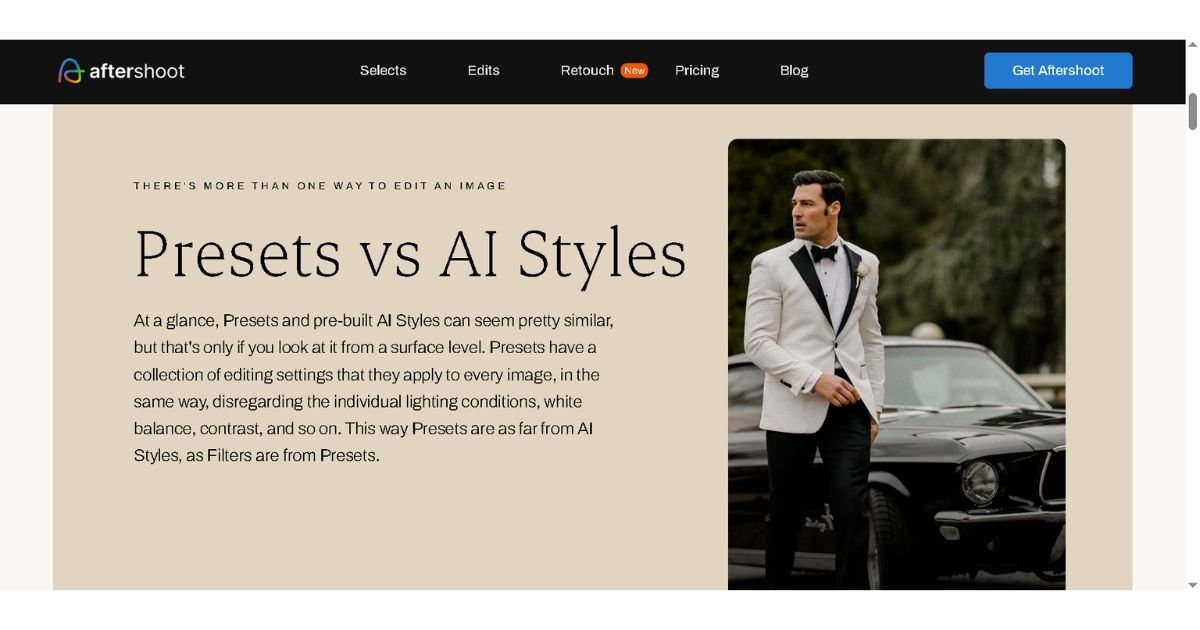
Aftershoot AI built its reputation on one job: looking at a bloated memory card and telling you which 400 photos are actually keepers — sorted by focus, blinks, duplicates, and composition — before you’ve even opened Lightroom.
Pros:
- Cuts culling time dramatically for high-volume shooters (wedding and event photographers report going from hours to minutes)
- Integrates directly into a Lightroom workflow instead of forcing you into a separate app
- Its editing module now applies your own preset style across a full gallery, not a generic “AI look”
Cons:
- Photographers on culling-focused forums have flagged that style consistency across mixed lighting (indoor ceremony vs. outdoor reception) still needs manual spot-checks — it’s good, not psychic
- Per-image pricing can sneak up on you if you shoot large galleries regularly; it rewards predictable volume, not sporadic use
Evoto AI: The Retouching Specialist
Where Aftershoot triages, Evoto finishes. Designed specifically for portrait and wedding retouching, it automates skin smoothing, eye enhancement, teeth whitening, and body reshaping—saving editors hours of tedious manual work.
Pros:
- Batch-applies retouching across an entire gallery while still letting you fine-tune individual shots
- Genuinely fast at skin smoothing that doesn’t look plastic — a common complaint with older AI retouch tools
Cons:
- This is the tool most often compared head-to-head in the Evoto or Imagen debate among portrait photographers deciding which AI retoucher to standardize on — and the honest answer from most threads is that Evoto wins on ease-of-use, while Imagen AI wins on culling-plus-editing as a combined package. Neither is a clean knockout.
- Gallery matching (making 50 photos from different rooms/lighting look like one cohesive set) still requires a trained eye to catch the outliers the AI misses
Bottom line: If your pain point is “I have too many photos and not enough hours,” start with Aftershoot. If it’s “my photos are culled but the retouching queue is killing me,” Evoto is the more direct fix. Most high-volume studios eventually run both.
Best AI Photo Enhancers & Upscalers
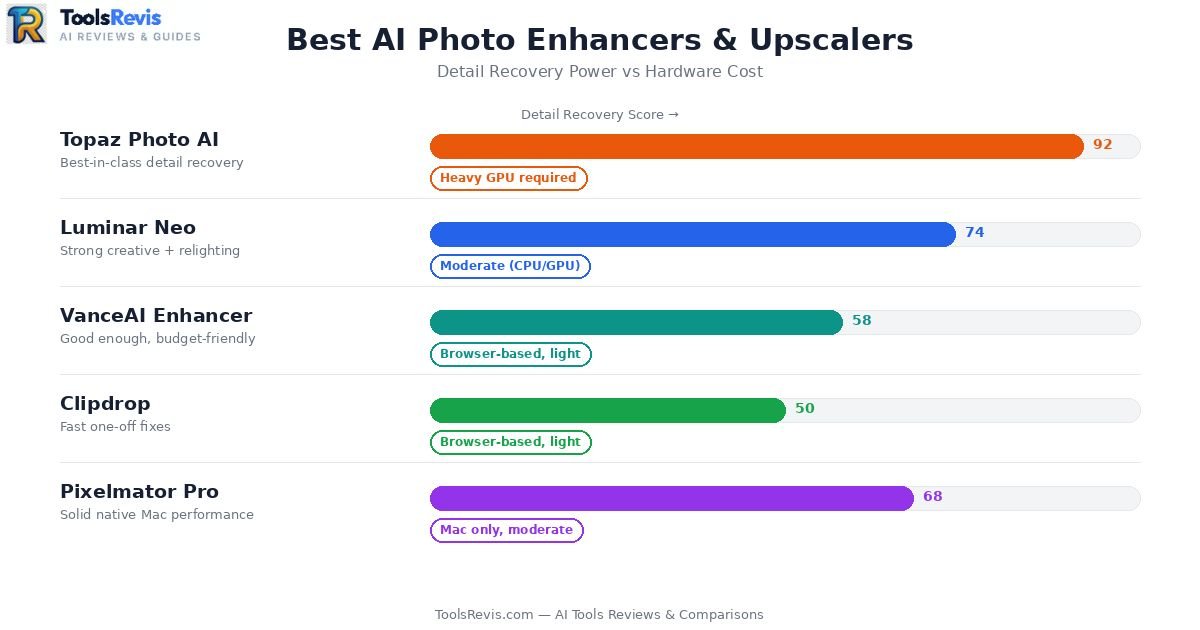
AI photo enhancers improve image quality by sharpening details, reducing noise, increasing resolution, and restoring clarity using machine learning. This category solves a different problem: the photo itself is soft, noisy, low-res, or just needs to look sharper without re-shooting. Five tools dominate this space, and they are not interchangeable — each has a genuine specialty.
Topaz Labs Suite (Photo AI, Sharpen AI, Denoise AI)
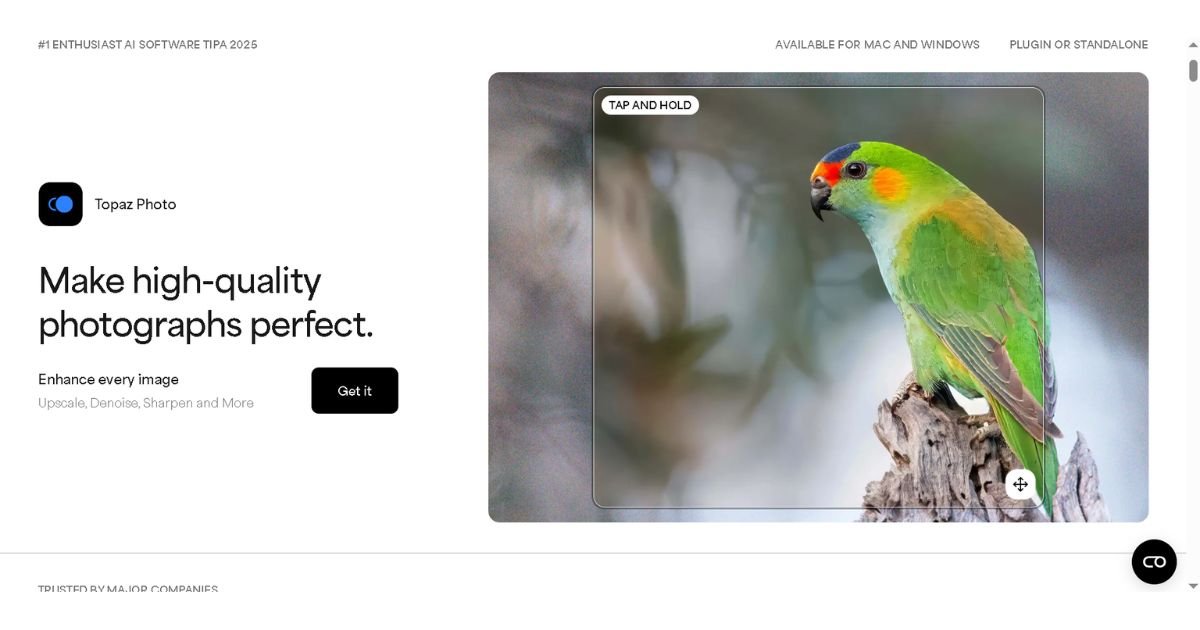
Topaz is the name serious photographers reach for when a shot is almost right but not quite. Topaz Sharpen AI recovers detail from motion blur and slight focus misses, while Topaz Denoise AI cleans up noise from high-ISO low-light shots without turning skin into plastic.
Pros:
- Genuinely best-in-class detail recovery — recovers texture other upscalers just smooth over
- Sharpen and Denoise modules can be run independently or combined in the unified Photo AI app
Cons:
- Topaz is GPU-hungry. It’s the one tool on this list where an underpowered laptop will genuinely struggle — batch processing on integrated graphics is painfully slow
- The interface still feels like separate tools stitched together rather than one seamless app, despite the unification effort
You can also review Topaz Photo AI’s official system requirements and feature updates before choosing a plan.
Luminar Neo
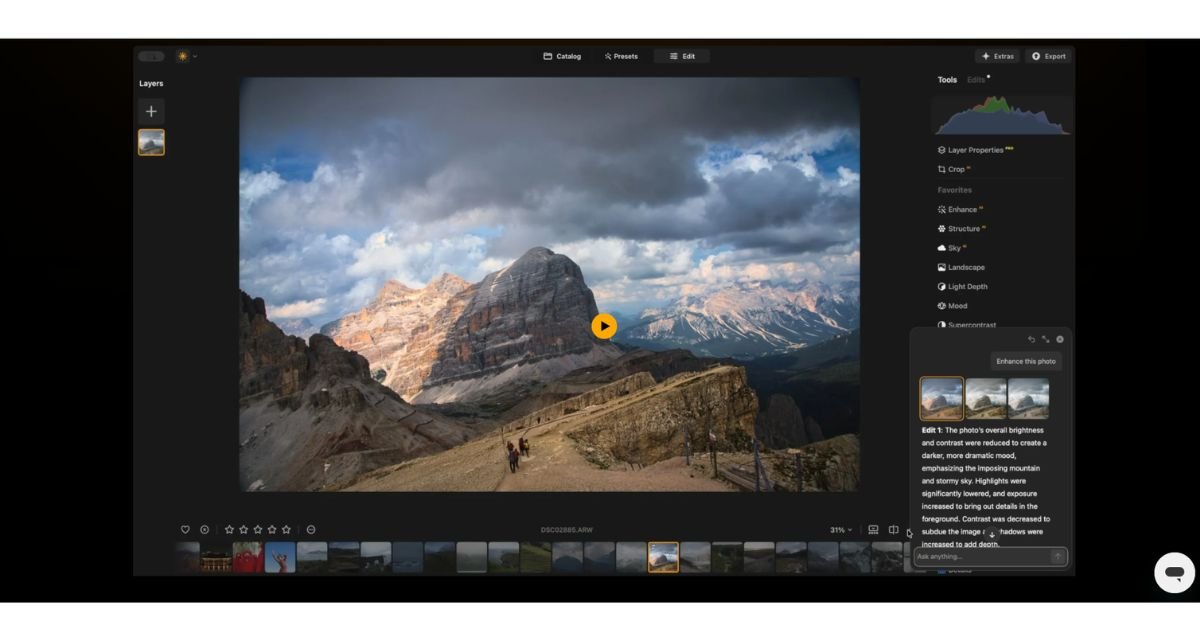
Luminar Neo is less a single-purpose enhancer and more a full AI-assisted editor — sky replacement, relighting, and portrait enhancement live in one layer-based workspace.
Pros: Strong for creative, stylized edits without touching Photoshop’s learning curve.
Cons: Enhancement quality is good, not best-in-class for pure technical fixes like heavy noise or severe blur — Topaz still wins on raw recovery.
VanceAI Photo Enhancer
VanceAI photo enhancer is the budget-conscious pick — credit-based, browser-based, and genuinely capable for straightforward upscaling and light denoising on product photos or old family pictures.
Pros: Cheap entry point, no install, decent for batch e-commerce work.
Cons: Falls short of Topaz on fine detail recovery in genuinely degraded images — it’s a solid “good enough” tool, not a specialist’s tool.
Clipdrop
Clipdrop’s enhancement tools (part of its broader Stability AI-backed suite) are fast, free-tier friendly, and browser-based — great for a quick one-off fix.
Pros: Instant, no learning curve, generous free tier.
Cons: Not built for batch professional workflows — it’s a quick-fix tool, not a studio pipeline.
Pixelmator Pro
Mac-exclusive, and often underrated. Its ML-powered enhancement and upscaling hold up surprisingly well against tools with far bigger marketing budgets.
Pros: Clean, native Mac performance; one-time purchase instead of subscription fatigue.
Cons: Mac-only — a dealbreaker if your studio runs Windows machines.
Bottom line: For serious detail recovery on important shots, Topaz still leads — just budget for the GPU. For quick, cheap, or one-off fixes, Clipdrop and VanceAI cover you without the hardware tax.
Best AI Photo Editing Tools for E-commerce & Product Photography
AI photo editing tools for e-commerce help sellers remove backgrounds, improve lighting, and create consistent product images at scale. Selling on Amazon, Daraz, or Shopify means one thing: every product photo needs the same white background, the same lighting, the same “trustworthy” look — at scale, and fast. This is a completely different job from portrait retouching, and the tools that win here aren’t always the flashiest names.
Adobe Photoshop (Firefly-powered)
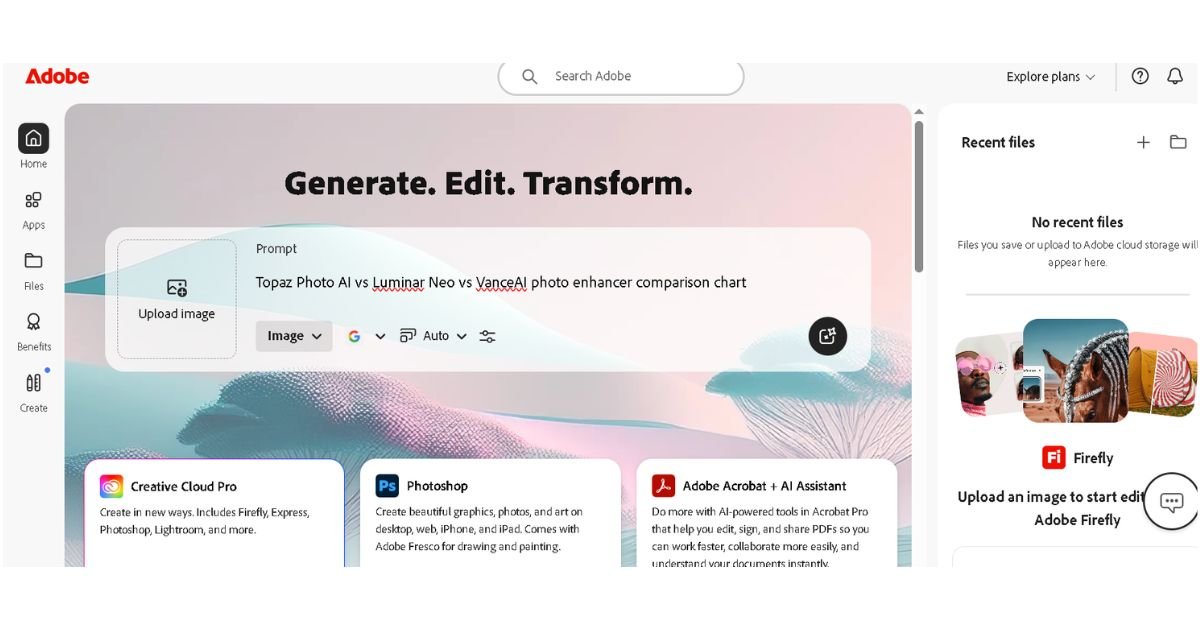
Photoshop’s Firefly-generated fill and background tools have become the default for sellers who need studio-quality results without a studio.
- Real seller use case: Swapping a cluttered warehouse background for a clean white or lifestyle backdrop across an entire product line in one afternoon
- Pro: Generative Fill can extend a background, remove a shadow, or fix an awkward crop with startling realism
- Con: Steep learning curve for sellers without any editing background — this isn’t a five-minute tool
For the latest AI editing features, supported workflows, and commercial usage guidance, see Adobe’s official Firefly documentation.
PortraitPro / Portrait-Focused Drop Tools
For sellers shooting apparel on live models, portrait-enhancement tools handle the human side of product photography — smoothing skin, fixing flyaway hair, adjusting fit-related wrinkles on clothing shots.
- Real seller use case: A clothing brand fixing fabric wrinkles and skin blemishes across 200 model shots without re-shooting
- Pro: Purpose-built for human subjects, so results look natural rather than “AI-smoothed”
- Con: Not built for pure product-only shots (jewelry, electronics, home goods) — it’s a people-first tool
Fotor
Fotor positions itself as the all-in-one budget option — background removal, batch resizing, and basic AI retouching in a browser tab.
- Real seller use case: A small Etsy seller batch-resizing and background-cleaning 50 handmade product photos for marketplace compliance
- Pro: Genuinely fast for simple, repetitive fixes; low cost of entry
- Con: Struggles with complex backgrounds (reflective surfaces, transparent products like glass or jewelry)
Pixlr
Pixlr’s appeal is speed and zero friction — no install, browser-based, one-click background removal.
- Real seller use case: Quick same-day fixes for a flash-sale listing that needs a background swap in minutes, not hours
- Pro: Free tier is genuinely usable, not just a trial trap
- Con: Batch consistency across large catalogs (100+ SKUs) is weaker than dedicated e-commerce tools
Why Chat-Based AI Tools Fail at Bulk Catalog Work
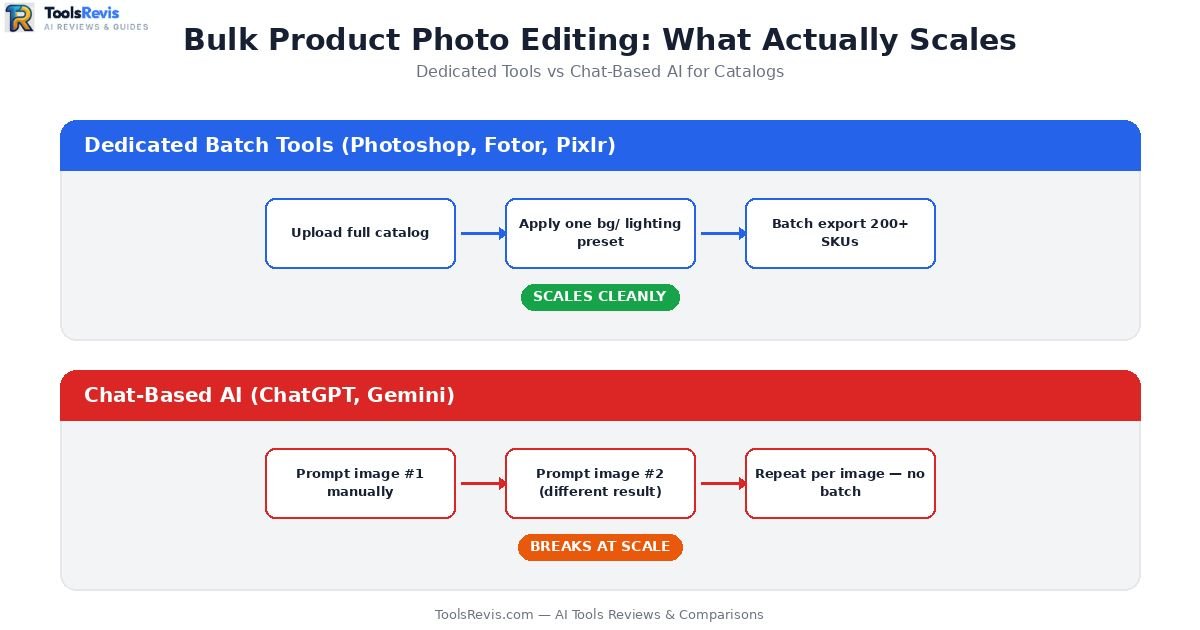
Here’s the honest part most articles skip: ChatGPT and similar conversational AI tools are not built for catalog-scale product photography, and sellers who try to use them this way usually regret it.
- No true batch processing — you’re prompting one image at a time, which doesn’t scale past a handful of SKUs
- Inconsistent output between generations — ask it to “remove the background” on ten similar shots and you’ll get ten slightly different edges, shadows, and color casts
- No layer/mask control — if the AI clips part of the product or fabric texture, there’s no undo-and-adjust workflow like Photoshop offers
- Compliance risk — marketplaces like Amazon have strict background/lighting requirements; chat tools weren’t trained to hit exact pixel-level specs
If you’re editing one hero image for a listing, a chat tool is fine. If you’re processing a 200-SKU catalog, it will cost you more time in cleanup than it saves.
Best AI Tools for Consistent Edits Across Multiple Photos
Batch photo editing tools apply the same adjustments across multiple images to maintain a consistent visual style. Consistency — not raw quality — is the hardest problem in batch photo editing. One perfect photo is easy. Fifty photos that all match is where most tools fall apart.
Adobe Photoshop (Generative Fill + Linked Masking)
Photoshop’s linked smart objects and masking system let you apply one edit — a background swap, a lighting adjustment, a retouch — across multiple files while keeping every layer editable individually.
- Real seller use case: A furniture brand relighting an entire room-set collection so every photo matches the same “warm afternoon light,” without manually adjusting each shot from scratch
- Pro: Full manual override on every image — nothing is a black box
- Con: Requires actual Photoshop skill to set up linked masks correctly; not a one-click solution
Luminar Neo
Luminar Neo’s preset-and-batch system applies the same sky, color grade, or portrait enhancement across an entire folder in one pass.
- Real seller use case: A real estate photographer applying identical sky replacement and exposure correction across 40 listing photos in one session
- Pro: Genuinely fast batch application without sacrificing per-image adjustability
- Con: Fine-detail consistency (shadows, reflections) still needs a manual review pass on tricky shots
Magnific
Magnific has built a name specifically around upscaling with style consistency — useful when a batch of source images vary slightly in resolution or sharpness but need to look like one uniform set.
- Real seller use case: An Etsy print shop upscaling a mixed batch of customer-submitted photos into consistent, print-ready quality without each one looking like it came from a different camera
- Pro: Strong at preserving a coherent “look” across images that started out inconsistent
- Con: Premium pricing and a steeper learning curve than simpler batch tools — overkill for basic e-commerce needs
Bottom line: For hands-on control over consistency, Photoshop’s linked masking wins. For speed with good-enough consistency, Luminar Neo is the practical middle ground. For upscaling mismatched source images into one cohesive set, Magnific is the specialist.
Best “Type What You Want” AI Photo Editors
Prompt-based AI photo editors let users edit images by describing changes in natural language instead of using manual editing tools. This is the newest, most talked-about category: editors where you describe the change in plain English (or Roman Urdu, for that matter) and the AI just does it. Powerful for speed — but not a universal fix, as the catalog section above already made clear.
ChatGPT (Image Editing)
ChatGPT’s conversational image editing lets you describe a change — “make the background blurred,” “change the shirt color to navy” — and get a result without touching a single slider.
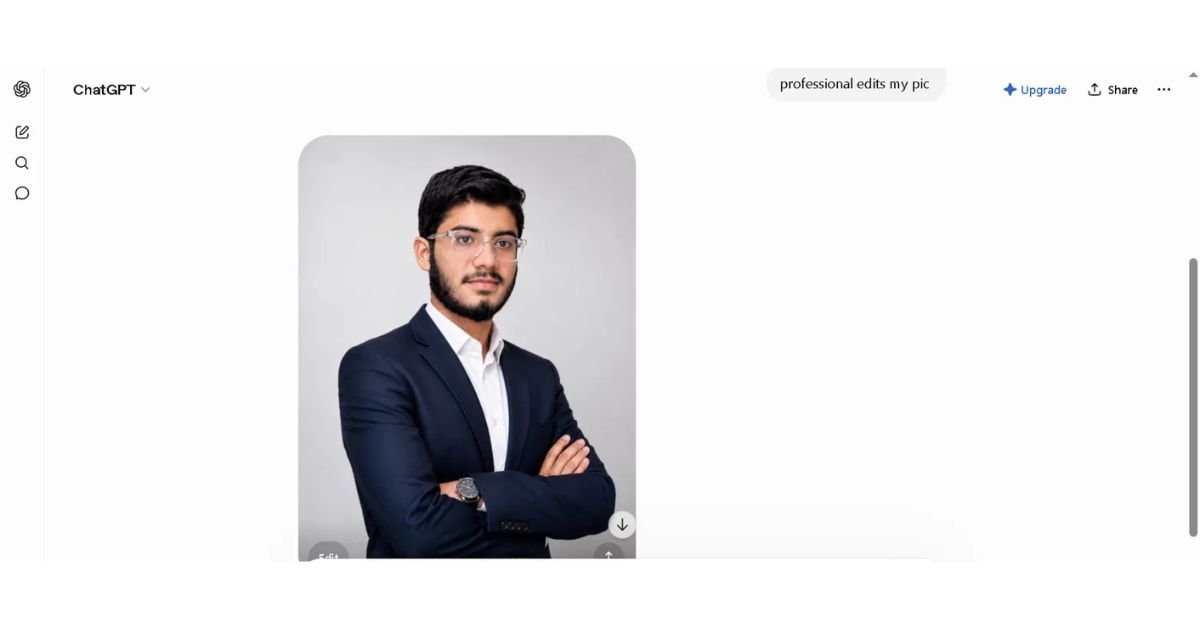
- Pro: Zero learning curve; genuinely useful for quick, one-off creative edits
- Con: No batch processing, inconsistent output between similar prompts, limited fine control over masks or layers
If you’re also comparing AI assistants for prompt quality, vision capabilities, and creative workflows, read our detailed ChatGPT Plus vs Claude Pro comparison.
Google Gemini
Gemini’s image editing leans into natural-language understanding of context — it can often infer what “make it look more professional” means without over-explaining.
- Pro: Strong at interpreting vague, casual prompts accurately
- Con: Like ChatGPT, it’s a single-image conversational tool, not a catalog or gallery workflow
Adobe Firefly
Firefly bridges the gap — it’s prompt-based like the chat tools, but built with commercial licensing and Photoshop integration in mind, which matters if you’re publishing edited photos commercially.
- Pro: Trained on licensed content, which matters for sellers worried about copyright exposure in generated backgrounds
- Con: Prompt-based results still need Photoshop’s manual tools for pixel-perfect commercial work
Photo Prompt AI Tools (Emerging Category)
A newer wave of dedicated “prompt-to-edit” tools is emerging specifically to close the gap chat tools leave open — aiming for prompt-based editing with batch support.
- Pro: Promising direction for sellers who want prompt speed without sacrificing consistency
- Con: Still maturing — most of these tools lag behind established players like Photoshop or Luminar Neo in reliability and output quality as of 2026
Bottom line: Type-what-you-want editors are excellent for speed and creative one-offs, but every seller I’ve tested this with eventually falls back to Photoshop or a dedicated batch tool the moment volume or consistency matters.
Best AI Photo Editing Software for Beginners (Free & Easy)
Beginner-friendly AI photo editors focus on simple interfaces, one-click enhancements, and minimal learning curves. Not everyone needs layer masks and GPU-accelerated denoising. If you just want your Instagram photos to look good without a learning curve, this section is for you.
Canva
Canva remains the most forgiving photo editing software for beginners — drag, drop, click “enhance,” done.
- Real use case: Fixing lighting and cropping a phone photo for a quick social post in under two minutes
- Pro: The free tier is genuinely generous — most casual users never need to pay
- Con: Advanced retouching (skin, body shape) is limited compared to dedicated tools
For more details on AI-powered editing features and free plan capabilities, visit Canva’s official Magic Studio page.
Picsart
Picsart has built a loyal following as an Instagram photo editing app, with one-tap filters, background removal, and a surprisingly capable AI body editor online free tool for casual reshaping and slimming edits.
- Real use case: A user wanting to add a friend into a group photo — Picsart’s tools make it one of the easier ways to add person to photo online free without any manual masking
- Pro: Mobile-first design means it’s built for how people actually shoot and edit — on their phone, in the moment
- Con: Free tier body-editing results can look unnatural if pushed too far; subtlety takes restraint, not a slider maxed out
One-Click Tools (Remini, Fotor Basic Mode, Clipdrop’s free tier)
For pure beginners, one-click enhancers exist purely to make a photo “look better” with zero decisions required.
- Pro: Genuinely the fastest path from “meh photo” to “shareable photo”
- Con: You trade control for speed — don’t expect fine-tuned results
Bottom line: If you’re new to photo editing, start with Canva or Picsart. Save Photoshop and Topaz for when you actually hit their limits.
What Real Users Say: The Reddit Verdict on AI Photo Editing (2026)
Reddit discussions reveal real-world experiences with AI photo editors, highlighting both strengths and common problems that marketing pages often overlook. Marketing pages say every tool is revolutionary. Reddit threads say something more useful: what actually breaks in real-world use.
What Users Say Works:
- Aftershoot’s culling accuracy gets consistent praise from wedding photographers for catching blinks and focus misses humans miss when exhausted at 2 AM
- Topaz’s detail recovery on genuinely soft or noisy images is repeatedly called out as “the one that actually works” compared to cheaper alternatives
- Clipdrop and Canva’s free tiers get credit for being usable long-term, not bait-and-switch trials
What Users Say Fails:
- “Plastic skin” syndrome — the most common complaint across portrait-editing threads, where aggressive AI smoothing removes texture and pores until skin looks like wax. Users consistently note that Evoto and similar tools need dialed-back settings to avoid this
- Over-culling — photographers report AI culling tools occasionally rejecting technically-fine shots because of minor, non-critical issues (a slightly closed eye in a group of ten, for example), meaning a manual second pass is still necessary
- Inconsistent batch results from chat-based tools — sellers and casual users alike report frustration when ChatGPT or Gemini produce different edits for visually similar prompts
The honest takeaway: No tool on this list is “set and forget.” Every AI photo editor in 2026 still benefits from a human doing a final pass — the AI gets you 90% there, fast.
How to Choose the Right AI Photo Editor (Buyer’s Guide)
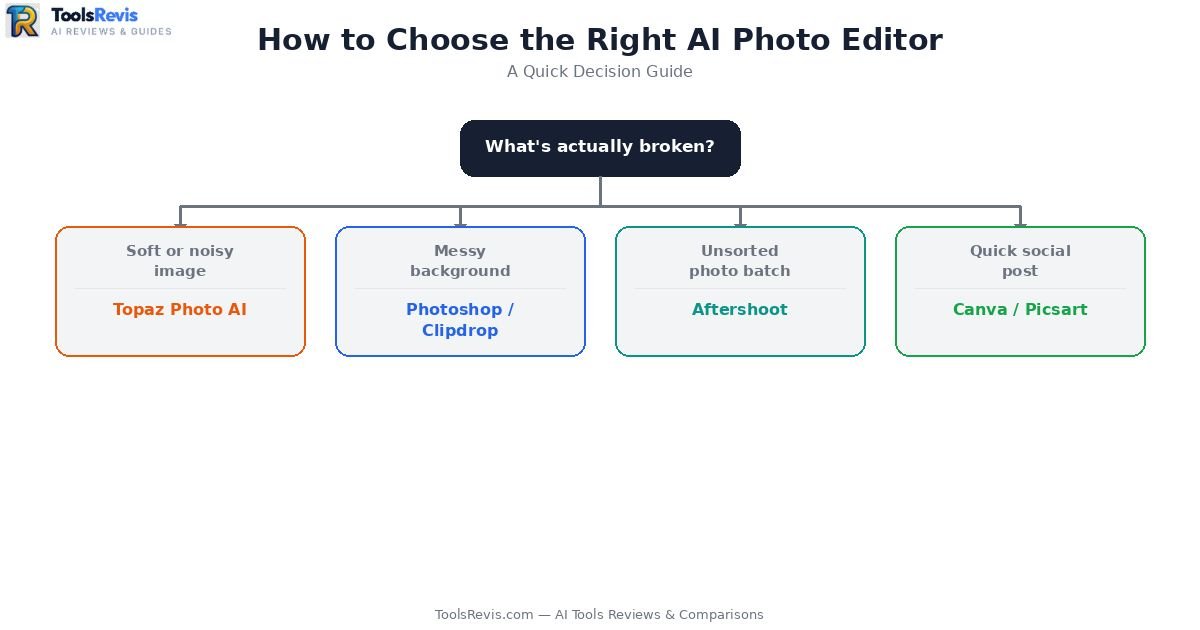
Choosing the right AI photo editor depends on your editing needs, budget, workflow, and computer hardware. Ask yourself these four questions before opening your wallet:
- What’s actually broken? A soft image needs Topaz. A cluttered background needs Photoshop or Clipdrop. A pile of unsorted event photos needs Aftershoot.
- What’s your volume? One-off edits favor free, prompt-based tools (ChatGPT, Gemini). Ongoing catalog or gallery work favors subscription tools built for batch consistency (Luminar Neo, Evoto, Photoshop).
- What’s your hardware? Topaz and other GPU-heavy tools will frustrate you on a low-spec laptop — check requirements before buying a license you can’t run smoothly.
- What’s your budget tolerance? Per-image pricing (Aftershoot, VanceAI) rewards predictable volume; flat subscriptions (Photoshop, Luminar Neo) reward heavy, constant use.
Still not sure which AI photo editor fits your workflow?
Compare your budget, editing needs, skill level, and preferred features with our free AI Tool Finder to discover the best option in minutes.
Conclusion
There’s no single “best” AI photo editor in 2026 — there’s the right tool for the specific problem in front of you. Start with what’s actually broken in your photos, not with whichever tool has the loudest marketing. If you’re still unsure after reading this, start free: try Canva, Clipdrop, or Picsart before spending a single rupee on a subscription.
Have a specific editing headache — bulk product shots, wedding culling, grainy old photos? Drop it in the comments and I’ll point you to the exact tool that fixes it.
Read Next: Expand Your AI Workflow
- How Automated Content Creation Works in 2026 — Discover how to pair AI image editing with automated visual workflows to scale your media publishing.
- ChatGPT Plus vs Claude Pro Comparison — Learn which top AI assistant performs best for prompt-based photo tweaks, vision analysis, and creative prompts.
- Jasper AI Review (2026) — Need AI tools to turn your freshly edited photos into high-converting social media posts and ad copy? Check out our hands-on review.
FAQs — Best AI Photo Editing Tools (2026)
1. What is the best AI photo editing tool overall in 2026?
Adobe Photoshop remains the most versatile choice, combining Firefly-powered generative tools with full manual control — though it has the steepest learning curve on this list.
2. Which AI photo editor is completely free?
Clipdrop and Canva offer the most genuinely usable free tiers, with Picsart close behind for mobile-first editing.
3. Is there a good AI body editor online free?
Picsart offers a capable free AI body editor online free tool for casual reshaping, though results can look unnatural if adjustments are pushed too aggressively.
4. Can I add a person to a photo online for free?
Yes — Picsart and Clipdrop both let you add person to photo online free using AI compositing, though Photoshop’s Generative Fill gives more realistic blending for tricky lighting.
5. What’s the best photo editing software for beginners?
Canva is the most beginner-friendly photo editing software for beginners, followed closely by Picsart for mobile users.
6. Which tool is best for wedding and event photographers?
Aftershoot for culling large galleries fast, and Evoto for batch retouching afterward — most professional studios use both together.
7. Why does Topaz Photo AI need a powerful GPU?
Its detail-recovery algorithms (Sharpen AI and Denoise AI) run intensive neural network processing per image, which slows dramatically on integrated graphics or older hardware.
8. Can ChatGPT replace Photoshop for product photography?
No — ChatGPT lacks batch processing and consistent output across similar images, making it unsuitable for catalog-scale e-commerce work. It’s better suited to one-off creative edits.
9. What’s the best Instagram photo editing app?
Picsart is the most popular Instagram photo editing app for one-tap filters, background removal, and social-ready exports.
10. What do Reddit users say is the biggest problem with AI photo editors?
The most common complaint is “plastic skin” from over-aggressive AI retouching, followed by occasional over-culling in AI-powered photo selection tools.

I’m Umair Ahmad, founder of ToolsRevis. I personally test every AI tool we cover — signing up, running real workflows, checking pricing tiers, and comparing outputs — before writing a single word. My goal: cut through AI marketing hype with honest, hands-on verdicts.
Let’s achieve more together!