
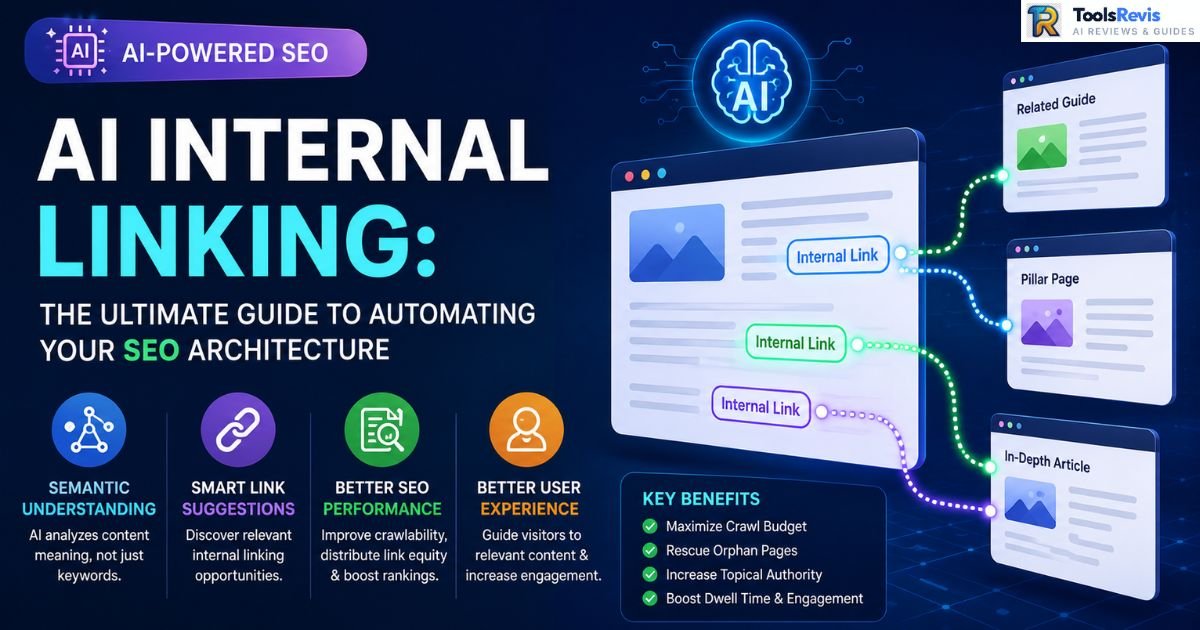
You’ve got 1,200 blog posts and a link structure held together with duct tape and someone’s memory of “that one article from 2022.” Every new post you publish makes the problem worse, not better.
Quick Answer: AI internal linking automates your website’s link architecture. Powered by NLP, it analyzes the actual meaning behind your content—not just keywords—to instantly discover and insert contextually relevant links across your site.
Key Takeaways:
- AI internal linking analyzes content semantically (not just by keyword match) to surface link opportunities a human editor would miss or take hours to find.
- The 80/20 Hybrid Rule: Let AI handle 80% of the volume — bulk suggestions, orphan page detection, anchor text variation — while leaving the critical 20% for human review and approval—ensuring your money pages, cornerstone content, and customer-facing assets get the exact manual oversight they deserve.
- Top tool takeaway: No tool fully replaces editorial judgment. The best setups (Link Whisper, LinkStorm, custom NLP pipelines) function as a suggestion engine, not an autopilot — you still need a human in the loop for E-E-A-T and brand voice.
Introduction: The Evolution of Interlinking
What is AI Internal Linking?
AI internal linking is the use of natural language processing (NLP) and semantic search models to map relationships between pages on your site based on meaning, not just shared keywords.
Traditional internal linking tools work like a search-and-replace function: you tell them “link the phrase ‘best running shoes’ to this URL,” and they scan your content for that exact string. That’s fine until your content library grows past a few hundred pages and your anchor text starts sounding robotic and repetitive.
AI-driven systems work differently. They use embeddings — numerical representations of what a piece of content is actually about — to understand that a post on “marathon training nutrition” is topically close to “best running shoes for long distance,” even if neither page uses the other’s exact terminology. This is the same underlying technology behind modern semantic search: Google isn’t just matching strings anymore, and your internal linking strategy shouldn’t be either. AI tools essentially let you crawl your own site the way a search engine crawler does — evaluating topical relevance, link equity distribution, and contextual fit — at a scale no human editor could match.
Why Manual Interlinking is a Thing of the Past
Three problems kill manual internal linking once you’re past the “small blog” stage:
- Time constraints. Auditing internal links by hand means opening every published post, remembering what else exists on your site, and manually inserting anchors. At 50 posts, that’s tedious. At 500, it’s a part-time job. At 1,000+, it’s simply not happening — which is exactly why so many large sites have gaping structural holes nobody’s caught.
- Missed semantic opportunities. Humans link to what they remember. If you wrote a post 18 months ago and forgot it existed, it’s never getting linked to — even if it’s the perfect match for something you published last week. AI doesn’t forget—it re-evaluates your entire content graph with every new post you publish, keeping your internal linking perfectly optimized in real time.
- Scaling past 1,000 posts. This is where manual linking doesn’t just get harder — it becomes mathematically impossible to do well. A site with 1,000 posts has up to ~500,000 potential link pairings to consider. No editorial team is running that analysis in a spreadsheet. This is squarely an automation problem, not a discipline problem.
The shift isn’t about replacing SEO judgment — it’s about removing the brute-force pattern-matching work so your team can focus on strategy: which pages should carry authority, and which links actually move the needle for users and rankings.
Internal vs. External Linking in Modern SEO
Internal and external links play different but complementary roles in SEO. Internal links connect pages within the same website to improve navigation, distribute link equity, and help search engines crawl your content efficiently. External links point to authoritative websites outside your domain, adding credibility, supporting claims, and strengthening your site’s topical trust when used appropriately.
Core Differences: Internal Links vs. External Links
| Internal Links | External Links | |
| Destination | Another page on your own domain | A page on a different domain |
| Primary purpose | Distribute link equity, guide crawlers, aid navigation | Cite sources, provide context, signal trust |
| Control | Fully within your control | Depends on the target site’s authority and relevance |
| SEO impact | Directly shapes site architecture and crawl priority | Indirect — signals topical trust and can affect perceived expertise |
| Risk profile | Low — worst case is a broken link or dead-end page | Moderate — linking to low-quality or spammy sites can raise red flags |
Think of internal links as your website’s scaffolding—they hold your entire content structure together and give it strength. External links are more like footnotes — useful for credibility, but not what’s holding the structure up.
Does Linking to Other Sites Help SEO?
Short answer: yes, but not the way most people think.
The myth: “Outbound links leak PageRank, so avoid them.” This idea comes from an outdated, overly literal reading of how link equity works. In practice:
- Linking out to high-quality, relevant sources doesn’t hurt your rankings. It’s a normal part of how the web — and how citations — work.
- What truly drives results is the relevance and quality of the destination page. Linking to a thin, spammy, or unrelated site can signal poor content curation. Linking to an authoritative source in your niche does the opposite.
- Outbound links contribute to topical context. When you cite a primary source, a study, or a recognized authority, you’re giving search engines (and readers) additional signals about what your content is actually about and how trustworthy it is.
Actionable takeaway: Don’t hoard links out of fear. Link out when it genuinely helps the reader or backs up a claim. Just don’t do it recklessly — audit destination sites the same way you’d audit a backlink you were about to accept.
How Search Engine Spiders Crawl & Index Link Architecture
Search engine crawlers discover new and existing pages primarily by following links, as explained in How Google Search works. Here’s the practical mechanics:
- Crawl budget allocation. Search engines assign a rough “budget” — how many pages they’ll crawl on your site in a given period. A clean internal link structure helps crawlers reach your important pages efficiently instead of wasting budget on orphaned or low-value URLs.
- Link equity flow. PageRank-style equity flows through links, internal and external. Pages with more internal links pointing to them (from relevant, authoritative pages on your own site) tend to be treated as more important within your site’s hierarchy.
- Depth and discoverability. A page buried five clicks deep with no internal links pointing to it is effectively invisible to both crawlers and users. AI-driven internal linking tools flag these “orphan pages” automatically — something that’s nearly impossible to catch manually at scale.
- Contextual signals. Anchor text and surrounding content give crawlers additional context about what the linked page is about, reinforcing topical relevance signals beyond just the existence of the link itself.
Get the architecture right, and you’re not just helping users navigate — you’re actively directing crawlers toward the pages you most want indexed and ranked.
The Science Behind Automated Links: How AI Works Under the Hood
AI internal linking works by combining natural language processing (NLP), semantic embeddings, and machine learning to understand the meaning of your content rather than relying only on exact keywords. Instead of matching identical phrases, AI analyzes relationships between pages, identifies contextually relevant connections, and recommends or inserts internal links that improve crawlability, topical authority, and user navigation across your website.
Natural Language Processing (NLP) & Contextual Relevance
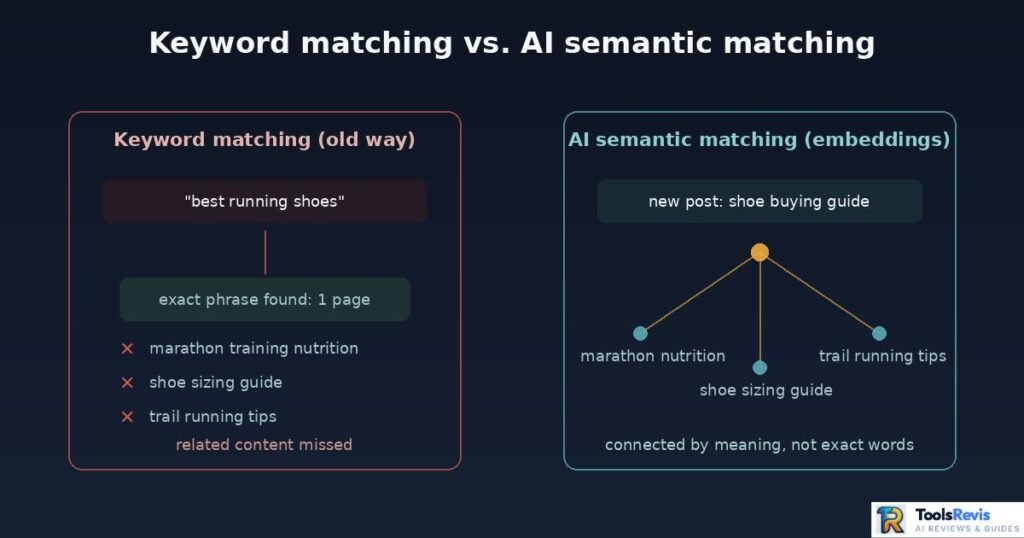
At the core of any AI internal linking tool is an NLP model doing one job: figuring out what a piece of text actually means, then comparing that meaning against every other page on your site.
Here’s the practical flow. When you publish a new post, the tool doesn’t just scan for keywords — it processes the full text through a language model that breaks it into semantic units (sentences, paragraphs, or chunks) and extracts the underlying topics, entities, and intent. A post about “how to fix a leaky faucet” gets tagged not just with “faucet” but with related concepts: plumbing, home repair, water damage prevention, tools needed. That contextual fingerprint is what gets compared against your existing content library.
This matters because two pages can be topically related without sharing a single common keyword. A guide on “reducing water bills” and a guide on “fixing a leaky faucet” are obviously connected to a human reader — an NLP-based system catches that connection automatically; a keyword-matching tool usually won’t.
Smart Anchor Selection: Avoiding Over-Optimization
Anchor text is where a lot of automated linking goes wrong. Early-generation tools would grab the same exact-match keyword phrase every time — “best running shoes,” “best running shoes,” “best running shoes” — scattered across dozens of posts. That’s a red flag pattern, and it reads as manipulative to both users and search engines.
Smarter systems solve this with anchor text diversification, generating natural variations drawn from the actual surrounding sentence structure:
- “check out our guide to the best running shoes for marathon training“
- “we cover shoe selection for long-distance runners in more detail here”
- “our running shoe recommendations break this down further”
The underlying model picks a variation that fits the grammar of the sentence it’s inserting into, rather than force-fitting a fixed phrase. Practically, this means the tool needs to understand syntax, not just topic — it has to know where a natural noun phrase fits without breaking the sentence. Over-optimized, repetitive anchors are one of the easier things for search engines to flag as a pattern; natural variation is the fix, and it’s also just better writing. Google also recommends using descriptive, crawlable links so search engines can discover and understand linked content more effectively.
Embeddings vs. Raw API Calls: How Modern Tools Cut Costs
This is where the “under the hood” economics get interesting, and it’s a big part of why AI internal linking became commercially viable at scale in the first place.
The naive approach: every time you want to find link opportunities for a new post, you send the full text of that post — plus the full text of every candidate page you’re comparing it against — to a large language model API and ask it to judge relevance. That works, but it’s brutally expensive and slow. Comparing one new post against a 1,000-page archive this way means potentially sending massive amounts of raw text through the API for every single comparison. Costs and latency scale linearly (or worse) with your content library size.
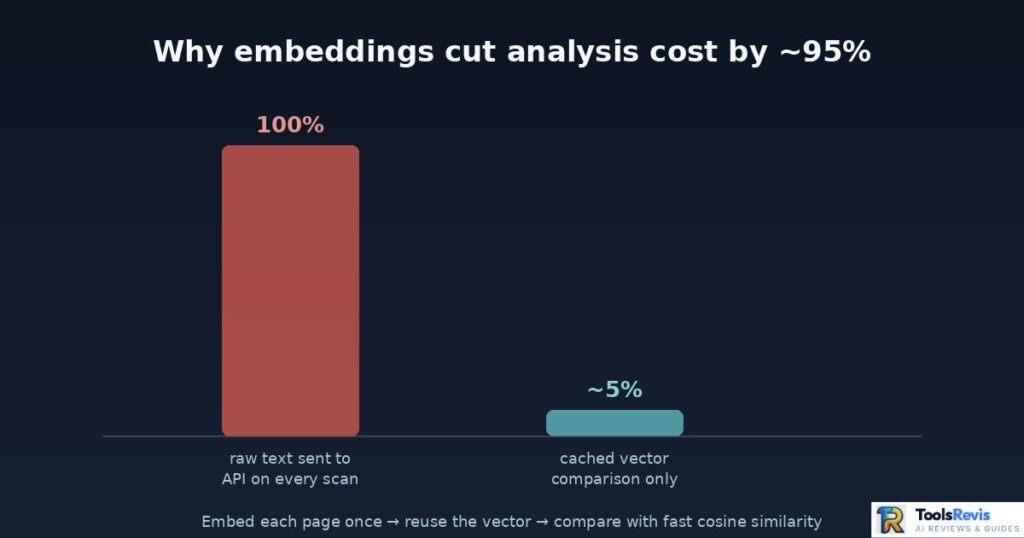
The fix most serious plugin creators landed on: vector embeddings. Instead of repeatedly sending raw text for comparison, you convert each page into a fixed-length numerical vector once, using a model like OpenAI’s text-embedding-3. That vector captures the page’s semantic meaning in a compact form. From there, finding related content is just math — a cosine similarity calculation between vectors — which is dramatically cheaper and faster than a full contextual API call.
The practical impact reported by plugin developers making this switch: cutting analysis costs by roughly 95% compared to full API context scans. The embedding step happens once per page (and gets cached), while the actual link-matching step becomes near-instant vector comparison instead of a fresh, expensive model call every time. This is also what makes real-time or near-real-time link suggestions feasible on sites with thousands of pages — the heavy lifting is front-loaded and reused, not repeated on every scan.
Automated Topic Clusters & Pillar Page Mapping
Topic clustering is the structural output of all this semantic analysis. Instead of treating your content as a flat list of unrelated posts, AI tools group pages into clusters based on shared embeddings — effectively reconstructing your site’s topical hierarchy without you having to map it by hand.
In practice, this looks like:
- Pillar page identification. The tool flags your broadest, highest-authority pages on a topic (e.g., “The Complete Guide to Home Plumbing”) as pillar candidates based on comprehensiveness and existing internal link volume.
- Cluster assignment. Narrower, related posts (“How to Fix a Leaky Faucet,” “Signs of a Burst Pipe,” “DIY Drain Cleaning”) get automatically grouped under that pillar based on semantic proximity.
- Gap detection. The system can also surface where a cluster is thin — for example, flagging that you have five posts about pipe repair but nothing about water heater maintenance, which is a content gap as much as a linking one.
The result is a hub-and-spoke structure that used to require a dedicated content strategist mapping everything in a spreadsheet. AI doesn’t replace that strategic judgment entirely, but it gives you the map in minutes instead of weeks — and it re-maps automatically every time you publish.
Build-Time vs. Audit-Time Linking (Two Philosophies)
Most of what we’ve covered so far assumes you’re linking after the fact — auditing a site that already exists and patching its structure. That’s the dominant model, and tools like Link Whisper, Linkboss, and Linkstorm are all built around it: you publish first, the tool scans your library second, and links get inserted into content that’s already live.
There’s a second, newer philosophy that flips the order: build the links in while the content is being written, so there’s no retrofit step at all. Tools like Junia AI take this approach — internal linking happens as part of the content generation workflow itself, with the system checking your existing URL library (usually via a sitemap sync) and inserting contextually relevant links before the post ever publishes.
Neither approach is strictly better; they solve different problems. If you’re sitting on a large back-catalog of existing content, audit-first is unavoidable — there’s no “build it in from the start” option for content that’s already years old. But if you’re actively producing new content on an ongoing basis, generation-time linking has a real structural advantage: it prevents the orphan-page problem from ever occurring in the first place, rather than catching it months later in an audit. In practice, most sites end up doing both — an audit-first cleanup for the existing library, and a generation-time workflow for everything published going forward.
Major SEO Benefits of an Automated Link Strategy
AI internal linking improves SEO by helping search engines discover pages faster, distributing internal link equity, reducing orphan pages, improving crawl efficiency, and creating better navigation for users. These benefits become even more valuable as websites grow beyond a few hundred pages.
Maximizing Crawl Budget & Indexing New Content Faster
Every site has a crawl budget — a practical limit to how much of your content search engine bots will crawl in a given window. Waste that budget on redundant or poorly linked pages, and your newest, most important content sits undiscovered longer than it should.
A well-maintained internal link structure fixes this in a direct, mechanical way: when you publish a new post and an automated tool immediately links to it from several relevant, already-indexed pages, you’re giving crawlers a fast path to it. Instead of waiting for a bot to stumble onto an isolated new URL through your sitemap alone, you’re actively routing crawl activity toward it. Sites that implement this consistently tend to see new content get crawled and indexed noticeably faster — sometimes within hours instead of days — simply because the page isn’t sitting at a dead end.
PageRank Equity: Rescuing Low-Performing & Orphaned Pages
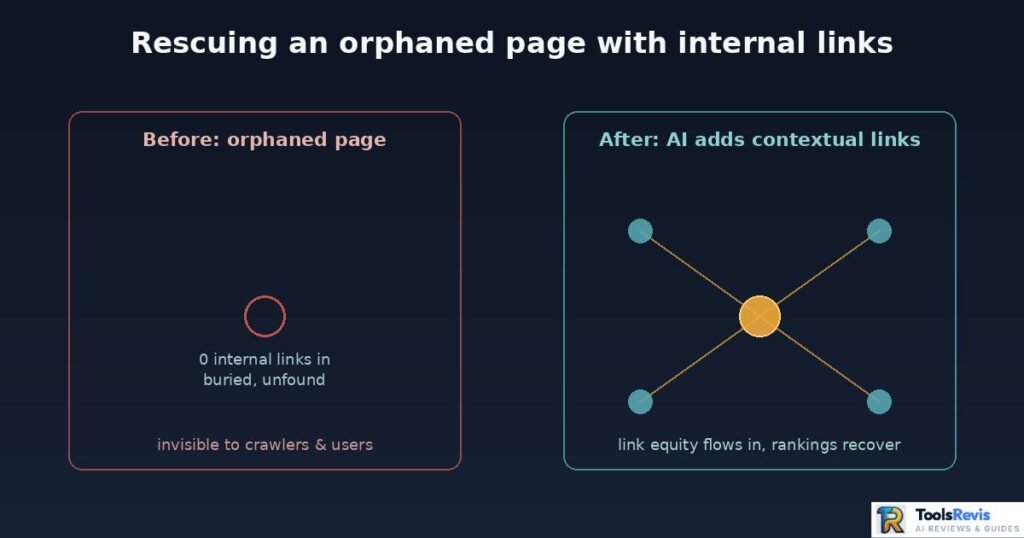
Every site accumulates dead weight over time: posts that rank on page 4, pages that used to perform and quietly slid, and outright orphaned pages that no other page links to at all. Orphaned pages are particularly damaging — if nothing internally links to a page, it’s relying entirely on external links or sitemap inclusion to get found and get any equity at all.
AI tools solve this by running orphan detection as a standing process, not a one-time audit. When the system identifies an orphaned or underlinked page, it can automatically surface it as a linking opportunity from relevant, higher-authority pages — effectively injecting link equity into a page that was previously starved of it.
A practical example: imagine a genuinely strong, well-researched post that launched with poor internal support and never got picked up organically. Months later, an automated audit flags it as orphaned, adds contextual links from three or four related high-traffic posts, and within a few weeks its rankings and traffic recover. That’s not a hypothetical edge case — it’s one of the most common wins reported after a first automated internal link audit, precisely because manual audits so rarely go back and fix old content.
User Experience Metrics: Lowering Bounce Rates & Boosting Dwell Time
Internal linking isn’t purely a crawler-facing exercise — it directly shapes how real users move through your site, and that behavior feeds back into SEO indirectly through engagement signals.
When a reader finishes an article and has no relevant next step, they leave. A contextually relevant internal link — placed where it naturally fits the reader’s train of thought, not bolted on at the bottom as a generic “related posts” widget — gives them a reason to stay. This shows up in two measurable ways:
- Lower bounce rate. A reader who clicks through to a related post didn’t “bounce” — they continued a session instead of exiting immediately.
- Higher dwell time and pages-per-session. More relevant internal paths mean more time on site and more pages viewed per visit, both of which correlate with a site being seen as genuinely useful rather than a dead end.
The key word throughout is relevant. A random or forced internal link that doesn’t match reader intent gets ignored or, worse, actively annoys the reader. This is exactly why semantic relevance matters as much for UX as it does for crawlers — the same contextual matching that helps search engines understand your site is what makes a suggested link feel like a natural next step rather than an ad.
Revenue-Based Link Prioritization (E-commerce Angle)
Everything discussed so far prioritizes links by topical relevance — how closely two pages relate to each other in meaning. For content-heavy blogs, that’s the right lens. For e-commerce catalogs, it’s often incomplete.
A newer class of tools, built specifically for online retailers, layers a second signal on top of topical relevance: revenue and conversion data. Instead of asking “which pages are semantically related,” the system also asks “which of these related pages actually drives sales, and should get prioritized linking as a result.” Similar.ai is a good example of this approach — it combines Google Search Console data, SERP similarity analysis, crawl data, and revenue signals to decide not just that two pages should link, but which linking pattern is worth the engineering effort to maintain at scale.
This matters most for large product catalogs: a category page, a buying guide, and a dozen individual product pages might all be topically related, but they’re not equally valuable to link aggressively. A tool that only understands topical similarity treats them the same. A tool that also understands revenue can prioritize funneling link equity toward the product pages that convert, rather than spreading it evenly across everything that’s merely on-topic.
2026 Tool Review: Choosing the Best AI Internal Linking Tool
The best AI internal linking tools automatically identify relevant linking opportunities, diversify anchor text, detect orphan pages, and improve site architecture using semantic analysis instead of simple keyword matching. The right tool depends on your CMS, content size, budget, and workflow.
Established Plugins: Link Whisper, InLinks, and Internal Link Juicer
These three names come up in nearly every “best internal linking tool” thread on Reddit and in SEO Facebook groups — for good reason. They’ve been around long enough to have real track records, but that maturity comes with real limitations too.
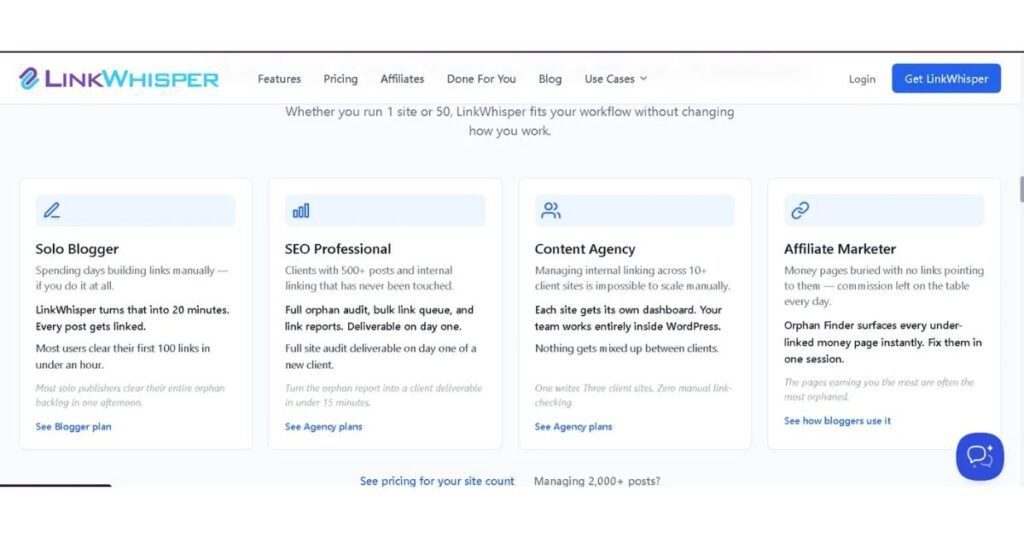
Link Whisper (by Spencer Haws, of Niche Pursuits) is the community default for WordPress. It runs inside the WordPress editor, surfaces AI-suggested links as you write, and — as of its v3 update — has moved from pure keyword matching to embedding-based semantic suggestions, which noticeably improved suggestion quality over earlier versions. It’s priced around $77–97/year for a single site, with agency tiers for multi-site management. The catch: it’s WordPress-only. If your stack includes a headless CMS, Shopify, or a custom-built site, Link Whisper simply isn’t an option. Community feedback is generally positive on ease of use, but a recurring complaint is that on very large sites (thousands of posts), scan and suggestion performance can slow down noticeably.
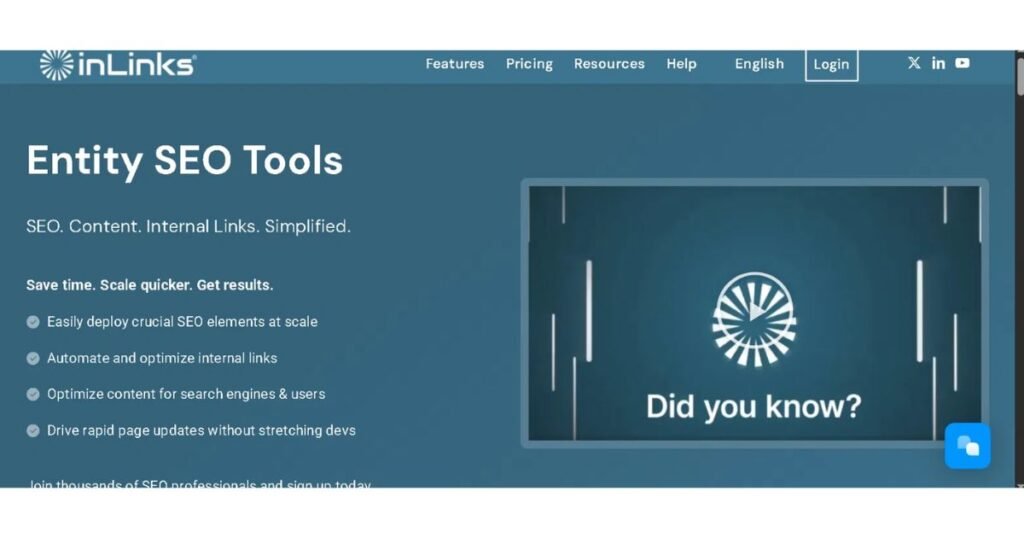
InLinks takes a different approach: entity-based semantic understanding built around knowledge graph concepts (SVO — Subject, Verb, Object — text analysis) rather than pure embedding similarity. It’s platform-agnostic and well-regarded by publishers running topic-cluster strategies, but it comes with a steeper learning curve and a higher price point than the WordPress-native plugins, which puts it out of reach for smaller sites and solo bloggers.
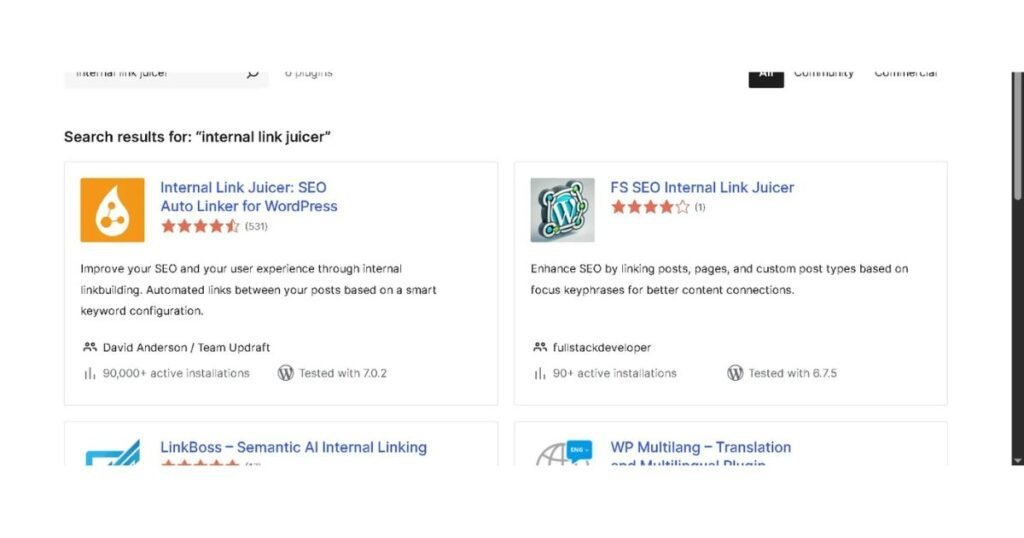
Internal Link Juicer (ILJ) is the “set and forget” option — you configure target keywords once, and it automatically inserts links across your site with no manual review step. That’s exactly what makes it cheap and low-effort ($69.99/year for a single site), and exactly why power users eventually outgrow it: it’s still fundamentally keyword-based, not semantic, so it can produce awkward or off-topic link insertions that a context-aware tool would avoid. It also lacks Link Whisper’s orphaned-page detection and reporting depth. It’s a solid budget pick for straightforward blogs; it’s not built for nuanced editorial control.
The shared legacy limitation: all three were architected around a single-platform, single-site mental model. None of them were built from the ground up for agencies managing dozens of client sites across different CMSs — which is exactly the gap the next generation of tools is trying to fill.
Next-Gen Alternatives
A newer wave of tools has moved past the “WordPress plugin” box entirely, built around semantic embeddings, cross-platform compatibility, and workflows designed for scale from day one.
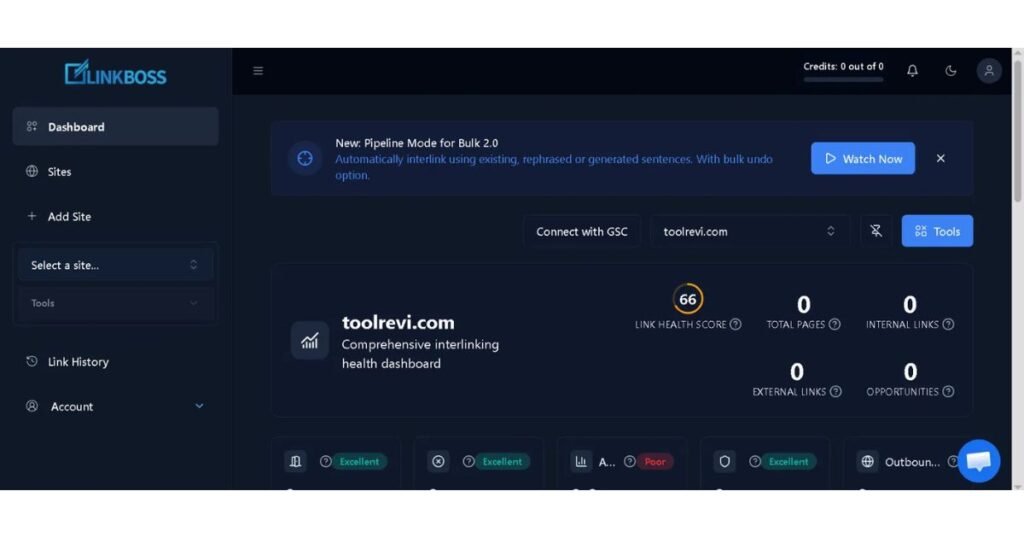
- Linkboss — Frequently praised in comparison roundups for producing more natural anchor text flow than legacy tools, thanks to a semantic relevance model that reads full sentence context rather than matching fixed phrases. It’s cloud-based with a multi-site dashboard, which makes it a common pick for agencies juggling multiple client accounts. The tradeoff of any cloud-processed tool: your content is being sent to a third-party server for analysis, which some agencies flag as a client-data consideration.
- Linkter AI — Distinguishes itself with a dual algorithm: one pass for topical/pillar-cluster matching, a second for granular content-level matching, plus direct Google Search Console integration to cross-reference orphaned or underperforming pages against real indexing and click data — not just internal link counts. That GSC tie-in is genuinely useful for prioritizing which orphan pages are actually worth rescuing versus which ones simply aren’t earning search demand.
- Linkstorm — Built for the “not WordPress” crowd. Instead of hooking into a CMS’s editor, it works by crawling and semantically analyzing any live site the way a search engine spider would, which makes it usable on Webflow, custom-coded sites, Shopify, or anything else a plugin-based tool can’t touch. The tradeoff is workflow friction: without native CMS integration, applying suggested links back into your content is a more manual, copy-paste-heavy process than plugin-based tools offer.
- Meshr Desktop — The privacy-first outlier. Instead of a cloud subscription, it runs analysis locally on your machine using a Bring-Your-Own-Key (BYOK) model — you plug in your own OpenAI or Anthropic API key and pay only for the tokens you use. For agencies handling sensitive client content (legal, healthcare, finance), that local-processing model is a meaningful selling point: client content never gets sent to a third-party SaaS platform’s servers, only directly to the API provider you already trust. The obvious tradeoff is setup friction — it’s not a one-click install, and it assumes some comfort managing API keys and usage costs.
E-commerce & Enterprise-Scale Tools
A third category has emerged specifically for teams operating outside the “single blog” use case — large product catalogs, multi-brand content operations, and teams that want linking handled as part of a broader content pipeline rather than a standalone task.
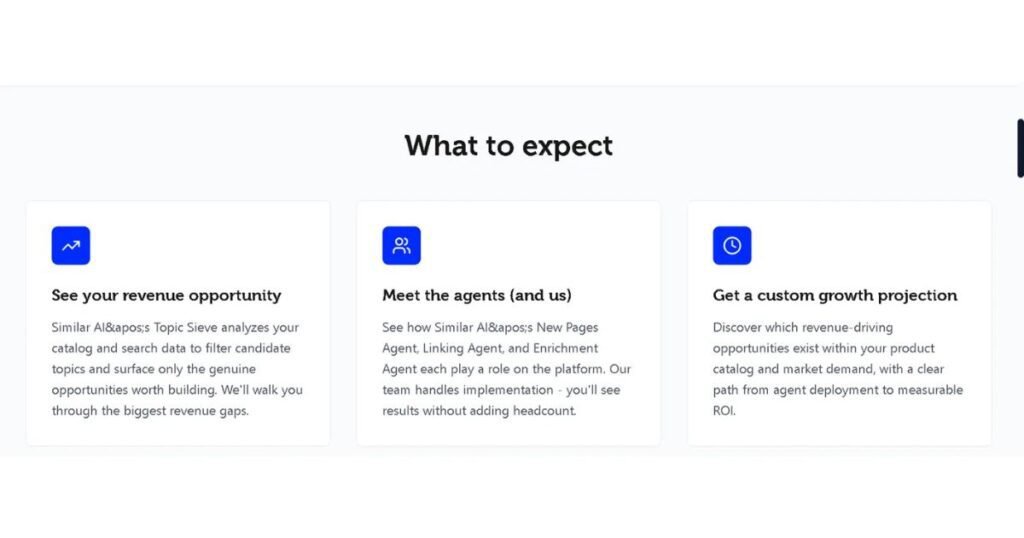
- Similar.ai — Built API-first for e-commerce, with native Shopify and BigCommerce integrations that connect in about ten minutes. Rather than relying purely on semantic similarity, it coordinates specialized sub-agents that combine Google Search Console data, SERP similarity analysis, crawl data, and revenue signals to decide which pages should link to which — the revenue-prioritization approach covered in Section 4. It’s designed to run with effectively no manual review step, which suits large catalogs where per-link human approval isn’t realistic, but it also means less granular editorial control than a suggest-and-approve tool.
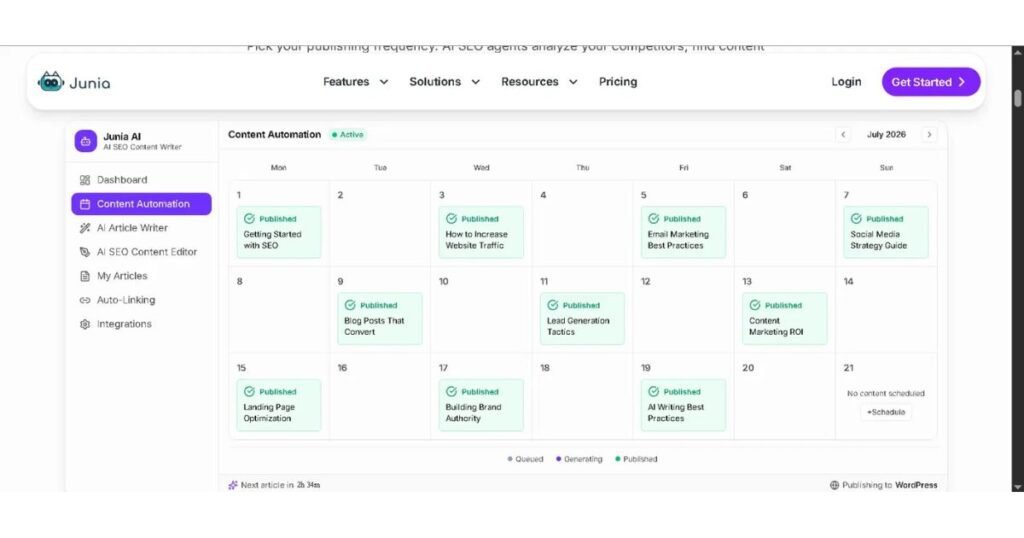
- Junia AI — Takes the build-time approach from Section 3: rather than auditing an existing site, it inserts internal links as part of its content generation workflow, syncing against your site’s sitemap to know what already exists. Internal linking here is bundled into a broader on-page audit that also checks title tags, meta descriptions, heading structure, and other on-page factors — useful if you want linking handled as one piece of a larger content-quality system rather than a dedicated tool. Plans start around $19–34/month. Worth noting: as with any actively-developing SaaS tool, it’s worth checking recent update history and current feature status before committing budget, since advertised capabilities can sometimes run ahead of what’s actually shipped.
Free/DIY Solutions
If you’re technical and budget-constrained, you don’t strictly need a commercial tool. Open-source projects like Contextual Link Weaver have emerged from the developer-SEO community, typically built as a script or lightweight self-hosted app that pulls your site’s content via sitemap or CMS export, generates embeddings using a free-tier-friendly API like Google’s Gemini, and outputs a spreadsheet or JSON file of suggested link pairings for you to implement manually or via a custom script.
The honest tradeoff: you’re trading subscription cost for engineering time. There’s no polished editor UI, no one-click insertion, and you’re responsible for maintaining the script as APIs change. For a solo developer-SEO comfortable with a bit of Python and API key management, it’s a genuinely free way to get 80% of the semantic-matching value. For anyone without that technical background, the setup cost in hours will likely exceed what a $77/year plugin would have cost in the first place.
Comparison Table
| Tool Name | Core Feature | Platform Support | Automation Level | Pricing Model | Best For |
| Link Whisper | Embedding-based AI suggestions, in-editor workflow | WordPress only | Suggest-and-approve (+ optional auto-link rules) | ~$77–97/yr per site | WordPress bloggers & affiliate sites |
| InLinks | Entity/knowledge-graph (SVO) semantic analysis | Any CMS | Suggest-and-approve | Higher tier, custom/subscription pricing | Publishers running topic-cluster strategies |
| Internal Link Juicer | Keyword-based auto-insertion | WordPress only | Fully automated (set and forget) | ~$69.99/yr per site | Budget-conscious, straightforward blogs |
| Linkboss | Semantic anchor text flow, multi-site dashboard | Cloud-based, multi-CMS | Suggest-and-approve, bulk processing | Subscription, agency tiers | Agencies managing multiple client sites |
| Linkter AI | Dual topical + content-matching algorithm, GSC integration | Any CMS (cloud) | Suggest-and-approve | Subscription | Prioritizing orphan-page recovery with real search data |
| Linkstorm | Semantic crawl analysis via live-site scraping | Any website (non-WP friendly) | Suggestion export (manual implementation) | Subscription | Non-WordPress and custom-built sites |
| Meshr Desktop | Local processing, Bring-Your-Own-Key | Desktop app, any CMS | Suggestion export, manual/local | Free app + pay-per-token API usage | Agencies with strict client data privacy needs |
| Similar.ai | Revenue + SERP + GSC data-driven auto-linking | Shopify/BigCommerce, API | Fully automated | Enterprise/custom | E-commerce catalogs at scale |
| Junia AI | Build-time linking during content generation | Any CMS via sitemap sync | Generation-time automated | From $19–34/mo | Teams generating new content, not just auditing old |
| Contextual Link Weaver | Open-source embedding script (Gemini API) | Any site (via export/sitemap) | Manual implementation | Free (API usage costs only) | Technical solo SEOs comfortable with code |
No single tool wins across every column — the right pick depends on your platform, your budget, and how much manual review you’re willing to do versus how much you’re willing to automate away.
Looking for more marketing tools? Use our free database to discover premium artificial intelligence utilities instantly!
Step-by-Step Implementation Guide (The Auditor’s Blueprint)
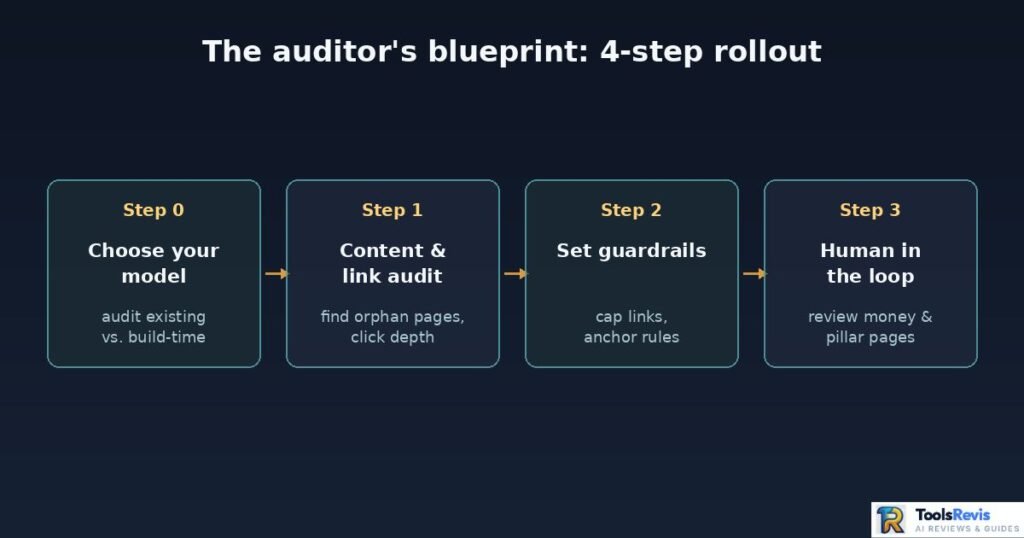
Implementing AI internal linking successfully requires a structured workflow: audit your existing content, identify orphan pages, configure automation rules, review AI suggestions manually, and monitor results over time. Following these steps prevents spammy linking patterns while improving SEO performance. Buying a tool isn’t a strategy. Here’s the actual process a technical auditor should run before, during, and after rolling out AI-assisted linking.
Step 0: Decide Your Model — Audit Existing Content or Build Links In From the Start
Before picking a tool, decide which philosophy from Section 3 actually fits your situation:
- If you’re sitting on a large back-catalog of existing content, an audit-first approach is the only realistic starting point — Steps 1–3 below walk through exactly that process.
- If you’re actively publishing new content on an ongoing basis, it’s worth considering a generation-time tool alongside your audit, so links are correct from the moment a post goes live rather than needing to be retrofitted in a future audit cycle.
Most established sites end up doing both: an audit-first cleanup pass for everything already published, and a generation-time workflow going forward so the backlog doesn’t keep growing.
Step 1: Content & Link Audit (Finding Orphaned Pages)
Before you let any tool add a single link, you need a baseline. Run a full crawl of your site (Screaming Frog, Sitebulb, or your chosen AI tool’s built-in crawler all work) and pull three specific data points:
- Orphaned pages — URLs with zero internal links pointing to them. These are invisible to both users navigating your site and, largely, to crawlers relying on internal discovery.
- Click depth — how many clicks from the homepage each page sits at. Anything beyond 3–4 clicks deep is at risk of being deprioritized by crawlers.
- Link equity distribution — which pages are hoarding internal links (often old cornerstone content) versus which newer, valuable pages are underlinked.
This audit is your control group. Without it, you have no way to measure whether the AI tool you deploy next is actually improving structure or just adding link volume for its own sake.
Step 2: Setting Guardrails (Max 3–5 Links, Strict Anchor Rules)
This is the step most people skip, and it’s the one that separates a well-run automated linking setup from a spammy one.
Before turning any tool loose on your content library, configure explicit limits:
- Cap contextual links per post. A reasonable range is 3–5 relevant internal links per 1,000 words of content — enough to meaningfully connect content without turning your posts into link farms.
- Set a total link ceiling. Beyond roughly 100–150 total links on a single page (internal + external + navigation), each individual link’s equity share starts to dilute meaningfully.
- Define anchor text rules. Exact-match anchors should stay a small minority of your total anchor profile — most audits of top-ranking pages put exact-match well under 10%, with the majority being partial-match or fully natural phrasing. Configure your tool’s diversification settings accordingly, and explicitly exclude anchors that read as manipulative or keyword-stuffed.
- Exclude zones. Prevent the tool from inserting links inside quotes, code blocks, headers, or the first 100 words of an introduction — spots where a sudden link disrupts flow or looks unnatural.
Guardrails aren’t a limitation on the AI — they’re what keeps automation from optimizing itself into a penalty risk.
Step 3: Human-in-the-Loop — Why 100% Autopilot Fails
Full autopilot internal linking sounds appealing until you’ve seen what it actually produces at scale: links inserted into ironic or contradictory contexts, anchor text that technically matches but reads awkwardly mid-sentence, and — most damagingly — links to outdated or since-corrected content because the tool has no concept of which of your posts represents current, accurate information.
This is where the 80/20 hybrid rule from earlier in this guide becomes operational, not theoretical. Let the AI handle the bulk suggestion work — that’s the 80% it’s genuinely good at. But route final approval through a human for:
- Money pages — product pages, service pages, anything tied to conversion.
- Cornerstone/pillar content — your highest-authority pages, where a bad link is most visible and most costly.
- Anything customer- or brand-facing — where tone and accuracy matter more than raw link volume.
A tool doesn’t know your brand voice, doesn’t know which of two conflicting old posts is actually still correct, and doesn’t know when a technically-relevant link would look tone-deaf next to sensitive content. That judgment call stays human.
Real Blogger Workflows: Manual, Hybrid, and Category Widget Approaches
Three workflows dominate in practice, and each trades off differently:
| Workflow | How it works | Pros | Cons |
| Fully Manual | Editor manually links each new post to older relevant content from memory or a spreadsheet audit | Full editorial control, zero risk of awkward auto-insertions | Doesn’t scale past a few hundred posts; misses content the editor forgot exists |
| Hybrid (AI-suggest, human-approve) | Tool surfaces ranked suggestions in the editor; human accepts, edits, or rejects each one before publishing | Scales to thousands of posts while keeping quality control; catches opportunities memory-based linking misses | Still requires review time per post — not zero-effort |
| Category/Related-Posts Widget | A dynamic “related posts” block auto-populates based on category or tag, with no contextual, in-body linking | Effortless to set up, works at any scale | Weak signal — widget links carry less contextual relevance than in-body links, and don’t count for anchor-text diversity |
The widget approach is the one to be honest about: it’s better than nothing, but it’s not a substitute for contextual in-body linking. It’s a supplement, not a strategy. The hybrid workflow is what most serious content operations converge on once they outgrow fully manual linking.
Critical Pitfalls & Real Community Complaints
The biggest risks of AI internal linking include over-optimized anchor text, irrelevant contextual links, circular linking patterns, HTML formatting issues, and relying on full automation without editorial review. Most problems can be avoided with proper guardrails and human oversight.
Over-Optimized Exact-Match Anchors
This is the single most common complaint attached to early-generation automated linking tools: repeated exact-match anchor text scattered across dozens of posts, because the tool was configured (or defaulted) to link a fixed keyword phrase every time it appeared. The fix isn’t complicated — enforce anchor diversification as a hard rule, not an optional setting — but plenty of sites are still running default configurations that never got audited after setup.
Contextual Mismatches
A recurring frustration in SEO communities with legacy, keyword-matching tools: they simply don’t have coverage for the majority of a site’s content. Users report that keyword-based tools effectively skip or produce weak, low-relevance suggestions for a large share of articles — anecdotally cited in community discussions as somewhere in the 60–70% range of posts — because those articles don’t happen to contain the exact configured keyword phrases, even when genuinely relevant content exists elsewhere on the site. This is precisely the gap semantic, embedding-based tools were built to close: relevance based on meaning, not string matching, closes coverage gaps that keyword tools structurally can’t.
Infinite Loops, Spam Footprints & Special Character Technical Glitches
The less-discussed but very real technical complaints:
- Infinite/circular link loops. Poorly configured auto-linking rules can create A→B→A patterns or, worse, deeply nested link chains that add no navigational value and can confuse crawl prioritization.
- Spam footprints. Aggressive auto-linking across a large site can inadvertently create a pattern that resembles link schemes — dozens of pages all linking to the same target with near-identical anchor text is a footprint search engines are explicitly trained to notice, even when the intent was benign.
- Special character glitches. A specific, recurring bug report across multiple plugin communities: titles or anchor text containing apostrophes, ampersands, or other special characters occasionally break HTML encoding during automated insertion, producing garbled anchor text or broken markup in the published post. This is exactly the kind of issue a quick manual QA pass catches before it ships — another argument for human review, not just automation quality control.
Vendor Reliability Check
One more practical check before committing budget to any tool, established or new: verify its update cadence and whether advertised features actually match what’s currently live. Some AI SEO tools have drawn user complaints about stalled development — slower update cycles than initially advertised, or marketed capabilities (like specific model integrations) that hadn’t actually shipped yet at the time of complaint. This doesn’t mean avoid newer tools; it means treat a quick check of recent changelog activity and user reviews as a standard part of vendor due diligence, the same way you’d check any other SaaS purchase.
Conclusion & Actionable Takeaways
AI internal linking delivers the best results when automation supports human decision-making instead of replacing it. Combining semantic AI with editorial review creates a scalable internal linking strategy that improves crawlability, topical authority, and user experience without sacrificing quality.
AI internal linking isn’t a replacement for editorial judgment — it’s what makes editorial judgment possible again at a scale where manual auditing simply stopped working. The sites getting real value out of this aren’t the ones that switched everything to full autopilot; they’re the ones running the 80/20 hybrid model from Section 1: AI handles the volume and the pattern-matching, a human handles the pages where accuracy, brand voice, and strategic priority actually matter.
Get the audit right, set real guardrails, keep a human in the loop on your most important pages, and automated linking becomes one of the highest-leverage technical SEO investments you can make in 2026.
Read Next: Want your content to appear in AI-powered search results? Read our Best AI Search Visibility Tools guide to compare the top platforms for tracking AI visibility, optimizing content for LLMs, and improving AI search performance.
FAQs
1. What is AI internal linking?
The use of NLP and semantic embeddings to automatically find, suggest, and insert relevant links between pages on your site — based on meaning, not just keyword matches.
2. Is AI internal linking safe for SEO, or can it trigger a penalty?
Automation itself isn’t the risk — the pattern is. Sites with capped link counts, diversified anchors, and human review on key pages sit well within normal SEO practice. Penalties trace back to spammy patterns (hundreds of near-identical exact-match anchors), not to automation itself.
3. Does Google allow automated internal links?
Yes. Google’s guidance focuses on anchor text being descriptive and relevant to the linked page — it doesn’t matter whether a human or a tool placed it.
4. How many internal links should a blog post have?
A common guideline is 3–5 contextual internal links per 1,000 words, with a total page link ceiling around 100–150 (internal + external + navigation combined).
5. What’s the difference between internal and external links?
Internal links point to another page on your own domain and shape site architecture and crawl priority. External links point to other domains and mainly signal trust and topical context.
6. Does linking out to other websites hurt my SEO?
No — linking to relevant, high-quality sources is normal and can add topical credibility. What hurts is linking to thin, spammy, or unrelated sites.
7. What’s an orphaned page, and why does it matter?
A page with zero internal links pointing to it. Orphaned pages are hard for both users and crawlers to discover, and they get little to no internal link equity.
8. Should I fully automate internal linking or review links manually?
A hybrid approach works best: let AI handle bulk suggestions, but manually review links on money pages, cornerstone content, and anything customer-facing.
9. Can AI internal linking tools work on non-WordPress sites?
Some can. Tools like Linkstorm, InLinks, and Similar.ai are platform-agnostic or built for specific platforms like Shopify; others (Link Whisper, Internal Link Juicer) are WordPress-only.
10. Do internal links actually improve rankings?
Indirectly, yes — they help crawlers discover and index pages faster, distribute link equity to underlinked pages, and improve engagement metrics like dwell time, all of which support rankings over time.

I’m Umair Ahmad, founder of ToolsRevis. I personally test every AI tool we cover — signing up, running real workflows, checking pricing tiers, and comparing outputs — before writing a single word. My goal: cut through AI marketing hype with honest, hands-on verdicts.
Let’s achieve more together!