
Every AP team knows the feeling: it’s the 28th of the month, three approvers are on vacation, a vendor is threatening to pause shipments over a “lost” invoice, and someone is manually re-keying a PO number for the fourth time this week. Manual invoice processing doesn’t just cost money — it quietly exhausts the people running it, one duplicate data entry and one chased-down approval at a time.
The numbers back up the frustration. The global AP automation market is valued at roughly $6.94 billion in 2026 and is projected to nearly double by 2031, and yet a 2025 industry report found that 66% of AP teams still manually key invoices into their ERP or accounting software, with 73% not having fully automated their core AP workflows. That gap — high awareness, low actual automation — is exactly where Robotic Process Automation (RPA) is having its moment.
This guide breaks down what RPA actually does inside accounts payable, how it works step-by-step through the invoice lifecycle, and what it looks like in practice at real finance organizations.
Quick Answer Box
RPA uses rule-based bots to capture invoice data, run three-way matching, route approvals, and process payments — without manual keystrokes. Unlike accounting software (which only stores data), RPA actively executes the process. Result: one FTE can handle 23,333 invoices/year automated vs. just 6,082 manually.
What Is Robotic Process Automation Accounts Payable?
Robotic Process Automation is software that mimics the specific digital actions a human would take to complete a task — opening a file, reading a field, copying a value into another system, clicking “approve” — but does it in seconds, without fatigue, and without typos. In an accounts payable workflow, automation bots process invoices from start to finish by opening incoming emails, capturing key details from PDF invoices, entering the information into the ERP system, comparing it with the corresponding purchase order, and alerting reviewers whenever a mismatch is detected.
The critical distinction to understand is: RPA is not the same thing as your accounting software.
Legacy accounting platforms (QuickBooks, NetSuite, SAP, and similar ERPs) are systems of record. They store your general ledger, your vendor master file, your payment history, and they enforce accounting logic once data is inside them. But they generally don’t go get the data themselves. A human still has to open the invoice, read it, and type the numbers in — or at best, use a basic OCR (Optical Character Recognition) tool that extracts text but stops there.
RPA bots act as a bridge between existing business systems, automating workflows and transferring data without modifying the underlying applications. They are rule-based: “if this invoice’s total matches the PO within a 2% tolerance, post it automatically; if not, route it to the AP manager.” They don’t understand accounting the way a human controller does — they execute the same yes/no logic every time, tirelessly, which is precisely what makes them reliable for high-volume, repetitive decisions and unsuitable for judgment calls that require real financial reasoning. The bot automates the operational tasks, while the accounting software remains the official system of record where all financial data is stored and managed.
This is also where RPA differs from newer AI-driven document intelligence: pure OCR and machine-learning capture tools are getting far better at reading messy invoice formats — modern AI-driven capture tools now deliver 95 to 99 percent field-level extraction accuracy — but RPA is the layer that takes that extracted data and actually acts on it across your systems, end to end.
How RPA Automates the Accounts Payable Workflow
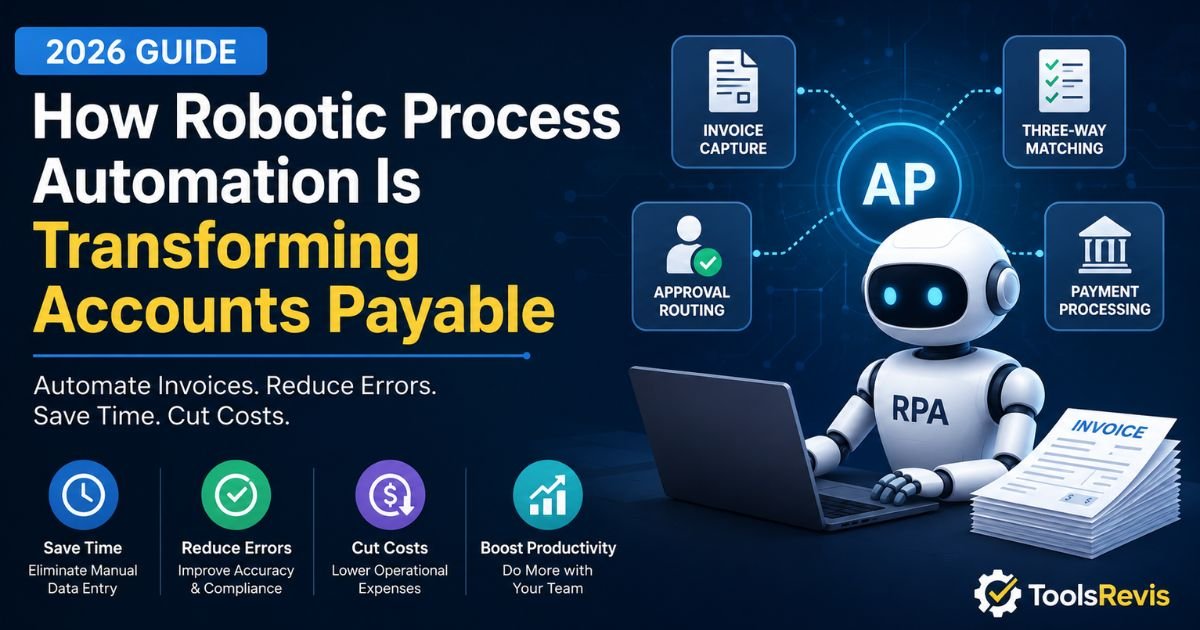
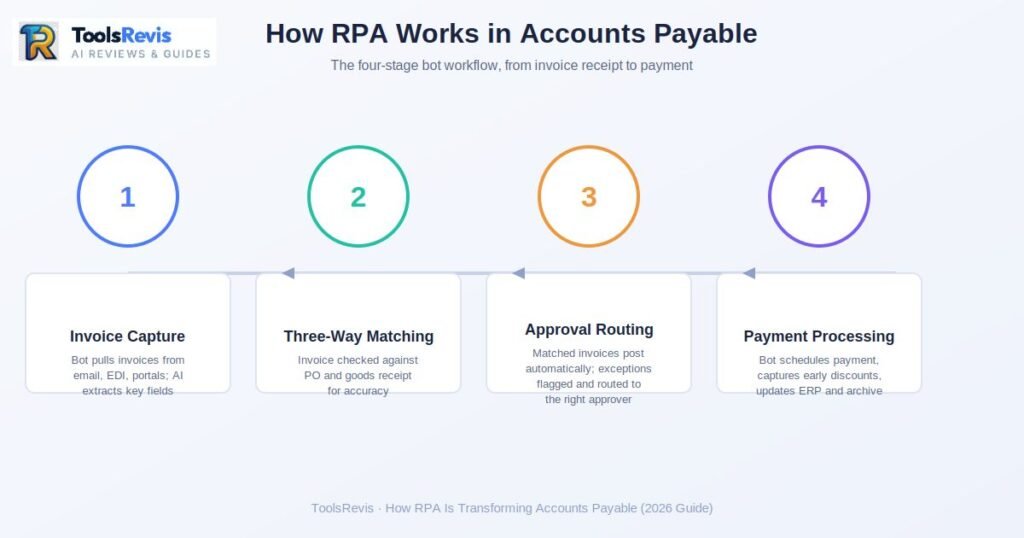
RPA in AP works through four sequential stages: invoice capture, three-way matching, approval routing, and payment processing.
It isn’t one bot doing one job — it’s typically a chain of bots (or one bot executing multiple scripted actions) that hands off work at each stage of the invoice-to-pay cycle. Here’s how the process works in a real-world accounts payable workflow.
Invoice Capture
Invoice capture is the stage where a bot pulls incoming invoices — via email, EDI feed, supplier portal, or scanned mail — and extracts key data using OCR or AI.
The process starts the moment an invoice arrives — by email, EDI feed, supplier portal upload, or scanned mail. An RPA bot monitors these intake points continuously, pulls each new invoice, and feeds it into an OCR or AI extraction engine that identifies key fields: vendor name, invoice number, PO reference, line items, tax, due date, and total amount.
This is the stage where quality compounds or collapses downstream. As one industry analysis puts it plainly, bad data captured at the front of the process cascades into wrong GL codes, mismatched purchase orders, and payments sent to the wrong vendor. Modern extraction has moved well past template-based OCR, which needed a pre-built template for every vendor’s invoice layout. Machine-learning-based extractors instead identify fields by their semantic role on the page — meaning they can read an invoice from a brand-new vendor correctly on the first try, and get more accurate over time as they see more invoices from that supplier.
Three-Way Matching
Three-way matching means comparing the invoice, purchase order, and goods receipt to confirm quantity, price, and vendor details all align.
Once data is captured, the bot performs three-way matching — comparing the invoice against the original purchase order and the goods receipt (confirmation that what was ordered actually arrived). This is the core internal control that prevents accounts payable from paying for things that were never ordered or never received.
The bot checks: Does the invoiced quantity match what was received?Does the invoice price match the amount specified in the purchase order (PO)? Do vendor and line-item details reconcile across all three documents? If everything ties out within a pre-set tolerance, the bot moves the invoice forward automatically — no human touches it. This tolerance-based logic is exactly why teams that hit 70% touchless processing see straight-through processing rates of 70–85%, with per-invoice costs dropping from the $12–$18 range down to $2–$4.
Approval Routing & Exceptions
Approval routing automatically sends flagged invoices to the appropriate reviewer by applying predefined rules based on invoice value, department, or vendor requirements.
Here’s the piece that frustrates most AP teams evaluating RPA: what happens when something doesn’t match? This is a legitimate concern, and it’s worth addressing directly, because “the bot breaks on anything unusual” is the most common misconception about RPA.
In a well-built AP automation, exceptions aren’t failures — they’re a designed branch in the workflow, not a dead end. When a bot detects a mismatch (price variance, missing PO, quantity discrepancy, duplicate invoice number), it doesn’t halt the entire process. It:
- Flags the specific discrepancy type (not just “error”) so the human reviewer knows exactly what to check.
- Routes the invoice to the correct approver based on pre-built rules — dollar threshold, department, cost center, or vendor.
- Keeps everything else moving. Only the flagged invoice is held; the other 90%+ of clean invoices continue straight through.
This is important because exception volume is often the real bottleneck in AP, not invoice volume itself. Nearly a third of enterprises require six or more approvals for invoice processing, which can extend approval times to three weeks or more when that routing is manual. RPA doesn’t eliminate the need for human judgment on exceptions — it eliminates the administrative labor of figuring out who should look at it and chasing them down. Well-designed exception queues also feed back into the rules engine: if the same vendor triggers the same variance repeatedly, that pattern becomes visible and the tolerance rule (or the vendor relationship) can be corrected at the source.
Payment Processing
Payment processing is the final stage where a bot schedules, executes, and records payment automatically once an invoice clears matching and approval.
Once an invoice is fully matched and approved — either automatically or by a human clearing an exception — the bot schedules and executes payment according to the vendor’s terms, batches payment runs, and updates the ERP with remittance details. This is also where bots apply early-payment discount logic (paying within terms to capture a 1–2% discount) automatically, something manual AP teams frequently miss simply because no one caught the invoice in time.
The bot then closes the loop by archiving the invoice, PO, approval trail, and payment confirmation together, which becomes critical during audits — automated audit trails have been shown to cut compliance audit preparation time by 40–50% because everything needed is already timestamped, attributed to a user, and searchable in one place.
Real-World Examples of RPA in Banking & Finance
Theory is useful, but AP leaders evaluating RPA usually want to know: what does this look like on an actual Tuesday? Here are three concrete scenarios.
Scenario 1: Vendor Invoice Processing at Scale
A mid-market manufacturer receiving 4,000+ invoices a month across multiple plants deploys an RPA bot to monitor a shared AP inbox and a supplier portal simultaneously. The bot extracts data from each invoice regardless of format — PDF, scanned image, or EDI — and runs three-way matching against the plant’s procurement system in real time. Invoices within tolerance post directly to the ERP; anything with a price variance over 3% routes automatically to the relevant plant controller with the discrepancy pre-highlighted. The AP team, which previously spent most of its day on data entry, shifts to reviewing the (much smaller) exception queue and managing vendor relationships — the kind of judgment work software can’t replace.
Scenario 2: Month-End Reconciliation
A regional bank’s finance team uses bots to handle the grind of month-end close: pulling transaction data from multiple subledgers, matching it against the general ledger, and flagging any unreconciled items before the books close. Rather than an analyst spending days manually cross-referencing spreadsheets, the bot runs the comparison overnight and produces a short list of genuine discrepancies each morning — the ones that actually need a human’s attention. This doesn’t just save time; it shortens the close cycle itself, which matters enormously for organizations managing multi-entity reporting where delays compound across subsidiaries.
Scenario 3: Fraud and Bank-Change Flagging
A finance shared-services center configures bots to monitor for one of the most common (and costly) fraud vectors in AP: vendor bank-account change requests. Whenever a change to vendor payment details is submitted — whether through a portal, email, or fax — the bot automatically cross-checks the request against the vendor’s historical banking data, flags any change that doesn’t match prior records, and halts any pending payment to that vendor until the change is verified through a secondary channel (a callback to a known contact number, for instance, never the number listed in the change request itself).
This kind of layered control matters because fraud tactics increasingly target the change request itself rather than the invoice, and document workflows with built-in automated controls have been associated with roughly a 25% reduction in internal financial fraud risk.
Benefits of RPA for Accounts Payable Teams
The case for RPA in AP isn’t theoretical — it shows up directly in the cost-per-invoice line and the fraud-loss column. Here’s where the returns are most concrete.
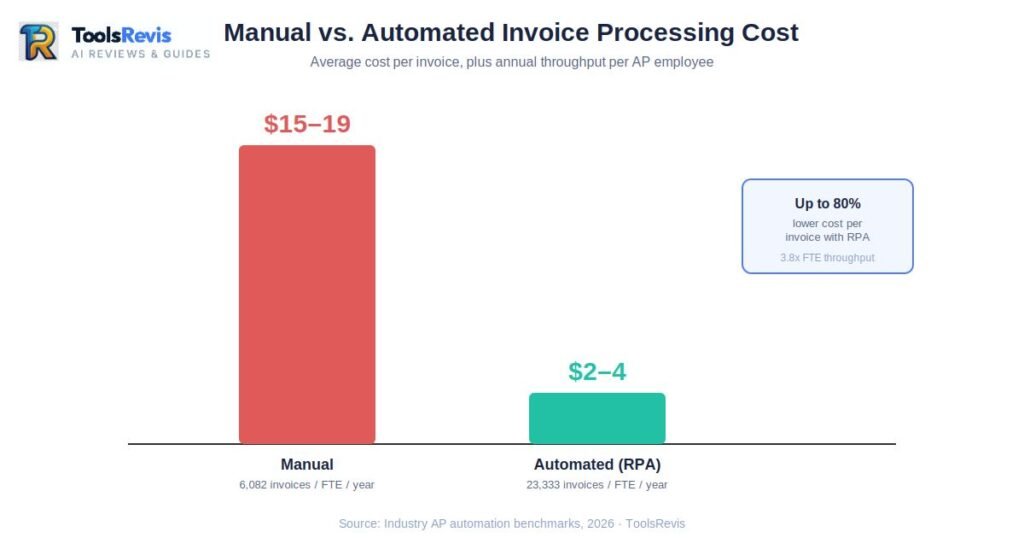
Processing costs drop sharply, and fast. Manual invoice processing typically runs $15–$19 per invoice once you account for labor, error correction, and delay-related costs. Automated processing brings that down to $2–$4 per invoice — an 80%+ reduction.
Cost Comparison: Manual vs Automated AP
| Metric | Manual Processing | RPA-Automated |
| Cost per invoice | $15–$19 | $2–$4 |
| Error rate | ~39% | <0.1% |
| Cost per error correction | ~$53 | Negligible |
| Duplicate payment rate | ~2% | 80–95% reduction |
| Invoices/FTE/year | 6,082 | 23,333 |
For a company processing 5,000 invoices a month, that gap alone translates into roughly $900,000 in annual savings, and most mid-market deployments recover their implementation cost in under a year.
Errors — and the cost of fixing them — nearly disappear. Manual invoice processing carries an error rate of around 39%, covering everything from mistyped amounts to misrouted approvals. Each of those errors costs roughly $53 to investigate and correct once you factor in labor. AI-assisted RPA workflows push the error rate below 0.1% — a difference measured in hundreds of thousands of dollars for any organization processing invoices at volume.
Duplicate payments — one of AP’s most persistent silent losses — get caught before they happen. Without systematic detection, duplicate payments occur in roughly 2% of manually processed invoices; on $10 million in annual payables, that’s about $200,000 in overpayments that then need to be chased down and recovered. RPA bots check every invoice number, vendor, and amount combination against payment history in real time, and organizations report 80–95% reductions in duplicate-payment losses after automating this check.
Early-payment discounts stop slipping through the cracks. Most manual AP teams simply don’t have the bandwidth to track which invoices qualify for early-payment terms (commonly 1–2% off for paying within 10 days instead of 30). Because bots know instantly when an invoice is fully matched and approved, they can trigger payment the moment it’s eligible — turning a discount opportunity that used to depend on someone remembering into one the system captures by default.
Throughput scales without proportional headcount growth. This is the benefit finance leaders care about most when justifying budget: a fully automated AP function lets one FTE process 23,333 invoices per year, versus 6,082 manually — a 3.8x productivity gain from the same headcount. That’s the difference between hiring your way through growth and scaling AP capacity without adding a single seat.
Critical Challenges & Risks to Consider
RPA delivers real returns, but it isn’t a plug-and-play fix, and any guide that skips the downsides isn’t being straight with you. Here’s what actually trips up AP automation projects.
Upfront costs are real, and they’re not just software. Enterprise RPA licensing alone can range from roughly $15/user/month for lightweight, Microsoft-ecosystem tools up to $200,000+/year for large-scale bot deployments on platforms like UiPath or Automation Anywhere.
RPA Platform Pricing (2026)
| Tier | Cost | Best For |
| Lightweight (Power Automate) | ~$15/user/month | Small businesses, M365 users |
| Mid-market | Varies (implementation-heavy) | Growing AP teams |
| Enterprise (UiPath, Automation Anywhere) | $200,000+/year | High-volume, legacy ERP environments |
But license fees are usually the smaller line item — implementation services, process mapping, IT integration work, and change management typically cost more than the software itself. Organizations that budget only for licensing are routinely surprised by the total project cost.
Bots are brittle by design — and that creates a maintenance trap. RPA works by mimicking specific UI interactions: clicking this button, reading this field, in this exact location. That’s the entire strength of RPA (predictability) and also its core weakness. When a vendor changes their invoice template, when your ERP gets a UI update, or when a screen field moves, a bot built on rigid, unattended scripts can break silently — and if no one is monitoring it, invoices can pile up or errors can occur unnoticed until someone asks why an approval is three weeks overdue.
This is the single most underestimated cost of RPA: it’s not the initial build, it’s the ongoing governance — someone needs to own bot monitoring, exception review, and script updates as a permanent operational function, not a one-time project.
Legacy ERP integration is where projects stall. RPA vendors demo beautifully against modern, API-friendly systems. Reality looks different for organizations still running older versions of SAP or Oracle EBS, where the interface the bot has to “click through” may be a decade-old client application with no clean API layer underneath. In these environments, bots frequently have to interact at the UI level rather than the data level — which is slower, more fragile, and harder to scale. Before committing to an RPA rollout, it’s worth confirming exactly how your ERP version exposes data: a modern, well-documented API means a faster, more resilient integration; a legacy on-premises client usually means a longer, costlier build with more ongoing maintenance risk.
Governance and oversight gaps carry real financial risk. A bot executes exactly what it’s told, with no independent judgment about whether the rule still makes sense. If a matching tolerance is set too loosely, or an approval routing rule is misconfigured, the bot will faithfully repeat that mistake at scale — on every invoice, every day — until a human catches it. The tradeoff to weigh honestly: RPA removes variability in execution, but it also removes the informal “gut check” a human clerk might apply. That makes strong initial rule design, and periodic rule audits, non-negotiable rather than optional.
Top RPA Tools Used for Accounts Payable Automation
Choosing a platform comes down to your existing tech stack, your IT team’s capacity to manage bot infrastructure, and how much of your AP process runs through legacy desktop systems versus modern cloud apps. Three platforms dominate the AP conversation in 2026, and each has a distinct structural identity worth understanding before you evaluate them in depth:
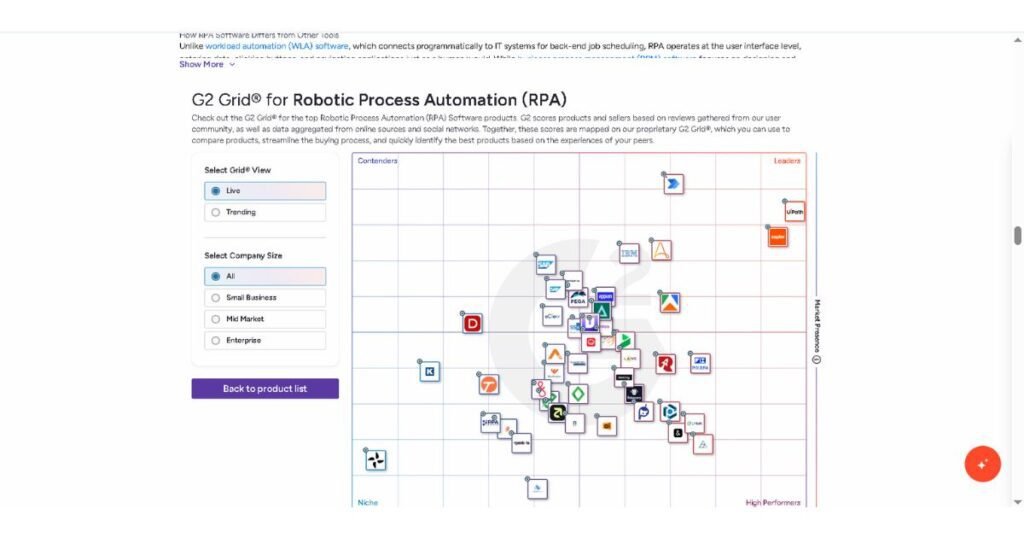
- UiPath — The pure-play RPA specialist, built desktop-first from day one; it remains the strongest choice for complex, high-volume unattended automation against legacy and mainframe-style systems, backed by the largest developer community and bot marketplace in the category.
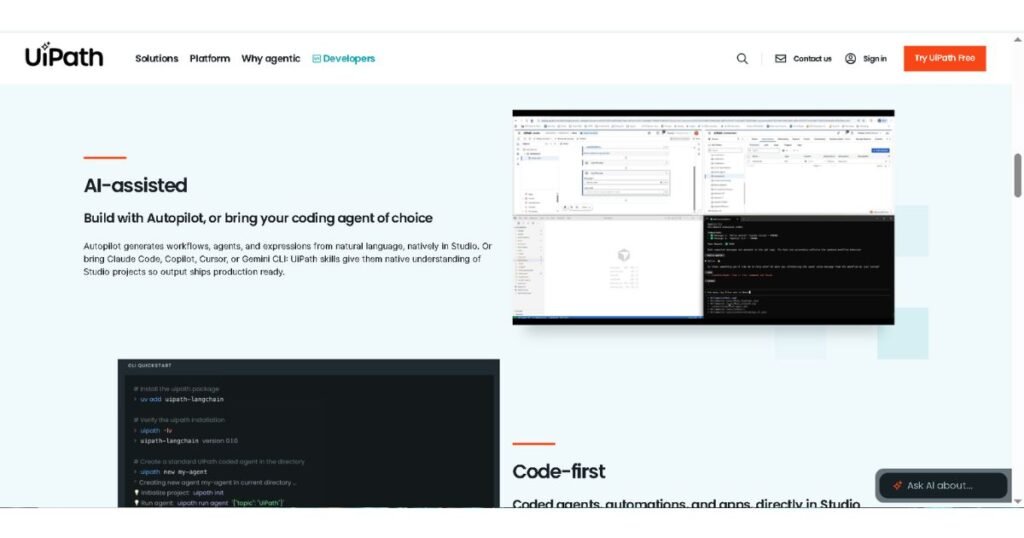
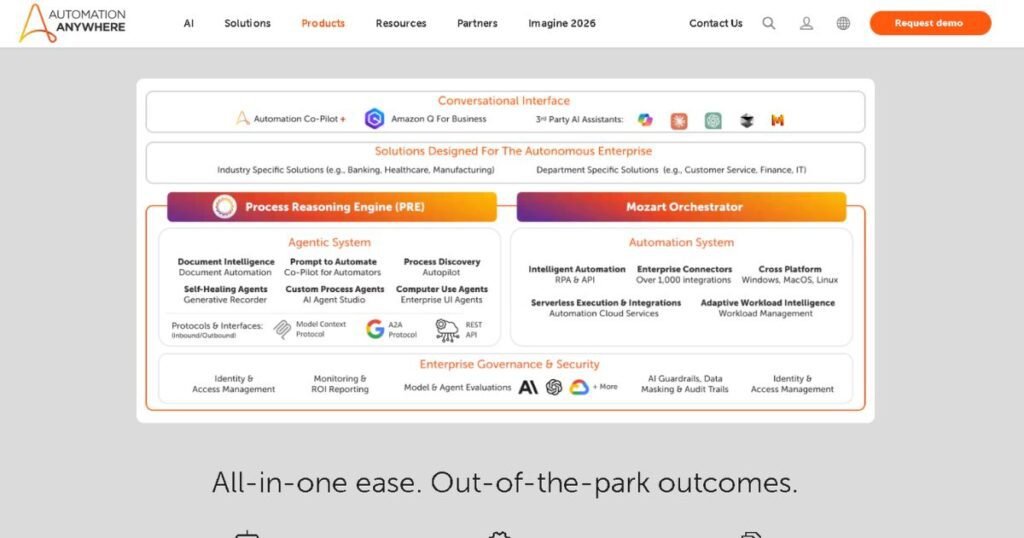
- Automation Anywhere — Rebuilt cloud-native (Automation 360) rather than retrofitted, with a particular edge in intelligent document processing — making it a natural fit for AP teams whose bottleneck is messy, high-volume invoice capture rather than desktop scripting.
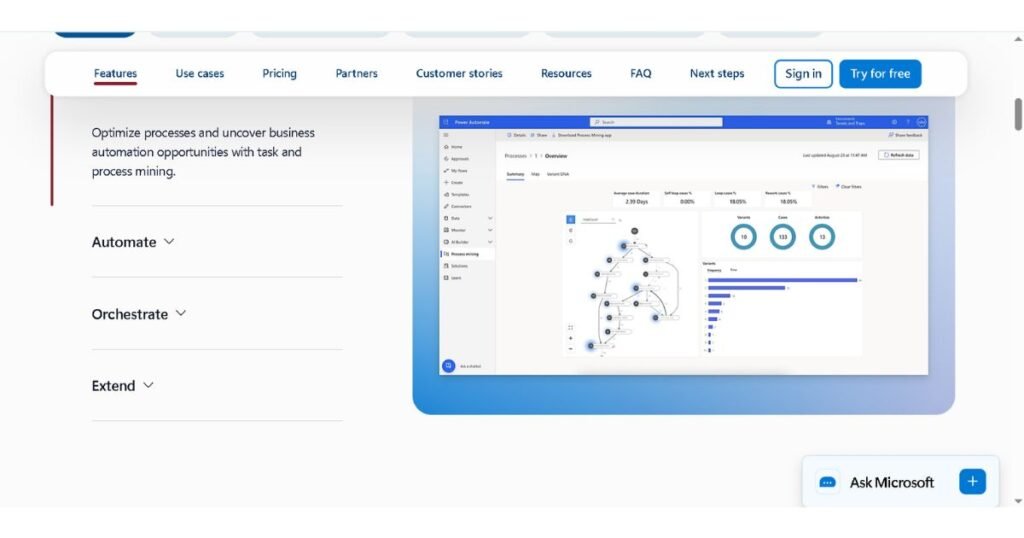
- Microsoft Power Automate — The default choice for organizations already licensed under Microsoft 365 E3/E5, offering the lowest marginal cost and the tightest native integration with Outlook, SharePoint, and Teams — ideal for AP workflows that are more about document routing than deep legacy-system interaction.
Each of these platforms deserves a deeper look on its own before you commit — pricing structures, AI-agent roadmaps, and AP-specific integrations all shift the calculus depending on your company’s size and existing systems. ToolsRevis covers each in a dedicated comparison as part of this series.
How to Get Started with RPA in Your Finance Department
Rolling out RPA well is less about the software you pick and more about the sequence you follow. Here’s a practical four-step path.
1. Audit your current AP workflow before touching any software.
Map every step of your invoice-to-pay process exactly as it happens today — not as it’s documented, as it’s actually done. Identify where time is lost: Is it invoice capture? Approval chasing? Exception handling? Pull real numbers — average cost per invoice, average cycle time, error and duplicate-payment rates — so you have a baseline to measure ROI against later.
2. Identify your highest-volume, most rule-based process first.
Don’t start with your messiest exception-heavy workflow. Start with the process that’s highest in volume and most consistently rule-based — standard PO-matched invoices from your top vendors are the classic starting point. This gives you a fast, visible win and a template you can extend, rather than a stalled six-month project.
3. Pilot with a narrow scope, then measure against your baseline.
Deploy the bot against a single vendor category, department, or invoice type first. Compare processing cost, cycle time, and error rate directly against the baseline from Step 1. This is also where you’ll surface your real exception patterns and integration quirks with your ERP — far cheaper to discover at pilot scale than after a full rollout.
4. Build a governance layer before you scale.
Before expanding beyond the pilot, assign clear ownership: who monitors bot performance, who reviews and updates matching rules, who owns the exception queue, and who’s accountable when a vendor changes their invoice format. Scaling RPA without this in place is exactly how organizations end up with silently broken bots. Once governance is in place, expand vendor-by-vendor or department-by-department, using each rollout to refine your rules engine rather than copy-pasting the pilot configuration untouched.
Ready to eliminate manual invoice entry?
Our free PDF Invoice Data Extractor reads PDF invoices and instantly extracts invoice numbers, vendor information, totals, taxes, due dates, and more.
Frequently Asked Questions
Is RPA the same as AI in finance?
No. RPA follows fixed “if X, then Y” rules, while AI (like document intelligence) interprets unstructured data such as messy invoice formats. The strongest 2026 AP systems combine both — AI for capture, RPA for execution.
How much does RPA implementation cost for AP?
Costs range from $15/user/month for lightweight tools to $200,000+/year for enterprise platforms, plus implementation services that often exceed the license cost. Most mid-market rollouts pay back in around eight months.
Can small businesses use RPA for accounts payable?
Yes. Low-code platforms like Microsoft Power Automate offer accessible entry points below enterprise pricing. Small businesses typically start with one high-volume use case, like capture and matching for top vendors.
Ready to Take Action? Try Our Free AI & Business Utilities
If you want to scale your workflow and automate your digital growth, check out our suite of free advanced tools. No sign-ups, no credit cards required:
1. Enterprise & Strategy Boosters (Our Top Picks)
- Enterprise Knowledge Strategy & ROI Calculator: Optimize your organization’s knowledge base and see exactly how much time and budget you can save with AI implementation.
- Jasper AI ROI & Pricing Calculator: Compare Jasper AI’s premium plans and find out how profitable this tool can be for your business.
2. Smart AI Copywriting & Text Analysis
- AI-Powered PAS Framework Copy Generator: Use the proven Problem-Agitation-Solution (PAS) formula to generate high-converting sales copy that drives immediate action.
- AI Text Tone Adjuster & Analyzer: Instantly analyze your content’s voice and convert it into a professional, casual, or persuasive tone.
3. Workflow Automation & Operations
- Best Free PDF Invoice Data Extractor Tool Online: Say goodbye to manual data entry! Upload your PDF invoices and extract all crucial data into clean formats within seconds.

I’m Umair Ahmad, founder of ToolsRevis. I personally test every AI tool we cover — signing up, running real workflows, checking pricing tiers, and comparing outputs — before writing a single word. My goal: cut through AI marketing hype with honest, hands-on verdicts.
Let’s achieve more together!