
If you’re still treating AI like a fancy autocomplete for your status updates, you’re leaving most of the value on the table. The PMs pulling ahead in 2026 aren’t the ones who type faster prompts — they’re the ones who’ve rebuilt their entire workflow around AI as a default layer, not a side tool.
This guide explores the most valuable AI tools for product managers, compares their pricing and features, and shows you how to use them effectively while keeping your product strategy authentic and customer-focused. Whether you’re a solo founder-PM running the whole show or an enterprise PM navigating six stakeholder teams, this is built for you.
Quick Answer: Best AI Tools for PMs in 2026
Discovery: Dovetail, Maze, ChatGPT/Claude. Roadmapping: Productboard, Linear, Notion AI. Design: Figma, Whimsical. Meetings: Granola, Otter.ai, Grammarly. Vibe coding: Replit, Lovable. Solo-PM budget: $30–50/month. Full breakdown and pricing verification below.
Table of Contents
- Introduction & The Evolving Role
- Why Modern PMs Must Adopt an AI-First Workflow
- Essential AI Categories for the Modern Product Stack
- Top AI Tools Comparison Table
- Top-Rated AI Tools for Product Discovery and User Research
- The Reddit Reality Check
- Best AI Tools for Roadmapping, Prioritization, and Documentation
- AI Tools for Prototyping and Design
- AI-Powered Meeting Management & Team Communication Tools
- Workflow-Based Tool Guide Matrix
- Vibe Coding: The New Frontier in Shipping Faster
- Free vs. Paid AI Tools: Beating Subscription Fatigue
- Enterprise Reality: Is Your Product Data Safe with AI?
- How to Implement AI Into Your Daily PM Routine
- Frequently Asked Questions
1. Introduction: How AI Is Transforming the Future of Product Management
AI is reshaping product management by absorbing the mechanical 60% of the job — synthesis, first drafts, and data queries — so PMs can spend more time on judgment-based decisions.
Product management has always been a job description with too much in it. Strategy, research, writing, stakeholder herding, roadmap defense, data analysis, copywriting for release notes nobody reads — somehow all of it lands on one person’s plate. For a long time, success in product management depended on handling countless repetitive tasks manually.
That’s no longer the bottleneck.
The shift happening right now isn’t about AI replacing PMs — it’s about AI absorbing the mechanical 60% of the job so you can spend your time on the 40% that actually requires judgment. Specifically:
- Synthesis is no longer a multi-day slog. Twenty user interviews used to mean a week of manual tagging and theme-spotting. Now a research tool can surface patterns in an afternoon — your job shifts to deciding which patterns actually matter strategically.
- First drafts are free. PRDs, user stories, competitive teardowns, release notes — AI can produce a workable first pass in minutes. Instead of spending time creating every draft manually, product managers now add the most value by verifying accuracy, providing context, and making strategic decisions.
- Data interrogation gets democratized. You no longer wait in a queue for a data analyst to pull a cohort breakdown. You can ask the question directly and get an answer in the same meeting.
- Busywork compresses, judgment work expands. Meeting notes, status syncs, formatting backlogs — these used to eat hours. That time is now available for the things AI genuinely can’t do: reading a room, making a tradeoff call with incomplete information, or deciding which user’s pain actually represents the market.
Here’s the part that matters most: outcomes, not output, are becoming the real measure of a PM’s effectiveness. Now that AI can generate a professional-looking PRD within minutes, a product manager’s real value lies in validating ideas, refining requirements, and making sound product decisions—not simply writing the document. What separates strong PMs now is whether the right product got built — and AI doesn’t make that decision for you. It just clears the runway so you can spend more of your week actually deciding.
The PMs who resist this shift aren’t protecting craftsmanship. They’re just doing 2019-style work in a 2026 market, and they’re getting outpaced by smaller teams who’ve figured out how to move faster without sacrificing rigor.
2. Why Modern PMs Must Adopt an AI-First Workflow
An AI-first workflow means using AI tools as the default first step for every task — research, writing, analysis — rather than an occasional shortcut.
“AI-first” doesn’t mean prompting ChatGPT for everything. It means restructuring how you approach tasks so AI tools are the default first step, not an occasional shortcut you remember to use when you’re already behind.
The case for this is mostly economic. Solo PMs and lean teams need to do the work of three people. Enterprise PMs need to keep pace with stakeholder demands that scale faster than headcount ever does. AI is the lever that makes both situations survivable.
The practical benefits, side by side
| Workflow Area | The Manual Way (Pre-AI) | The AI-First Way (2026) |
|---|---|---|
| User research synthesis | Days of manual transcript tagging and theme-building across interviews | Themes, sentiment, and quotes surfaced automatically within hours |
| PRD / spec writing | Blank page, 3-5 hours per doc, heavy back-and-forth editing | AI-generated first draft in minutes, PM edits for accuracy and judgment |
| Competitive analysis | Manual scraping of competitor sites, changelogs, and reviews | AI-assisted monitoring and summarization, updated continuously |
| Data analysis | Wait on a data analyst or write SQL yourself | Natural-language queries against your product data, instant answers |
| Meeting documentation | Manual note-taking, lost context, action items missed | Automatic transcription, summarization, and action-item extraction |
| Roadmap prioritization | Spreadsheet scoring models built and maintained by hand | AI-assisted scoring with live feedback and request clustering |
| Stakeholder communication | Writing the same update 4 different ways for 4 audiences | One source doc, AI reformats tone and depth per audience |
| Backlog grooming | Manually reading and tagging every incoming request | Auto-clustering of duplicate requests and sentiment tagging |
The pattern across every row is the same: AI doesn’t remove your judgment from the process — it removes the friction that was keeping you from getting to the judgment part.
For solo PMs, this is existential. You don’t have a researcher, a data analyst, and a copywriter on staff. AI tools are the closest thing you’ll get to that bench strength without a budget for it.
For enterprise PMs, the case is different but just as strong: when six other product teams are using AI to move faster, manual workflows become a competitive liability inside your own company. Slower roadmap cycles mean less influence in resourcing conversations.
3. Essential AI Categories for the Modern Product Stack
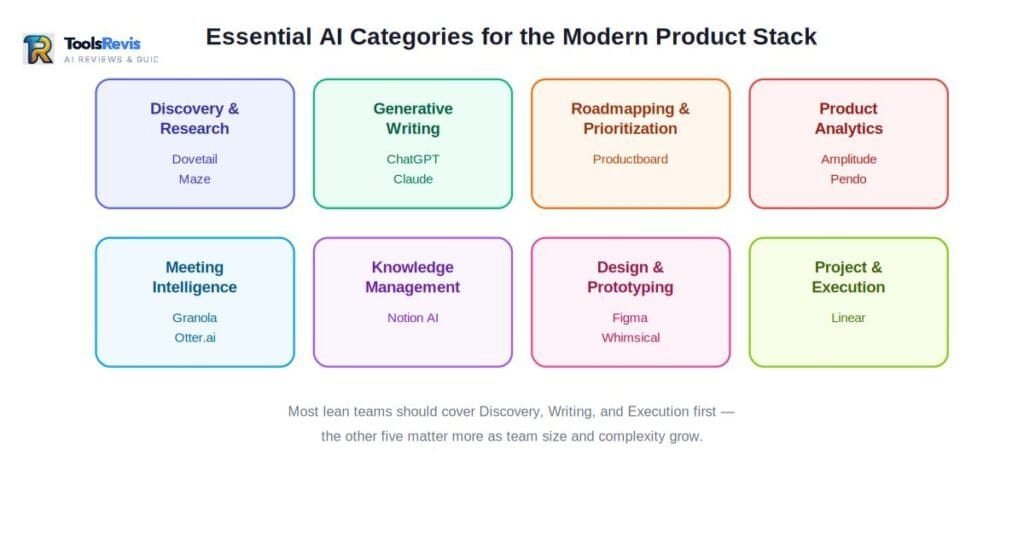
The modern PM tool stack falls into eight core categories: Discovery & Research, Generative Writing, Roadmapping, Product Analytics, Meeting Intelligence, Knowledge Management, Design Collaboration, and Execution Management.
Before jumping into specific tools, it helps to map the territory. Most PMs don’t need 12 separate subscriptions — they need one strong tool in each of these categories, chosen deliberately rather than accumulated by accident.
AI-powered discovery and user research tools help product managers gather customer insights from interviews, usability tests, surveys, support conversations, and feedback. These tools organize, analyze, and summarize both qualitative and quantitative data, making it easier to identify trends and make informed product decisions.
AI-Powered Writing & Product Documentation Speed up the creation of PRDs, user stories, feature specifications, and other product documents while ensuring accuracy, consistency, and clear communication. This includes general-purpose assistants (ChatGPT, Claude) as well as PM-specific writing tools built around product documentation formats.
Roadmapping & Prioritization Tools that turn scattered feedback and strategic inputs into a defensible, visual roadmap — with AI assisting on scoring, clustering, and stakeholder-facing views.
AI Analytics Tools help product managers understand customer behavior, evaluate feature performance, and identify opportunities for improvement by transforming complex product data into clear, actionable insights through conversational search.
Meeting Intelligence & Transcription Tools that sit in your calls, transcribe them, and extract decisions and action items so nothing gets lost between the stakeholder meeting and the backlog.
Collaborative Knowledge Management Your team’s shared brain — wikis, docs, and notes — increasingly powered by AI that can answer questions against your own internal content instead of the general internet.
AI Design & Prototyping Tools enable product managers and designers to turn ideas into visual concepts more quickly. They assist with creating wireframes, improving UI content, and converting product requirements into design-ready assets for faster collaboration.
AI is making project execution more efficient by helping teams plan tasks, track sprint goals, manage priorities, uncover potential blockers, and keep product, design, and engineering teams aligned throughout development.
Most lean teams should aim to cover discovery, writing, and execution first — those three categories touch the work you do every single day. Analytics, meeting intelligence, and design collaboration tend to matter more once you’re working across a larger team or a more complex stakeholder map. If you’re specifically weighing options in the analytics category — a category this guide doesn’t cover in depth — Amplitude and Pendo are worth researching separately, along with a few lighter-weight alternatives.
4. Top AI Tools Comparison Table
The fourteen leading AI tools for PMs in 2026 span every stage of the workflow — from ChatGPT/Claude for writing to Lovable for rapid prototyping — with pricing ranging from free tiers to $99+/month. Here’s the full lineup referenced throughout this guide — fourteen tools spanning every category covered in depth below. Pricing reflects publicly listed rates as of mid-2026; always confirm on the vendor’s page before budgeting, since per-seat and credit-based pricing shifts often.
| Tool | Best For | Free Plan | Starting Price |
|---|---|---|---|
| ChatGPT / Claude | General-purpose writing, synthesis, and reasoning | Yes (limited daily usage) | $20/user/month (Plus / Pro) — verified |
| Dovetail | Centralized qualitative research repository | Yes (1 project, limited records) | ~$15/user/month new-customer rate (annual); legacy contracts differ — verify at signup |
| Maze | Unmoderated usability testing and prototype validation | Yes (1 active study, capped responses) | ~$99/month (Starter, single seat) — verified |
| Productboard | Feedback aggregation and roadmap prioritization | Yes (Free tier) | ~$15/maker/month (Spark tier, credit-based) |
| Linear | Engineering-facing issue tracking with AI triage | Yes (small teams) | $10/user/month (Basic, annual) — verified |
| Notion AI | Team wiki, docs, and AI-assisted writing | Yes (core Notion features) | ~$20/member/month (Business tier, AI bundled in) |
| Figma (AI features) | Design collaboration and AI-assisted prototyping | Yes (limited files) | ~$15/editor/month (Professional) |
| Whimsical AI | Text-to-flowchart and lightweight diagramming | Yes (100 lifetime AI actions) | ~$10/editor/month (Pro, annual) |
| Granola | Bot-free AI meeting notepad | Yes (25 lifetime meeting notes) | ~$14/user/month (Business) |
| Otter.ai | Meeting transcription and action-item extraction | Yes (limited monthly minutes) | ~$8.33/user/month (Pro, annual) |
| Grammarly | Real-time writing, grammar, and tone assistant | Yes (100 AI prompts/month) | ~$12/month (Pro, annual) |
| Replit | AI agent that builds and deploys working prototypes | Yes (Starter tier) | ~$20/month (Core, includes ~$25 in Agent credits) |
| Lovable | Chat-based app and website builder (“vibe coding”) | Yes (light exploration) | ~$25/month (Pro, ~100 monthly credits) |
A note on accuracy: Pricing is the fastest-moving part of any tools guide, and getting it wrong is its own kind of trust problem — so before publishing, we cross-checked the highest-traffic figures above (ChatGPT/Claude, Dovetail, Maze, Linear, Notion AI, Productboard) directly against live vendor pricing pages rather than relying on older aggregator data. Two callouts worth flagging: Dovetail restructured its pricing in 2026 — new customers now see a lower $15/user/month entry price with fewer features than the old $29–39 tier, while some existing customers remain on legacy contracts. Linear’s Business tier dropped sharply this year (from roughly $50/seat to $16/seat) after a series of cuts. If you’re reading this more than a few months after publication, treat every number here as a starting point for your own verification, not a locked-in quote — SaaS pricing in this category has moved fast enough in 2026 that even a two-month-old figure can be stale.
A few honest notes on this table before you start clicking “upgrade” on everything:
- Enterprise-tier tools (Productboard) hide their real pricing behind sales calls. Budget for a negotiation, not a checkout button.
- Seat-based pricing compounds fast. A tool that looks like $29/month becomes $290/month the moment ten people on your team need editor access. Read the seat math before committing a team to a platform.
- Free plans are almost universally a proof-of-concept, not a working setup. Use them to validate fit, not to run your actual research practice long-term.
5. Top-Rated AI Tools for Product Discovery and User Research
AI discovery tools are software that automate the collection, transcription, and synthesis of qualitative user research — turning raw interviews, surveys, and support tickets into actionable themes. This is where AI delivers the most immediate, visible ROI for PMs, because synthesis was always the most time-expensive, least scalable part of the job. Here’s a deep look at the three tools doing the heaviest lifting in this category right now.
Dovetail
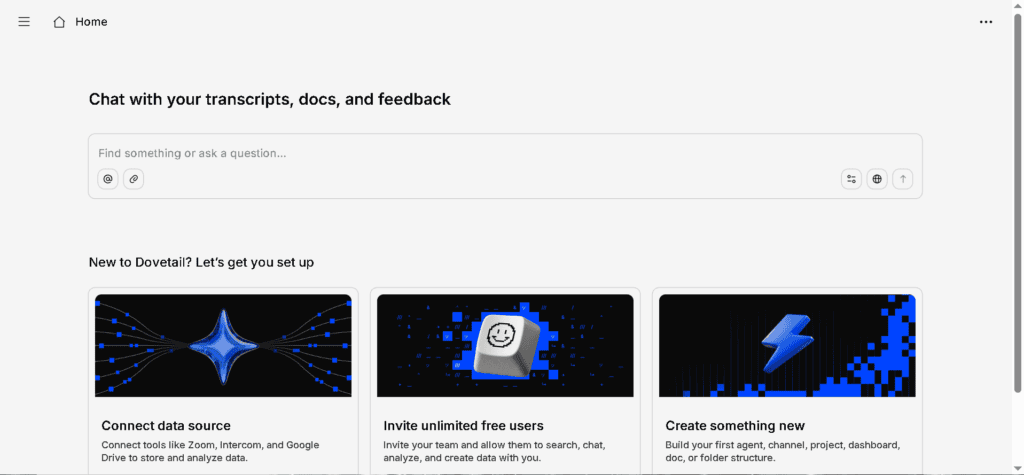
What it is: A centralized repository for qualitative research — interviews, surveys, support tickets, and session recordings — with an AI layer (“Magic AI”) that auto-tags, summarizes, and surfaces patterns across studies.
Deep use cases:
- Cross-study pattern recognition. If you’ve run interviews across three different feature areas over six months, Dovetail can surface a recurring theme (say, onboarding confusion) that no single study would have flagged on its own.
- Stakeholder-ready insight sharing. Instead of sending a 40-minute video file to a VP, you can clip the exact 12-second moment where a user struggled and drop it straight into a Slack thread.
- Building an institutional research memory. New PMs joining a team can search “what do we know about checkout drop-off” and get answers from research conducted before they joined — instead of re-running studies that already happened.
Key features:
- Automatic transcription in dozens of languages
- AI-suggested highlights, tags, and sentiment scoring
- Semantic search across your entire research archive (“Magic Search”)
- Integrations with Slack, Jira, Notion, and Zoom for pulling research into existing workflows
Pricing: Dovetail restructured its plans in 2026, so if you’ve seen older figures floating around, here’s the current picture. New customers now get a Professional tier starting at roughly $15/user/month (billed annually) — cheaper than before, but stripped down: no user roles, no folders, no free viewer seats. Features like workspace-wide tag boards and advanced organization now sit behind the Enterprise tier, which is custom-priced and aimed at teams above 100 people. If you’re on an older “Legacy Professional” contract (previously priced around $29–39/editor/month), you can usually stay on it at renewal rather than being force-migrated — worth confirming directly with Dovetail’s sales team since this affects which features you keep. The Free plan covers a single project with basic transcription and AI chat, enough to test the workflow but not to run an ongoing practice.
Pricing note: Dovetail changed its plan structure mid-2026. Confirm current terms at dovetail.com/pricing before budgeting, since legacy vs. new-customer pricing can differ significantly for the same plan name.
How it helps PMs: Dovetail’s real value isn’t the individual interview — it’s the compounding return on a searchable archive. The second time you ask “have we heard this complaint before,” the tool actually has an answer. For enterprise PMs juggling research from multiple teams, this turns research from a one-off activity into a permanent, queryable asset.
Maze
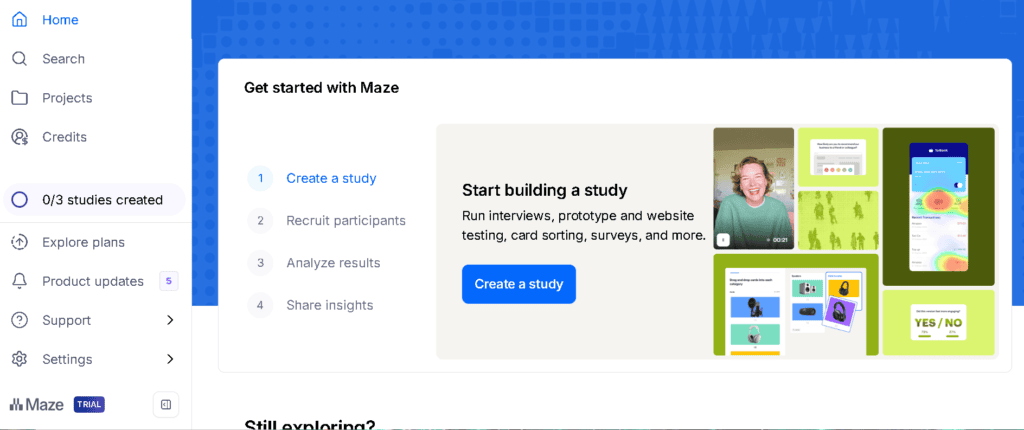
What it is: An AI-powered usability testing and prototype validation platform. You connect a Figma (or similar) prototype, define tasks, and Maze recruits testers, runs the study, and analyzes the results — including AI-moderated interview capability on higher tiers.
Deep use cases:
- Pre-launch validation without an engineering build. Test a clickable prototype with real users before a single line of production code gets written, catching usability issues while they’re still cheap to fix.
- Rapid A/B concept testing. Run two competing onboarding flows against separate user groups and get statistically structured feedback in days, not weeks.
- AI-moderated qualitative depth at scale. On higher tiers, Maze’s AI moderator can run adaptive follow-up questions during an unmoderated session — getting you interview-style depth without scheduling a single live call.
Key features:
- No-code prototype test builder (Figma, Sketch, Adobe XD integrations)
- Built-in participant recruitment panel
- AI-generated study reports with automatic clustering of open-ended responses
- AI Study Builder that turns a plain-language research goal into a structured test
Pricing: Maze has a genuinely usable free tier for occasional, low-volume validation — one active study with a response cap. The Starter plan runs around $99/month for a single seat (cheaper when billed annually), and unlocks unlimited studies and responses. Team-level access and the AI Moderator feature are gated behind higher tiers, with enterprise pricing often landing well into five figures annually once you add panel recruitment costs on top.
How it helps PMs: Maze closes the gap between “I think users will struggle with this” and “I have evidence users will struggle with this” — fast enough to act on before a sprint commitment is locked in. For solo PMs without a dedicated researcher, the built-in participant panel is the difference between testing with three coworkers and testing with real target users.
ChatGPT / Claude
What it is: General-purpose AI assistants that, despite not being built specifically for product research, have become a default tool in nearly every PM’s discovery process — for synthesizing notes, drafting interview guides, and stress-testing hypotheses.
Deep use cases:
- Interview guide drafting. Feed in your research question and target persona, get a structured discussion guide back in minutes — a starting point you then sharpen with your own domain knowledge.
- Rapid synthesis of messy inputs. Paste in a pile of unstructured customer support tickets or survey free-text responses and ask for recurring themes — useful as a first pass before deeper manual review.
- Devil’s advocate stress-testing. Before presenting a roadmap bet to leadership, ask the assistant to argue the strongest case against your own conclusion. It’s a fast way to find the holes in your reasoning before someone in the room finds them for you.
- Document analysis at scale. Both tools can ingest long documents — research reports, competitor teardowns, full transcripts — and answer specific questions against them, which is useful when you don’t have time to read 40 pages before a meeting.
Key features:
- Long-context document analysis (handling full transcripts or reports in one pass)
- Conversational refinement — you can push back on an output and get a revised version instantly
- Code and data analysis capabilities for lightweight quantitative checks
- Project/workspace features for keeping research context organized across sessions
Pricing: Both offer a usable free tier with daily limits. Paid plans — ChatGPT Plus and Claude Pro both start at $20/month — unlock higher usage limits, longer context handling, and priority access to the most capable models. Team and enterprise tiers add seat management, admin controls, and (for Claude) Team pricing typically in the $25–30/seat range.
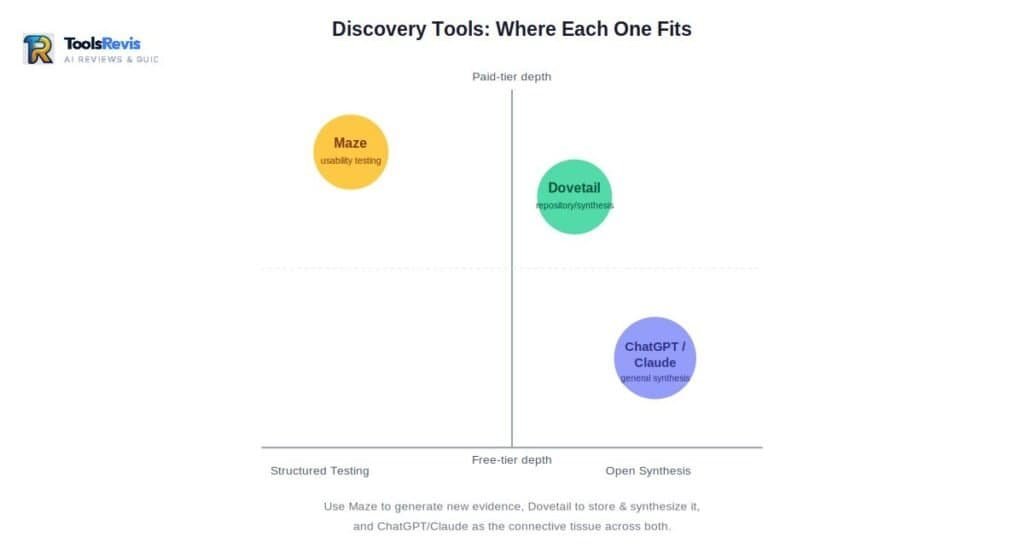
How it helps PMs: These tools are the connective tissue between every other category on this list — you’ll use them to clean up Dovetail exports, draft the PRD that follows your Maze findings, and rewrite a stakeholder update three different ways. The risk, covered in detail below, is treating their output as finished work instead of a draft that still needs your judgment applied to it.
6. The Reddit Reality Check: How to Fix Generic AI Garbage in Discovery
The quality of AI research depends on human oversight. Instead of relying entirely on automated summaries, teams should verify findings, add context, and confirm that important customer insights have not been overlooked.
Spend ten minutes in r/ProductManagement or r/UXResearch and you’ll find the same complaint surfacing again and again: AI-generated research synthesis sounds confident and reads like nothing. Generic themes. Sanitized quotes. Insights that could describe literally any product because they’ve been smoothed of every specific, human detail that made the original user quote worth listening to in the first place.
This isn’t a tooling failure. It’s a process failure — and it’s almost always caused by the same mistake: treating AI output as the final synthesis instead of the first pass.
Here’s what the community pain points actually look like, and how to fix each one:
AI can efficiently group similar feedback, but it often misses the emotions and context behind customer experiences. While it identifies recurring topics, it may overlook the frustration, urgency, or motivation that gives user feedback its real meaning. A user who casually mentions a minor annoyance and a user who’s furious enough to churn can get grouped into the same “theme” if they used similar words. The fix: never let AI-generated themes go into a doc without a human pass that re-weights them by severity and frequency of actual impact, not just frequency of mention.
AI-generated summaries can sometimes remove the specific details that make customer feedback valuable. By simplifying comments too much, they may lose the context and nuance needed to understand the real problem or identify meaningful product improvements.
The fix: always pull the verbatim moment yourself for anything going into a stakeholder-facing doc. Use AI to find the candidate quotes faster, not to rewrite them into mush.
AI can identify recurring patterns in user feedback, but it cannot always determine whether those patterns represent a widespread customer need or feedback from only a small group of highly active users. Product managers must make that distinction through careful analysis. Five articulate complaints in a transcript can look, statistically, like a strong pattern to a summarization model — even if those five people represent 0.1% of your user base. The fix: always cross-reference AI-surfaced themes against actual usage data or sample size before treating them as a roadmap input. A theme isn’t a decision until you’ve sanity-checked its weight.
“It writes everything in the same flattened, corporate tone — empathy goes missing.” This is the most-cited complaint across PM and UX communities: AI-drafted research summaries read like they were generated by someone who’s never actually talked to a frustrated user. The emotional context — the sigh in someone’s voice, the moment they gave up and asked a coworker for help instead — doesn’t survive the summarization pass. The fix: treat the AI draft as scaffolding. Read the original transcripts yourself for at least your top 3-5 findings before they go in front of stakeholders. The summary tells you where to look; it shouldn’t be the only thing you’ve read.
The human-in-the-loop standard that actually works
The PMs who avoid the “generic AI garbage” trap aren’t avoiding AI — they’re using a consistent discipline around it:
- AI drafts the first pass. You validate against the source. Every AI-surfaced theme gets checked against at least two or three original transcripts before it’s treated as real.
- Severity gets assigned by a human, not a model. AI is good at frequency; it’s bad at judging which complaint actually threatens retention.
- Quotes stay verbatim in final docs. If a quote is going in front of leadership, it should be the user’s actual words, not an AI paraphrase of their words.
- You stay the bottleneck on “what does this mean for the roadmap.” Synthesis tells you what users said. Strategy is deciding what to do about it — and that decision should never be delegated to a model that has no stake in the outcome.
The line that separates a PM using AI well from one producing generic slop isn’t the tool. It’s whether a human being actually read the underlying evidence before putting their name on the conclusion.
Discovery gets you the evidence. What you do with that evidence — turning it into a roadmap, a spec, a prototype, and a shipped feature — is where most PMs actually lose their week. The rest of this guide covers the tools that carry you from “we know what users need” to “it’s live in production,” plus the budget, security, and implementation questions that determine whether any of this sticks.
7. Best AI Tools for Roadmapping, Prioritization, and Documentation
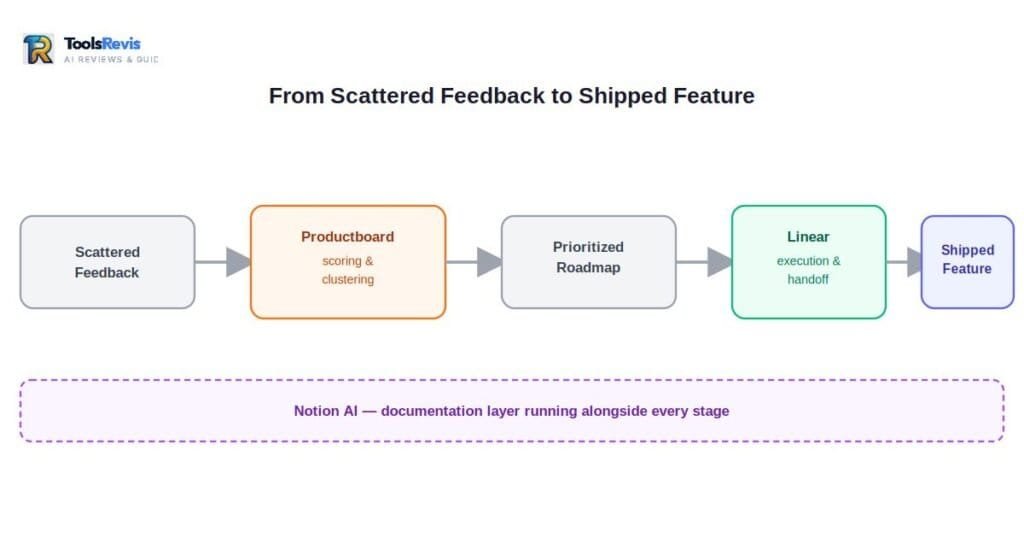
AI roadmapping tools are platforms that turn scattered customer feedback into a scored, prioritized product roadmap — automating the clustering, scoring, and spec-drafting work that used to eat a PM’s week. Once discovery hands you a pile of validated insight, the bottleneck shifts. Now it’s about turning scattered signal into a roadmap stakeholders trust and specs engineers can build from without six rounds of clarifying questions.
Productboard
What it is: A feedback-to-roadmap platform that centralizes customer requests, scores them against strategic objectives, and visualizes the output as a stakeholder-facing roadmap. Its AI layer, Spark, now runs on a credit system bundled into every plan.
Key features:
- Centralized insights repository that links individual feedback items to features and objectives
- Spark AI for feedback analysis, theme detection, and auto-generated specs and briefs
- Customizable prioritization scoring (RICE, value vs. effort, or your own framework)
- Public and internal roadmap views with audience-specific filtering
How it helps PMs: Productboard’s real strength is connecting the dots between “what a customer said” and “what’s actually on the roadmap” — so when a VP asks why a feature is prioritized, you have a traceable link back to specific feedback rather than a gut-feel justification. The Spark document generation feature in particular is built to turn a pile of linked feedback into a structured PRD draft, which is a real time-saver for PMs who’d otherwise start from a blank page.
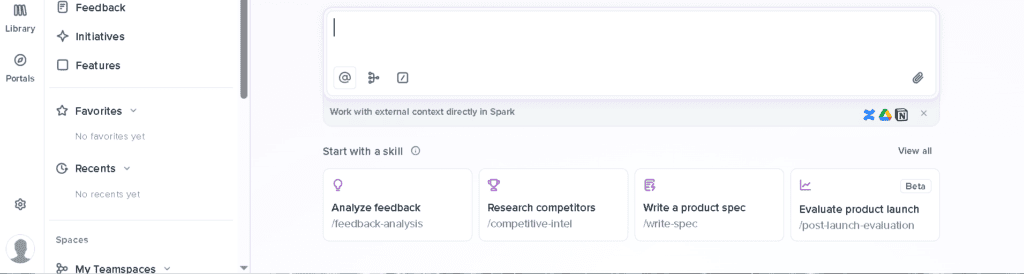
Pricing: Productboard now runs a single Free plan for solo PMs and small teams getting started, plus a Spark tier starting around $15 per maker/month (billed annually) with 250 AI credits per maker bundled in. Heavier AI usage — especially full spec generation, which can burn 85-95 credits per document — will push you into credit top-ups or a higher tier fast. Enterprise pricing (SSO, custom credit limits, advanced security) remains quote-based.
Watch out for: Productboard is priced and built for teams of 5+ makers doing serious cross-functional prioritization. If you mainly want a public feedback board and changelog, you’ll likely pay for a lot of platform you won’t use — a lighter, purpose-built feedback tool may serve you better.
Linear
What it is: A fast, opinionated issue tracker built for engineering and product teams, increasingly positioned as a PM tool too — with AI agents that can triage, summarize, and even get assigned issues directly.
Key features:
- AI-powered Triage Intelligence that auto-categorizes and routes incoming issues
- Linear Agents that can be assigned tickets and work them autonomously inside your workflow
- Cycles (sprints), Projects, and Milestones for sequencing work without spreadsheet gymnastics
- Native integrations with GitHub, GitLab, Slack, Figma, and Sentry
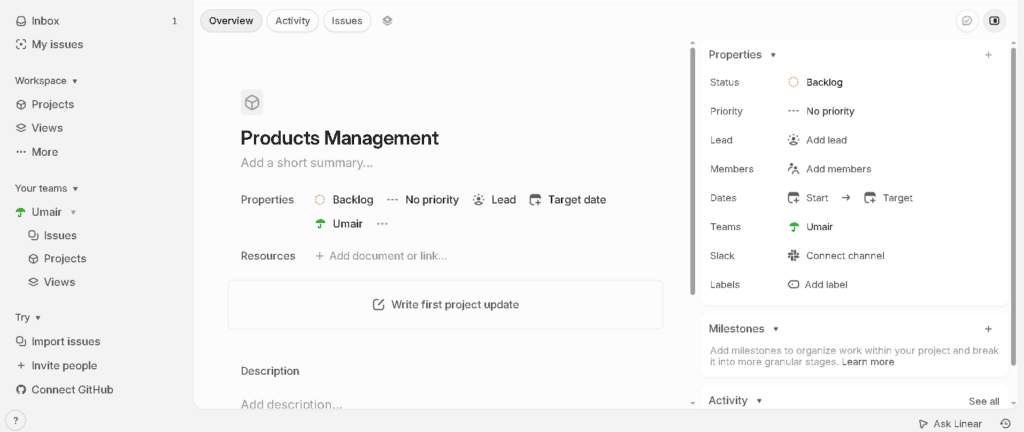
How it helps PMs: For PMs working closely with engineering, Linear closes the gap between “the roadmap doc” and “what’s actually being built this week.” Triage Intelligence is genuinely useful for high-volume backlogs — it cuts down the manual tagging work that used to eat an hour of every Monday. Because AI features are bundled into every paid tier at no extra meter, you’re not stuck doing credit math the way you are with feedback platforms.
Pricing: Linear’s Free plan is unusually generous — unlimited members, capped at 250 active issues and 2 teams — making it genuinely usable for a small product team validating the platform. Basic runs $10/user/month (annual billing only) and unlocks unlimited issues; Business runs $16/user/month and adds Triage Intelligence, Insights, and unlimited teams. Enterprise is custom, required for SAML/SCIM SSO.
Watch out for: Linear bills every active seat — including stakeholders who just want visibility, not edit access. If your org has a lot of non-PM viewers (execs, support, sales), budget for that, or keep them on Free-tier-adjacent visibility tools instead of paid Linear seats.
Notion AI
What it is: An AI layer built into Notion’s docs, wikis, and database platform — letting you draft, summarize, translate, and query against your team’s own internal content instead of the open internet.
Key features:
- AI-powered Q&A that answers questions sourced from your actual workspace pages and databases, not generic web knowledge
- Inline AI writing assistance for drafting, editing tone, and summarizing long pages
- AI autofill for databases — auto-tagging, categorizing, or summarizing rows at scale
- Custom AI actions/prompts you can save and reuse across recurring document types
How it helps PMs: The real value here isn’t the writing assistant — it’s the Q&A layer. Once your specs, meeting notes, and research live in Notion, you (or a new hire) can ask “what did we decide about the pricing page redesign” and get an answer sourced from your own documented history, instead of digging through old Slack threads. For PMs who already use Notion as their team’s source of truth, this turns static documentation into something genuinely queryable.
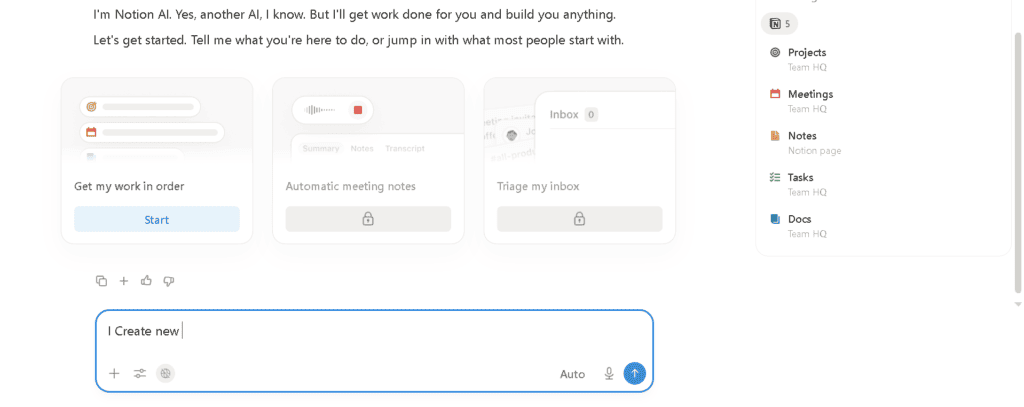
Pricing: Notion’s Free plan covers core workspace features for individuals. Plus runs roughly $10/member/month; Business, at roughly $20/member/month, now bundles full AI access (Notion folded the separate $10 AI add-on into this tier rather than charging extra). Enterprise adds advanced security and admin controls at custom pricing.
The Hallucination Trap: Managing Data Accuracy in AI Analytics
Search “AI product trends” on Reddit or Quora and you’ll find a recurring, justified fear: AI tools confidently report patterns that don’t actually exist in the underlying data. This isn’t a hypothetical risk — it’s the single most common way AI-assisted analytics goes wrong for PMs, and it’s worth taking seriously before you let an AI-generated insight steer a roadmap decision.
Why it happens:
- Small sample sizes get treated as statistically meaningful. If you ask an AI tool to summarize “trends” in 40 pieces of feedback, it will find a trend — even if that “trend” is three people who happened to use similar phrasing.
- Models fill gaps with plausible-sounding fabrication. When asked to summarize data it doesn’t fully have access to, an AI tool can generate a confident, specific-sounding answer that simply isn’t grounded in your actual numbers. This is the textbook hallucination failure mode, and it’s especially dangerous in analytics because the output looks exactly like a real insight.
- Correlation gets reported as causation, without the hedge a human analyst would naturally add. “Users who churned also used feature X less” becomes “feature X causes churn” in an AI summary, stripped of the nuance a trained analyst would have flagged.
How to protect yourself:
- Always ask for the source, not just the conclusion. If an AI tool tells you “support tickets show a rising trend in checkout complaints,” ask it to show you the actual ticket count and date range behind that claim. If it can’t produce specifics, treat the claim as unverified.
- Cross-check any AI-surfaced trend against a second source. If your analytics tool says signups dropped 12% after a release, verify that number directly in your raw dashboard before it goes into a stakeholder deck. AI summarization layers are a starting point for investigation, not a replacement for it.
- Be especially skeptical of small-N claims. A “trend” backed by under 30-50 data points should be treated as a hypothesis worth testing, not a finding worth acting on.
- Never let an AI tool be the last human in the loop on a roadmap-altering claim. If a finding is big enough to shift priorities, it’s big enough to deserve five minutes of you personally checking the underlying numbers.
The fix isn’t avoiding AI analytics tools — it’s treating every AI-generated number the way you’d treat a number from an intern’s first draft: probably right, worth double-checking before it goes in front of leadership.
8. AI Tools for Prototyping and Design
AI design tools are platforms that use generative AI to speed up prototyping, mockup creation, and design-to-code handoff — letting PMs communicate product intent visually without needing formal design skills. You don’t need to be a designer to communicate intent visually anymore — and for PMs, that’s a genuine unlock. Here’s where AI is closing the gap between “I have an idea” and “here’s something you can actually look at.”
Figma (AI features)
What it is: The industry-standard collaborative design tool, now layered with AI features for first-draft generation, content population, and design-to-code handoff.
Key features:
- AI-assisted first-draft generation from text prompts or rough wireframes
- Smart content population — filling mockups with realistic placeholder data instead of “Lorem ipsum”
- Dev Mode for cleaner design-to-engineering handoff, reducing back-and-forth on spec details
- Real-time multiplayer collaboration so PMs, designers, and engineers can review live in the same file

How it helps PMs: Even without design skills, you can sketch a rough flow, prompt Figma’s AI to generate a cleaner first pass, and bring something tangible into a stakeholder review instead of describing a feature in prose. For PMs who work closely with a design team, the bigger win is Dev Mode — it cuts the ambiguity that used to generate a week of “wait, what did you mean by this spacing” Slack threads.
Pricing: Figma has a Free tier covering limited files — enough for solo exploration. The Professional plan runs roughly $15/editor/month, unlocking unlimited files and core AI features. Organization and Enterprise tiers scale up with advanced governance and design-system controls.
Whimsical AI
What it is: A lighter-weight visual collaboration tool for flowcharts, wireframes, mind maps, and docs — built around a “describe it, get a diagram” AI workflow rather than pixel-perfect design.
Key features:
- Text-to-flowchart generation — describe a process in plain English and get a structured diagram in seconds
- Combined workspace for flowcharts, wireframes, mind maps, and written docs in one tool
- Real-time collaborative boards for workshops and brainstorms
- AI actions for expanding mind maps, restructuring flows, or generating wireframe variants
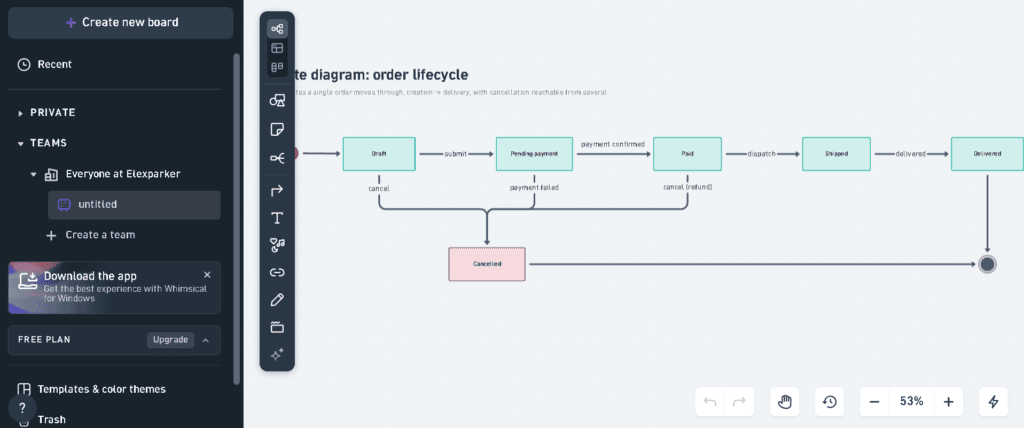
How it helps PMs: This is the tool for the moments Figma is overkill — sketching a user flow before a sprint planning session, mapping a decision tree for a complex feature, or running a live brainstorm with stakeholders who don’t have design tool access. The text-to-flowchart feature in particular turns “let me draw this out” from a 20-minute task into a 20-second one, which matters when you’re prepping for back-to-back meetings.
Pricing: Whimsical’s Free plan includes 3 team boards and a lifetime cap of 100 AI actions — workable for light, occasional use, but most active teams hit the board limit within the first week. Pro runs $10/editor/month (annual billing) with unlimited boards and 500 AI actions per editor monthly. Business, around $15/editor/month, doubles the AI quota and adds admin controls and SSO.
Watch out for: The free tier’s “100 AI actions” is a lifetime total, not a monthly refill — easy to misread as ongoing capacity when it’s actually a one-time allowance.
9. AI-Powered Meeting Management & Team Communication Tools
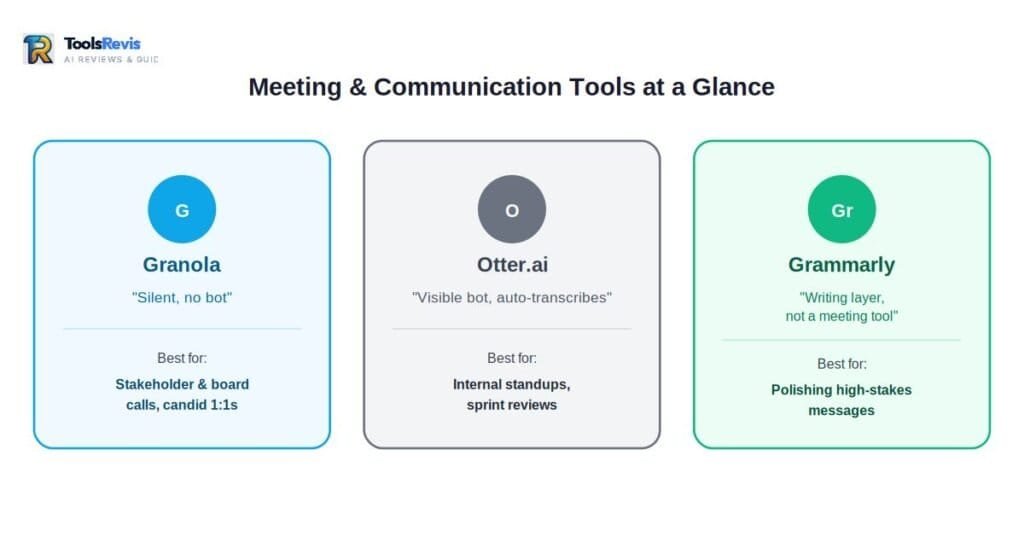
AI meeting tools are assistants that transcribe, summarize, and extract action items from calls automatically — cutting the manual note-taking and follow-up-email writing out of a PM’s week. Meetings are where decisions get made and where context gets lost the fastest. This category has gotten genuinely good in the last year — and the differences between tools matter more than they look on the surface.
Granola
What it is: A bot-free AI notepad that captures meeting audio directly from your device rather than joining your call as a visible bot — a meaningful distinction once you’ve sat through a client call where three separate recording bots showed up uninvited.
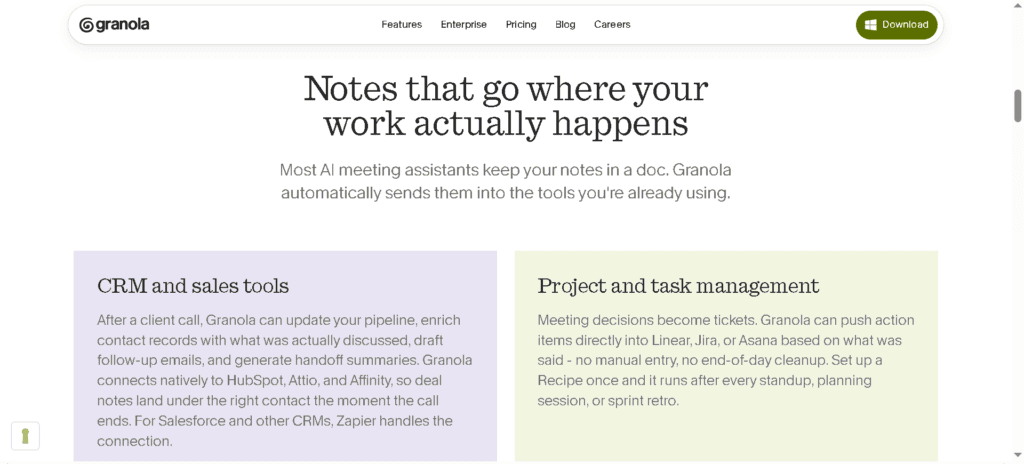
Key features:
- No bot joins your call. Granola captures system audio locally; nobody on the call sees a recording participant or hears an announcement.
- A “scratchpad” workflow: you jot rough notes during the meeting, and AI enhances them afterward using full transcript context — so your judgment about what mattered shapes the final note, rather than a generic auto-summary deciding for you.
- AI chat across your meeting history, so you can ask “what did we decide about EU data residency three calls ago” and get a sourced answer
- Calendar-synced Briefs that prep you before external meetings with relevant history
How it helps PMs: The bot-free design matters more than it sounds. For stakeholder calls, board updates, or candid one-on-ones where a visible recording bot changes how people talk, Granola removes that friction entirely while still giving you a clean transcript and structured notes afterward. The “your notes plus AI context” workflow also produces noticeably less generic output than a fully automated summary, because you’re still the one deciding what to flag in the moment.
Pricing: Basic is free, capped at 25 lifetime meeting notes — fine for evaluation, not for ongoing use. Business runs $14/user/month with unlimited history and integrations into Notion, Slack, and HubSpot. Enterprise, at $35/user/month, adds SSO and organization-wide opt-out of AI model training.
Watch out for: By default, your meeting data can be used to improve Granola’s models — individuals can opt out manually, but organization-wide opt-out requires the Enterprise tier. If you’re discussing sensitive product strategy or unreleased roadmap details, check this setting before your first call.
Otter.ai
What it is: A transcription-first meeting assistant that joins calls (as a visible bot), transcribes in real time, and extracts action items and summaries automatically.
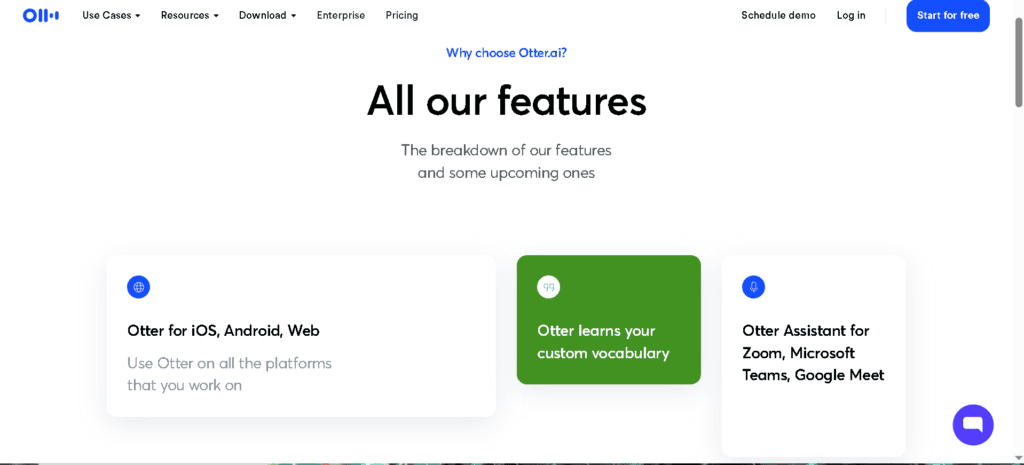
Key features:
- Real-time live transcription with speaker identification
- Automated action-item extraction and meeting summaries
- Searchable transcript archive across your entire meeting history
- Integrations with Zoom, Google Meet, and Microsoft Teams
How it helps PMs: Otter is the right tool when you need a hands-off, fully automated transcript and don’t mind a visible recording participant — internal standups, sprint reviews, or team retros where everyone already expects to be recorded. The automatic action-item extraction saves the “who owns what” follow-up email you’d otherwise have to write yourself.
Pricing: A free tier covers a limited number of monthly transcription minutes. Pro runs roughly $8.33/user/month (billed annually) with significantly higher minute allowances. Business and Enterprise tiers add admin controls, longer retention, and higher usage caps.
Grammarly
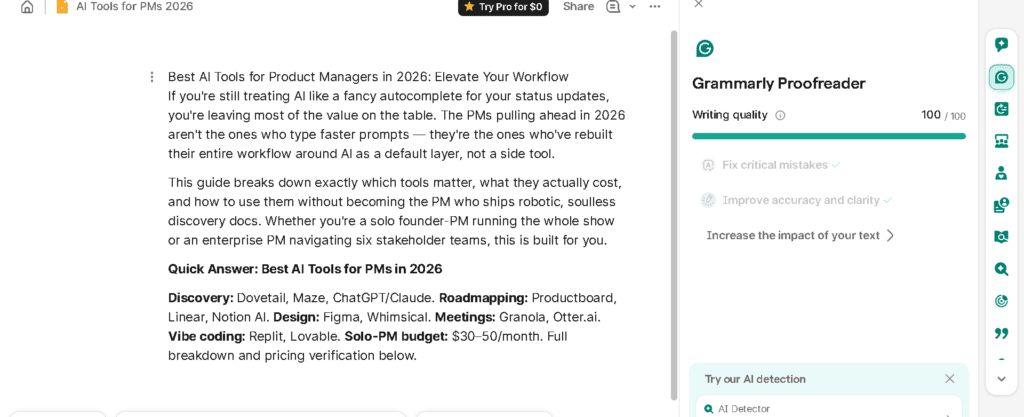
What it is: An AI writing assistant that checks grammar, tone, and clarity in real time across whatever you’re writing — Slack messages, PRDs, stakeholder emails, release notes.
Key features:
- Real-time grammar, spelling, and clarity suggestions across browser, desktop, and mobile
- Tone detection that flags when a message might land more harshly (or more vaguely) than intended
- AI rewriting and prompt-based editing (built on a monthly AI prompt allowance)
- Brand tone and style guide controls on team plans, for consistent voice across a product org
How it helps PMs: This is the unglamorous tool that quietly saves the most face. A status update that goes out in the wrong tone to an exec, a PRD with sloppy phrasing that gets misread by engineering — these small communication failures compound across a PM’s week. Grammarly’s tone detection in particular is useful for high-stakes messages: drafting layoffs-adjacent communication, a pushback email to a stakeholder, or a deprecation notice where precision matters.
Pricing: Free covers basic grammar and spelling checks with 100 AI prompts a month. Pro runs $12/month billed annually (jumping to $30/month if billed monthly — the gap is large enough to be worth planning around) and bumps the AI prompt allowance to 2,000/month. Business, around $15/seat/month, adds team style guides, brand tone controls, and centralized admin.
Watch out for: Grammarly’s monthly billing rate is 2.5x the annual rate, and community billing complaints center almost entirely on auto-renewal surprises — set a calendar reminder before your renewal date if you’re not committing long-term.
10. Workflow-Based Tool Guide Matrix
The most effective AI solution is the one that addresses your biggest workflow challenge. Instead of using multiple tools, choose the right platform for each stage of the product development process:
| Product Stage | Main Goal | Suggested AI Tools |
|---|---|---|
| Discovery | Collecting and synthesizing qualitative user input | Dovetail, ChatGPT/Claude |
| Validation | Testing concepts and prototypes before building | Maze |
| Strategy & Prioritization | Turning feedback into a defensible roadmap | Productboard |
| Specification | Drafting PRDs, user stories, and specs | ChatGPT/Claude, Notion AI |
| Design & Prototyping | Visualizing flows and building clickable mockups | Figma (AI features), Whimsical AI |
| Execution & Tracking | Managing tickets, sprints, and engineering handoff | Linear |
| Validation-by-Build | Testing a real, working prototype fast | Replit, Lovable |
| Meetings & Communication | Capturing decisions and drafting clear messages | Granola, Otter.ai, Grammarly |
| Analytics & Insight* | Querying product data and usage patterns | Amplitude, Pendo |
| Knowledge Management | Maintaining a searchable team source of truth | Notion AI, Dovetail |
This guide provides only a brief overview of analytics tools. If understanding product usage, customer behavior, or feature performance is your primary challenge, consider exploring platforms such as Amplitude and Pendo in greater detail to determine which best fits your team’s needs.
A practical rule of thumb: don’t adopt a tool for a phase you don’t currently bottleneck on. If your discovery process is already tight but your spec-writing is the slow part, that’s where your next subscription should go — not wherever the loudest LinkedIn post is pointing you.
Not sure where your own bottleneck actually is? Try our free AI Tool Stack Calculator — answer a few questions about team size and workflow phase, and it maps out a starter stack with realistic monthly cost before you commit to anything.
11. Vibe Coding: The New Frontier in Shipping Faster
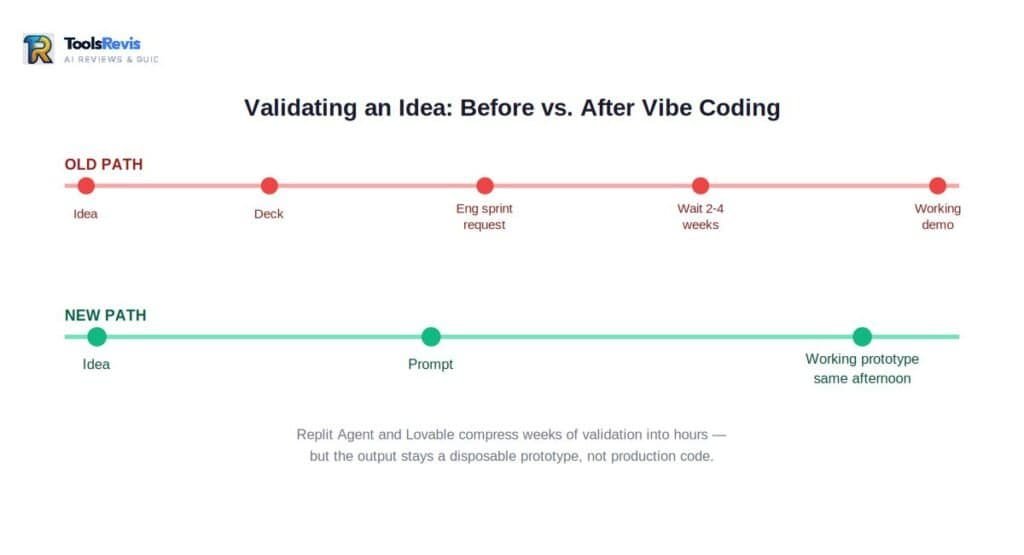
Vibe coding is the practice of describing a product idea in plain language and having an AI agent write, run, and deploy a working application from it — no manual coding required. “Vibe coding” has moved from novelty to a real part of the PM toolkit in 2026. The pitch for PMs specifically: you no longer need an engineering sprint to find out if an idea is worth building.
Why this matters for PMs specifically
The traditional discovery-to-build pipeline has always had a gap: you can validate an idea with mockups and user interviews, but you don’t really know if it works until it’s a functioning product in someone’s hands. That gap used to require an engineering commitment to close. Now it doesn’t.
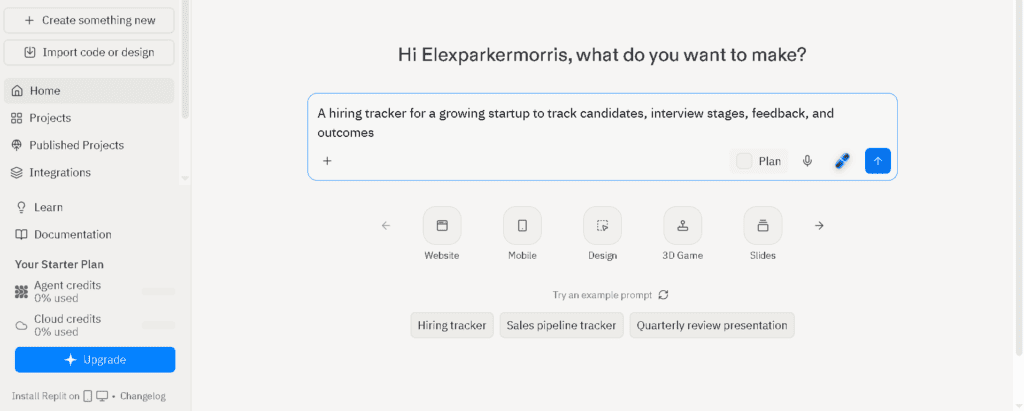
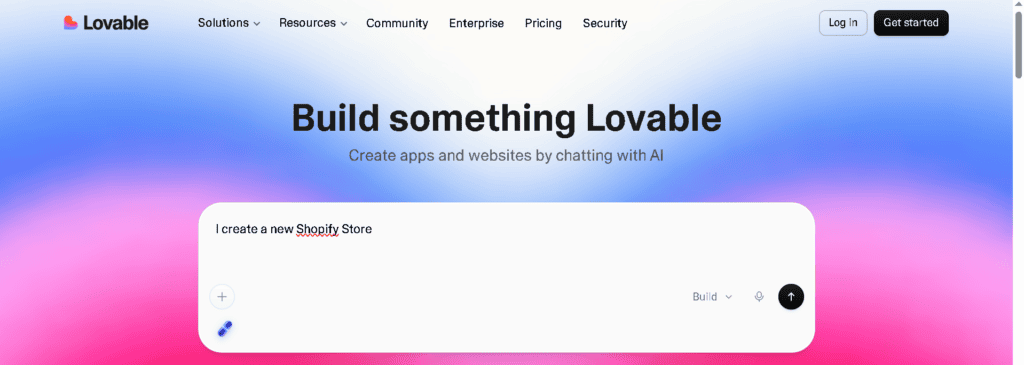
- Replit and Lovable can take a plain-language product description and generate a working, deployed application — a real clickable, functional tool, not a static mockup.
- This lets a PM build a throwaway, fully functional prototype to validate a workflow assumption before asking engineering to commit a sprint to it.
- It also changes internal pitching: instead of presenting a deck with mockups, a PM can demo a working version of the idea in the same meeting where it’s proposed.
How PMs are actually using these tools
- Killing bad ideas faster and cheaper. Building a rough working version of a feature concept in an afternoon can surface usability problems that a static prototype never would — and it’s a lot cheaper to find that out before an engineering sprint than after.
- Building internal tools without an engineering queue. Need a quick internal dashboard to track a metric, or a lightweight tool to support a research workflow? A PM can now build it directly instead of filing a ticket and waiting weeks.
- De-risking engineering conversations. Walking into a roadmap discussion with a working proof-of-concept changes the conversation from “convince me this is worth building” to “here’s evidence it works, let’s talk about how to build it properly.”
What this is genuinely not a replacement for
Be honest with your engineering partners about what these tools are. A Replit or Lovable build is a fast, disposable prototype — not production-grade code. It typically lacks the security hardening, scalability, accessibility compliance, and maintainability standards your actual codebase requires. Using vibe-coded output to validate an idea is smart. Trying to ship it directly to production without an engineering rewrite is how technical debt and security incidents happen. Frame these builds to your team explicitly as throwaway validation artifacts, not shippable code.
Pricing:
- Replit: A free Starter tier exists for light evaluation. Core runs $20/month and includes roughly $25 of monthly Agent credits, scaling usage based on task complexity. Pro, at $95/month, includes around $100 in credits and supports parallel agent runs for more ambitious builds.
- Lovable: A free tier covers light exploration. Pro runs around $25/month with roughly 100 monthly credits; Business, around $50/month, adds SSO and team collaboration features.
Both platforms bill on a credit-consumption model — a complex, multi-step build request can burn through credits fast, so it’s worth scoping your prototype tightly before you start prompting.
12. Free vs. Paid AI Tools: Beating Subscription Fatigue
A realistic AI tool budget for solo PMs starts at $30-50/month, built around a 3-tool floor: one AI assistant, one execution tool, and one meeting tool.
If you’ve actually tried to budget for every tool in this guide, you’ve hit the real problem: subscription fatigue is a legitimate cost center, not a meme. Stack a Claude Pro, a Dovetail Professional, a Maze Starter, a Linear Basic, and a Granola Business seat, and you’re easily past $150/month — before you’ve added a single design tool.
Here’s a tactical budget approach for bootstrap and solo PMs specifically.
The 3-tool floor
Before paying for anything, identify the 3 tools that cover your actual daily bottleneck, not the entire lineup that looks impressive on a stack diagram. For most solo PMs, that floor looks like:
- One general AI assistant (ChatGPT Plus or Claude Pro, $20/month) — covers writing, synthesis, and reasoning across nearly every task in this guide.
- One execution/tracking tool (Linear Free or Basic) — keeps you organized without becoming a budget line item until your team grows.
- One meeting/communication tool (Granola Free or Otter free tier) — captures decisions without manual note-taking.
That’s it. Everything else should be added only when a specific, recurring task is genuinely too slow without it — not because a “best AI tools” list (including this one) said you need it.
Free-tier-first stacking strategy
- Validate fit on free tiers before paying for anything. Nearly every tool in this guide has a usable free tier specifically for evaluation — Dovetail, Maze, Productboard, Linear, Notion, Whimsical, Granola, Grammarly, Replit, and Lovable all qualify. Run your actual workflow through the free tier for two to three weeks before upgrading.
- Annual billing is almost always the better deal — but only commit once you’re sure. Across this entire guide, annual pricing runs roughly 20-40% cheaper than monthly. Don’t lock into annual billing on a tool you haven’t validated for at least a month on free or monthly terms first.
- Watch for credit-based pricing traps. Productboard, Whimsical, Replit, and Lovable all meter AI usage via credits rather than flat access. A single complex PRD generation or app build can burn through a meaningful chunk of a monthly allowance — track your actual usage in month one before assuming a tier will cover you long-term.
- Cancel ruthlessly. Set a recurring calendar reminder for every annual renewal date. The community billing complaints across nearly every tool in this guide — Grammarly and Dovetail especially — center on surprise renewals, not the product itself.
When paying actually pays for itself
The math that justifies an upgrade isn’t “this tool is impressive” — it’s “this tool replaces hours I’m currently spending manually.” If Dovetail Professional saves you 3 hours of manual research synthesis a week, and your time is worth more than $13/hour (the rough cost-per-hour of a $39/month plan), it’s already paying for itself. Run that math before every upgrade decision, not after.
13. Enterprise Reality: Is Your Product Data Safe with AI?
Before pasting confidential product data into any AI tool, PMs must verify SOC 2 compliance, data-training opt-out policies, data storage practices, and SSO availability.
If you’re a solo PM, the worst case of a data slip is embarrassing. If you’re an enterprise PM, it can be a breach disclosure. Before you paste a confidential roadmap into any AI tool, here’s what actually matters.
What to check before using any AI tool with company data
SOC 2 compliance. This is the baseline trust signal for any B2B SaaS tool handling sensitive data. SOC 2 Type II (audited over a period of time, not just a point-in-time snapshot) is the stronger standard — ask specifically which type a vendor holds. Several tools in this guide, including Granola, have published SOC 2 Type II certification; for others, especially smaller or newer vibe-coding platforms, this needs direct verification before enterprise use.
Data training opt-out policies. This is the single most important and most frequently misunderstood setting across every AI tool. The default behavior varies wildly by vendor:
- Some tools never train on your content by contractual default (check the vendor’s AI terms directly, don’t assume).
- Some tools require an individual opt-out toggle, leaving every team member exposed unless each person manually disables it.
- Some tools only offer organization-wide opt-out on Enterprise-tier plans — meaning a team on a lower tier may have no way to fully protect their data, even if individual members try to opt out.
Never assume an opt-out exists, and never assume it’s on by default. Read the specific AI terms page for any tool before pasting confidential product strategy into it.
Where your data actually lives. Ask whether a vendor stores raw inputs (audio, documents, full transcripts) or only processes and discards them. Some meeting tools, for instance, transcribe locally and discard the raw audio entirely, keeping only the transcript — a meaningfully smaller attack surface than a tool that stores full recordings indefinitely.
SSO and admin controls. For any tool used by more than a handful of people, SAML/SCIM single sign-on isn’t a nice-to-have — it’s how you ensure access is revoked the moment someone leaves the company. Notably, several tools in this guide (Linear, Dovetail, Productboard) gate SSO behind their highest, custom-priced Enterprise tier. Budget for this explicitly if your security team requires it; it’s rarely included in the mid-tier plan you’d otherwise choose.
A practical checklist before pasting anything into an AI tool
- [ ] Does this tool have a published, current SOC 2 report (ideally Type II)?
- [ ] Is data-training opt-out available, and is it on by default or something you have to manually enable?
- [ ] Is opt-out available at the individual level, or only on a higher-priced tier?
- [ ] Does the vendor store raw source material (audio, full documents) or just processed output?
- [ ] Does your company’s data classification policy actually permit this category of data (roadmap, unreleased pricing, customer PII) to go into a third-party AI tool at all?
- [ ] If this is a personal subscription (not a company-procured seat), are you using it for company IP at all? Many free and individual-tier terms of service are explicitly not built for confidential business use.
The simplest rule that prevents most incidents
If you wouldn’t paste it into a public Slack channel, don’t paste it into an AI tool whose data policy you haven’t personally read. This isn’t paranoia — it’s the same diligence you’d apply to any third-party vendor handling sensitive company information, and AI tools deserve exactly that level of scrutiny, not less.
14. How to Implement AI Into Your Daily PM Routine
Rebuilding a PM workflow around AI takes four weeks: Week 1 audits time spend, Week 2 attacks the biggest bottleneck, Week 3 expands to a second workflow phase, and Week 4 locks in the final stack.
Reading a tools list doesn’t change your workflow. Here’s a realistic four-week framework for actually rebuilding your routine around AI — paced so it doesn’t blow up your existing sprint commitments.
Week 1: Audit and pick your floor
- Track your actual time spend for one full week — where are the manual, repetitive hours actually going? (Most PMs are surprised; it’s rarely where they assumed.)
- Identify your single biggest time sink from that audit — research synthesis, PRD writing, meeting notes, or backlog grooming are the usual suspects.
- Set up your 3-tool floor from Section 12: one AI assistant, one execution tool, one meeting tool. Use free tiers exclusively this week.
- Goal for week 1: get comfortable with the tools, not productive yet. Don’t try to change your actual workflow this week — just learn the interface.
Week 2: Attack your single biggest bottleneck
- Apply AI specifically to the time sink you identified in week 1 — and only that one. Resist the urge to AI-ify everything at once.
- If it’s research synthesis: run your next set of interviews through Dovetail or a ChatGPT/Claude synthesis pass, but manually validate every theme against source transcripts (see Section 6’s human-in-the-loop standard).
- If it’s PRD writing: draft your next spec with AI assistance first, then spend your editing time on accuracy and judgment calls rather than sentence structure.
- Track the actual time saved (or lost) honestly. Some AI-assisted workflows take longer at first because you’re learning a new process — that’s expected in week 2.
Week 3: Expand to a second workflow phase
- Pick a second bottleneck from your week 1 audit and apply the same pattern: adopt the right tool, use the free tier, validate against real output before trusting it.
- This is the right week to evaluate whether any free tier needs upgrading — by now you have real usage data instead of guesses.
- Start building your human-in-the-loop checkpoints as a habit, not a one-off effort: a fixed rule like “every AI-drafted PRD gets a 10-minute accuracy pass before sharing” should become automatic by the end of this week.
Week 4: Lock in your stack and set guardrails
- Decide which tools earned a paid upgrade based on three weeks of real usage — not marketing copy.
- Set calendar reminders for every annual renewal date you’ve committed to.
- If you’re an enterprise PM, this is the week to loop in IT/security on any tool touching confidential data — don’t wait until a compliance review forces the conversation.
- Write down your personal “AI workflow rules” — the specific checkpoints (verbatim quotes stay in research docs, AI-surfaced data trends get cross-checked, no confidential roadmap content in unvetted tools) that you’ll hold yourself to going forward. The goal isn’t avoiding AI. It’s making sure your judgment stays the bottleneck on anything that matters.
By the end of week 4, you should have a lean, intentional stack — not a dozen subscriptions you tried once, but 4-6 tools genuinely embedded in how you work.
15. Frequently Asked Questions
1. Will AI replace product managers? No. AI is replacing the mechanical 60% of the job — synthesis, first drafts, data queries — but not judgment under uncertainty. PMs who never find anything AI can’t do for them are the ones at risk.
2. What’s the single best AI tool for a solo PM with almost no budget? ChatGPT or Claude, free tier first. It touches nearly every workflow phase — drafting, synthesis, stress-testing, light analysis.
3. How do I stop AI-generated research summaries from sounding generic? Never treat an AI theme as final — re-weight by real severity, pull quotes yourself, and cross-check sample size before it reaches stakeholders.
4. Is it safe to use ChatGPT or Claude for confidential product strategy? Depends on your plan’s data-training settings, not the tool’s reputation. Verify opt-out status and never use a personal-tier account for unreleased roadmap data.
5. How much should a solo PM budget for AI tools per month? $30–50/month covers the 3-tool floor; $100–150/month gets a robust solo stack once bottlenecks justify upgrading.
6. What’s the real difference between Dovetail and Maze? Dovetail synthesizes and stores existing research; Maze runs new usability tests with real participants. Most teams eventually use both.
7. Can AI-built prototypes (vibe coding) replace engineering work? No — they’re fast, disposable validation tools, not production-ready code. Use them to prove an idea, not skip the engineering build.
8. How do I know if an AI tool’s pricing will scale or blow up my budget? Watch for seat-based pricing on stakeholder-heavy tools and credit-based pricing on AI features — test real usage on the free tier before committing.
9. What’s the biggest mistake PMs make when adopting AI tools? Buying tools to match a list instead of an identified bottleneck — audit where your time actually goes first.
10. Do I need separate tools for discovery research and usability testing? Usually yes — Dovetail and Maze specialize in different things, and a tool built for both is often worse at each.
Ready to Take Action? Try Our Free Tools
If you made it this far, here is how you can put these strategies into practice with our free utilities:
1. Discover Free AI Tools (Our Top Pick)
If you want to put these strategies into action, check out our suite of free AI utilities. No sign-ups or credit cards required:
- Find the Right AI Tool: Tell us your problem, and our smart finder will match you with the exact tool you need in seconds.
2. Boost Your Content & Branding
Ready to scale your brand and content creation? Try these specialized, zero-cost tools right now:
- Create a Powerful AI Bio: Craft a compelling personal bio or elevator pitch for LinkedIn or your portfolio.
- Generate Video Scripts: Get complete scripts and structures for faceless YouTube or TikTok channels.
- Map Your Keyword Clusters: Group your keywords into semantic topic clusters for a smarter SEO strategy.
3. Optimize Code & Compliance
For developers and webmasters looking to optimize performance and protect their sites:
- Optimize Your Code for Free: Paste your code and get instant suggestions to improve performance and readability.
- Check Website Privacy Compliance: Quickly audit your content for GDPR, CCPA, and major privacy regulation gaps.
4. AI Tool Stack Calculator
Map your team size and bottlenecks to a realistic starter budget in under two minutes.
- Calculate Your AI Tool Stack Budget: Use our smart calculator to get a breakdown of your team’s ideal budget and tool stack instantly.
